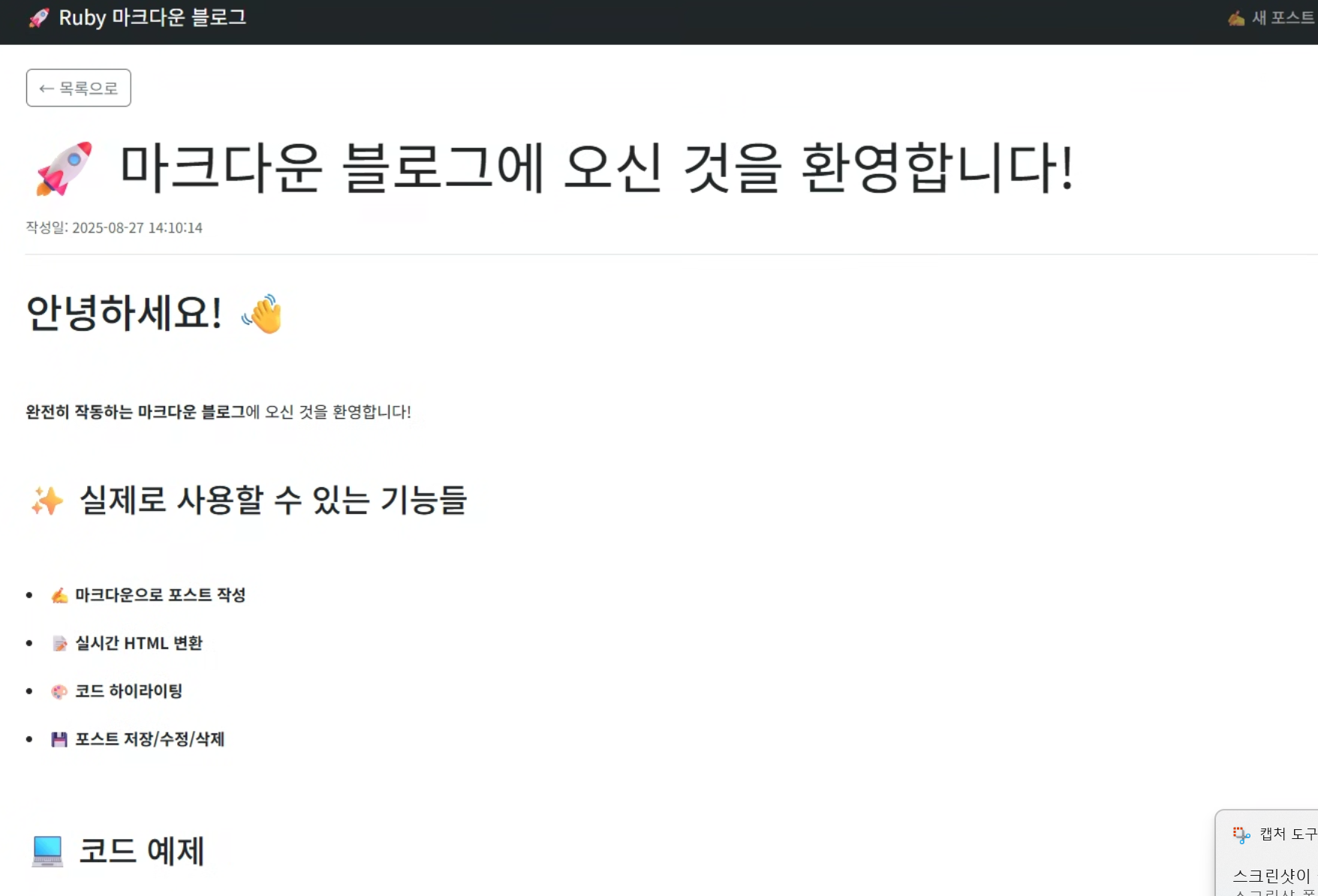
Ruby on Rails로 마크다운 블로그 만들기
🤔 Ruby on Rails란 무엇인가?
Ruby on Rails(줄여서 Rails)는 Ruby 언어로 작성된 오픈소스 웹 애플리케이션 프레임워크입니다. 2004년 David Heinemeier Hansson이 만든 이 프레임워크는 "개발자의 행복"을 중시하며, 빠르고 효율적인 웹 개발을 가능하게 합니다.
핵심 철학
- Convention over Configuration (설정보다 관례): 복잡한 설정 파일 대신 표준 관례를 따름
- Don't Repeat Yourself (DRY): 코드 중복을 최소화
- REST(Representational State Transfer): RESTful한 설계 원칙 준수
💡 왜 Ruby on Rails를 선택했나?
✅ 장점들
1. 빠른 개발 속도
# 단 몇 줄로 CRUD가 완성됩니다
class PostsController < ApplicationController
  def index
    @posts = Post.published.recent
  end

  def show
    @post = Post.find(params[:id])
  end
end
2. 강력한 ORM (Active Record)
# SQL 없이도 복잡한 쿼리 작성 가능
Post.where(published: true)
    .where('created_at > ?', 1.week.ago)
    .order(created_at: :desc)
3. 풍부한 Gem 생태계
# Gemfile - 필요한 기능을 쉽게 추가
gem 'redcarpet'      # 마크다운 처리
gem 'rouge'          # 코드 하이라이팅
gem 'bootstrap', '~> 5.1'  # UI 프레임워크
4. MVC 패턴의 완벽한 구현
app/
├── controllers/     # 요청 처리 로직
├── models/         # 데이터 모델
├── views/          # 화면 표시
└── services/       # 비즈니스 로직 분리
⚠️ 단점들
1. 성능 이슈
- Ruby 자체가 상대적으로 느림
- 대용량 트래픽 처리에 한계
2. 메모리 사용량
- 다른 언어에 비해 메모리 사용량이 높음
- 서버 비용 증가 가능성
3. 학습 곡선
- Rails의 "마법" 같은 기능들이 초보자에게 혼란 야기
- Ruby 언어 자체도 함께 학습해야 함
📈 Ruby on Rails의 현재 위치
🔥 여전히 인기 있는 이유
-
스타트업의 선택
- 빠른 MVP(Minimum Viable Product) 개발
- GitHub, Shopify, Airbnb 등이 Rails로 시작
-
성숙한 생태계
- 15년+ 의 안정성
- 풍부한 문서와 커뮤니티
-
최근 업데이트
# Rails 7의 새로운 기능들
- Hotwire: SPA 없이도 모던한 웹앱
- Import Maps: JavaScript 번들링 간소화
- CSS Bundling: 모던 CSS 워크플로우
📊 현재 사용 현황 (2024년 기준)
- Stack Overflow 설문조사: 웹 프레임워크 13위
- GitHub Stars: 50,000+ (꾸준한 성장)
- Job Market: 여전히 많은 Rails 개발자 구인
🛠️ 내가 구현한 마크다운 블로그
📁 프로젝트 구조
markdown_blog/
├── app/
│   ├── controllers/
│   │   ├── application_controller.rb
│   │   └── posts_controller.rb
│   ├── models/
│   │   ├── application_record.rb
│   │   └── post.rb
│   ├── services/
│   │   └── markdown_renderer.rb
│   └── views/
│       ├── layouts/
│       │   └── application.html.erb
│       └── posts/
│           ├── index.html.erb
│           ├── show.html.erb
│           ├── new.html.erb
│           ├── edit.html.erb
│           └── _form.html.erb
├── config/
│   ├── routes.rb
│   └── database.yml
└── db/
    └── migrate/
        └── 001_create_posts.rb
🎯 핵심 기능 구현
1. 마크다운 렌더링
# app/services/markdown_renderer.rb
class MarkdownRenderer
  def self.render(content)
    renderer = Redcarpet::Render::HTML.new(
      filter_html: true,
      hard_wrap: true,
      link_attributes: { target: '_blank' }
    )

    markdown = Redcarpet::Markdown.new(
      renderer,
      autolink: true,
      tables: true,
      fenced_code_blocks: true,
      strikethrough: true
    )

    markdown.render(content).html_safe
  end
end
2. 포스트 모델
# app/models/post.rb
class Post < ApplicationRecord
  validates :title, presence: true, length: { minimum: 1, maximum: 255 }
  validates :content, presence: true, length: { minimum: 1 }

  scope :published, -> { where(published: true) }
  scope :recent, -> { order(created_at: :desc) }

  def markdown_content
    MarkdownRenderer.render(content)
  end

  def reading_time
    words_per_minute = 200
    word_count = content.split.size
    (word_count / words_per_minute.to_f).ceil
  end

  def summary(limit = 150)
    stripped_content = content.gsub(/[#*`>-]/, '').strip
    truncated = stripped_content.length > limit ?
                stripped_content[0...limit] + '...' :
                stripped_content
    truncated
  end
end
3. 컨트롤러
# app/controllers/posts_controller.rb
class PostsController < ApplicationController
  before_action :find_post, only: [:show, :edit, :update, :destroy]

  def index
    @posts = Post.published.recent
  end

  def show
  end

  def new
    @post = Post.new
  end

  def create
    @post = Post.new(post_params)

    if @post.save
      redirect_to @post, notice: '포스트가 성공적으로 작성되었습니다.'
    else
      render :new
    end
  end

  private

  def find_post
    @post = Post.find(params[:id])
  end

  def post_params
    params.require(:post).permit(:title, :content, :published)
  end
end
🎨 UI/UX 특징
반응형 디자인
<!-- app/views/layouts/application.html.erb -->
<div class="container-fluid">
  <div class="row">
    <div class="col-lg-8 mx-auto">
      <main>
        <%= yield %>
      </main>
    </div>
  </div>
</div>
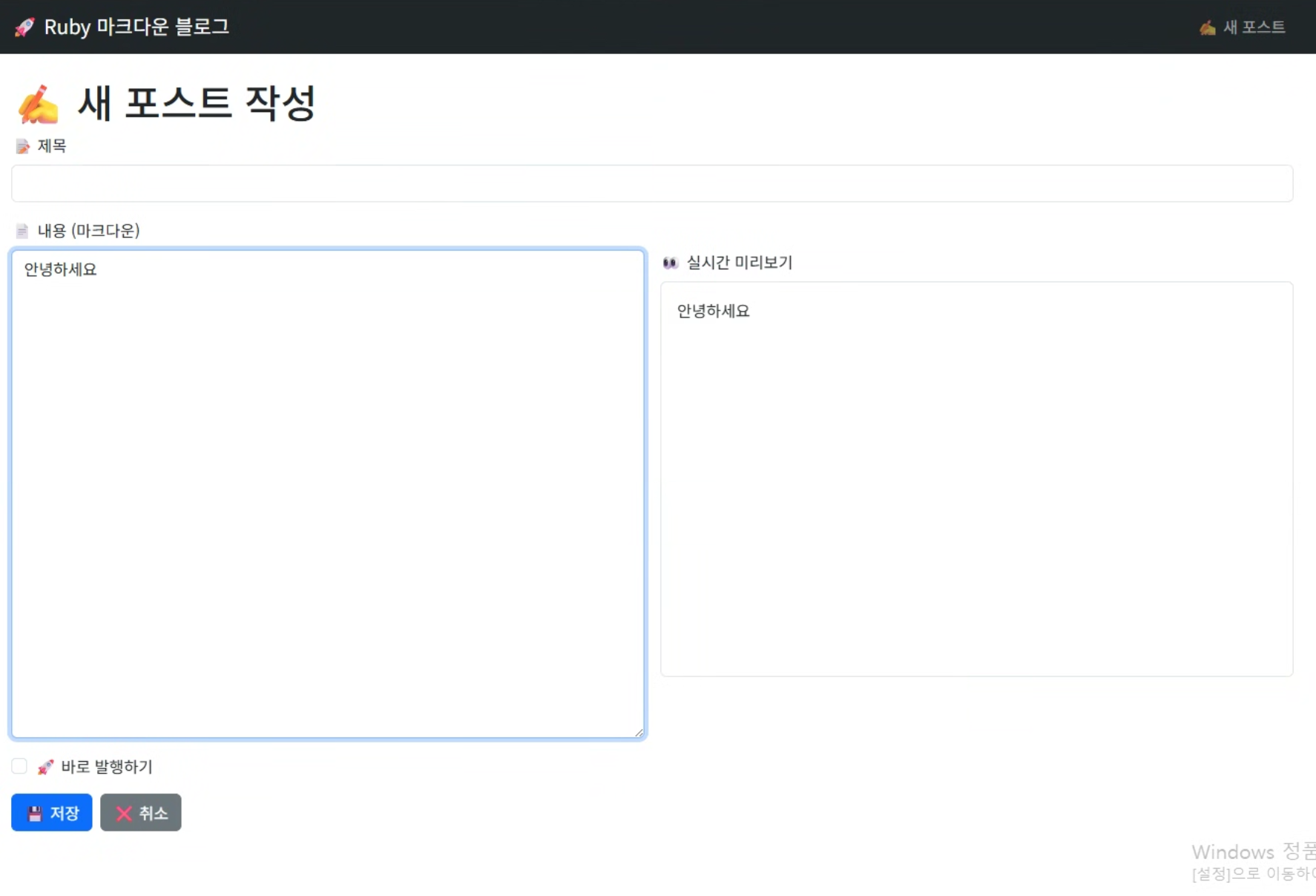
실시간 미리보기
<!-- app/views/posts/_form.html.erb -->
<div class="row">
  <div class="col-md-6">
    <%= form.text_area :content, class: "form-control",
                       rows: 20,
                       placeholder: "마크다운으로 작성하세요..." %>
  </div>
  <div class="col-md-6">
    <div class="markdown-preview border p-3">
      <!-- JavaScript로 실시간 미리보기 구현 -->
    </div>
  </div>
</div>
완성된 기능들
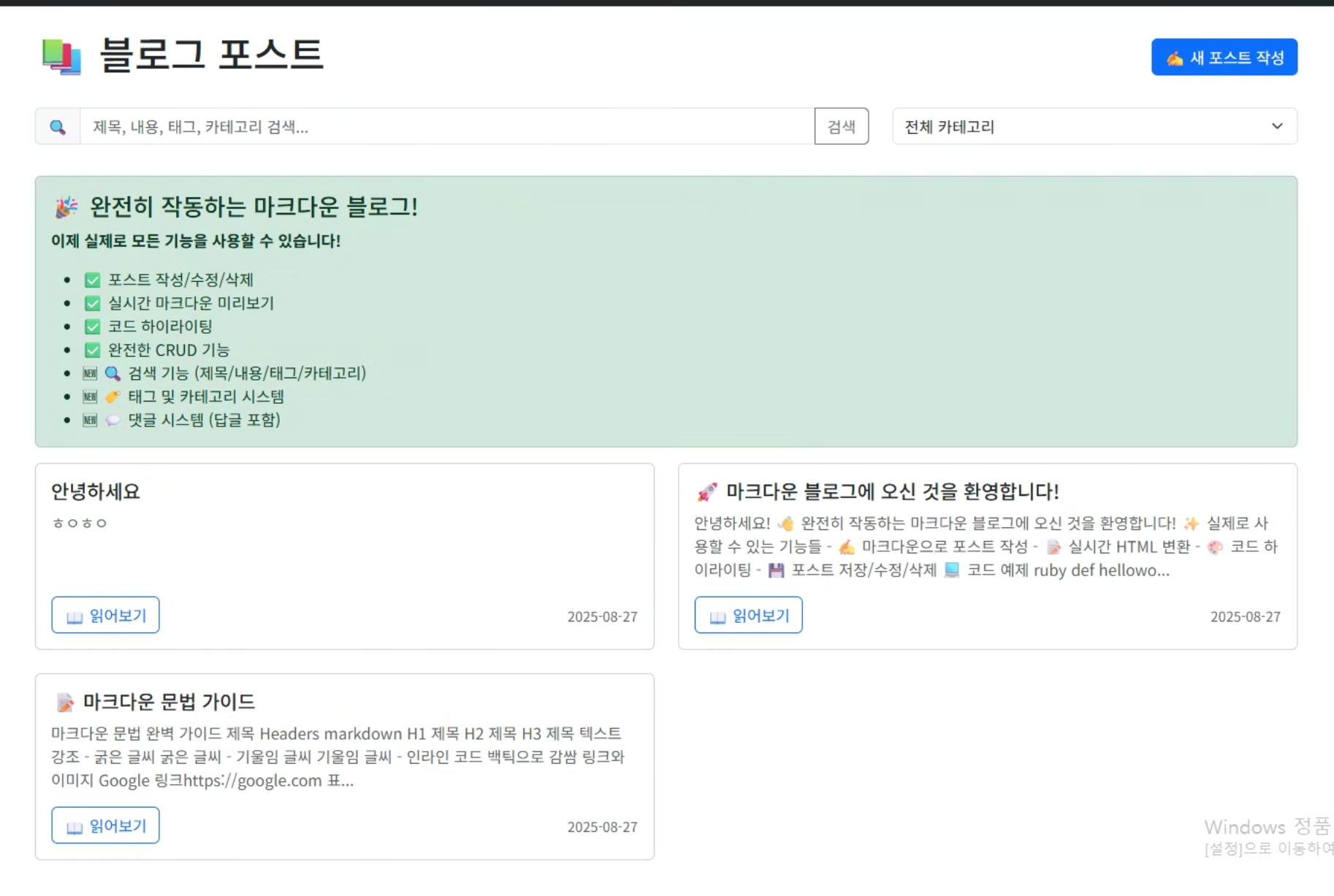
- CRUD 완전 구현: 포스트 생성, 읽기, 수정, 삭제
- 마크다운 처리: Redcarpet + Rouge로 완벽한 문법 지원
- 상태 관리: 초안/발행 시스템
- 반응형 UI: Bootstrap 5 기반 모바일 친화적 디자인
- 코드 하이라이팅: 다양한 프로그래밍 언어 지원
- 자동 기능: 읽기 시간 계산, 요약문 생성
실행 방법
# 1. 의존성 설치
bundle install

# 2. 데이터베이스 설정
rails db:create
rails db:migrate
rails db:seed

# 3. 서버 실행
rails server

# 4. 브라우저 접속
http://localhost:3000
Ruby on Rails의 미래
발전 방향
- 성능 개선: Ruby 3.0+의 성능 향상
- 모던 웹: Hotwire로 SPA 없는 리치 웹앱
- API 모드: Rails API + React/Vue 조합 증가
- 컨테이너화: Docker, Kubernetes 지원 강화
개인적인 생각
Rails를 선택한 이유는 단순합니다. 빠르게 아이디어를 실현할 수 있기 때문입니다.
몇 시간 만에 완전히 작동하는 블로그 시스템을 만들 수 있었고, 코드도 읽기 쉽고 유지보수하기 좋습니다. 비록 성능상 한계는 있지만, 개인 프로젝트나 중소규모 서비스에는 여전히 최고의 선택 중 하나라고 생각합니다.
결론
Ruby on Rails는:
- ✅ 빠른 개발이 필요한 프로젝트에 최적
- ✅ 스타트업이나 MVP 개발에 탁월
- ✅ 개발자 경험을 중시하는 팀에 적합
- ⚠️ 대용량 트래픽 처리에는 추가 고려 필요
- ⚠️ 성능이 최우선인 프로젝트는 다른 선택 고려
2024년 현재도 많은 개발자들이 Rails를 선택하는 이유는 명확합니다. 복잡한 설정 없이 비즈니스 로직에 집중할 수 있고, 풍부한 생태계와 커뮤니티가 뒷받침하고 있기 때문입니다.
앞으로도 Rails는 웹 개발의 좋은 선택지 중 하나로 남을 것 같습니다. 특히 빠른 프로토타이핑과 개발 생산성을 중시하는 환경에서는 여전히 강력한 도구입니다.
..