JAVA 버튼 누르면 배경화면 색 바뀌기
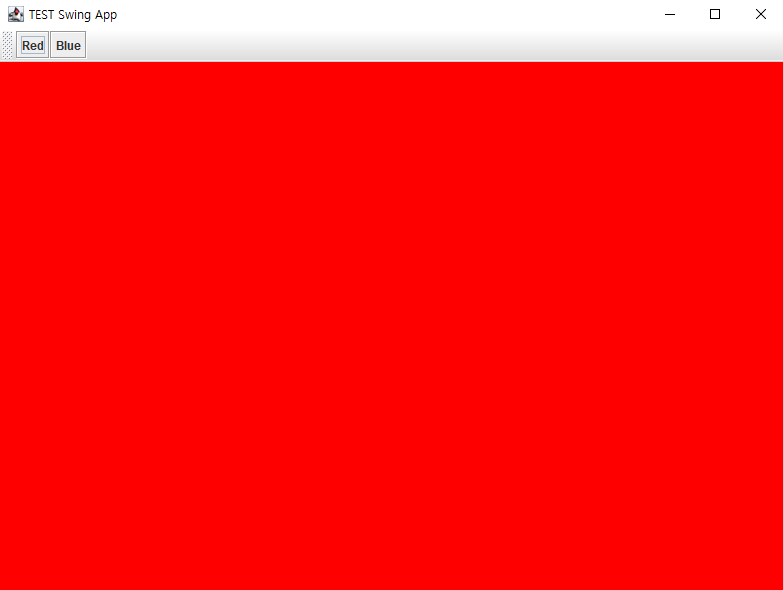
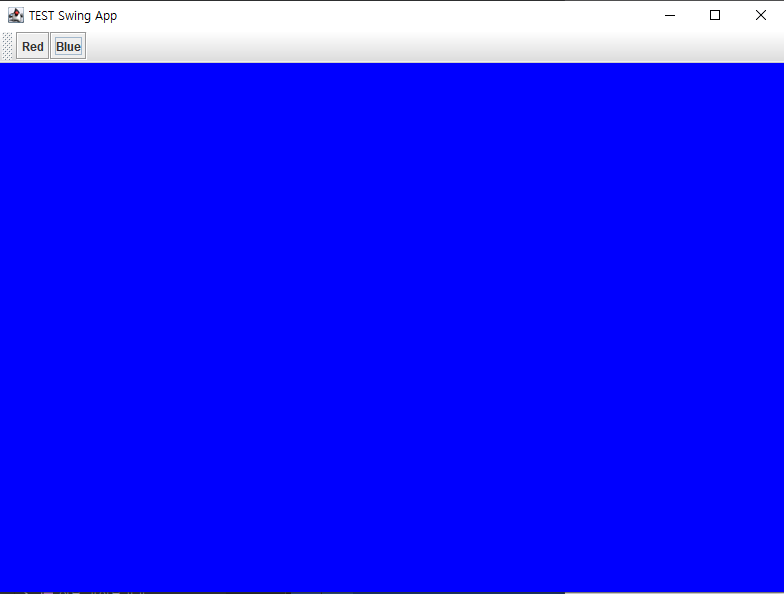
package chap08;

public class App {
    public static void main(String[] args) {
        new MainFrame("TEST Swing App");

    }
}
//run은 여기서 실행해줘야한다.
package chap08;

import javax.swing.*;
import java.awt.*;
public class MainPanel extends JPanel {
public MainPanel()
{
    setBackground(Color.ORANGE);
}
    public MainPanel(int r, int g, int b ){
        super();
        setBackground(new Color(r,g,b));
    }


}
package chap08;

import javax.swing.*;
import java.awt.*;

public class MainFrame extends JFrame {
    public MainFrame(String title){
        super(title);
        final MainPanel mainPanel = new MainPanel();
        //창에 컴포넌트(button, input, lable)들을 붙이기 위함
        //생성자 잘 기입해야함
        setLayout(new BorderLayout());

        /*//JPanel 생성.
        JPanel panel = new JPanel();
        panel.setBackground(Color.BLACK); //배경색 설정
        //메인 프레임에 붙이기 (중앙에 위치)*/

        add(new MainPanel(255, 200, 123), BorderLayout.CENTER);
        add(new ToolBar(mainPanel), BorderLayout.NORTH);
        add(mainPanel, BorderLayout.CENTER);


        setSize(800, 600); //창 사이즈
        setDefaultCloseOperation(JFrame.EXIT_ON_CLOSE);
        //닫을 때 프로그램 종료.
        setVisible(true); //창 보이게

    }

}
package chap08;

import javax.swing.*;
import java.awt.*;
import java.awt.event.ActionEvent;
import java.awt.event.ActionListener;


public class ToolBar extends JToolBar {

    public ToolBar(MainPanel mainPanel){
        final JButton redButton = new JButton("Red");
        final JButton blueButton = new JButton("Blue");

        redButton.addActionListener(new ColorButtonListner(mainPanel, Color.RED));
        blueButton.addActionListener(new ColorButtonListner(mainPanel, Color.BLUE));

        add(redButton);
        add(blueButton);
    }


}

class ColorButtonListner implements ActionListener{
//implements 인터페이스 상속
    private MainPanel mainPanel;
    private  Color color;

    public ColorButtonListner(MainPanel mainPanel,Color color){
        this.mainPanel = mainPanel;
        this.color = color;
    }


    @Override
    public void actionPerformed(ActionEvent e) {
        System.out.println(color + "Button clicked");
        mainPanel.setBackground(color);

    }
}
- extends는 클래스 한 개만 상속 받을 수 있으며, 자식 클래스는 부모 클래스의 기능을 사용할 수 있다.
- implements는 여러 개의 interfaces를 상속 받을 수 있으며, 자식 클래스는 부모의 기능을 다시 정의해서 사용해야한다.
참고
https://wooono.tistory.com/261
https://doozi0316.tistory.com/entry/JAVA-%EC%9D%B8%ED%84%B0%ED%8E%98%EC%9D%B4%EC%8A%A4%EB%9E%80-%EB%8B%A4%ED%98%95%EC%84%B1-%EC%B6%94%EC%83%81%ED%81%B4%EB%9E%98%EC%8A%A4-implements