
TIL (Today I Learned)
오늘 공부한거!
프래그먼트 = Fragment = 파편, 부서진 조각
 -
- 이거 아님
- 안드로이드 애플리케이션의 UI 부분을 모듈화하여 재사용할 수 있도록 해주는 구성 요소
- 프래그먼트는 자체적인 생명주기(lifecycle)를 가지며,
액티비티의 생명주기와 밀접하게 연결되어 있습니다.
액티비티 vs 프래그먼트
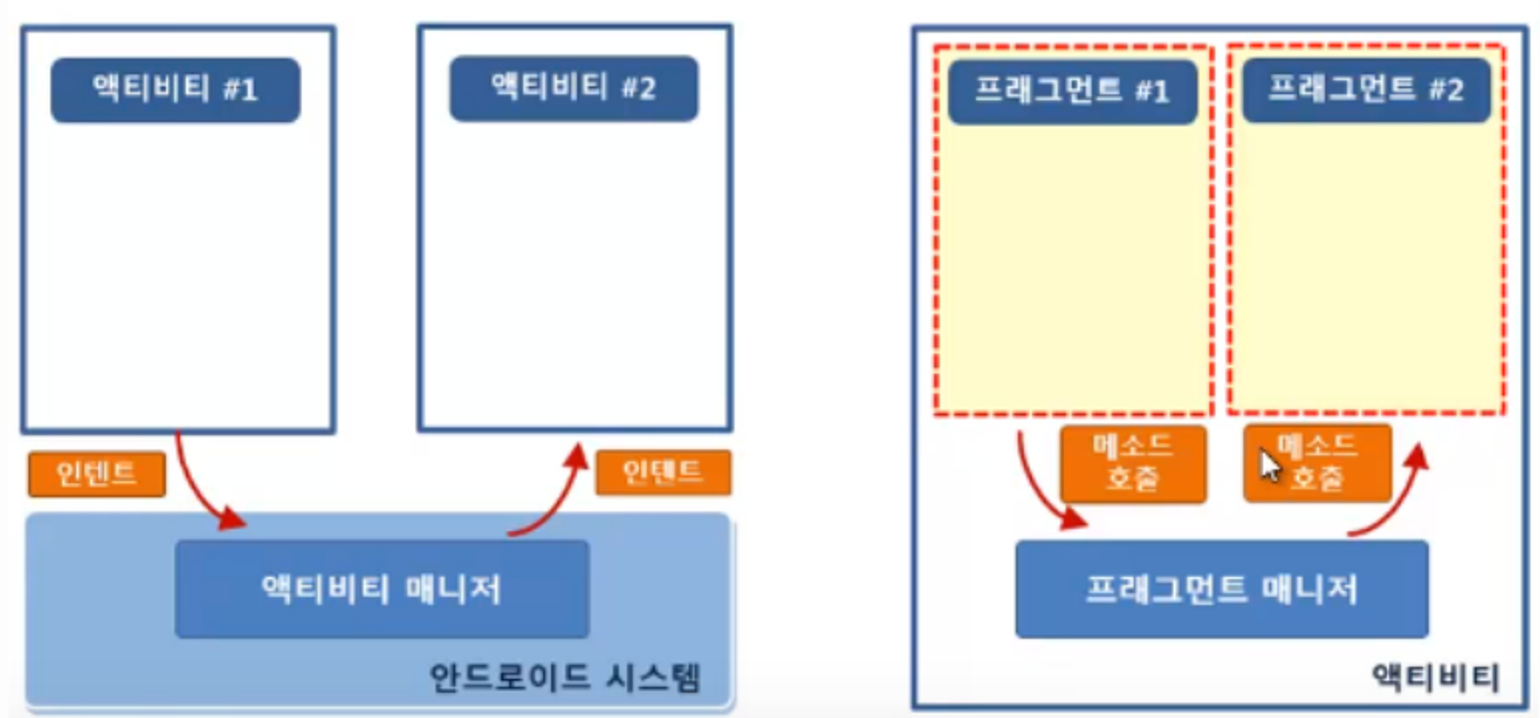
프래그먼트 사용하는 EU
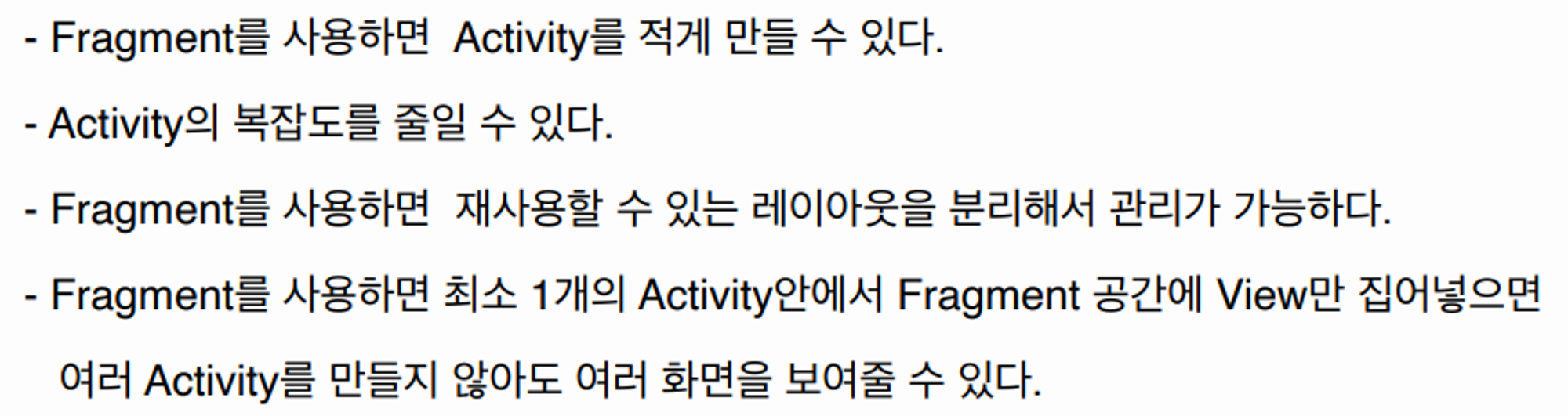
프레그먼트 사용법
-
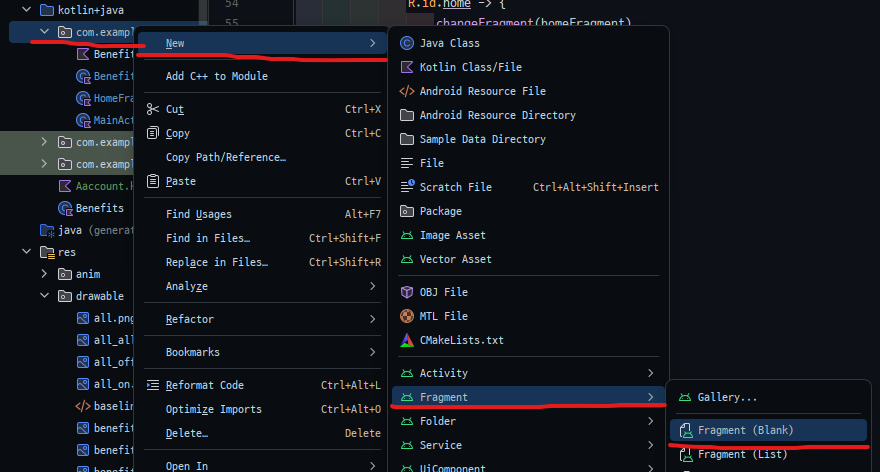
프래그먼트 생성
-
Kotlin 소스 파일 생성
class FirstFragment : Fragment() {
    override fun onCreateView(
        inflater: LayoutInflater, container: ViewGroup?,
        savedInstanceState: Bundle?
    ): View? {
        // Inflate the layout for this fragment
        return inflater.inflate(R.layout.fragment_first, container, false)
    }
3-1. 프래그먼트 액티비티 (레이아웃 파일에 정적)
<?xml version="1.0" encoding="utf-8"?>
<LinearLayout xmlns:android="http://schemas.android.com/apk/res/android"
    android:id="@+id/fragment_container"
    android:layout_width="match_parent"
    android:layout_height="match_parent"
    android:orientation="vertical">
    <TextView
        android:layout_width="wrap_content"
        android:layout_height="wrap_content"
        android:text="Hello World!" />
    <fragment
        android:name="com.skmns.fragmentbasic.FirstFragment"
        android:layout_width="match_parent"
        android:layout_height="match_parent"
        android:id="@+id/fragment" />
</LinearLayout>
3-2. 프래그먼트 액티비티 (동적)
	supportFragmentManager.commit {
            replace(R.id.frameLayout, frag)
            setReorderingAllowed(true)
            addToBackStack("")
        }
공장자동화와 웹 개발을 핥아 먹다 앱 개발로 전향한 개발자의 키보드의 낡은 키캡⛑️