[JavaScript] Visual code를 이용한복습
출력하기
index.html
<!DOCTYPE html>
<html>
    <head></head>
        <title>vscode</title>
        <meta charset="utf-8">
    <body>
        <div class="today-info">
            <div class="date" id="date">
                02.05. 월요일
            </div>
            <div class="clock" id="clock">
                16:24
            </div>
        </div>
        <script src="./index.js"></script>
    </body>
</html>
index.js
const dateElement = document.getElementById("date");
dateElement.style.color = 'blue';
dateElement.sthle.fontSize = "30px";
input 태그
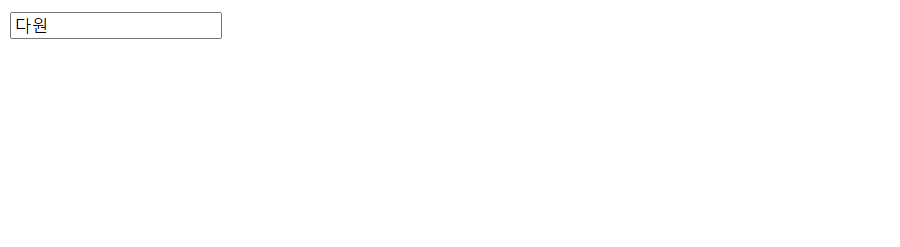
<!DOCTYPE html>
<html>
    <head>
        <title>form-test</title>
        <meta charset="UTF-8">
    </head>
    <body>
        <div>
            <input type="text"/>
        </div>
        <script src="./index.js"></script>
    </body>
</html>
const inputElement = document.getElementById("input");
inputElement.addEventListener("mouseover",()=>{
console.log(inputElement.value);
})select 태그
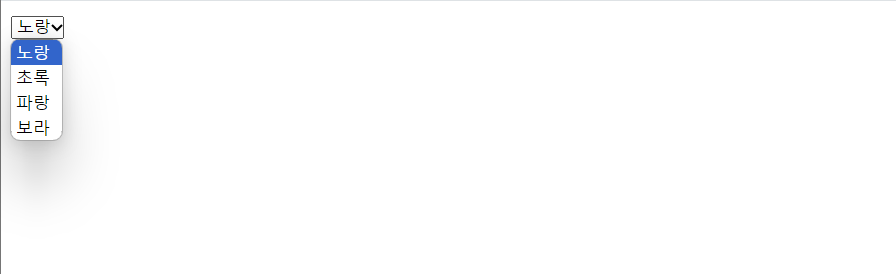
<!DOCTYPE html>
<html>
    <head>
        <title>form-test</title>
        <meta charset="UTF-8">
    </head>
    <body>
        <div>
            <select id="color">
                <option>노랑</option>
                <option>초록</option>
                <option>파랑</option>
                <option>보라</option>
            </select>
            <!-- <div id="result">노랑</div> -->
        </div>
        <script src="./index.js"></script>
    </body>
</html>
const selectElement = document.getElementById("color");
selectElement.addEventListener("change",()=>{
console.log(selectElement.value);
})select 값이 변경될 때 마다 result 변경
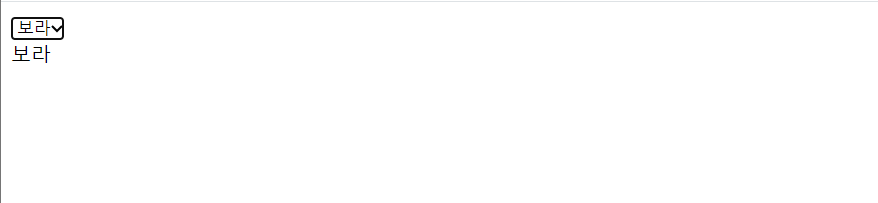
<!DOCTYPE html>
<html>
    <head>
        <title>form-test</title>
        <meta charset="UTF-8">
    </head>
    <body>
        <div>
            <select id="color">
                <option>노랑</option>
                <option>초록</option>
                <option>파랑</option>
                <option>보라</option>
            </select>
            <div id="result"></div>
        </div>
        <script src="./index.js"></script>
    </body>
</html>
const selectElement = document.getElementById("color");
const resultElement = document.getElementById("result");
selectElement.addEventListener("change",()=>{
resultElement.textContent = selectElement.value;
})
나의 코딩 다이어리🖥️👾✨