Spring Data Jpa를 사용하다보면 한번쯤은 고민하게 되는 부분이 바로 식별자에 관한게 아닌가 싶다.
코딩을 배우는 입장에서야 pk값을 무지성 Long 타입으로 지정해도 교육이 목적이다 보니 보안을 신경쓰지 않았지만
실제 서비스를 운영하게 된다면 특정 데이터의 pk값이 노출되는 것은 치명적일 수 있다고 한다.
그러니 pk값도 일반 Long 타입이 아닌 쉽게 예측할 수 없는 값을 지정하는 경우를 심심치 않게 볼 수 있다.

물론 pk값을 UUID로 지정하는 방법은 너무 기초적인 내용이고 여러 블로그에도 나와있다.
내가 다루고 싶은 내용은 단순히 pk를 UUID로 지정했을때 염려되는 부분을 해결하는 UUID 전략을 세워보려한다.
코드는 Github 참조
UUID PK의 문제점
- 데이터 삽입과 조회 시 성능 문제
- UUID는 랜덤하게 생성되니 새로운 행이 삽입될 때 테이블 full scan을 하게 된다.
- 저장공간의 문제
- Long type은 8바이트, UUID는 16바이트 이다보니 DB의 공간을 차지하게 되므로 성능이 저하될 수 있다.
UUID
e39e7383-a262-4723-a0fb-3785998c6d70
UUID의 구조는 5번의 난수와 "-"의 조합이다.
1~3째 난수조합은 타임스탬프에서 생성된다.
4번째, 5번째는 각각 뭐 어떻게 생성된다는데 중요한건 이게 아니고
UUID의 3번째 부분은 타임스탬프를 기준으로 작성이 된다는 것이다.
실제로 생성되는 UUID를 살펴보면 앞의 두부분과는 달리 3번째 부분은 비슷한 숫자로 시작하게 된다.
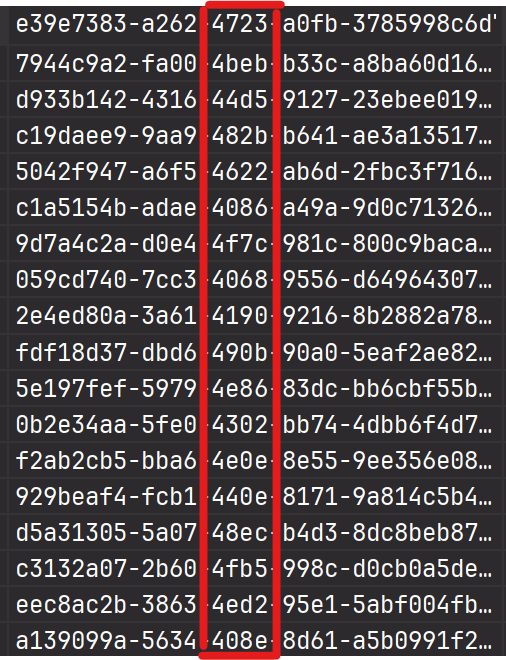
그렇다면 이 점을 이용해서 UUID를 Custom하게 한다면
노출되는 부분의 보안은 지키면서 성능을 가져갈 수 있다고 한다.
e39e7383-a262-4723-a0fb-3785998c6d70 => 4723a262e39e7383a0fb3785998c6d70
UUID가 5 조합으로 나뉘어져 있으면 1 - 2 - 3 - 4 - 5 순서를 3 - 2 - 1 - 4 - 5 로 만들어주자.
추가로 "-"은 의미가 없으니 제거해서 컬럼의 용량을 줄여주자
각 pk 전략 비교
3개의 테이블을 만들어주자
pk 타입 : Long
@Getter
@Entity
@NoArgsConstructor
public class PkLong {

	@Id
	@GeneratedValue(strategy = GenerationType.IDENTITY)
	@Comment("Long 타입 pk")
	private Long id;

	@Column(length = 30)
	private String name;

	@Builder
	public PkLong(Long id, String name) {
		this.id = id;
		this.name = name;
	}
}
pk 타입 : 일반 UUID
@Getter
@Entity
@NoArgsConstructor
public class Uuid {

	@Id
	@GeneratedValue(strategy = GenerationType.UUID)
	@Comment("UUID 타입 pk")
	private UUID id;

	@Column(length = 30)
	private String name;

	@Builder
	public Uuid(String name) {
		this.id = UUID.randomUUID();
		this.name = name;
	}
}
pk 타입 : 커스텀 uuid
@Getter
@Entity
@Table(name = "custom_uuid")
@ToString
@NoArgsConstructor(access = AccessLevel.PROTECTED)
public class CustomUuid {

	@Id
	@Column(length = 32)
	private String id;

	@Column(length = 30)
	private String name;

	@Builder
	public CustomUuid(String name) {
		this.id = IdGenerator.generateUuid(UUID.randomUUID());
		this.name = name;
	}
}

//커스텀 UUID 유틸
public class IdGenerator {

	public static String generateUuid(UUID uuid) {

		var tokens = uuid.toString().split("-");

		return tokens[2] + tokens[1] + tokens[0] + tokens[3] + tokens[4];
	}
}
Test
@SpringBootApplication
@RequiredArgsConstructor
public class UuidApplication {


	public static void main(String[] args) {
		SpringApplication.run(UuidApplication.class, args);
	}

	private final BulkInsertService bulkInsertService;

	@PostConstruct
	public void init() {
		// UUID 타입 pk 테스트
		List<Uuid> members = new ArrayList<>();
		IntStream.range(0, 2000000).forEach(i -> {
			Uuid member = Uuid.builder()
				.name(i + " 번째 uuid 회원")
				.build();
			members.add(member);
		});
		// Long 타입 pk 테스트
		List<PkLong> pkLongMember = new ArrayList<>();
		IntStream.range(0, 2000000).forEach(i -> {
			PkLong member = PkLong.builder()
				.id((long) i)
				.name(i + " 번째 long 회원")
				.build();
			pkLongMember.add(member);
		});
		// custom UUID pk 테스트
		List<CustomUuid> customUuids = new ArrayList<>();
		IntStream.range(0, 2000000).forEach(i -> {
			CustomUuid customUuid = CustomUuid.builder()
				.name(i + " 번째 custom 회원")
				.build();
			customUuids.add(customUuid);
		});
		bulkInsertService.bulkUuidInsert(members);
		bulkInsertService.bulkPkLongInsert(pkLongMember);
		bulkInsertService.bulkCustomUuidInsert(customUuids);
	}
}

//200만 데이터 bulk insert component
@Slf4j
@Service
@RequiredArgsConstructor
public class BulkInsertService {

	private final JdbcTemplate jdbcTemplate;

	@Transactional
	public void bulkCustomUuidInsert(List<CustomUuid> insertList) {
		String sql = "INSERT INTO custom_uuid (id, name) VALUES (?, ?)";

		long startTime = System.currentTimeMillis();
		jdbcTemplate
			.batchUpdate(sql,
						 insertList,
						 insertList.size(),
						 (PreparedStatement ps, CustomUuid customUuid) -> {
							 ps.setString(1, customUuid.getId());
							 ps.setString(2, customUuid.getName());
						 }
			);
		long endTime = System.currentTimeMillis();
		log.info("Custom UUID Bulk Insert Time : {} ms", endTime - startTime);
	}

	@Transactional
	public void bulkPkLongInsert(List<PkLong> insert) {
		String sql = "INSERT INTO pk_long (id, name) VALUES (?, ?)";

		long startTime = System.currentTimeMillis();
		jdbcTemplate
			.batchUpdate(sql,
						 insert,
						 insert.size(),
						 (PreparedStatement ps, PkLong pkLong) -> {
							 ps.setLong(1, pkLong.getId());
							 ps.setString(2, pkLong.getName());
						 }
			);
		long endTime = System.currentTimeMillis();
		log.info("Long Bulk Insert Time : {} ms", endTime - startTime);
	}

	@Transactional
	public void bulkUuidInsert(List<Uuid> insert) {
		String sql = "INSERT INTO uuid (id, name) VALUES (?, ?)";

		long startTime = System.currentTimeMillis();
		jdbcTemplate
			.batchUpdate(sql,
						 insert,
						 insert.size(),
						 (PreparedStatement ps, Uuid uuid) -> {
							 ps.setObject(1, uuid.getId());
							 ps.setString(2, uuid.getName());
						 }
			);
		long endTime = System.currentTimeMillis();
		log.info("UUID Bulk Insert Time : {} ms", endTime - startTime);
	}
}
간단하게 200만 데이터를 bulkinsert해주는 메서드를 만들었다.(걸리는 시간도 테스트하기 위한 로그도 추가)
만약 jpa의 saveAll을 사용한다면 컴퓨터 사양에 따라 시간이 엄청나게 걸릴 수 있으니 jdbcTemplate을 통해 직접 넣어 주도록 하자.
findAll test 코드
@SpringBootTest
public class PkTest {

	@Autowired
	private PkLongRepository pkLongRepository;

	@Autowired
	private UuidRepository uuidRepository;

	@Autowired
	private CustomUuidRepository customUuidRepository;

	@Test
	void pkTest() {
		measureTime(() -> pkLongRepository.findAll(), "PkLong 조회 시간");
		measureTime(() -> uuidRepository.findAll(), "UUID 조회 시간");
		measureTime(() -> customUuidRepository.findAll(), "Custom UUID 조회 시간");
	}

	private void measureTime(Runnable runnable, String message) {
		long start = System.currentTimeMillis();
		runnable.run();
		long end = System.currentTimeMillis();
		System.out.println(message + " : " + (end - start) + "ms");
	}
}
결과
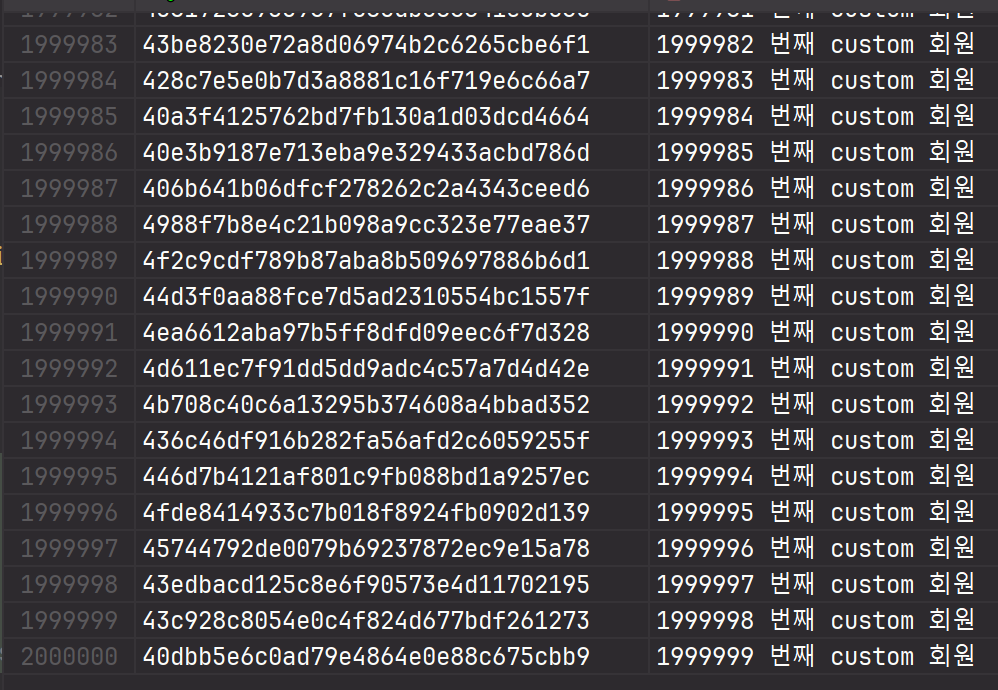
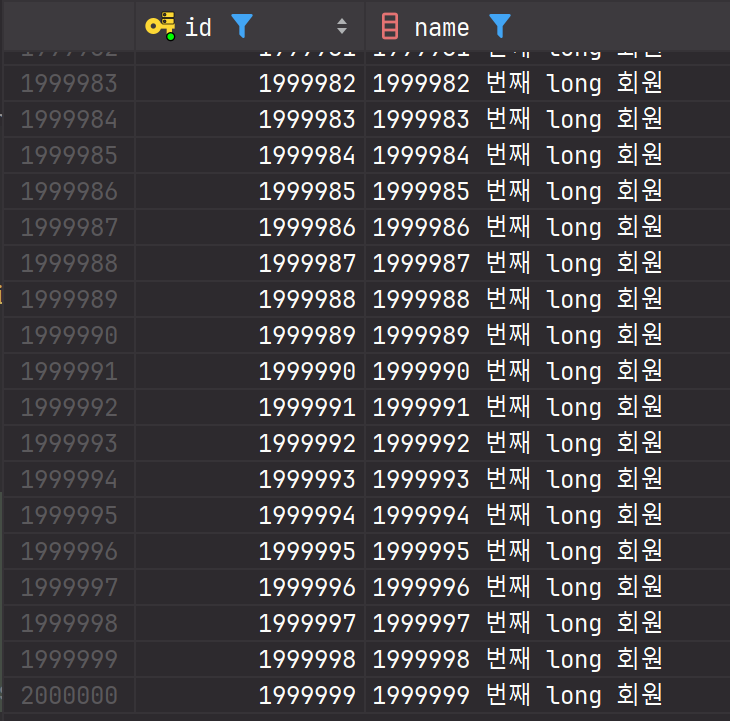
DB를 확인해보면
customUUID
Long
UUID
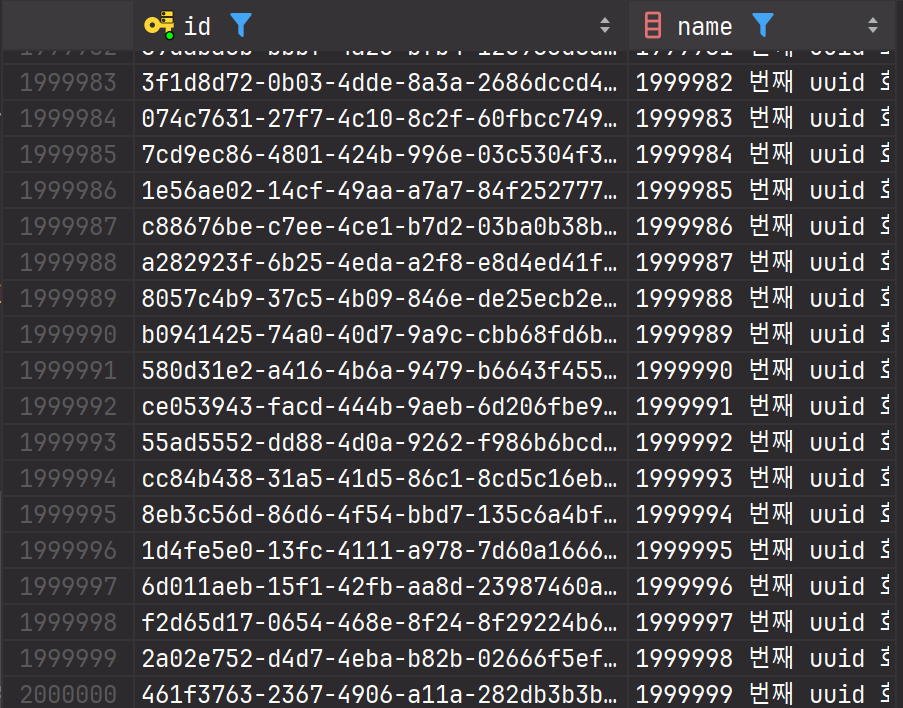
각각 데이터가 200만개씩 입력되었다.
입력, 조회 결과는 어떻게 나왔을까?
//insert
Long Bulk Insert Time : 13975 ms
UUID Bulk Insert Time : 19473 ms
Custom UUID Bulk Insert Time : 30224 ms (!)

//findAll
PkLong 조회 시간 : 3934ms
UUID 조회 시간 : 5386ms
Custom UUID 조회 시간 : 5006ms
음.. Custom UUID의 경우 알고리즘을 생각하지 않고 막 만들다 보니
uuid를 String으로 변환하는 과정에서 시간을 많이 잡아먹은것 같다..
뭐 UUID를 입력하는 부분은 차차 수정하고
findAll의 경우 뭐 어느정도 시간을 단축할 수 있었다.(여러번의 테스트를 해봐도 비슷한 결과가 나온다.)
하지만 엄청난 차이가 있을것 같았는데; 내가 만든 테스트가 잘못 된건지 아닌지 200만건에서 0.3초 정도면 무난하지 않나?라는 생각을 했다.
참조를 했던 글을 다시 살펴보니
200만건의 데이터 정도로는 차이가 나지는 않는것 같았다.
블로그에서도 테스트를 위해 2500만 데이터를 삽입했고 그 데이터를 기반으로 속도를 측정하였다.
그 중 재밌는 결과를 확인해보면
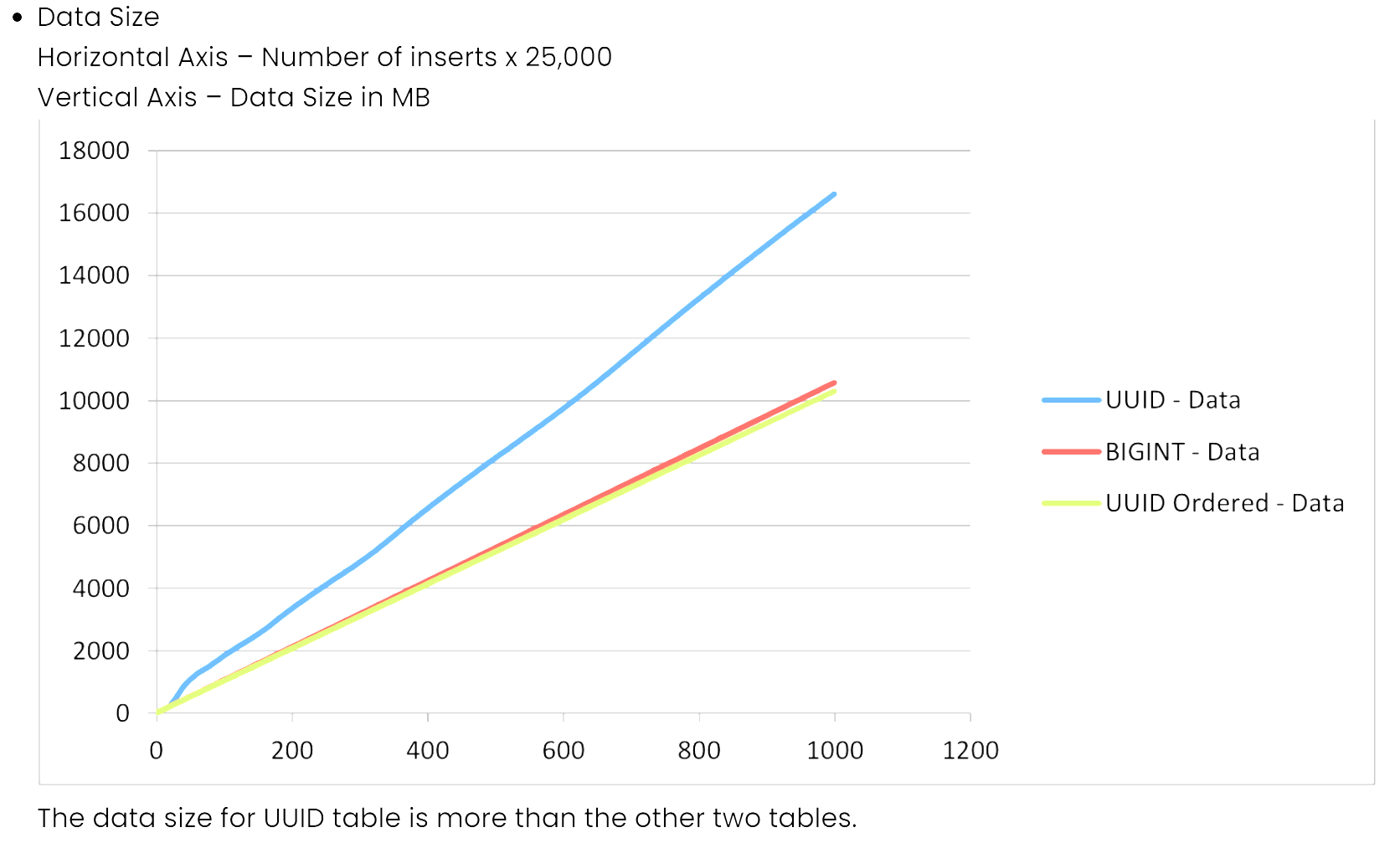
데이터 사이즈의 경우 uuid의 "-" 대시를 제거해서 그런지 용량의 차이가 유의미하게 커진다.
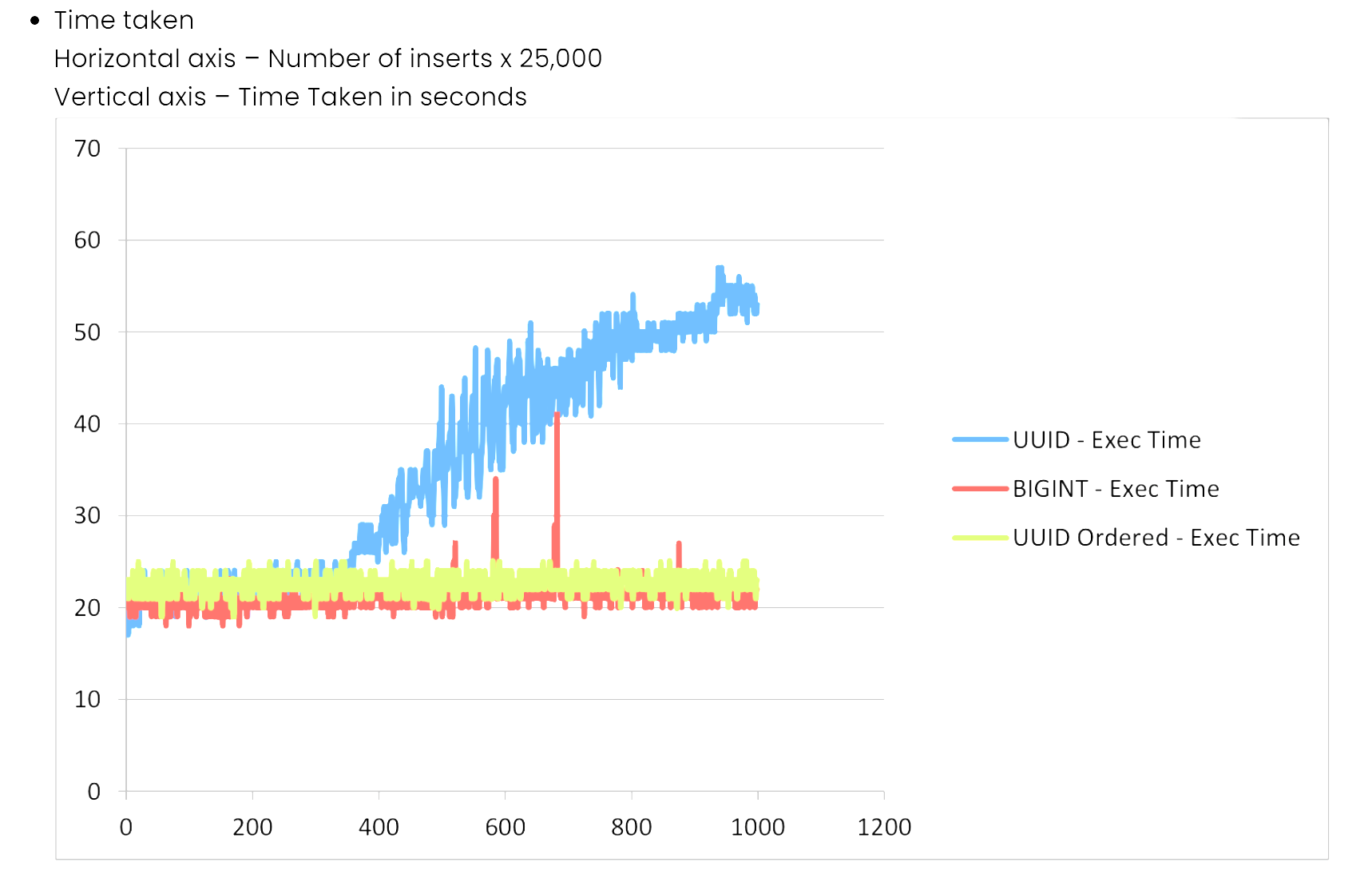
걸린 시간도 보자면
내가 만든 IdGenerator는 확실히 잘못된걸 알 수 있다.
UUID를 2500만 데이터를 삽입할때 400만건? 부터 그 속도가 점차 올라가고
CustomUUID의 경우 Long과 비슷하게 되는걸 확인할 수 있었다.
만약 대용량 데이터를 다루는 서비스의 경우 보안을 같이 챙기고 싶다면
UUID를 Custom하게 만드는게 중요한 전략이 되지 않을까 싶다.
출처