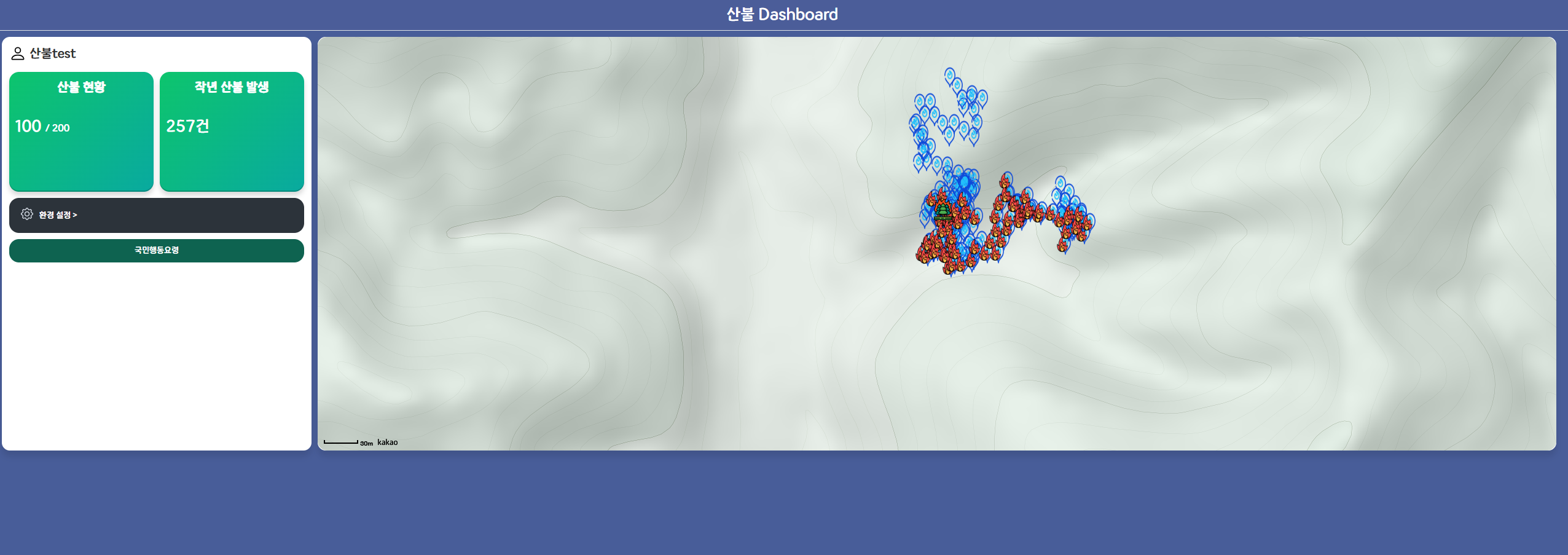
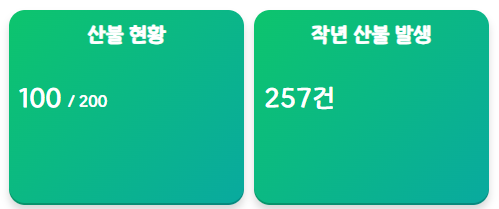
산불의 현황을 알려주는 것이 중요하다 생각하여, 왼쪽 div에는 테스트 데이터 p의 갯수와 positoion의 갯수를 받아와 대시보드에 표시해 주었다.
그리고, 오른쪽 div에는 작년 산불 발생의 건수를 알려주기 위해, 공공데이터포털 산림청에서 제공하는 "산림청_산불발생통계(대국민포털)" API를 가져와 사용했다.
const [fireTotalCount, setFireTotalCount] = useState(null);
    const fire_real_api_key = "/Vz/5gJI4f9lld+gWGihgnA4CZuUvmiFai5E5QG+FInURUWq1+GhcO0sOLiSXcbNYqlTSmdvfXigou6uPVgj+Q==";

    useEffect(() => {
        const fetchData = async () => {
            const url = "http://apis.data.go.kr/1400000/forestStusService/getfirestatsservice";
            const queryParams = new URLSearchParams({
                serviceKey: decodeURIComponent(fire_real_api_key), // URL 디코딩 필요
                numOfRows: "10",
                pageNo: "1",
                searchStDt: "20240101",
                searchEdDt: "20241231"
            });

            try {
                const response = await fetch(`${url}?${queryParams}`);
                if (!response.ok) {
                    throw new Error(`HTTP error! Status: ${response.status}`);
                }
                const text = await response.text(); //응답을 XML 문자열로 변환
                // console.log("text : ", text);
                const parser = new DOMParser(); // XML을 분석할 DOMParser 생성
                const xmlDoc = parser.parseFromString(text, "application/xml"); //XML을 DOM객체로 변환환

                // totalCount 값 가져오기
                const totalCount = xmlDoc.getElementsByTagName("totalCount")[0]?.textContent; // 원하는 데이터 추출
                setFireTotalCount(totalCount);
                console.log("Total Count:", totalCount);
            } catch (error) {
                console.error("Error fetching data:", error);
            }
        };

        fetchData();
    }, []);
발생 건수만 알고싶었기 때문에 데이터에서 제공하는 totalCount값만 가져왔다.
(위의 ui는 네이버 페이의 화면을 조오금 참고했다..ㅎㅎ..)
그리고 원래 있던 subheader에 대시보드 텍스트를 넣고
사용자 설정과, 환경 설정을 아래에 배치했다.
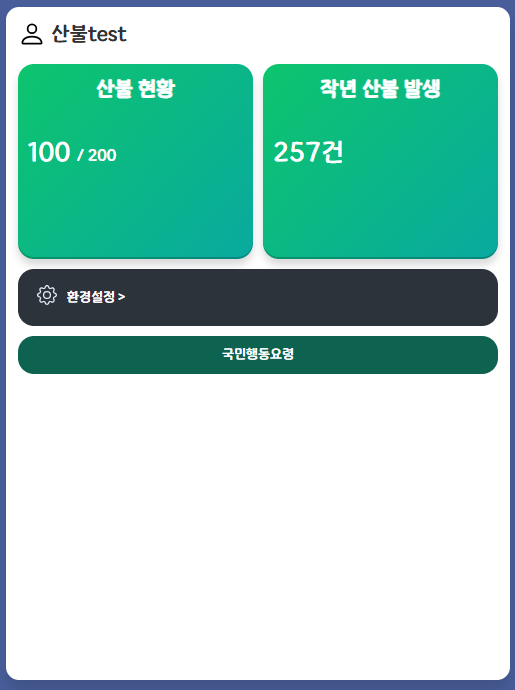
별칭 옆에 있는 사람 이모티콘을 누르면, 사용자 설정 환경설정을 누르면 환경설정을 할 수 있는 viewTap이 뜬다.
아래 국민행동요령을 클릭하면 url을 연결해 놓아서 산림청에서 제공하는 산불 시 국민 행동 요령 페이지가 보여진다.
사용자 설정, 환경설정이 viewTap으로 이루어져 있었기 때문에 메인화면도 viewTap을 정해줘야했다. 따라서, 메인화면의 viewTap을 map으로 지정했다.
근데 화면에 들어왔을 때 메인화면이 뜨지 않는 문제점이 발생했다.
그래서 처음 들어왔을 때, viewTap을 map으로 설정하고,
useEffect(() => {
        if (viewTab === 'MAP') {
            getMaps();
        }
    }, [viewTab, getMaps]);
viewTap이 map일 때 지도를 불러오도록 추가해줬다.