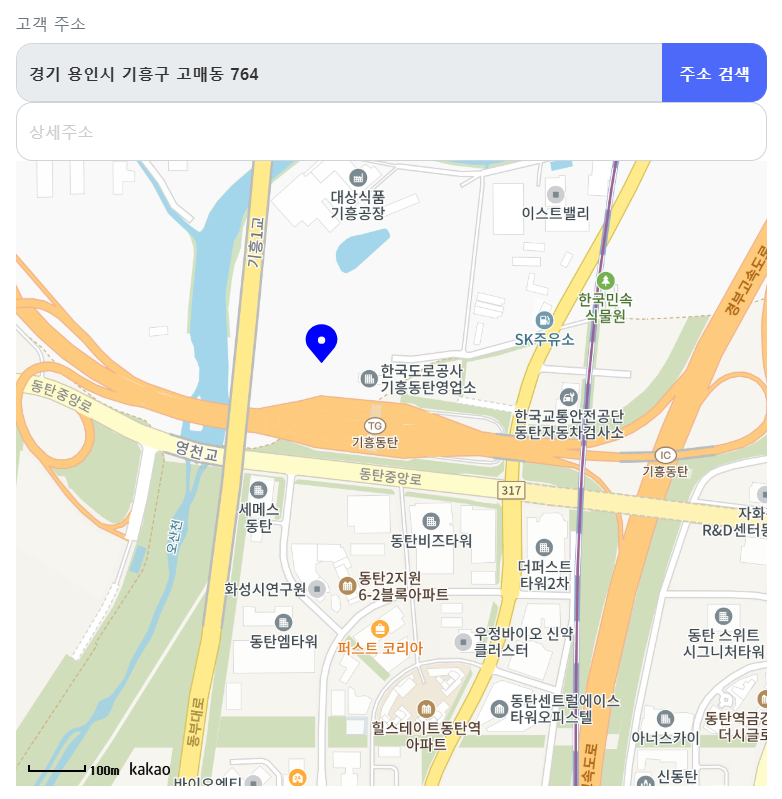
원래 카카오를 통해 주소 검색을 통해 직접 주소를 검색 후 저장되는 방식을 사용했다.
하지만, 기기의 위치를 하나하나 주소를 적기에 불편함이 존재했다. 이 문제점을 해결하기 위해
🙌 페이지에 들어왔을 때 현재의 위치를 파악한 후 지도에 마커와 함께 표시되고, 현재의 위치가 주소 값에 저장되도록 했다.
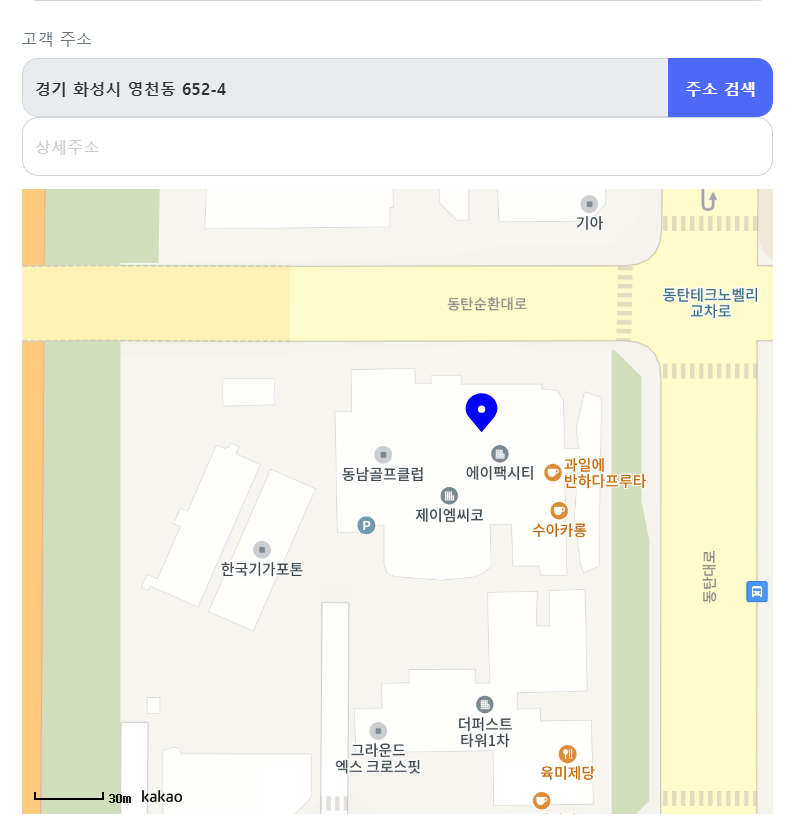
일단, 지도를 띄우기 위해 카카오 지도를 가지고 왔다.
그리고 현재 위치를 알기 위해 navigator.geolocation을 사용해서 Location에 저장해두었다.
useEffect(() => {
        // 위치 정보를 얻는 함수 (예: 브라우저의 Geolocation API 사용)
        navigator.geolocation.getCurrentPosition((position) => {
            const { latitude, longitude } = position.coords;
            setLocation({ latitude, longitude });

        });
    }, []);

	console.log(Location);
이 Location을 통해 처음 페이지를 로드했을 때, 사용자의 위치를 마커로 표시해준다.
let markerPosition = new kakao.maps.LatLng(Location.latitude, Location.longitude);
			markerRef.current = new kakao.maps.Marker({
				position: markerPosition,
				image: greenMarkerImage,
			});
			markerRef.current.setMap(map);
현재의 위치가 아닌 다른 위치로도 설정할 수 있게 지도의 한 위치를 클릭했을 시, 그 클릭한 위치가 반영되도록 설정했다.
kakao.maps.event.addListener(map, "click", function (mouseEvent) {
				let latlng = mouseEvent.latLng;
				markerRef.current.setPosition(latlng);

				geocoder.coord2Address(latlng.getLng(), latlng.getLat(), function (result, status) {
					if (status === kakao.maps.services.Status.OK) {
						const address = result[0].address.address_name;
						 loginDataRef.current.setFieldValue('customerAddress', address);
					}
				});
			});
😯여기서 ! marker와 loginData는 useRef로 설정해서 관리했다.