이전 글에서 mainwidget UI를 구성하고 Tab Widget을 추가해봤습니다.
이번 글에서는 Tab1에 배치할 Tab1DeviceControl 클래스를 생성하고 QTimer, QButtonGroup을 구현하는 과정을 정리할 예정입니다.
수업 진도 따라가기 바빠서 중간 과정을 캡쳐를 못해뒀기 때문에 최종 Tab1 결과물에 대해 설명하는 방향으로 정리해보겠습니다.
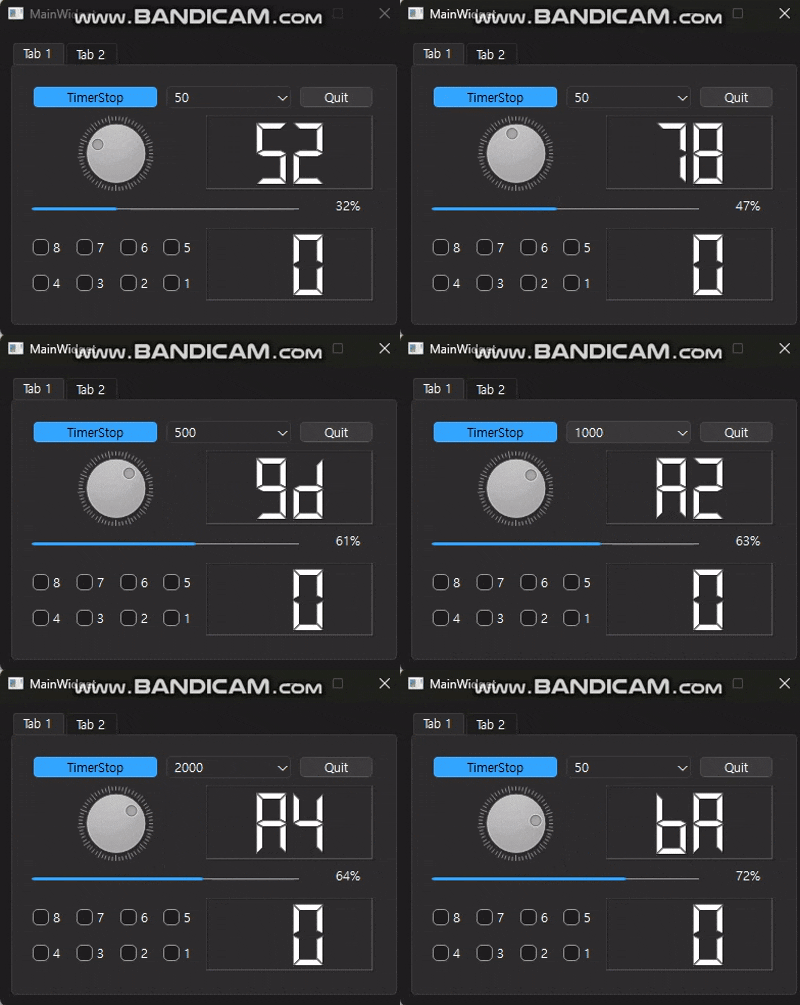
1. Tab1DeviceControl 클래스 생성
QtCreator에서 새 파일을 추가합니다.
AiotClient 프로젝트 우클릭 → Add New → Qt → Qt Widgets Designer Form Class → Widget 선택
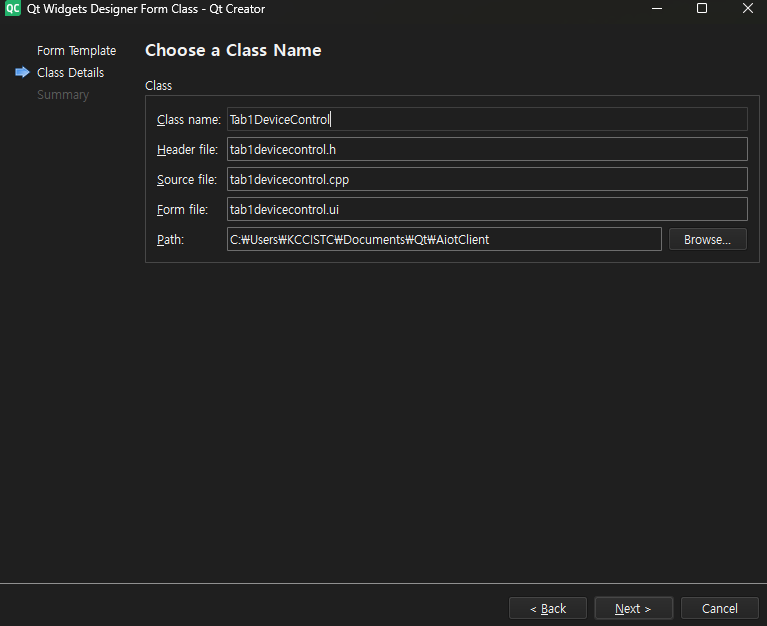
Class name을 Tab1DeviceControl로 입력하면 아래 파일이 자동 생성됩니다.
tab1devicecontrol.htab1devicecontrol.cpptab1devicecontrol.ui
2. Tab1DeviceControl UI 구성
tab1devicecontrol.ui를 Qt Designer에서 열고 아래와 같이 위젯을 배치합니다.
=====================================================
| 1 | PB(Start) | C(timervalue) | PB(Quit)          |
| 2 |       DialLED    |     LCDNumber              |
| 3 |              progressBar                      |
| 4 |   4x2 CheckBox Grid   |     LCDNumber(Key)    |
=====================================================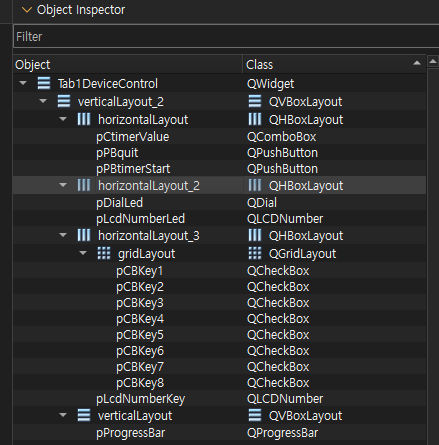
주요 위젯 objectName
| 위젯 | objectName | 역할 |
|---|---|---|
| QPushButton | pPBtimerStart | 타이머 시작/정지 (Checkable) |
| QComboBox | pCtimerValue | 타이머 간격 선택 |
| QPushButton | pPBquit | 앱 종료 |
| QDial | pDialLed | 다이얼 입력 |
| QLCDNumber | pLcdNumberLed | 다이얼 값 표시 |
| QProgressBar | pProgressBar | 다이얼 값 표시 |
| QGridLayout | gridLayout | 체크박스 4x2 배치 |
| QLCDNumber | pLcdNumberKey | 체크박스 상태 표시 |
pPBtimerStart는 Property Editor에서checkable을 체크해야 토글 버튼으로 동작합니다.
3. Signal/Slot 연결 (Qt Designer)
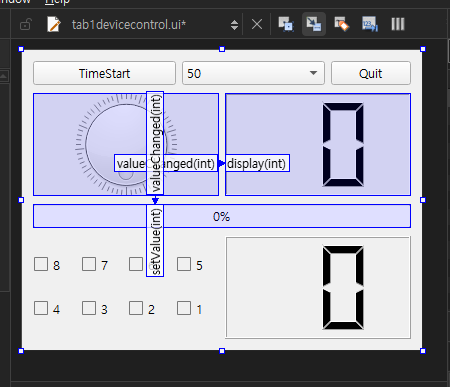
| Sender | Signal | Receiver | Slot |
|---|---|---|---|
| pDialLed | valueChanged(int) | pLcdNumberLed | display(int) |
| pDialLed | valueChanged(int) | pProgressBar | setValue(int) |
4. tab1devicecontrol.h
#ifndef TAB1DEVICECONTROL_H
#define TAB1DEVICECONTROL_H

#include <QWidget>
#include <QTimer>
#include <QDial>
#include <QComboBox>
#include <QLCDNumber>
#include <QProgressBar>
#include <QCheckBox>
#include <QButtonGroup>
#include <QDebug>

namespace Ui {
class Tab1DeviceControl;
}

class Tab1DeviceControl : public QWidget
{
    Q_OBJECT

public:
    explicit Tab1DeviceControl(QWidget *parent = nullptr);
    ~Tab1DeviceControl();

private slots:
    void on_pPBquit_clicked();
    void timerStartSlot(bool);
    void updateDialValueSlot();
    void updateComboSlot(QString strValue);
    void updateCheckBoxSlot(int);

private:
    Ui::Tab1DeviceControl *ui;
    QTimer *pQTimer;
    QCheckBox *pQCheckBox[8];
    QButtonGroup *pQButtonGroup;
    unsigned char lcdDataKey;
};

#endif // TAB1DEVICECONTROL_H
5. tab1devicecontrol.cpp
5-1. 생성자 - 초기화 및 Signal/Slot 연결
#include "tab1devicecontrol.h"
#include "ui_tab1devicecontrol.h"
#include <QTimer>
#include <QButtonGroup>

Tab1DeviceControl::Tab1DeviceControl(QWidget *parent)
    : QWidget(parent)
    , ui(new Ui::Tab1DeviceControl)
{
    ui->setupUi(this);

    // gridLayout의 체크박스를 배열에 저장
    int keyCount = ui->gridLayout->rowCount() * ui->gridLayout->columnCount();
    for(int i = 0; i < ui->gridLayout->rowCount(); i++)
    {
        for(int j = 0; j < ui->gridLayout->columnCount(); j++)
        {
            pQCheckBox[--keyCount] = dynamic_cast<QCheckBox*>(
                ui->gridLayout->itemAtPosition(i, j)->widget());
        }
    }

    // QTimer 생성
    pQTimer = new QTimer(this);

    // QButtonGroup 생성 및 체크박스 등록
    pQButtonGroup = new QButtonGroup(this);
    pQButtonGroup->setExclusive(false);

    keyCount = ui->gridLayout->rowCount() * ui->gridLayout->columnCount();
    for(int i = 0; i < keyCount; i++)
    {
        pQButtonGroup->addButton(pQCheckBox[i], i + 1);
    }

    // Signal/Slot 연결
    connect(pQButtonGroup, SIGNAL(idClicked(int)), this, SLOT(updateCheckBoxSlot(int)));
    connect(pQTimer, SIGNAL(timeout()), this, SLOT(updateDialValueSlot()));
    connect(ui->pCtimerValue, SIGNAL(currentTextChanged(QString)), this, SLOT(updateComboSlot(QString)));
    connect(ui->pPBtimerStart, SIGNAL(clicked(bool)), this, SLOT(timerStartSlot(bool)));
}

Tab1DeviceControl::~Tab1DeviceControl()
{
    delete ui;
}
5-2. Quit 버튼
void Tab1DeviceControl::on_pPBquit_clicked()
{
    qApp->exit();
}
5-3. 타이머 시작/정지
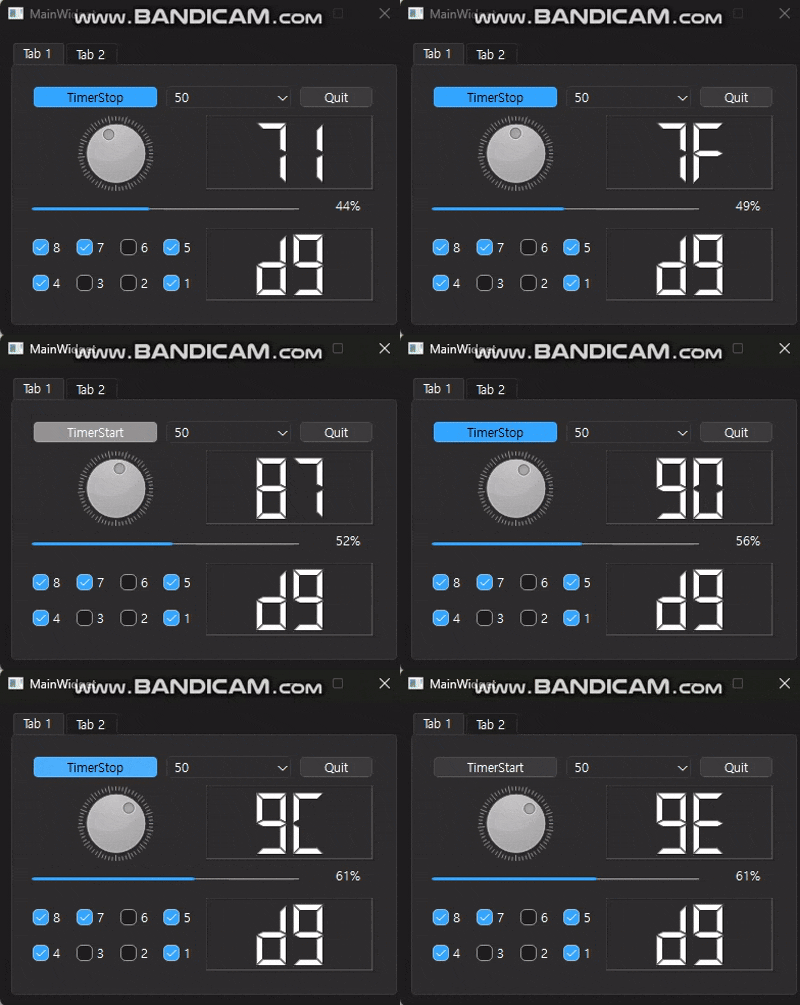
pPBtimerStart는 checkable 버튼으로, 클릭 시 bool 값을 전달합니다.
void Tab1DeviceControl::timerStartSlot(bool bFlag)
{
    if(bFlag)
    {
        QString strValue = ui->pCtimerValue->currentText();
        pQTimer->start(strValue.toInt());
        ui->pPBtimerStart->setText("TimerStop");
    }
    else
    {
        pQTimer->stop();
        ui->pPBtimerStart->setText("TimerStart");
    }
}
5-4. 타이머 timeout - Dial 값 자동 증가
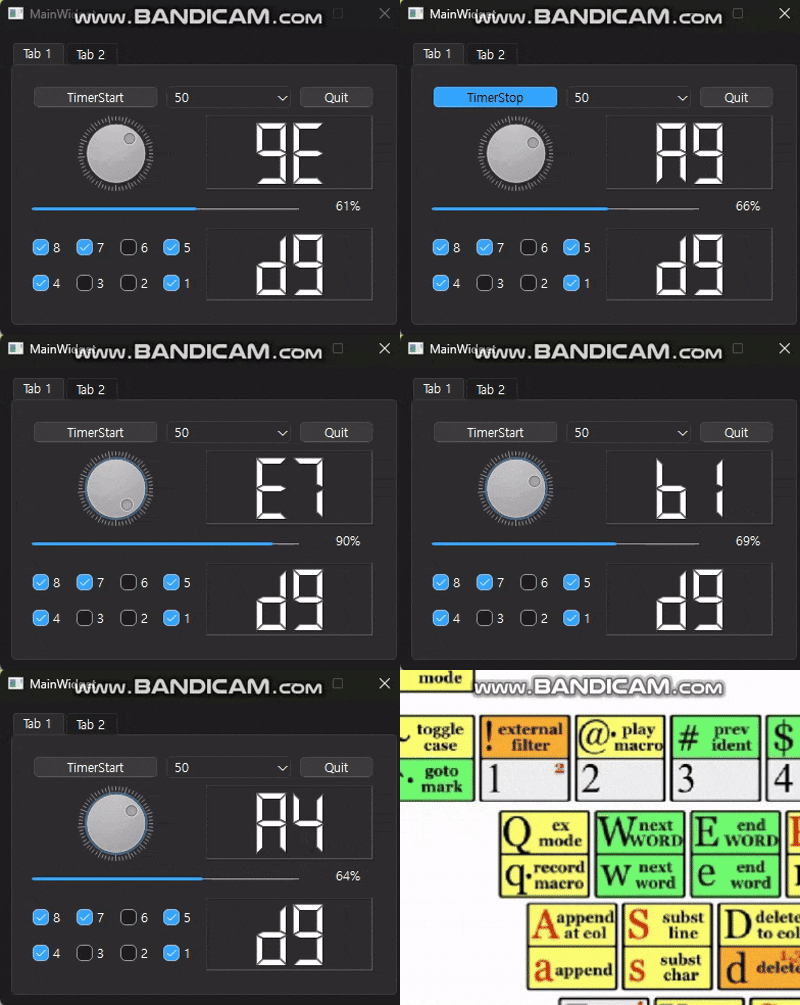
타이머가 동작하는 동안 Dial 값을 1씩 증가시킵니다.
최댓값을 초과하면 0으로 초기화합니다.
void Tab1DeviceControl::updateDialValueSlot()
{
    int dialValue = ui->pDialLed->value();
    dialValue++;
    if(dialValue > ui->pDialLed->maximum())
    {
        dialValue = 0;
    }
    ui->pDialLed->setValue(dialValue);
}
5-5. ComboBox 값 변경 - 타이머 간격 업데이트
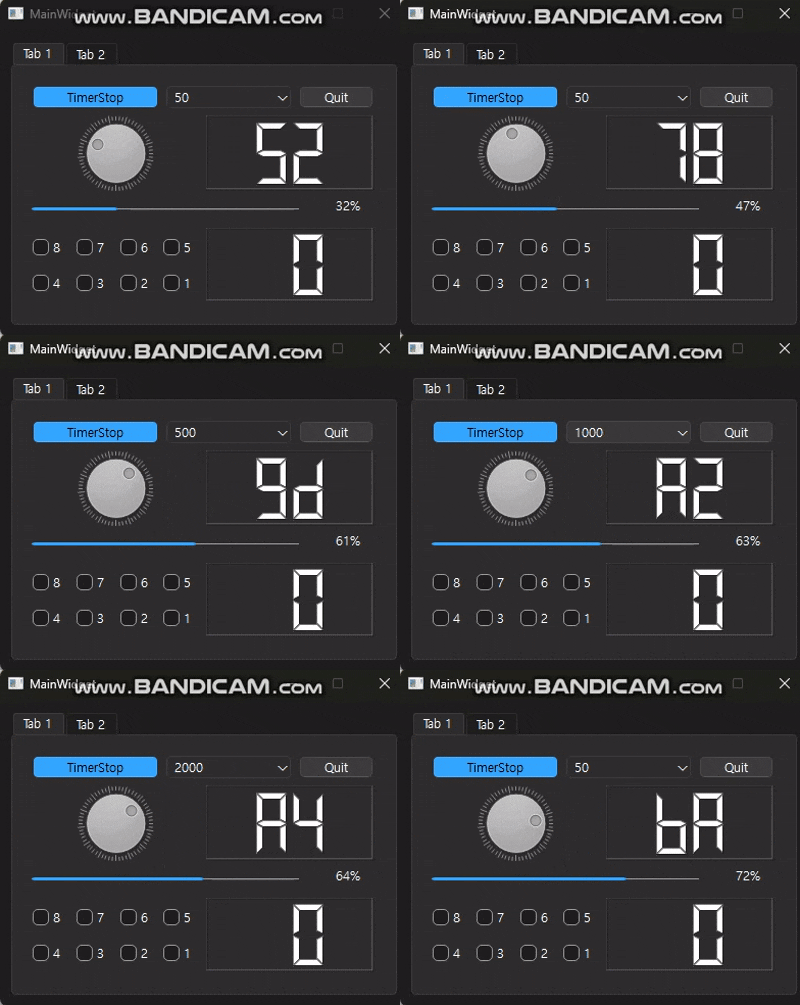
타이머가 동작 중일 때 ComboBox 값이 변경되면 타이머 간격을 즉시 업데이트합니다.
void Tab1DeviceControl::updateComboSlot(QString strValue)
{
    if(pQTimer->isActive())
    {
        pQTimer->stop();
        pQTimer->start(strValue.toInt());
    }
}
5-6. CheckBox 상태 - LCD 표시
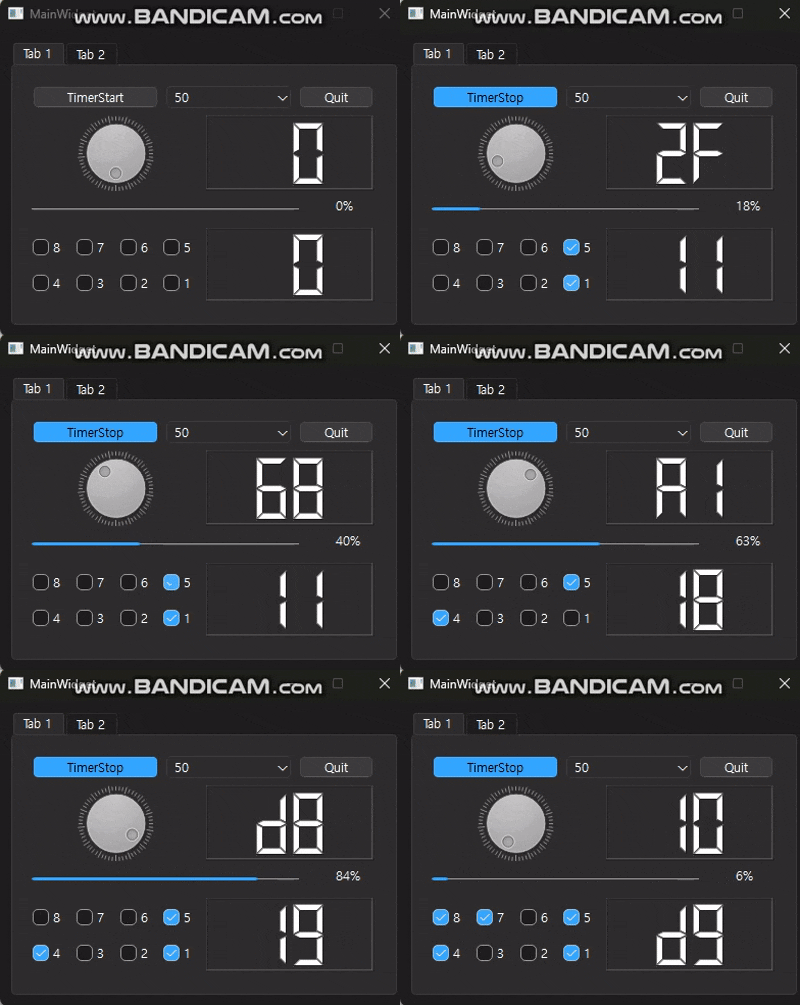
체크박스를 클릭하면 해당 비트를 XOR 연산으로 토글하여 LCD에 표시합니다.
void Tab1DeviceControl::updateCheckBoxSlot(int keyNum)
{
    qDebug() << keyNum;
    lcdDataKey = lcdDataKey ^ (0x01 << keyNum - 1);
    ui->pLcdNumberKey->display(lcdDataKey);
}
체크박스 8개가 각각 1~8번 ID로 등록되어 있으며, 클릭 시 해당 비트가 토글됩니다.
전체 흐름 요약
Tab1DeviceControl 클래스 생성 (Qt Widgets Designer Form Class)
    ↓
tab1devicecontrol.ui에서 위젯 배치
    ↓
Qt Designer에서 Dial → LCD, Dial → ProgressBar Signal/Slot 연결
    ↓
생성자에서 QTimer, QButtonGroup 초기화
    ↓
체크박스 배열 등록 (gridLayout에서 동적 추출)
    ↓
Signal/Slot 연결 (타이머, 콤보박스, 체크박스)
    ↓
각 Slot 구현 (타이머 시작/정지, Dial 자동 증가, 체크박스 LCD 표시)
임베디드 개발자가 되기 위해 공부중입니다!