
Tags, Tags, Tags!
HTML is basically knowing which { tags } to use.
Lists
· Unordered list
<ul> : unordered list
(▵)
<ul>
beer
kimchi
meat
milk
</ul>
The browser knows that this is a list. But the browser doesn't know what beer, kimchi, meat, and milk are: they are seperate.
So for these, we have another tag, which is called list item <li>.
(✅)
<ul>
<li>beer</li>
<li>kimchi</li>
<li>meat</li>
<li>milk</li>
</ul>
· Ordered list
<ol> : ordered list
<ol>
<li>beer</li>
<li>kimchi</li>
<li>meat</li>
<li>milk</li>
</ol>
The "Weird" Stuff : anchor (닻)

Anchor is a way of going to another website. Whatever you put inside will become a link.
<a>Go to google.com</a>... and it won't work; clicking won't work.
To enable clicking, the anchor needs a bit more information. Such as, "Where are we going?"
In order to add information to our tags, we need something called attributes. This is because not all tags are as easy as <h1>. <h1>, <li> are quite obvious, while <a> needs more information.
One of the information that <a> needs is href : "HTTP reference" or "hyperlink reference". ➡ Where are we going?
<a href="http://google.com">Go to google.com</a>Attributes
You might wonder, "Can I add any attribute I want?" And the answer is yes. You can do
<h1 pineapple="watermellon" saram="moni">Hello!</h1>. Yes you can. Though in this case, it won't have any effect on the browser, because there is no attribute called "pineapple" for <h1>.
<a href="http://google.com">Go to google.com</a>
<h1 href="http://google.com">Hello!</h1>
On the other hand, href matters. The browser understands that href inside of <a> will take me to google. In the meantime, href inside <h1> won't work.
There are soooo many tags for soooo many tags. Some tags share attributes, while other tags don't.
Self-closing tags
The <img> tag does not have a closing tag: it doesn't look like this ⤵
<img></img>. This is because images do not have content. Images do not have text. An image is an image. Therefore, <img> is a self-closing tag.
<img> uses an attribute that only <img> has : src(source).
<img
src="https://images.immediate.co.uk/production/volatile/sites/30/2020/02/Avocados-3d84a3a.jpg?quality=90&resize=556,505"
/>
The image source is the content of <img>. So again, <img> is a self-closing tag. Because there is no text needed as content, closing tags are of no use.
Images from...
· the Internet
<img
src="http://google.com"/>
· my Local
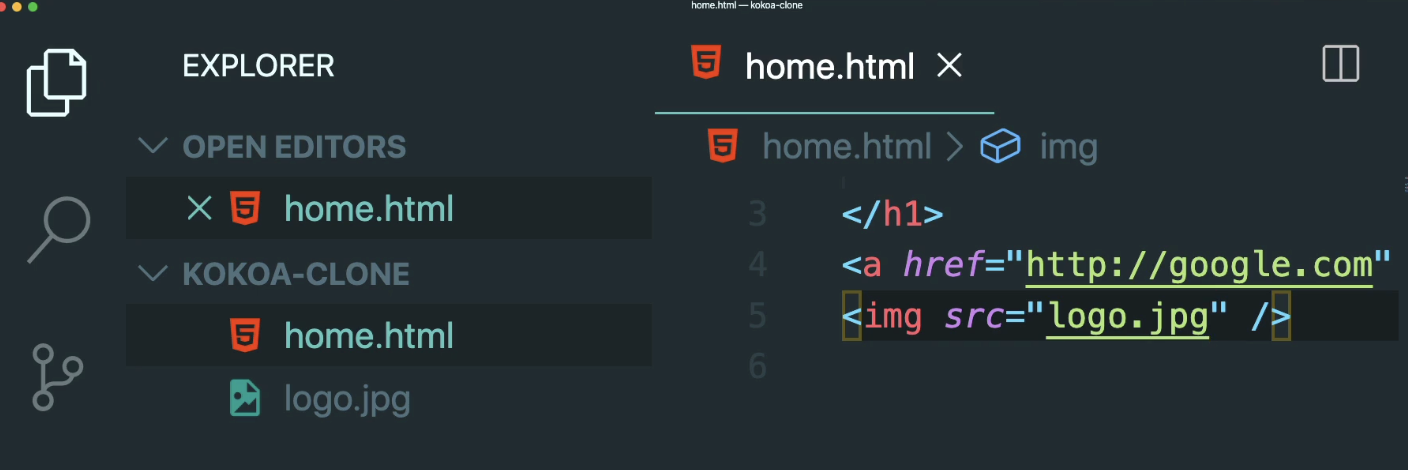
<img src="logo.jpg"/>In this case, our logo.jpg file is next to or at the same folder as home.html. This is very important, because <img src="logo.jpg"/> means that logo.jpg is in the same folder as home.html. If logo.jpg were in a different folder, just like the picture below,
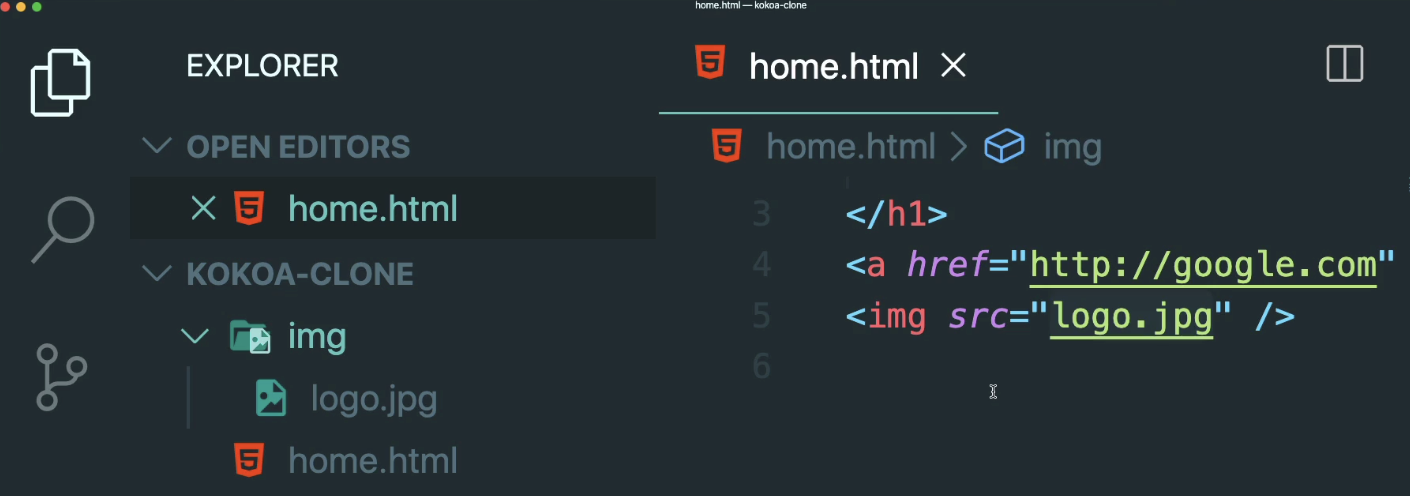
the code won't work anymore. Because our log.jpg file is now in the img folder, we should write:
<img src="img/logo.jpg"/>As a matter of fact, this is a path notation.
Inside theimgfile existslogo.jpg.