1. Git 저장소 생성
Git 웹사이트에서 저장소를 생성한다.
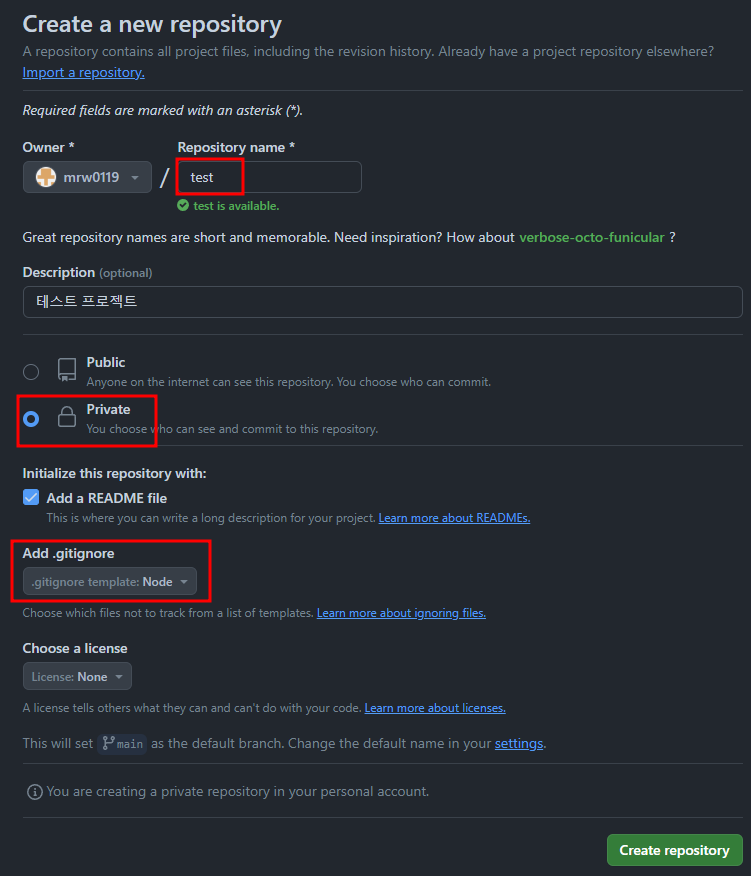
2. Git Clone 후 프로젝트 세팅
git clone https://github.com/mrw0119/test
cd test
npm init -y (프로젝트 기본값 생성)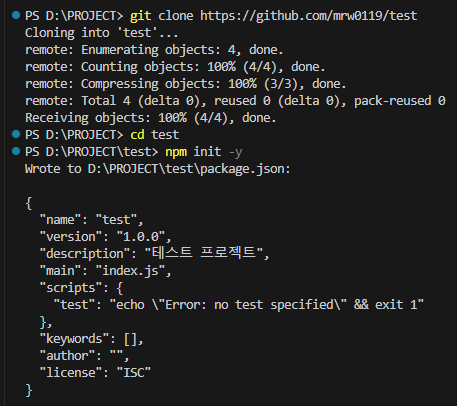
3. express 설치
npm install express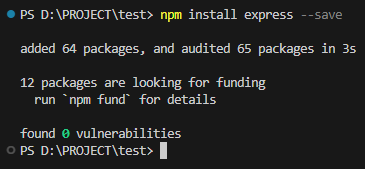
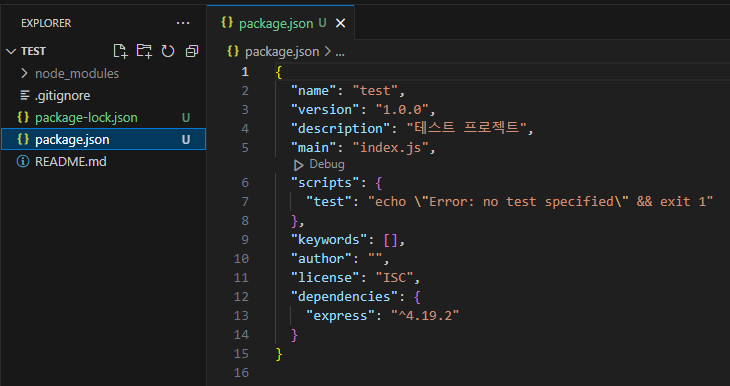
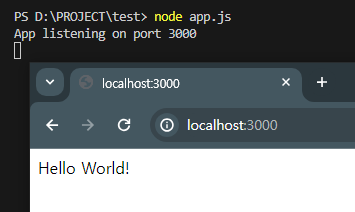
4. app.js 작성후 테스트
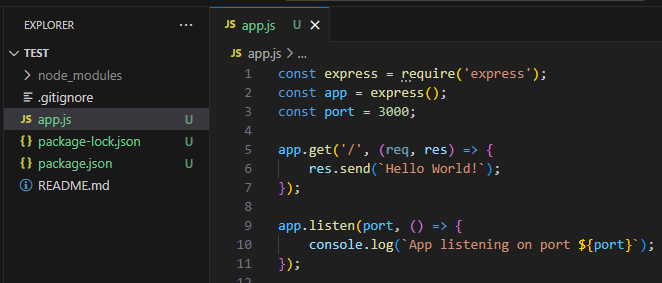
const express = require('express');
const app = express();
const port = 3000;

app.get('/', (req, res) => {
    res.send(`Hello World!`);
});

app.listen(port, () => {
    console.log(`App listening on port ${port}`);
});
5. Git Push
git add .
git commit -m "Hello World"
git push origin main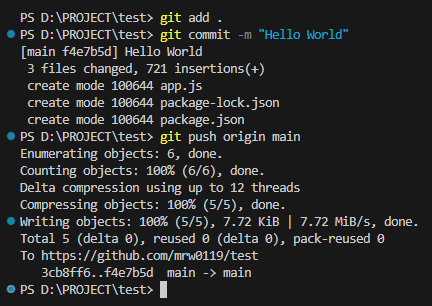
6. Google Cloud의 Git 설정
git config --global user.name "mrw0119"
git config --global user.email mrw0119@gmail.com
git config --global credential.helper store
git config --list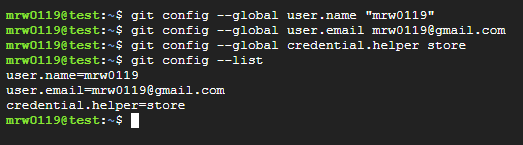
7. Git Clone 후 App.js 실행
git clone https://github.com/mrw0119/test
cd test
npm install
node app.js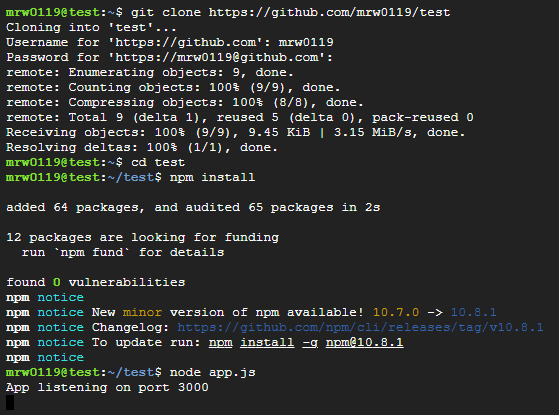
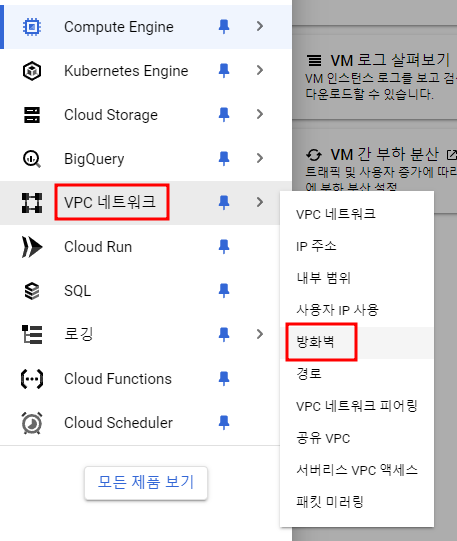
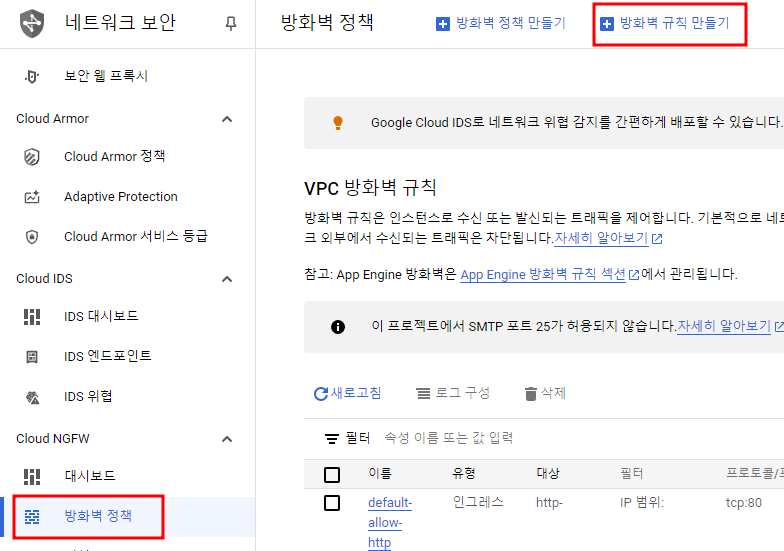
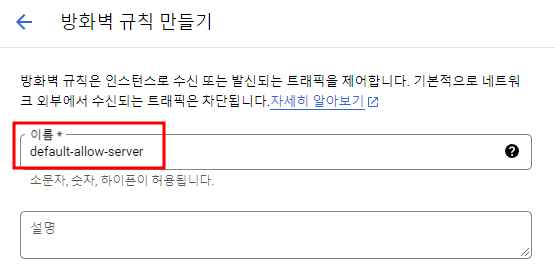
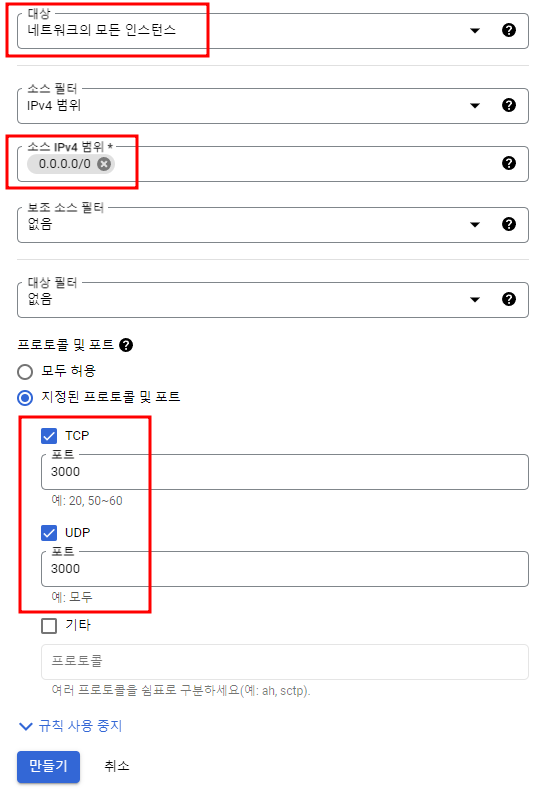
8. Google Cloud 방화벽규칙 만들기
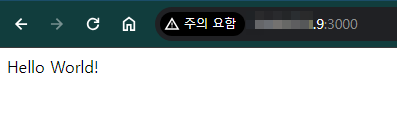
9. 접속 테스트

..