색상과 배경
웹 페이지의 분위기를 결정짓는 가장 빠른 요소가 색이다. CSS에서 색상을 다루는 방법과 배경을 설정하는 속성들을 정리한다.
색상 표현 방식
CSS에서 색을 지정하는 방법은 여러 가지다.
키워드
color: red;
color: blue;
color: black;
color: white;
color: transparent; /* 투명 */
기본 색상 이름 외에도 tomato, cornflowerblue, salmon 같은 이름도 지원한다.
HEX (16진수)
color: #ff0000;  /* 빨강 */
color: #00ff00;  /* 초록 */
color: #0000ff;  /* 파랑 */
color: #333333;  /* 진한 회색 */
color: #fff;     /* 흰색 (축약형) */
#RRGGBB 형식으로 각각 00~ff 범위다. 두 자리가 같으면 한 자리로 줄일 수 있다 (#333333 → #333).
RGB
color: rgb(255, 0, 0);       /* 빨강 */
color: rgb(0, 128, 255);     /* 파란 계열 */
각 값은 0~255 범위다.
RGBA — 투명도 포함
color: rgba(0, 0, 0, 0.5);   /* 50% 투명한 검정 */
color: rgba(255, 255, 255, 0.8); /* 80% 불투명한 흰색 */
네 번째 값(alpha)은 0(완전 투명) ~ 1(완전 불투명) 범위다.
HSL
color: hsl(0, 100%, 50%);    /* 빨강 */
color: hsl(240, 100%, 50%);  /* 파랑 */
color: hsl(120, 60%, 40%);   /* 초록 계열 */
색조(Hue, 0~360°), 채도(Saturation, %), 명도(Lightness, %)로 지정한다. 색상을 감각적으로 조정하기 편하다.
color — 글자색
p {
  color: #333;
}

a {
  color: royalblue;
}
background — 배경
background-color
div {
  background-color: #f0f4ff;
}

body {
  background-color: rgba(0, 0, 0, 0.05);
}
background-image
div {
  background-image: url('background.jpg');
}
background-repeat
이미지가 반복되는 방식을 지정한다.
div {
  background-repeat: no-repeat;  /* 반복 없음 */
  background-repeat: repeat-x;   /* 가로만 반복 */
  background-repeat: repeat-y;   /* 세로만 반복 */
  background-repeat: repeat;     /* 기본값, 전방향 반복 */
}
background-size
div {
  background-size: cover;    /* 요소를 꽉 채움, 잘릴 수 있음 */
  background-size: contain;  /* 요소 안에 전부 보이게 */
  background-size: 400px 300px;  /* 직접 지정 */
  background-size: 100% auto;
}
background-position
div {
  background-position: center;
  background-position: top right;
  background-position: 50% 50%;
}
축약형 background
div {
  background: #f0f4ff url('bg.jpg') no-repeat center / cover;
}
순서: 색상 이미지경로 반복방식 위치 / 크기
그라디언트
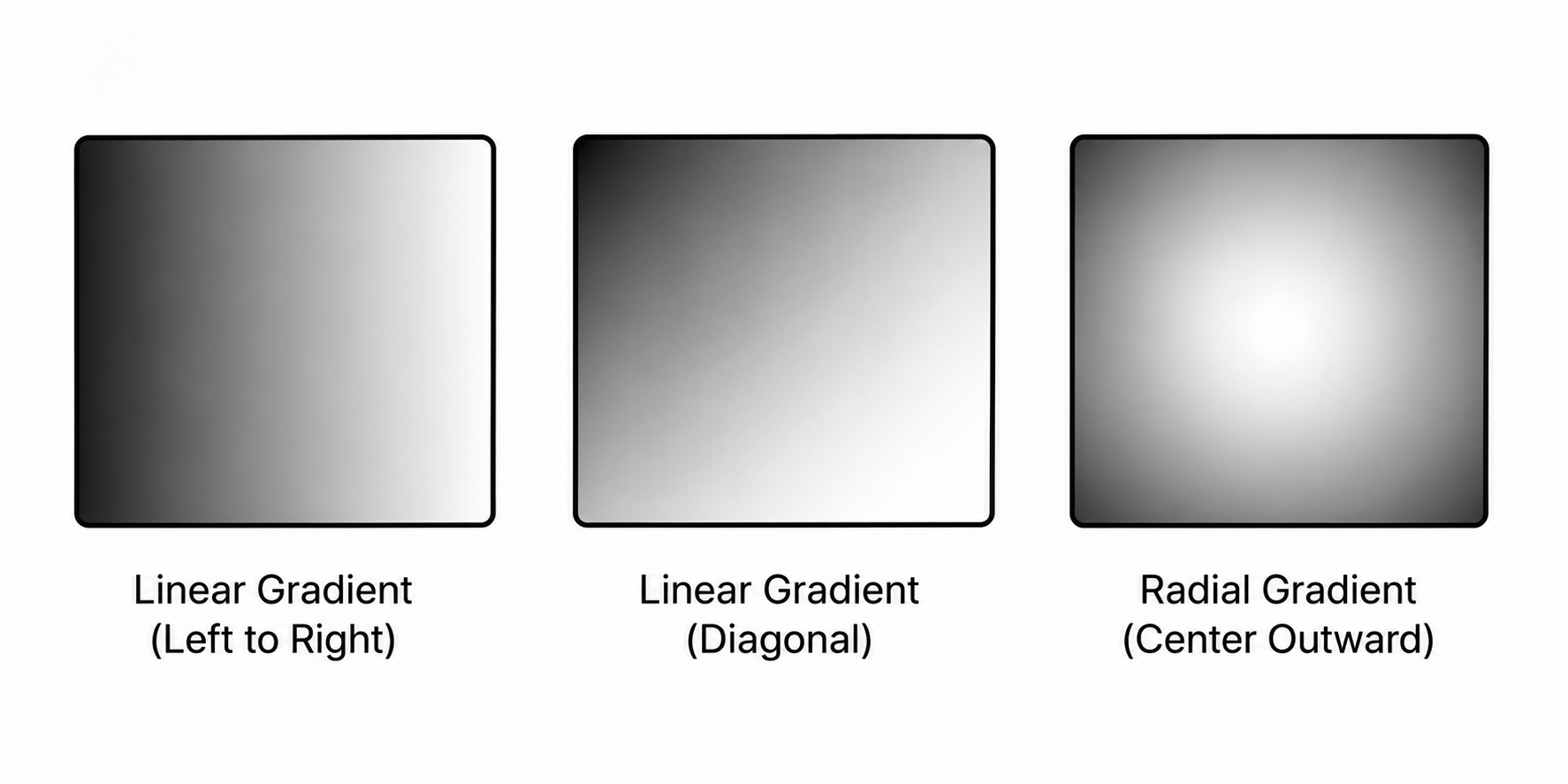
CSS만으로 색상이 부드럽게 이어지는 효과를 만들 수 있다.
/* 선형 그라디언트 */
div {
  background: linear-gradient(to right, #ff6b6b, #ffa500);
}

/* 각도로 방향 지정 */
div {
  background: linear-gradient(135deg, #667eea, #764ba2);
}

/* 원형 그라디언트 */
div {
  background: radial-gradient(circle, #fff, #ccc);
}
색상은 어느 표기법을 써도 결과는 같다. 다만 투명도가 필요하면 rgba, 색을 감각적으로 조절하고 싶으면 hsl, 디자이너가 건네준 값이라면 보통 hex다. 상황에 맞는 표기법을 자연스럽게 고르게 되면 된다.

<- 개발 공부하는 나