의사 클래스와 의사 요소
마우스를 올렸을 때 색이 바뀌거나, 첫 번째 항목에만 스타일이 적용되거나, 요소 앞뒤에 내용이 자동으로 붙는 기능. 이런 것들이 HTML에 추가 클래스 없이 CSS만으로 가능하다. 의사 클래스와 의사 요소 덕분이다.
의사 클래스 (Pseudo-class)
요소의 특정 상태에 스타일을 적용한다. : 하나로 표기한다.
마우스/포커스 상태
/* 마우스를 올렸을 때 */
a:hover {
  color: royalblue;
  text-decoration: underline;
}

/* 클릭 중일 때 */
button:active {
  background-color: #ccc;
  transform: scale(0.98);
}

/* 포커스를 받았을 때 (input, a 등) */
input:focus {
  outline: 2px solid royalblue;
  border-color: royalblue;
}

/* 이미 방문한 링크 */
a:visited {
  color: purple;
}
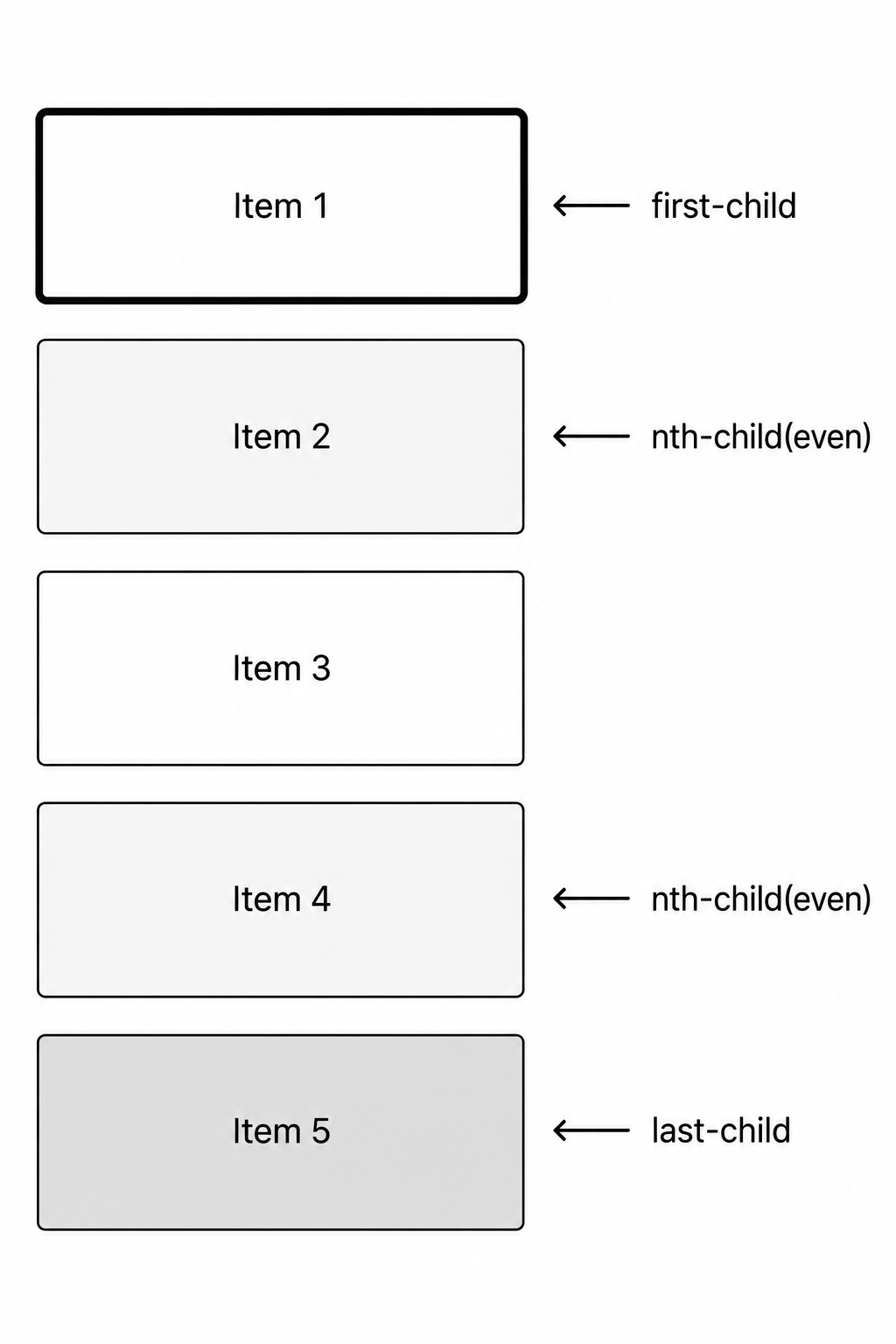
구조 관련 의사 클래스
/* 첫 번째 자식 */
li:first-child {
  font-weight: bold;
}

/* 마지막 자식 */
li:last-child {
  border-bottom: none;
}

/* n번째 자식 */
li:nth-child(3) {
  color: red;
}

/* 짝수 번째 */
li:nth-child(even) {
  background-color: #f5f5f5;
}

/* 홀수 번째 */
li:nth-child(odd) {
  background-color: white;
}

/* 3의 배수 번째 */
li:nth-child(3n) {
  color: navy;
}
상태 관련 의사 클래스
/* 체크된 체크박스 */
input:checked {
  accent-color: royalblue;
}

/* 비활성화된 요소 */
input:disabled {
  background-color: #eee;
  cursor: not-allowed;
}

/* 유효한 input 값 */
input:valid {
  border-color: green;
}

/* 유효하지 않은 input 값 */
input:invalid {
  border-color: red;
}

/* 유일한 자식일 때 */
p:only-child {
  font-style: italic;
}
not() 선택자
/* button이 아닌 모든 요소 */
input:not([type="submit"]) {
  border: 1px solid #ccc;
}

/* 마지막 li가 아닌 것들 */
li:not(:last-child) {
  border-bottom: 1px solid #eee;
}
의사 요소 (Pseudo-element)
요소의 특정 부분을 선택하거나, 존재하지 않는 요소를 가상으로 만든다. :: 두 개로 표기한다.
::before, ::after
요소 안의 콘텐츠 앞(::before)과 뒤(::after)에 가상 콘텐츠를 삽입한다. content 속성이 필수다.
.required::after {
  content: " *";
  color: red;
}

.quote::before {
  content: '"';
  font-size: 2em;
  color: #ccc;
}

.quote::after {
  content: '"';
  font-size: 2em;
  color: #ccc;
}<label class="required">이름</label>
<!-- 렌더링: 이름 * -->content: ""로 비워두고 CSS로만 꾸미는 방식도 많이 쓴다 (장식용 선이나 도형).
::first-line, ::first-letter
/* 첫 번째 줄 */
p::first-line {
  font-weight: bold;
  color: navy;
}

/* 첫 번째 글자 (드롭캡 효과) */
p::first-letter {
  font-size: 3em;
  float: left;
  margin-right: 8px;
  line-height: 1;
}
::placeholder
input::placeholder {
  color: #aaa;
  font-style: italic;
}
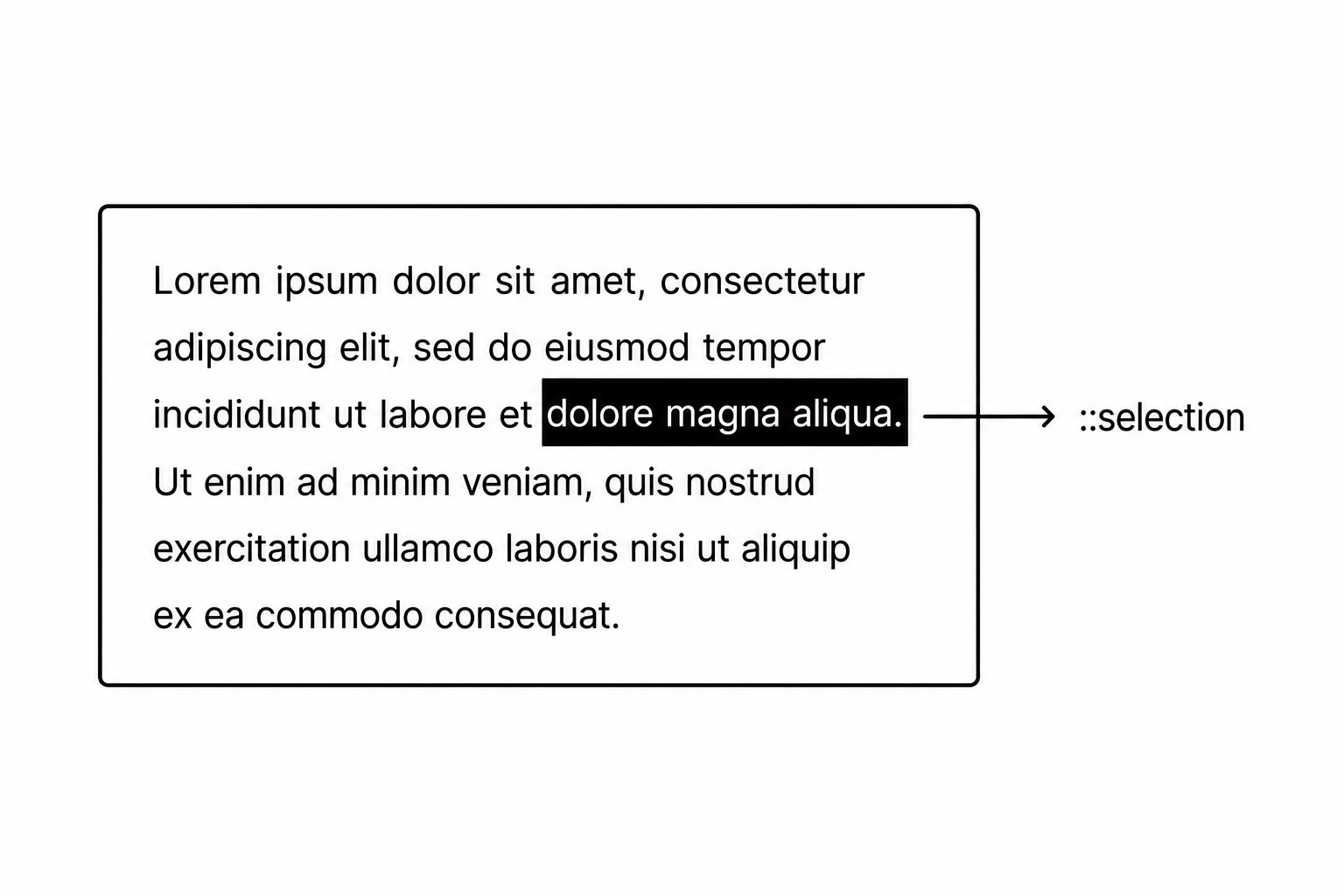
::selection
사용자가 텍스트를 드래그해서 선택했을 때의 스타일이다.
::selection {
  background-color: royalblue;
  color: white;
}
의사 클래스 vs 의사 요소
| 구분 | 의사 클래스 | 의사 요소 |
|---|---|---|
| 표기 | :hover, :nth-child() | ::before, ::after |
| 대상 | 요소의 상태 | 요소의 특정 부분 또는 가상 콘텐츠 |
| 예시 | 마우스 오버, 첫 번째 자식 | 앞뒤 콘텐츠 삽입, 첫 글자 |
의사 클래스와 의사 요소를 잘 활용하면 HTML에 불필요한 클래스를 추가하지 않고도 세밀한 스타일을 만들 수 있다. :hover로 인터랙션을 주고, ::before로 꾸밈 요소를 추가하는 패턴은 CSS 어디서나 만날 수 있다.

<- 개발 공부하는 나