Command 패턴
텍스트 편집기에서 Ctrl+Z를 누르면 방금 한 작업이 취소된다. 그리고 Ctrl+Y를 누르면 다시 실행된다. 이 기능을 구현하려면 "방금 한 작업"을 어딘가에 기록해둬야 한다. 작업이 무엇인지, 어떻게 되돌리는지도 함께.
Command 패턴은 요청(작업) 자체를 객체로 만드는 패턴이다.
Command 패턴이란
메서드 호출을 객체로 캡슐화한다. 요청을 보내는 쪽(Invoker)과 실제로 처리하는 쪽(Receiver)을 분리하고, 그 사이에 Command 객체가 자리한다.
요청이 객체가 되면 저장하거나, 큐에 넣거나, 실행 취소(undo)하는 것이 가능해진다.
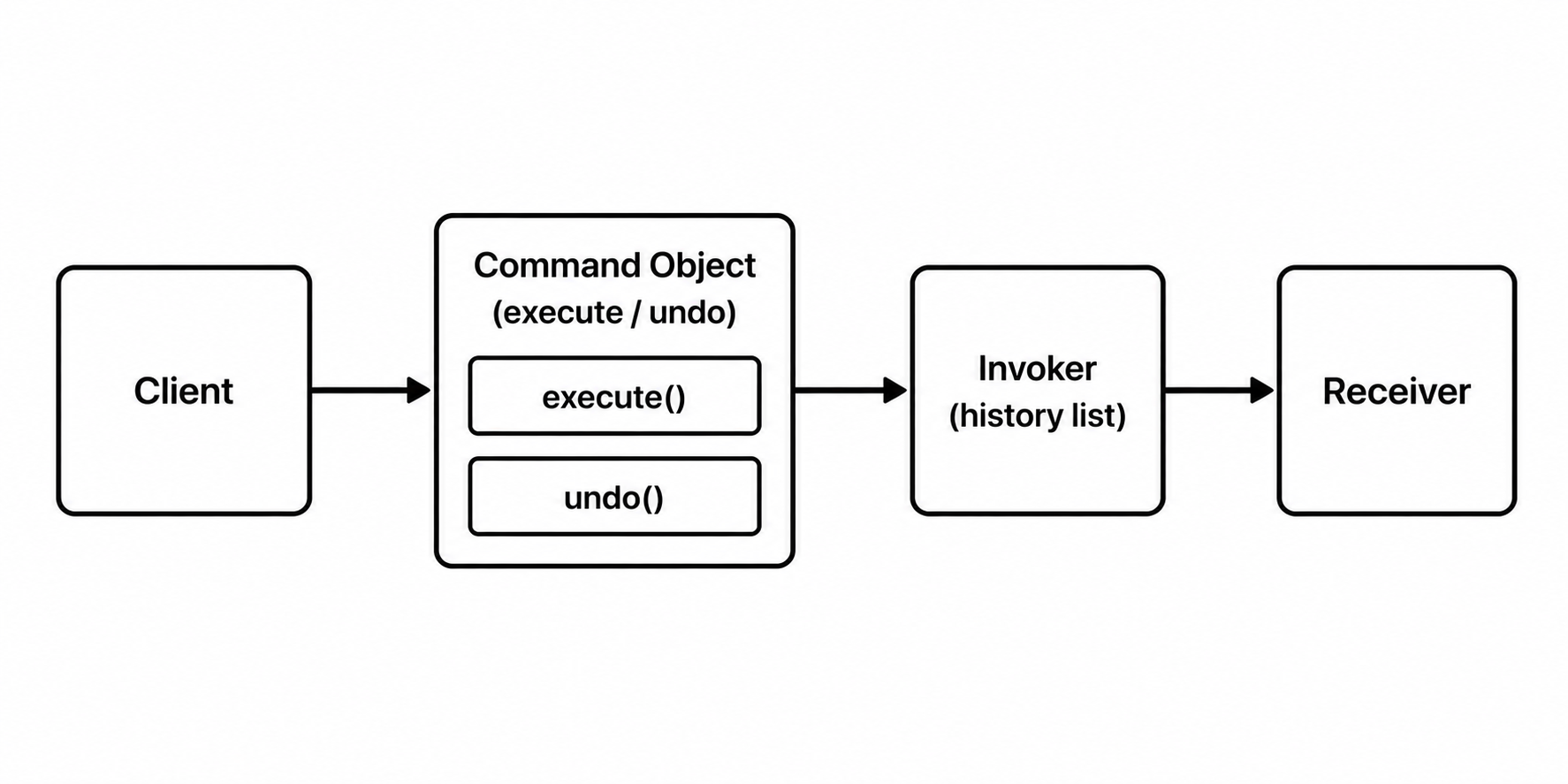
구조
텍스트 편집기의 글자 추가/삭제를 예로 든다.
// Command 인터페이스
public interface Command {
    void execute();
    void undo();
}

// Receiver — 실제 작업을 수행하는 객체
public class TextEditor {
    private StringBuilder text = new StringBuilder();

    public void addText(String content) {
        text.append(content);
        System.out.println("현재 텍스트: " + text);
    }

    public void removeText(int length) {
        int start = text.length() - length;
        if (start >= 0) {
            text.delete(start, text.length());
        }
        System.out.println("현재 텍스트: " + text);
    }

    public String getText() {
        return text.toString();
    }
}
// 구체 Command — 글자 추가
public class AddTextCommand implements Command {
private TextEditor editor;
private String content;
public AddTextCommand(TextEditor editor, String content) {
this.editor = editor;
this.content = content;
}
@Override
public void execute() {
editor.addText(content);
}
@Override
public void undo() {
editor.removeText(content.length());
}
}// Invoker — 커맨드를 실행하고 이력을 관리
public class CommandHistory {
private Deque<Command> history = new ArrayDeque<>();
public void execute(Command command) {
command.execute();
history.push(command);
}
public void undo() {
if (!history.isEmpty()) {
Command last = history.pop();
last.undo();
}
}
}TextEditor editor = new TextEditor();
CommandHistory invoker = new CommandHistory();
invoker.execute(new AddTextCommand(editor, "Hello"));
// 현재 텍스트: Hello
invoker.execute(new AddTextCommand(editor, ", World"));
// 현재 텍스트: Hello, World
invoker.undo();
// 현재 텍스트: Hello
invoker.undo();
// 현재 텍스트: (빈 문자열)요청을 큐에 넣기
Command가 객체이기 때문에 큐에 담아두고 나중에 일괄 실행하는 것도 자연스럽다.
Queue<Command> commandQueue = new LinkedList<>();

commandQueue.add(new AddTextCommand(editor, "첫 번째 작업"));
commandQueue.add(new AddTextCommand(editor, " 두 번째 작업"));
commandQueue.add(new AddTextCommand(editor, " 세 번째 작업"));

// 일괄 실행
while (!commandQueue.isEmpty()) {
    commandQueue.poll().execute();
}
작업 예약, 배치 처리, 트랜잭션 로그 등에 이 방식이 활용된다.
언제 쓰는가
- 실행 취소(undo), 재실행(redo) 기능이 필요할 때
- 작업을 큐에 넣거나, 로그로 남기거나, 나중에 실행해야 할 때
- 요청을 보내는 쪽과 처리하는 쪽을 완전히 분리해야 할 때
Command 패턴의 출발점은 단순하다. "작업을 지금 당장 실행하는 대신, 객체로 만들어두면 뭘 할 수 있을까?" 거기서부터 실행 취소, 큐잉, 로깅 같은 기능들이 자연스럽게 따라온다.

<- 개발 공부하는 나