Script in Head, Moving Box

Namiya·2025년 7월 14일

JavaScript 연습

목록 보기
24/27
<!DOCTYPE html>
<html lang="ko">
<head>
    <meta name="viewport" content="width=device-width">
    <meta charset="UTF-8">
    <link rel="stylesheet" href="https://meyerweb.com/eric/tools/css/reset/reset.css">
    <title>Moving box</title>
    <style>

        #box {
            width: 200px; 
            background-color: plum;

            line-height: 200px;
            text-align: center;
            font-size: 2em;
            font-weight: bold;
            color: pink;
        }

    </style>
    <script>

        window.addEventListener('load', function () {
            // 이벤트 핸들러: widow 객체에 load 이벤트가 발생하면 실행할 기능
            // → 브라우저(window 객체)가 DOM 트리를 완성하고, HTML 문서에 연결된
            //   외부 자원(스타일 시트, JavaScript 파일, 이미지 파일 등)을
            //   모두 읽어오면, window 객체에서 load 이벤트가 발생한다. 따라서
            //   window 객체의 load 이벤트 핸들러에서는 DOM에 문제 없이 접근할 수 있다.

            const box = document.getElementById('box');

            // 1. #box 요소를 클릭하면
            box.addEventListener('click', function () {
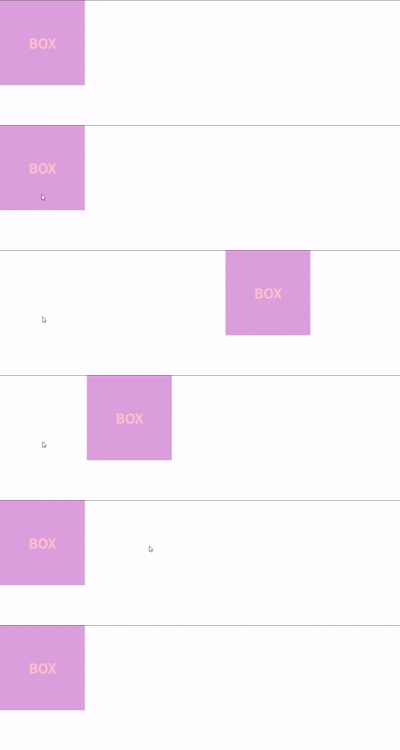
                // 2. #box 요소가 1초에 걸쳐 오른쪽으로 600px만큼 이동했다가
                this.style.transitionDuration = '1s';
                this.style.marginLeft = '600px';

                // 3. #box 요소가 다시 1초에 걸쳐 제자리로 돌아온다.
                window.setTimeout(function () {
                    // 이 함수는 setTimeout 메서드로 등록한 타이머에 의해 1000ms가 지난 다음 실행된다.

                    /*
                     * 이벤트 핸들러에서 this 키워드는 메서드에 접근하는 객체, 즉 이벤트가 발생한 
                     * 객체를 의미하지만, setTimeout 메서드 등으로 등록한 타이머에 의해 실행되는
                     * 함수에서 this는 다른 의미를 가진다.
                     */
                    // this.style.marginLeft = null;        // WRONG!

                    box.style.marginLeft = null;
                }, 1000);
            });
        });
       
    </script>
</head>
<body>

    <div id="box">BOX</div>

</body>
</html>
0개의 댓글