이번 글에서는 제가 사내 프로젝트에서 폰트를 적용하며 겪었던 문제 상황을 해결했던 과정을 정리하여 글로 남겨 보려고 합니다.
먼저 스타일링을 위해 styled-components라이브러리를 사용했습니다.
styled-components는 createGlobalStyle을 이용하여 전역 스타일링을 할 수 있습니다.
폰트 적용하기
폰트는 모든 스타일에 공통적으로 적용할 예정이었기에, GlobalStyle을 만들어 아래와 같이 적용했습니다.
import { createGlobalStyle } from 'styled-components';
import reset from 'styled-reset';

const styled = { createGlobalStyle };

const GlobalStyle = styled.createGlobalStyle`
  ${reset};

  @font-face {
  font-family: 'Inter';
  src: url(/src/assets/fonts/Inter-VariableFont_slnt\,wght.ttf) format('truetype-variations');
  font-weight: 100 900;
  font-style: normal;
  font-display: swap;
}
  html {
    font-family: 'Inter', sans-serif;
    font-size: 14px;
  }
  * {
    box-sizing: border-box;
  }
  button {
    appearance: none;
    -webkit-appearance: none; /* Safari and Chrome */
    -moz-appearance: none; /* Firefox */
    border: none; /* 버튼 테두리 제거 */
    background-color: transparent; /* 배경색 제거 */
    /* 기타 원하는 스타일 추가 */
  }
`;

export default GlobalStyle;
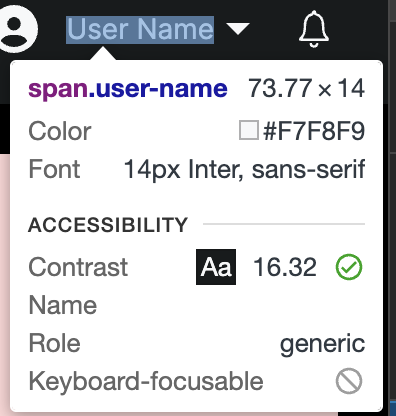
이후 화면을 보니 정상적으로 폰트가 적용된것을 확인할 수 있었습니다. (Inter 폰트 적용)
글자 깜빡임 현상 (FOUT)
그런데 문제가 한 가지 발생했습니다. 아래 영상과 같이 글자가 깜빡이는 현상이 발생했습니다.

먼저 이 현상에 대해서 알아보았습니다. FOUT라는 현상이라고 하더군요.
FOUT(Flash Of Unstyled Font)
styled-components는 스타일이 render될 때 마다 head태그의 style태그를 변경합니다. 즉, 새로운 스타일을 적용하면 폰트를 재요청하기 때문에 글자가 깜빡이는 현상이 나타나게 됩니다.
폰트 재요청
폰트를 재요청한다고?
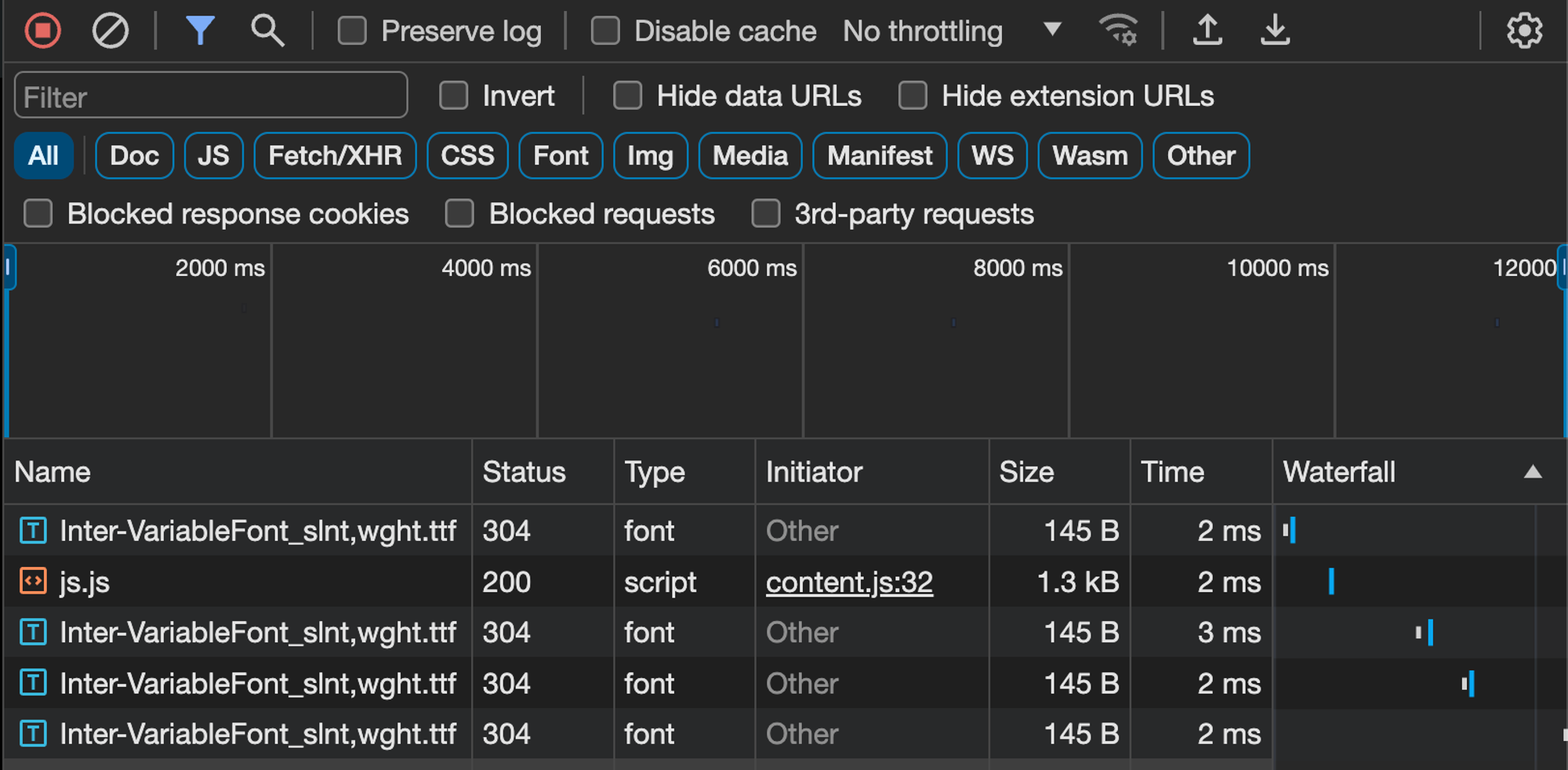
네트워크탭을 확인해보니 새로운 스타일을 적용하게 되면 폰트를 요청하고 있었습니다. 폰트를 재요청하게 되면 요청하는 시간동안 기본 폰트가 적용되고 있던것이죠.
먼저 폰트는 다른 스타일이 적용되어도 변경되지 않게 css 모듈에서 적용하도록 변경했습니다.
GlobalStyle.ts
import { createGlobalStyle } from 'styled-components';
import reset from 'styled-reset';

const styled = { createGlobalStyle };

const GlobalStyle = styled.createGlobalStyle`
  ${reset};

  html {
    font-family: 'Inter', sans-serif;
    font-size: 14px;
  }
  * {
    box-sizing: border-box;
  }
  button {
    appearance: none;
    -webkit-appearance: none; /* Safari and Chrome */
    -moz-appearance: none; /* Firefox */
    border: none; /* 버튼 테두리 제거 */
    background-color: transparent; /* 배경색 제거 */
    /* 기타 원하는 스타일 추가 */
  }
`;

export default GlobalStyle;
font.css
/* styled-components FOUT 에러를 해결하기 위해 폰트는 css파일로 분리 */

@font-face {
  font-family: 'Inter';
  src: url(/src/assets/fonts/Inter-VariableFont_slnt\,wght.ttf) format('truetype-variations');
  font-weight: 100 900;
  font-style: normal;
  font-display: swap;
}
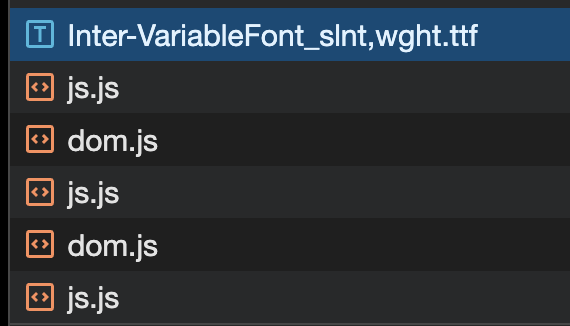
이렇게 폰트를 styled-components에서 분리한 후 네트워크 탭을 확인해보았습니다. 이렇게 초기 1회만 호출을 하며, 그 이후에는 스타일이 적용되어도 재호출 되지 않습니다.
글자 깜빡임 해결
해결된 화면은 아래와 같습니다.

긴 글 읽어주셔서 감사합니다 :D