미니프로젝트 Stream Park
DB
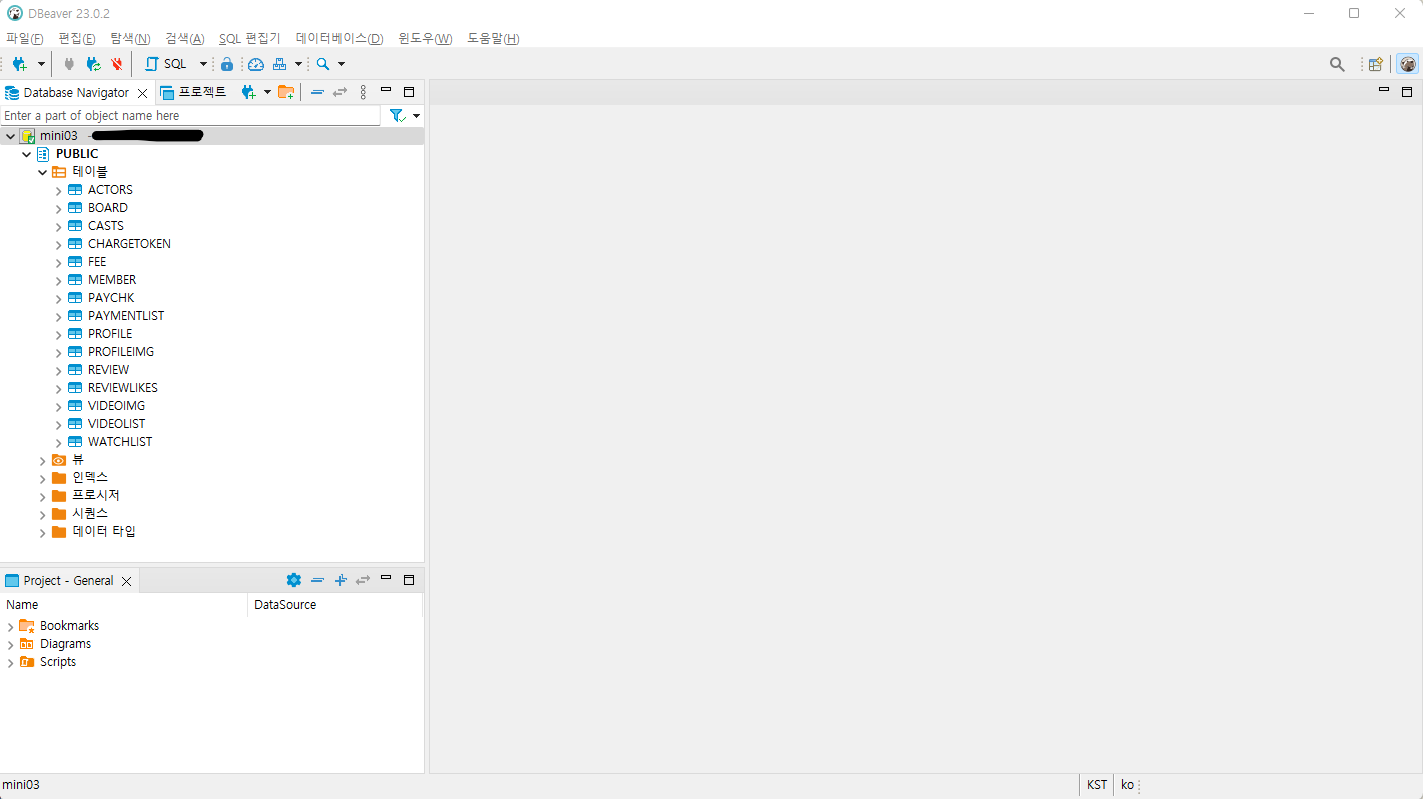
H2를 계속 접속하는 게 불편해서 DBeaver를 사용한다.
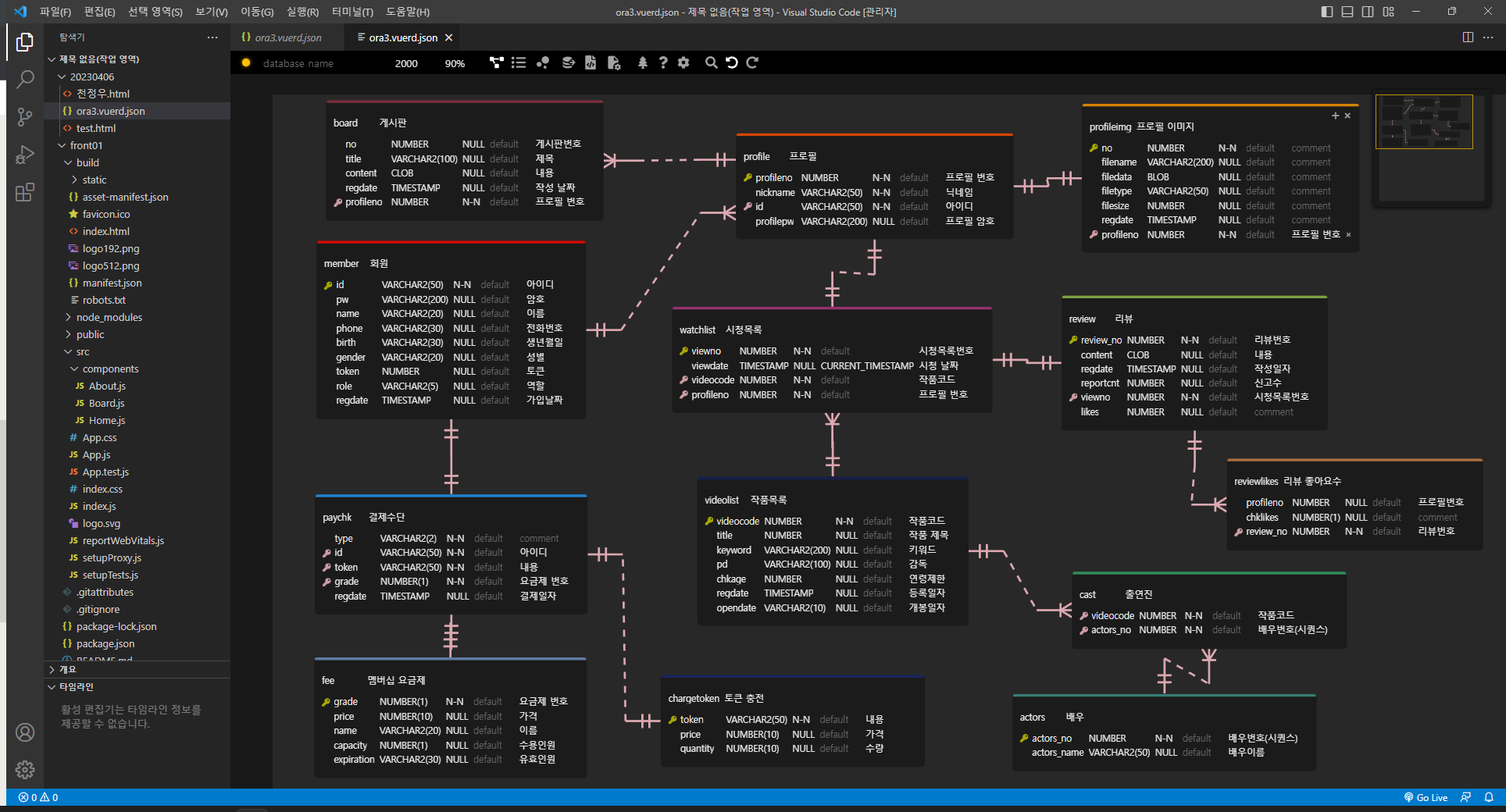
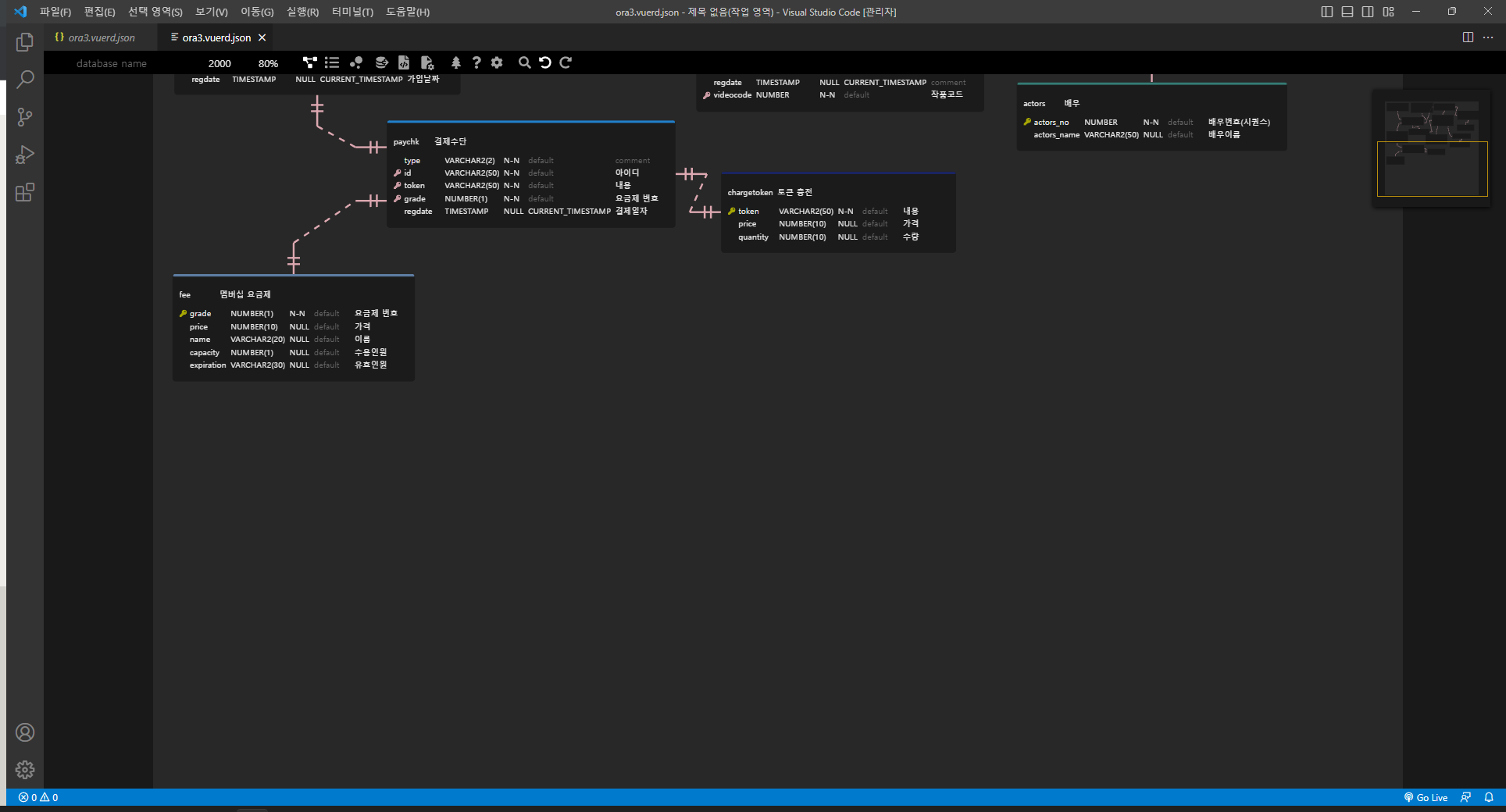
ER 다이어그램
요구사항 정의서
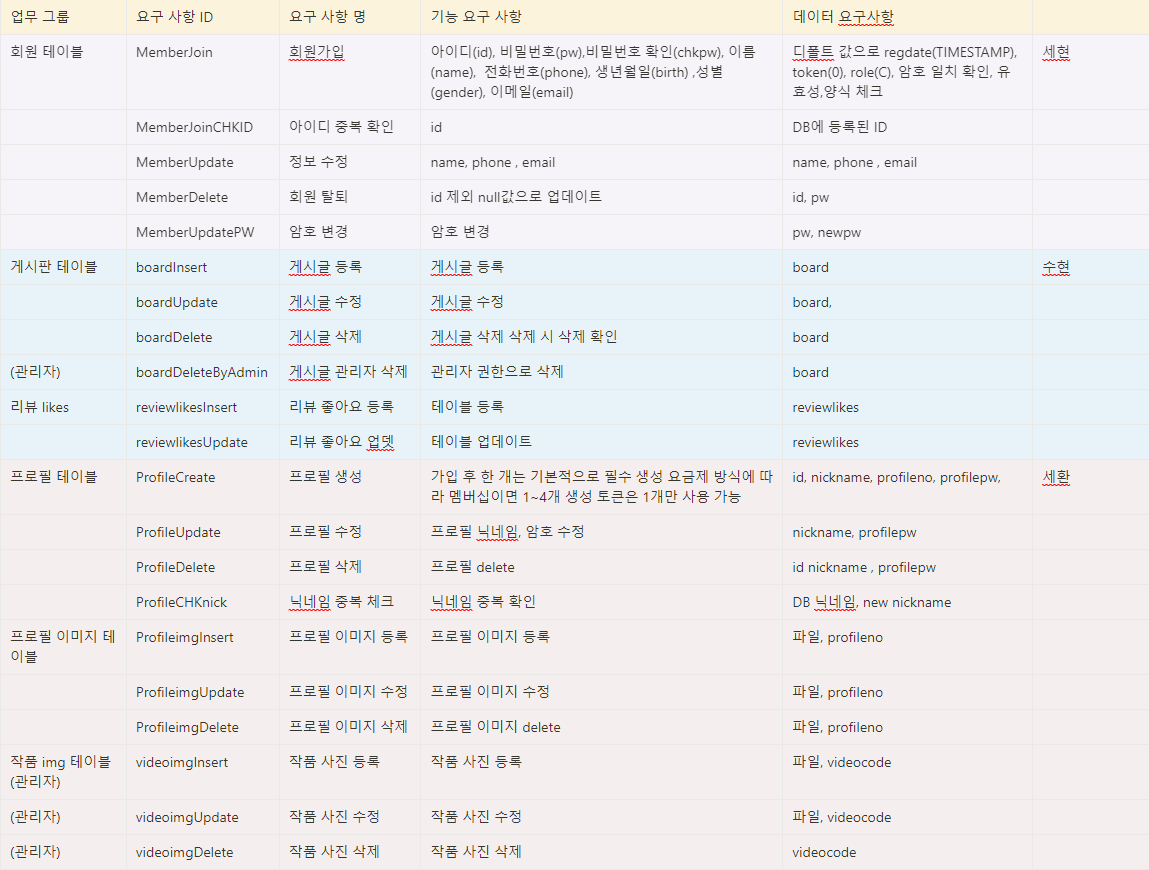
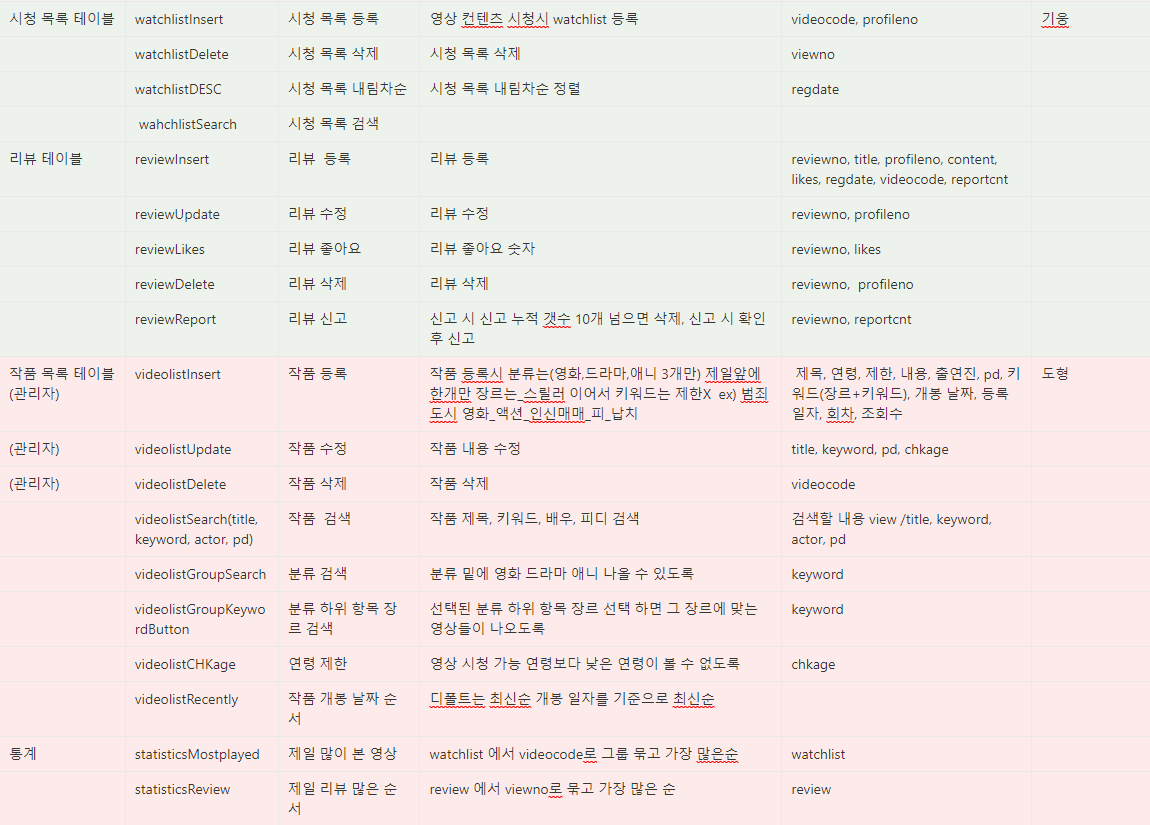
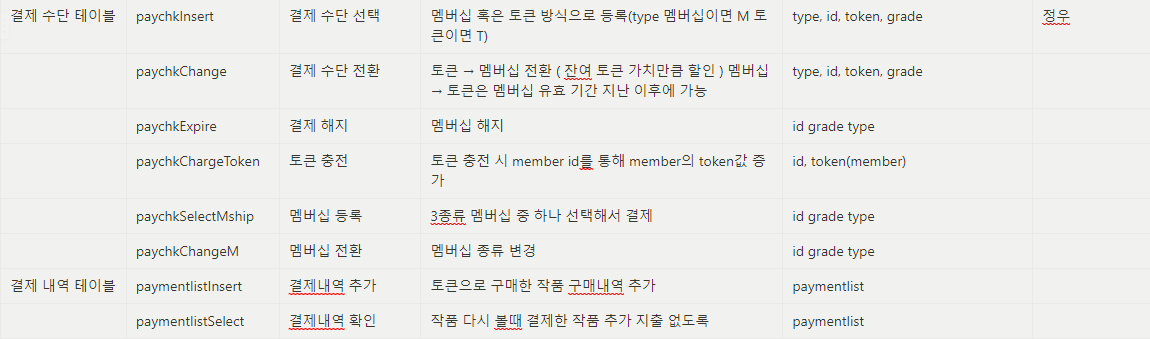
각자의 역량에 맞게 임무를 분담하였다. 프론트를 맡는 사람들은 백엔드의 부담감을 덜어주기로 하였다.
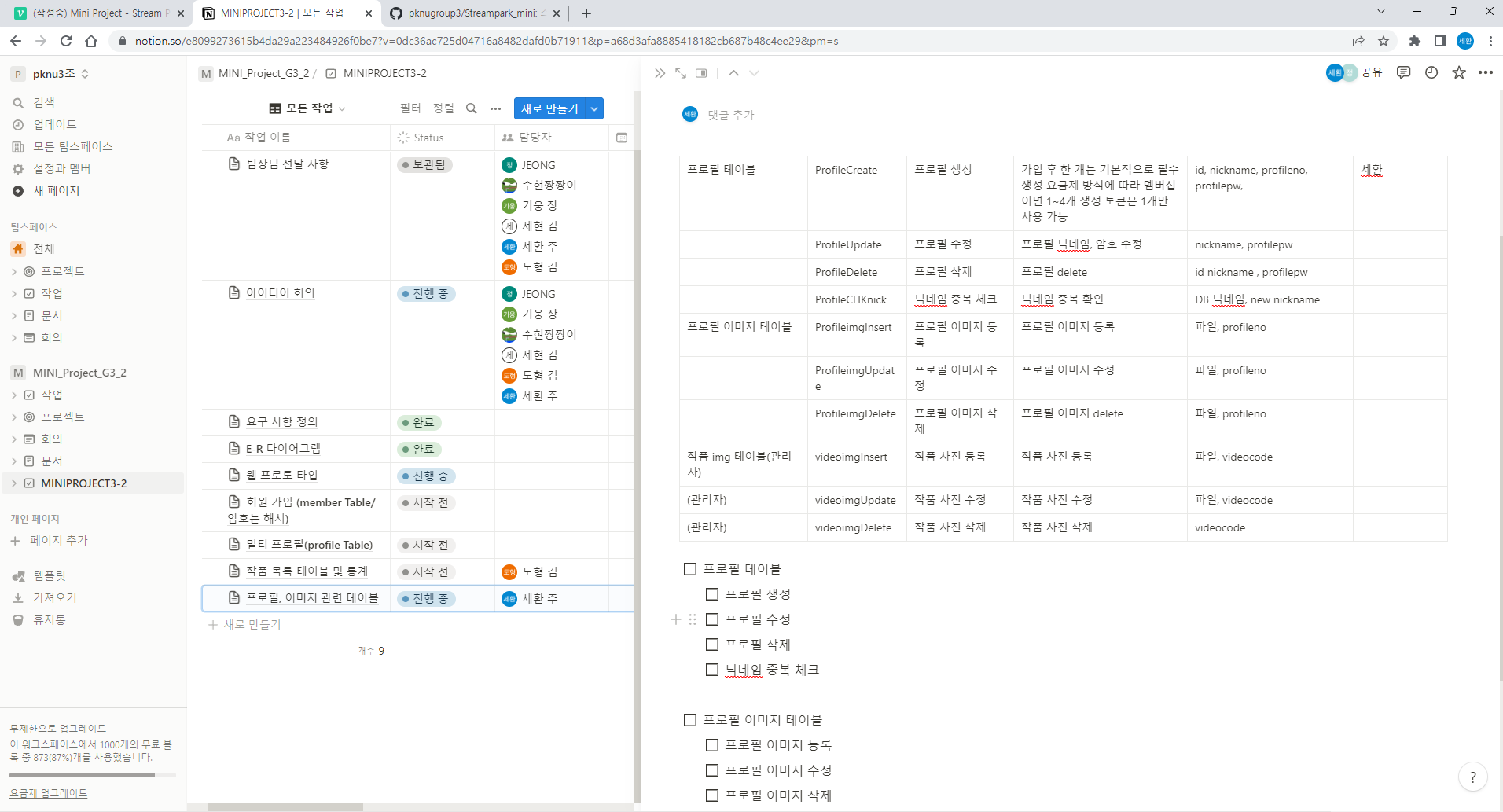
노션에 정리하였다.
나는 프로필 테이블, 프로필 이미지 테이블, 작품 이미지 관리 기능을 맡았다.
Profile
프로필 생성
public class Profile {
// 프로필 번호
private Long profileno;
// 닉네임
private String nickname;
// 아이디
private String id;
// 프로필 암호
private String profilepw;
// 변경할 프로필 암호
private String newprofilepw;
// 등록날짜
private Date regdate;
}
dto에 필요한 항목을 작성해준다.
// 프로필 생성
@Insert({
	" INSERT INTO profile (nickname, id, profilepw) ",
	" VALUES( #{obj.nickname}, #{obj.id}, #{obj.profilepw} ) "
})
public int createProfileOne(@Param("obj") Profile obj);
Mapper를 생성하고
// 프로필 생성
public int createProfileOne(HttpServletRequest request) throws Exception;
ProfileService에 프로필 추가할 기능을 만들어준다.
public class ProfileServiceImpl implements ProfileService {

	ProfileMapper mapper = MyBatisContext.getSqlSession().getMapper(ProfileMapper.class);


	// 프로필 생성
	@Override
	public int createProfileOne(HttpServletRequest request) {

		String id = request.getParameter("id");
		String profilepw = request.getParameter("profilepw");
		String nickname = request.getParameter("nickname");

		String hashPw = config.Hash.hashPW(id, profilepw);

		Profile obj = new Profile();

		obj.setId(id);
		obj.setProfilepw(hashPw);
		obj.setNickname(nickname);

		int ret = MyBatisContext.getSqlSession().getMapper(ProfileMapper.class).createProfileOne(obj);

		return ret;
	}
}
ProfileServiceImpl을 생성하여 작성한다.
@WebServlet(urlPatterns = {"/api/profile/create.json"})
public class RestProfileCreateController extends HttpServlet {
	private static final long serialVersionUID = 1L;
	private Gson gson = new Gson();

	protected void doGet(HttpServletRequest request, HttpServletResponse response) throws ServletException, IOException {
//		request.getRequestDispatcher("/WEB-INF/customer/customer_join.jsp").forward(request, response);
	}

	protected void doPost(HttpServletRequest request, HttpServletResponse response) throws ServletException, IOException {

		ProfileService pService = new ProfileServiceImpl();

		Map<String, Object> map = new HashMap<>();

		// 프로필 생성
		int ret = 0;
		try {
			ret = pService.createProfileOne(request);

			if( ret != 0) {
				map.put("ret", ret);
			}
			else {
				map.put("ret", ret);
			}
		}
		catch (Exception e) {
			e.printStackTrace();
		}

		response.setContentType("application/json");

		String jsonString = gson.toJson(map);

		PrintWriter out = response.getWriter();
		out.print(jsonString);
		out.flush();
	}
}
RestController을 작성하여 PostMan에서 확인해보자.
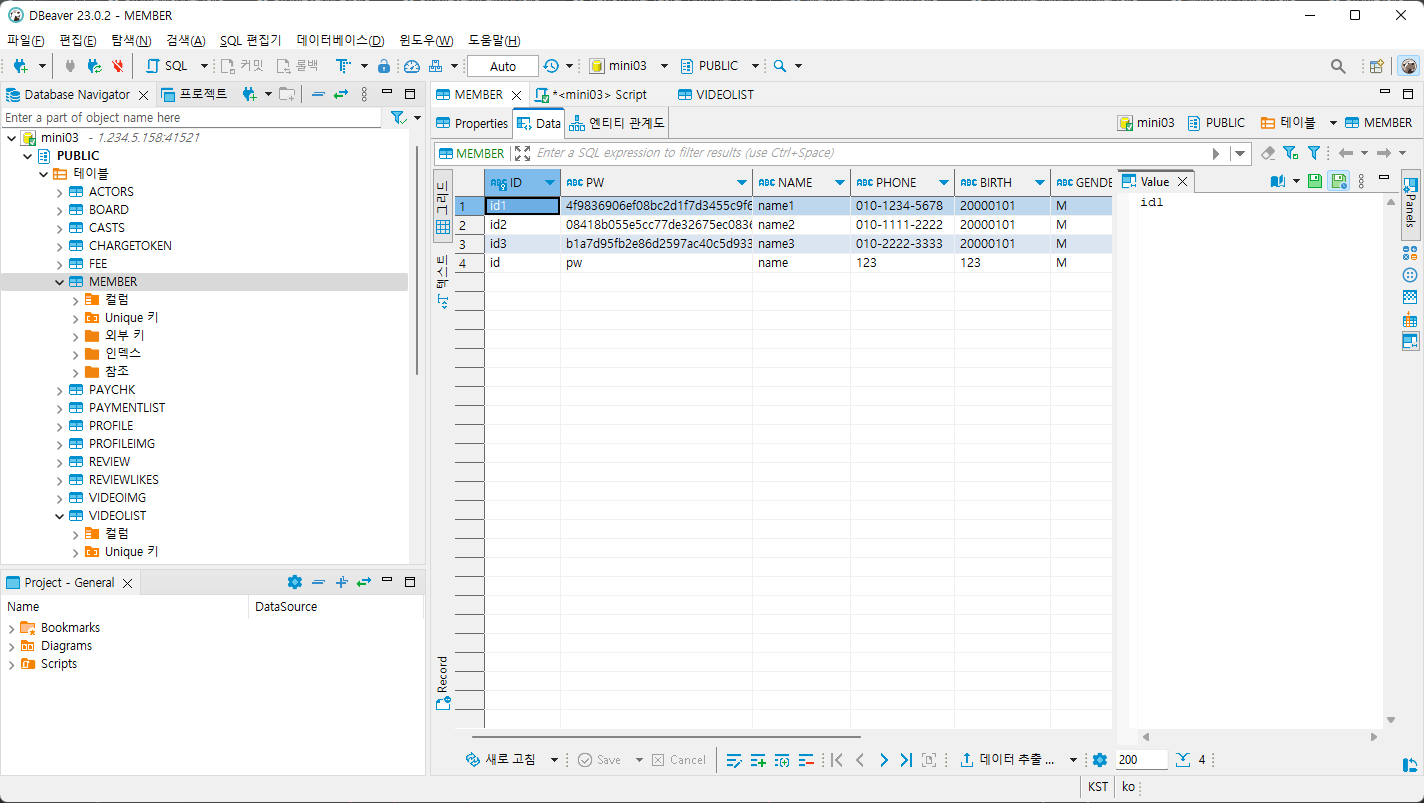
테스트용으로 id를 추가하고
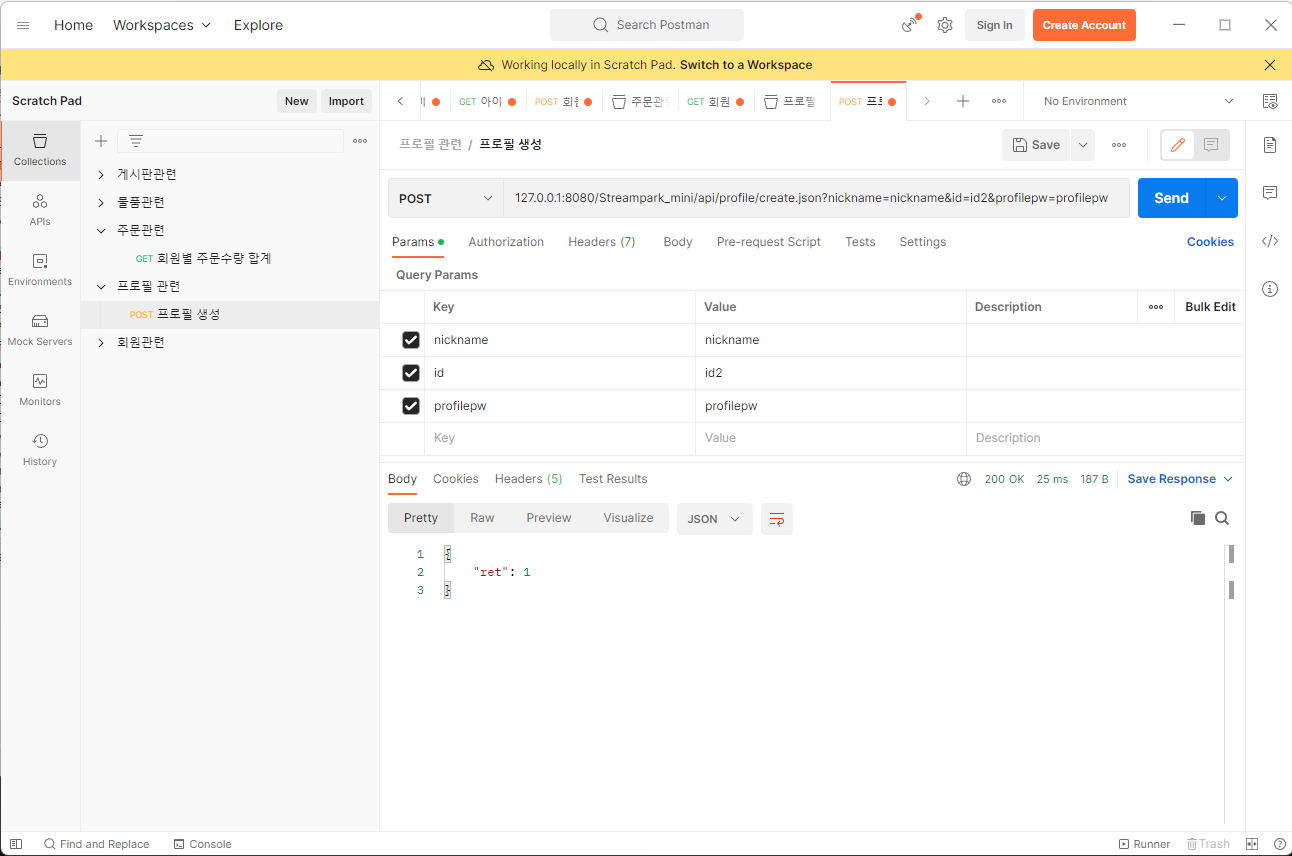
주소창에 127.0.0.1:8080/Streampark_mini/api/profile/create.json 를 입력하고
Key와 Value에 각각 항목을 넣어준다.
프로필은 id, nickname, profilepw만 필요하기 때문에 세가지만 넣어서 Send를 누른다.
위 사진처럼 1이 떴다면 정상적으로 작동한다는 뜻이다.