Nginx + PHP-FPM 으로 LoadBalancing(로드밸랜싱) 구현하기 - Port 분리
개요
Loadbalancing, php-fpm 에 대해 공부하던 중 nginx를 활용해 쉽게 로드밸랜서를 만들 수 있을 것 같아서 도전하였다.
php-fpm pool을 이용해, port 9000, 9001로 나누어 띄우고, nginx upstream을 설정하여 두개의 port를 로드밸랜싱하도록 만들기가 목표였다.
nginx, php 이 모두 설치되었다고 가정하고 다음 과정을 설명하겠다.
1. php-fpm pool 을 이용해 다중 포트 띄우기
cd /etc/php-fpm.d
cp www.conf test.conf

vi www.conf
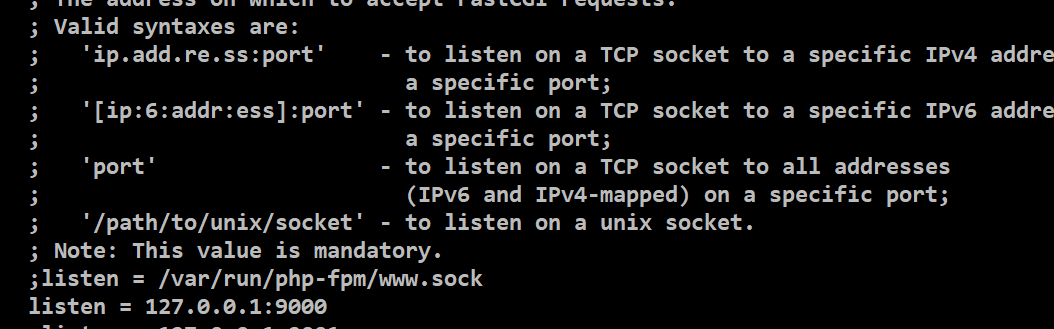
listen = 127.0.0.1:9000

vi test.conf
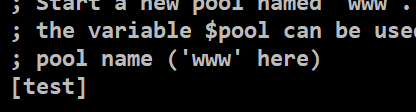
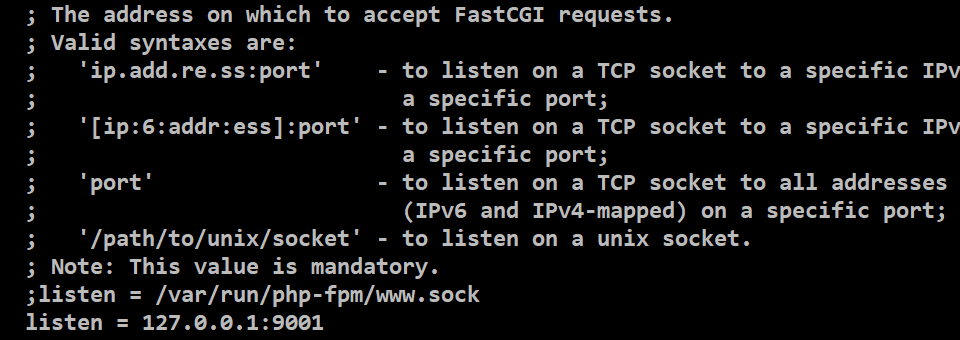
# 아래 부분 수정. 사진 참고
[www] => [test]
listen = 127.0.0.1:9001
-/etc/php-fpm.d/www.conf
- /etc/php-fpm.d/test.conf
- php-fpm 실행 및 확인
systemctl start php-fpm
systemctl status php-fpm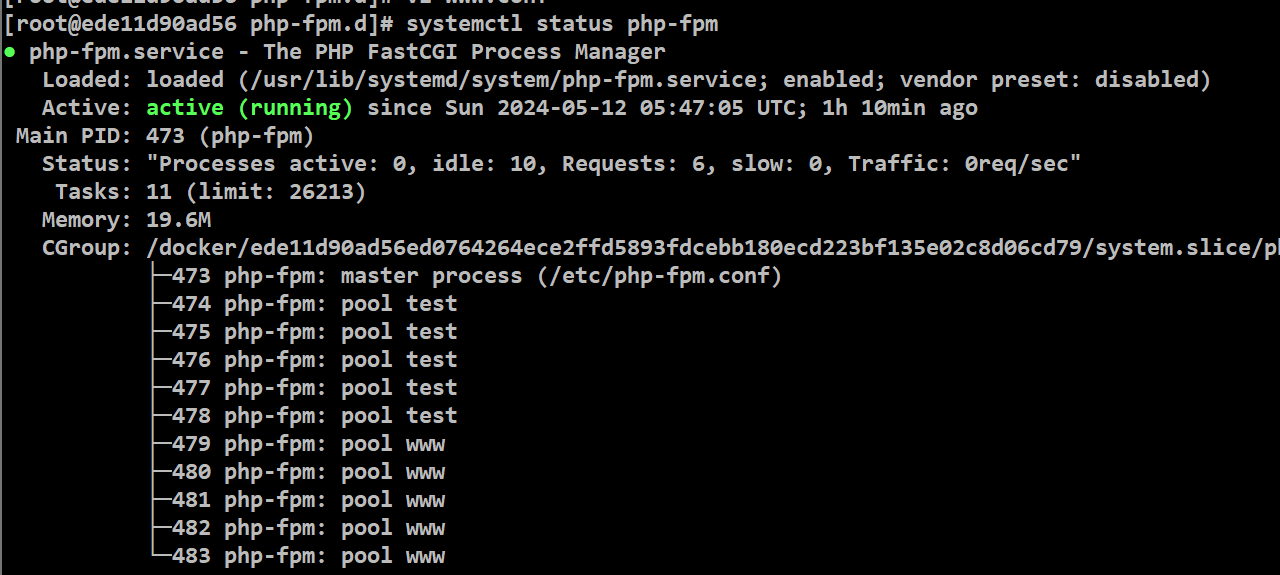
test, www 모두 올라간 것 확인
- 9000, 9001 포트 확인
netstat -tnl
2. nginx.conf 설정
- nginx upstream 설정 변경
-> 기본 설정에서 fastcgi_pass 부분 변경
-> upstream 포트 포기 위해 access log 포맷에 $upstream_addr 추가
vi /etc/nginx/nginx.conf

# 아래 설정으로 설정

worker_processes auto;
error_log /var/log/nginx/error.log;
pid /run/nginx.pid;

events {
    worker_connections 1024;
}

http {
    log_format  main  '$remote_addr - $remote_user [$time_local] "$request" '
                      '$status $body_bytes_sent "$http_referer" '
                      '"$http_user_agent" "$http_x_forwarded_for"'
                      # upstream 주소 보기위해 log 포맷 추가
                      '"$upstream_addr" "$upstream_response_time"';

    access_log  /var/log/nginx/access.log  main;

    sendfile            on;
    tcp_nopush          on;
    tcp_nodelay         on;
    keepalive_timeout   65;
    types_hash_max_size 2048;

    include             /etc/nginx/mime.types;
    default_type        application/octet-stream;

    # conf.d 아래 conf파일 모두 include (php-fpm upstream설정 파일이 여기있음)
    include             /etc/nginx/conf.d/*.conf;
    server {
        listen       80 default_server;
        listen       [::]:80 default_server;
        server_name  localhost;
        root         /home/nayu1105/www/;
        index        index.php index.html index.htm;

        error_page 404 /404.html;
            location = /40x.html {
        }

        error_page 500 502 503 504 /50x.html;
            location = /50x.html {
        }

        location ~ \.php$ {
            try_files $uri =404;
             # fastcgi_apss php-fpm 추가
             fastcgi_pass php-fpm;
             fastcgi_index index.php;
             fastcgi_param SCRIPT_FILENAME $document_root$fastcgi_script_name;
             include fastcgi_params;
        }
    }
}
- upstream php-fpm 9000, 9001 포트 추가
vi /etc/nginx/conf.d/php-fpm.conf

# 아래로 변경
upstream php-fpm {
        #server unix:/run/php-fpm/www.sock;
        server 127.0.0.1:9000;
        server 127.0.0.1:9001;
}
- nginx 실행 및 확인
systemctl start nginx
systemctl status nginx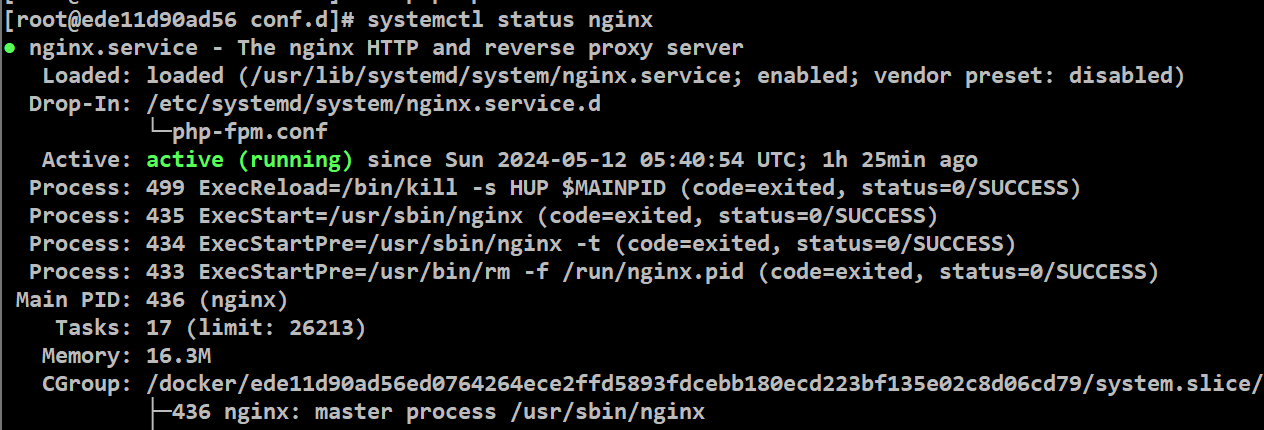
3. loadbalancing 확인
- 요청 보낼 파일 작성
vi /home/nayu1105/www/port.hpp

# port.php 작성
# 요청 port 번호 확인
# port.php 작성
<?php
echo $_SERVER['SERVER_PORT'];
?>
docker 에서 2080->80 포트로 설정해두고 2080 으로 요청을 3번 보냈다.
- docker 포트 확인

- 요청 보냄

nginx access log에서 요청내용을 확인했다.
 9000->9001->9000 으로 round robin 방식으로 로드밸랜싱됨을 확인했다.
nginx에 upstream 기본 설정이 round robin 이라고 한다.
이외에 아래와 같은 설정이 있다.
random : 랜덤 분배
ip_hash : 클라이언트의 ip 주소에 따라 분배. 사용자가 항상 동일 서버로 연결되도록 보장.
least_conn : 연결수가 가장 작은 서버
least_time : 연결수가 가장 적고, 평균 응답시간이 가장 적은 곳
자신이 원하는 설정에 맞추어 적용하면 될 것 같다.
궁금증
nginx upstream 을 활용하여 로드밸런싱을 하며, 같은 127.0.0.1:[port] 로 설정하면 어짜피 단일 서버이기때문에 그 효과가 미비할거라 예상했다.
그래서 나와 같이 공부한 사람들의 블로그를 찾아봤을때 같은 서버에 포트 분리로 로드밸런싱을 한 사람들은 없고, 보통 서버를 다중으로 띄우고 [ip1]:9000, [ip2]:9000 이런식으로 분리했다.
단일 vpc 내부에 여러개의 서버를 띄어 로드밸런싱을 하면 효과가 있을 거라 예상했다. 다음에는 서버를 각각 띄우고, 부하 테스트까지 해보려 한다.