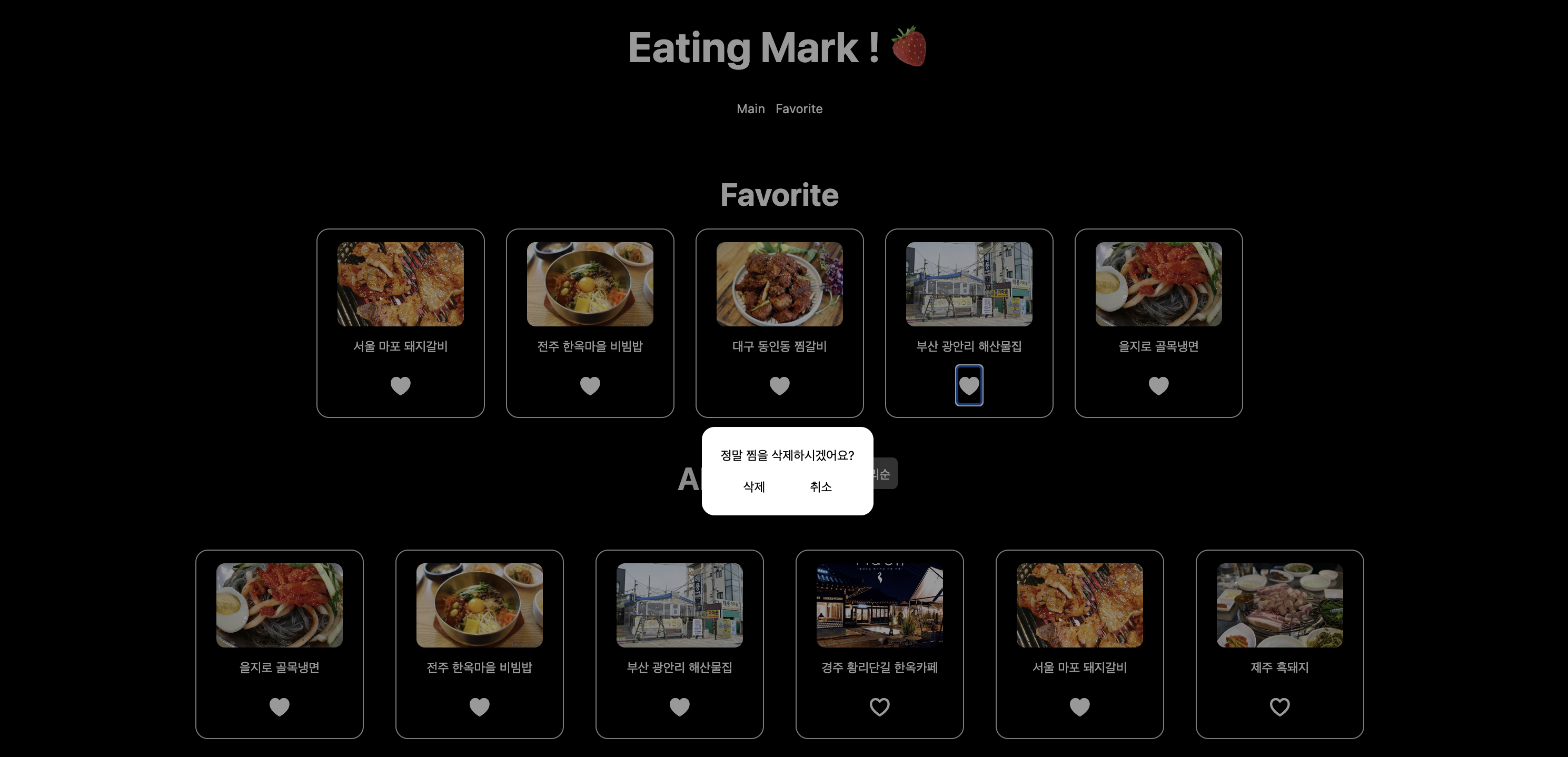
[React] 맛집 리스트 PJ - (3)
Project
나만의 맛집 페이지를 구현하는 프로젝트
📍 3단계
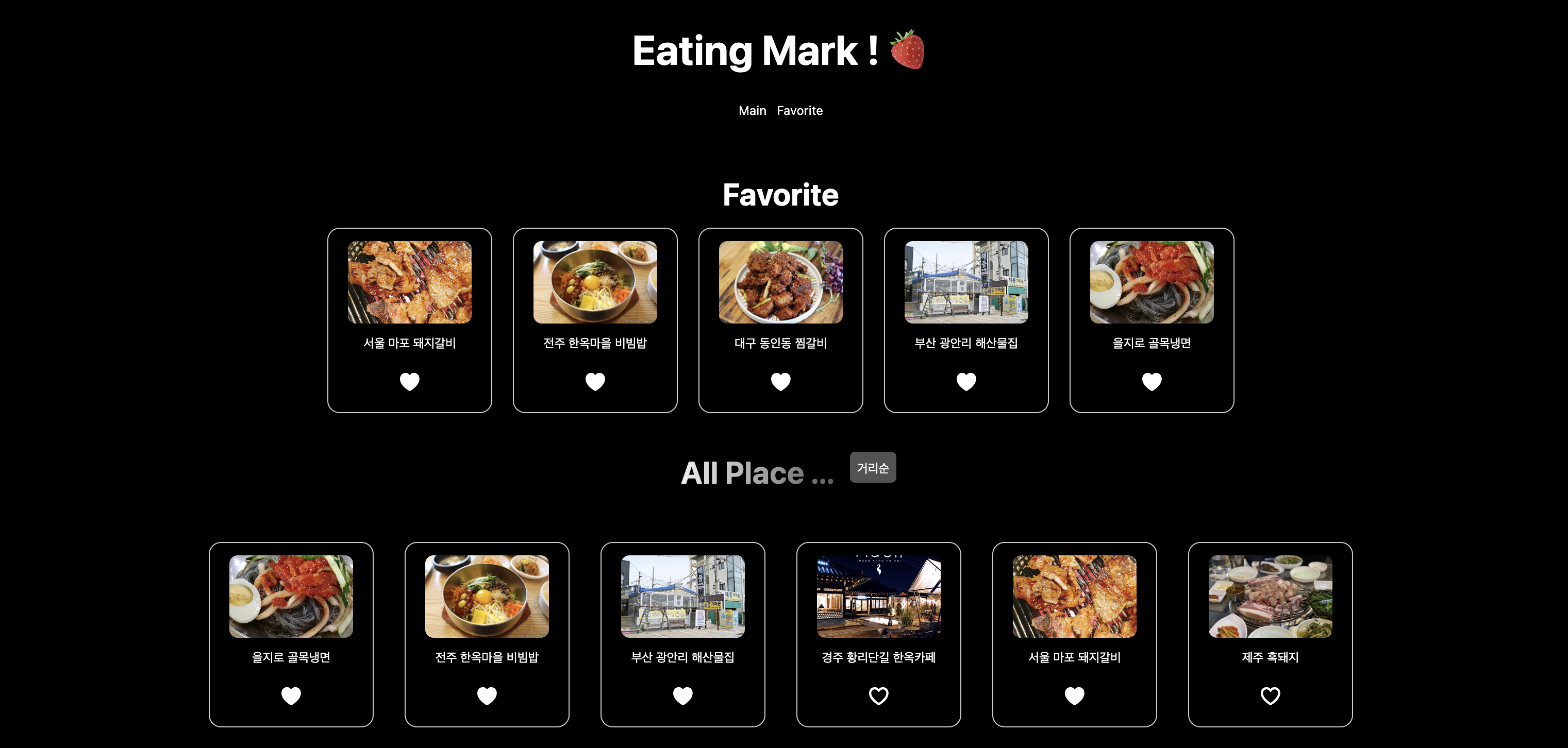
맛집을 저장하고 삭제하는 기능을 구현합니다. 저장된 데이터를 서버에 유지하여 새로고침 후에도 데이터가 유지되도록 처리하며, 사용자 경험을 고려한 모달창과 배포를 진행합니다.
프로젝트 구조
EATINGMARK-FE
├── src/
│   ├── components/
│   ├── pages/
│   ├── context/
│   ├── api/
│   ├── styles/
│   └── App.jsx
└── public/
1️⃣ 맛집 찜목록 관리
/users/places엔드포인트로 POST 요청을 보내 맛집 데이터를 찜한 맛집 목록에 저장/users/places엔드포인트로 GET 요청을 보내 저장된 데이터를 가져옴/users/places/{id}엔드포인트로 DELETE 요청을 보내 찜한 맛집 데이터를 삭제
📁 placeApi.js
- Axios 이용하여 get, post, delete 요청 가져오기
import api from './axios';

export const getPlaces = async () => {
  try {
    const response = await api.get('/places');
    return response.data.places;
  } catch (error) {
    console.error(" Loading Fail ... ", error)
    return []
  }
};

// 📍 찜한 맛집 목록 가져오기
export const getUserPlaces = async () => {
  try {
    const response = await api.get('/users/places');
  return response.data.places;
  } catch (error) {
    console.error(" Loading Fail ... ", error)
    return []
  }
}

// 📍 찜한 맛집 목록 저장
export const saveUserPlace = async (place) => {
  try {
    const response = await api.post('/users/places', { place });
    return response.data.places;
  } catch (error) {
      console.error(" Loading Fail ... ", error)
      return []
  }
};

// 📍 찜한 맛집 목록 삭제
export const deleteUserPlace = async (id) => {
  try {
    const response = await api.delete(`/users/places/${id}`);
    return response.data.places;
} catch (error) {
    console.error(" Loading Fail ... ", error)
    return []
}
};
📁 FavoriteFetchApi.jsx
- Axios 이용하여 만든 함수로 ContextAPI 구현
import { createContext, useEffect, useState } from "react";
import { deleteUserPlace, getUserPlaces, saveUserPlace } from "../api/placeApi";

export const FavoriteFetchApi = createContext([]);

// 이 컴포넌트는 Provider 역할을 하며, children을 감싸서 하위 트리 컴포넌트에 Context를 전달
export const FavoriteFetchApiProvider = ({children}) => {

    const [userPlaces, setUserPlaces] = useState([]);

    // Fav 목록 가져오기
    useEffect(() => {
        const fetchUserPlaces = async () => {
            const places = await getUserPlaces();
            setUserPlaces(places);
        };
        fetchUserPlaces()
    }, []);

      // Fav 목록 추가하기
      const addPlace = async (place) => {
        await saveUserPlace(place);
        setUserPlaces((prev) => [...prev, place]); // 기존 값 유지하면서 장소 추가
      };

      // Fav 목록 삭제하기
      const removePlace = async (id) => {
        await deleteUserPlace(id);
        setUserPlaces((prev) => prev.filter((p) => p.id !== id)); // 상태 유지
      };


    return(
        <FavoriteFetchApi.Provider
        value={{ userPlaces,  addPlace, removePlace } }>

            {children}
        </FavoriteFetchApi.Provider>
    )
}
📁 FavoriteFetchApi.jsx
- Context 불러와서 실제 버튼 및 기능 구현하기
- 모달창 구현하기
import { useContext, useState } from "react";
import { FavoriteFetchApi } from "../context/FavoriteFetchApi";
import ModalPortal from "./ModalPotal"; // 추가
import styles from "../styles/favoritebtn.module.scss";

const FavoriteBtn = ({ place }) => {
  const { userPlaces, addPlace, removePlace } = useContext(FavoriteFetchApi);
  const [showConfirm, setShowConfirm] = useState(false);

  // 하트 체크 함수
  const isLiked = userPlaces?.some((p) => p.id === place.id);

  const handleFavoriteAction = (e, action) => {
    e.preventDefault();
    e.stopPropagation();

    switch (action) {
      case "toggle":
        if (isLiked) {
          setShowConfirm(true); // 삭제 확인 모달 표시
        } else {
          addPlace(place); // 찜 추가
        }
        break;
      case "confirm":
        removePlace(place.id); // 찜 삭제
        setShowConfirm(false); // 모달 닫기
        break;
      case "cancel":
        setShowConfirm(false); // 모달 닫기만
        break;
      default:
        break;
    }
  };

  return (
    <>
      <button onClick={(e) => handleFavoriteAction(e, "toggle")} className={styles.heart}>
        {isLiked ? "♥︎" : "♡"}
      </button>

      {showConfirm && (
        <ModalPortal>
          <div className={styles.modalOverlay} onClick={(e) => handleFavoriteAction(e, "cancel")}>
            <div className={styles.modal} onClick={(e) => e.stopPropagation()}>
              <p>정말 찜을 삭제하시겠어요?</p>
              <div className={styles.modalButtons}>
                <button onClick={(e) => handleFavoriteAction(e, "confirm")}>삭제</button>
                <button onClick={(e) => handleFavoriteAction(e, "cancel")}>취소</button>
              </div>
            </div>
          </div>
        </ModalPortal>
      )}
    </>
  );
};

export default FavoriteBtn;
📁 ModalPortal.jsx
- 모달 생성 후 index.html 에 연결 해주기
import { createPortal } from "react-dom";

const modalRoot = document.getElementById("modal-root");

export default function ModalPortal({ children }) {

  // 자식 컴포넌트(children)를 특정 DOM 노드(여기선 #modal-root)에 렌더링해주는 역할
  // 이 모달을 띄워주기 위해 body에 모달 부분을 추가 해주어야 함
  return createPortal(children, modalRoot);
}
📁 index.html
<!doctype html>
<html lang="en">
  <head>
    <meta charset="UTF-8" />
    <meta name="viewport" content="width=device-width, initial-scale=1.0" />
  </head>
  <body>
    <div id="root"></div>
      <div id="modal-root"></div>
    <script type="module" src="/src/main.jsx"></script>
  </body>
</html>-
<div id="modal-root"></div>: 실제로 이 코드 아래 위치에 모달이 생성 (ModalPortal.jsx) 된다. -
ModalPortal.jsx에서 구현한 ModalPortal 을 FavoriteBtn.jsx 에서<ModalPortal>컴포넌트가 화면에 출력된다 -
📍 결론 :
<ModalPortal>컴포넌트가 📁index.html파일 중<div id="modal-root"></div>이 코드 아래 위치에 생성되어 화면에 출력된다 !