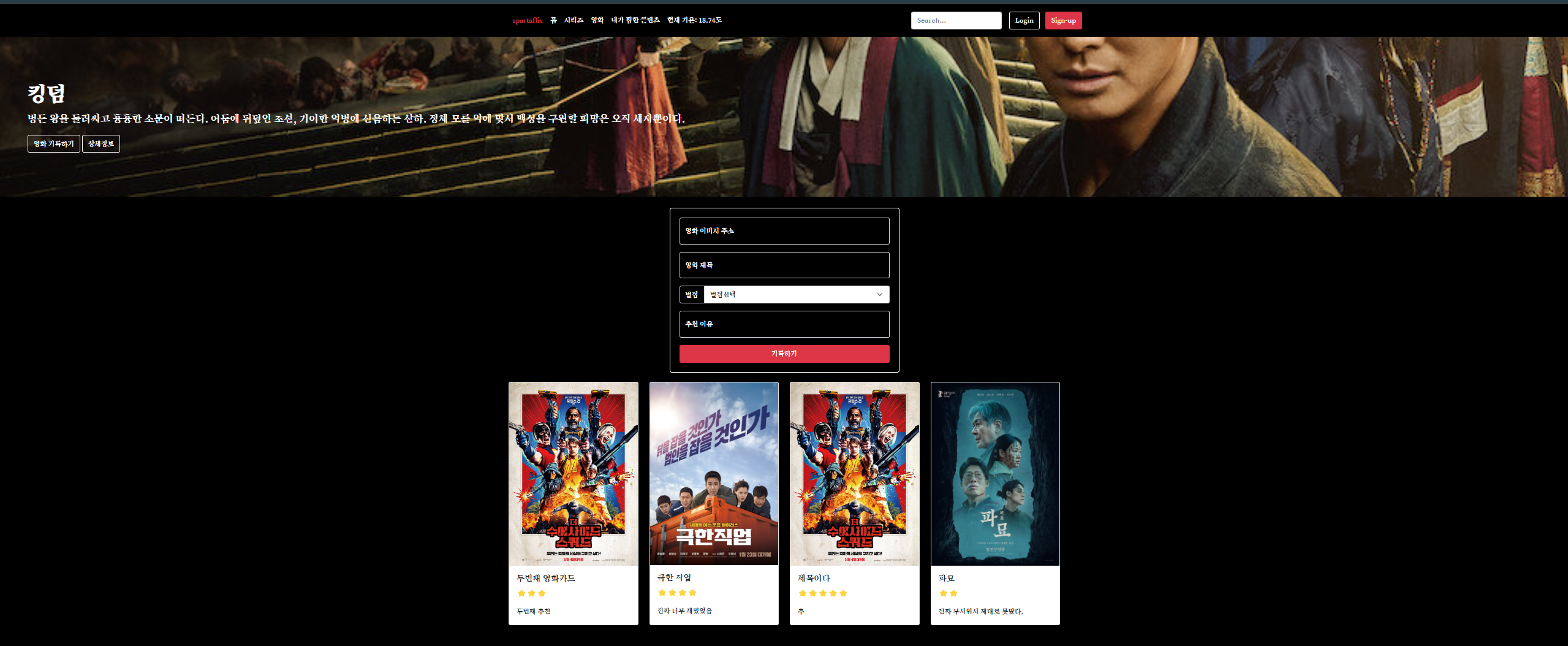
카드를 만들어서 붙여야 함
row 의
이미지의 값을 가지고 오는 게 아니라
각 id의 값을 가져와야 한다.
전체 플릭스 코드
<!DOCTYPE html>
<html lang="en">

<head>
    <meta charset="UTF-8">
    <meta name="viewport" content="width=device-width, initial-scale=1.0">
    <title>스파르타플릭스</title>
    <script src="https://ajax.googleapis.com/ajax/libs/jquery/3.5.1/jquery.min.js"></script>
    <link href="https://cdn.jsdelivr.net/npm/bootstrap@5.0.2/dist/css/bootstrap.min.css" rel="stylesheet"
        integrity="sha384-EVSTQN3/azprG1Anm3QDgpJLIm9Nao0Yz1ztcQTwFspd3yD65VohhpuuCOmLASjC" crossorigin="anonymous">
    <script src="https://ajax.googleapis.com/ajax/libs/jquery/3.6.4/jquery.min.js"></script>

    <style>
        @import url('https://fonts.googleapis.com/css2?family=Nanum+Brush+Script&family=Song+Myung&display=swap');

        * {
            font-family: "Song Myung", serif;
        }

        .main {
            color: white;

            background-image: url('https://occ-0-1123-1217.1.nflxso.net/dnm/api/v6/6AYY37jfdO6hpXcMjf9Yu5cnmO0/AAAABeIfo7VL_VDyKnljV66IkR-4XLb6xpZqhpLSo3JUtbivnEW4s60PD27muH1mdaANM_8rGpgbm6L2oDgA_iELHZLZ2IQjG5lvp5d2.jpg?r=e6e.jpg');
            background-position: center;
            background-size: cover;
        }

        body {
            background-color: black;
        }

        .mycards {
            width: 1200px;
            margin: 20px auto 20px auto;
        }

        .mypostingbox {
            width: 500px;
            margin: 20px auto 20px auto;
            border: 1px solid white;
            padding: 20px;
            border-radius: 5px;
        }

        .form-floating>input {
            background-color: transparent;
            color: white;
        }

        .form-floating>label {
            color: white;
        }

        .input-group>label {
            background-color: transparent;
            color: white;
        }

        .mypostingbox>button {
            width: 100%;
        }
    </style>
    <script type="module">
        // Firebase SDK 라이브러리 가져오기
        import { initializeApp } from "https://www.gstatic.com/firebasejs/9.22.0/firebase-app.js";
        import { getFirestore } from "https://www.gstatic.com/firebasejs/9.22.0/firebase-firestore.js";
        import { collection, addDoc } from "https://www.gstatic.com/firebasejs/9.22.0/firebase-firestore.js";
        import { getDocs } from "https://www.gstatic.com/firebasejs/9.22.0/firebase-firestore.js";


        // For Firebase JS SDK v7.20.0 and later, measurementId is optional
        const firebaseConfig = {
            apiKey: "AIzaSyBtM7pxJowKnZZYa9hb68-aqylVEEf-ehM",
            authDomain: "sparta-76ec8.firebaseapp.com",
            projectId: "sparta-76ec8",
            storageBucket: "sparta-76ec8.appspot.com",
            messagingSenderId: "547929462691",
            appId: "1:547929462691:web:bc6a73c71b62c6b5712c16",
            measurementId: "G-J7PCV9W97C"
        };


        // Firebase 인스턴스 초기화
        const app = initializeApp(firebaseConfig);
        const db = getFirestore(app);

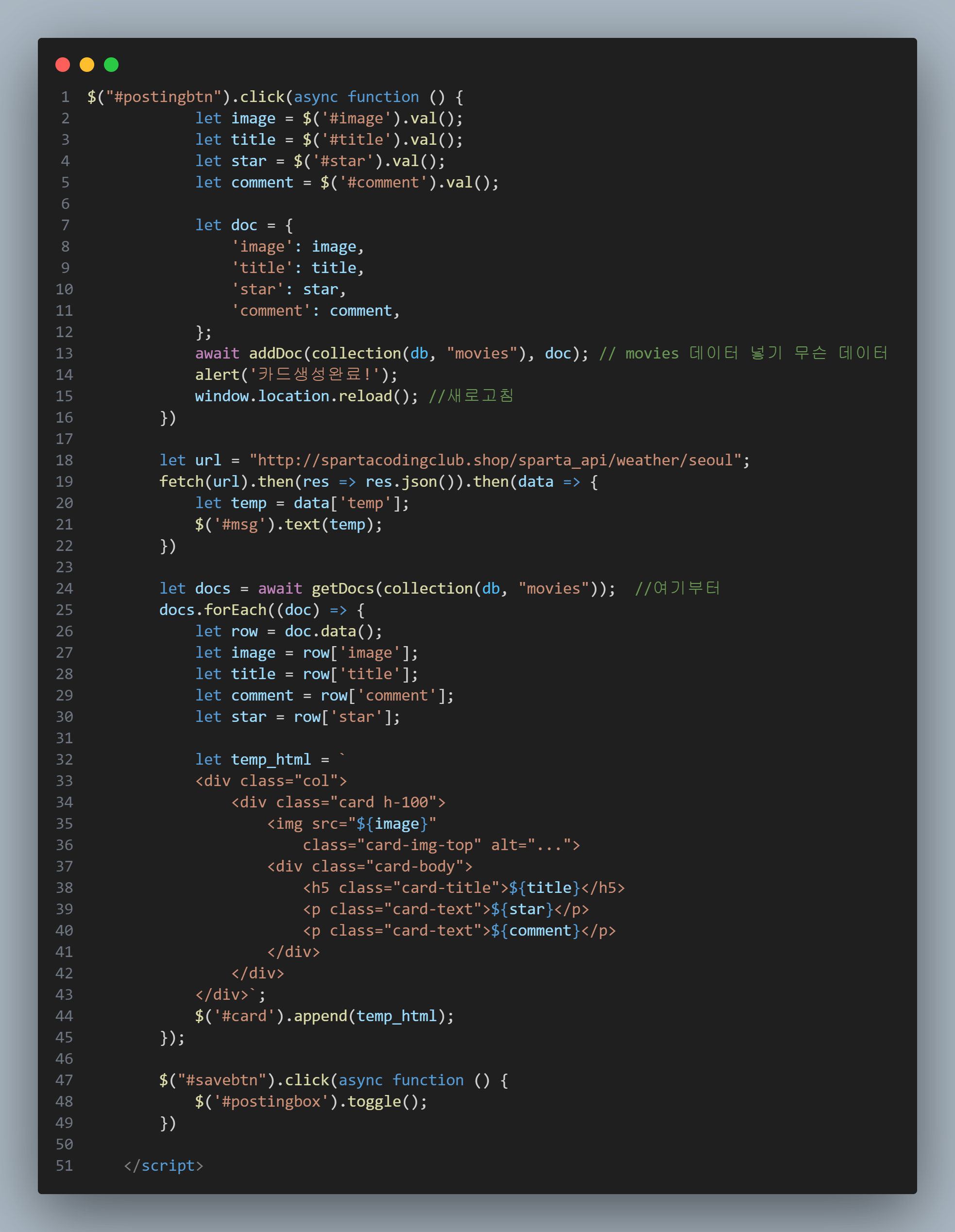
        $("#postingbtn").click(async function () {
            let image = $('#image').val();
            let title = $('#title').val();
            let star = $('#star').val();
            let comment = $('#comment').val();

            let doc = {
                'image': image,
                'title': title,
                'star': star,
                'comment': comment,
            };
            await addDoc(collection(db, "movies"), doc); // movies 데이터 넣기 무슨 데이터
            alert('카드생성완료!');
            window.location.reload(); //새로고침
        })

        let url = "http://spartacodingclub.shop/sparta_api/weather/seoul";
        fetch(url).then(res => res.json()).then(data => {
            let temp = data['temp'];
            $('#msg').text(temp);
        })

        let docs = await getDocs(collection(db, "movies"));  //여기부터
        docs.forEach((doc) => {
            let row = doc.data();
            let image = row['image'];
            let title = row['title'];
            let comment = row['comment'];
            let star = row['star'];

            let temp_html = `
            <div class="col">
                <div class="card h-100">
                    <img src="${image}"
                        class="card-img-top" alt="...">
                    <div class="card-body">
                        <h5 class="card-title">${title}</h5>
                        <p class="card-text">${star}</p>
                        <p class="card-text">${comment}</p>
                    </div>
                </div>
            </div>`;
            $('#card').append(temp_html);
        });

        $("#savebtn").click(async function () {
            $('#postingbox').toggle();
        })

    </script>
</head>

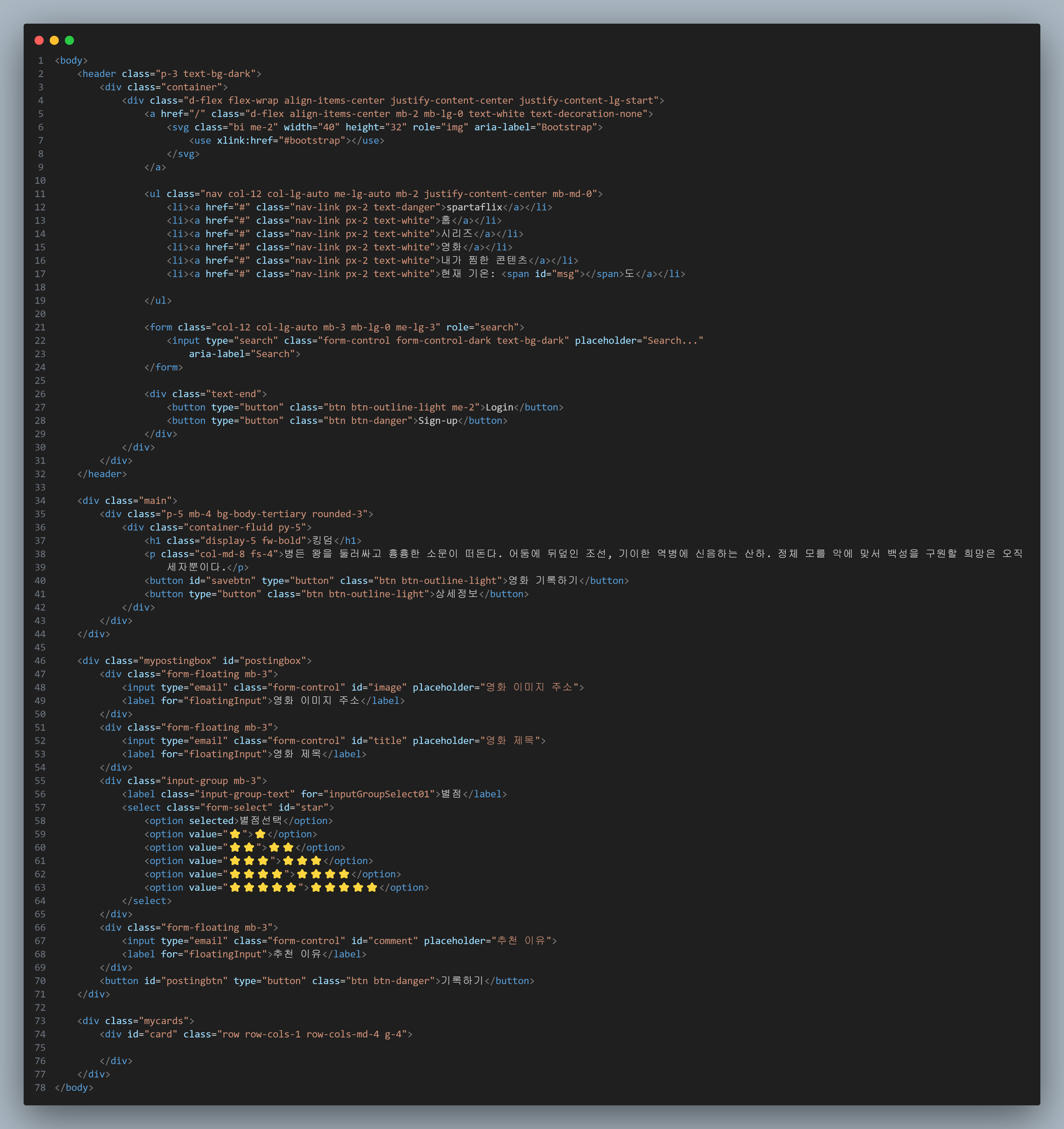
<body>
    <header class="p-3 text-bg-dark">
        <div class="container">
            <div class="d-flex flex-wrap align-items-center justify-content-center justify-content-lg-start">
                <a href="/" class="d-flex align-items-center mb-2 mb-lg-0 text-white text-decoration-none">
                    <svg class="bi me-2" width="40" height="32" role="img" aria-label="Bootstrap">
                        <use xlink:href="#bootstrap"></use>
                    </svg>
                </a>

                <ul class="nav col-12 col-lg-auto me-lg-auto mb-2 justify-content-center mb-md-0">
                    <li><a href="#" class="nav-link px-2 text-danger">spartaflix</a></li>
                    <li><a href="#" class="nav-link px-2 text-white">홈</a></li>
                    <li><a href="#" class="nav-link px-2 text-white">시리즈</a></li>
                    <li><a href="#" class="nav-link px-2 text-white">영화</a></li>
                    <li><a href="#" class="nav-link px-2 text-white">내가 찜한 콘텐츠</a></li>
                    <li><a href="#" class="nav-link px-2 text-white">현재 기온: <span id="msg"></span>도</a></li>

                </ul>

                <form class="col-12 col-lg-auto mb-3 mb-lg-0 me-lg-3" role="search">
                    <input type="search" class="form-control form-control-dark text-bg-dark" placeholder="Search..."
                        aria-label="Search">
                </form>

                <div class="text-end">
                    <button type="button" class="btn btn-outline-light me-2">Login</button>
                    <button type="button" class="btn btn-danger">Sign-up</button>
                </div>
            </div>
        </div>
    </header>

    <div class="main">
        <div class="p-5 mb-4 bg-body-tertiary rounded-3">
            <div class="container-fluid py-5">
                <h1 class="display-5 fw-bold">킹덤</h1>
                <p class="col-md-8 fs-4">병든 왕을 둘러싸고 흉흉한 소문이 떠돈다. 어둠에 뒤덮인 조선, 기이한 역병에 신음하는 산하. 정체 모를 악에 맞서 백성을 구원할 희망은 오직
                    세자뿐이다.</p>
                <button id="savebtn" type="button" class="btn btn-outline-light">영화 기록하기</button>
                <button type="button" class="btn btn-outline-light">상세정보</button>
            </div>
        </div>
    </div>

    <div class="mypostingbox" id="postingbox">
        <div class="form-floating mb-3">
            <input type="email" class="form-control" id="image" placeholder="영화 이미지 주소">
            <label for="floatingInput">영화 이미지 주소</label>
        </div>
        <div class="form-floating mb-3">
            <input type="email" class="form-control" id="title" placeholder="영화 제목">
            <label for="floatingInput">영화 제목</label>
        </div>
        <div class="input-group mb-3">
            <label class="input-group-text" for="inputGroupSelect01">별점</label>
            <select class="form-select" id="star">
                <option selected>별점선택</option>
                <option value="⭐">⭐</option>
                <option value="⭐⭐">⭐⭐</option>
                <option value="⭐⭐⭐">⭐⭐⭐</option>
                <option value="⭐⭐⭐⭐">⭐⭐⭐⭐</option>
                <option value="⭐⭐⭐⭐⭐">⭐⭐⭐⭐⭐</option>
            </select>
        </div>
        <div class="form-floating mb-3">
            <input type="email" class="form-control" id="comment" placeholder="추천 이유">
            <label for="floatingInput">추천 이유</label>
        </div>
        <button id="postingbtn" type="button" class="btn btn-danger">기록하기</button>
    </div>

    <div class="mycards">
        <div id="card" class="row row-cols-1 row-cols-md-4 g-4">

        </div>
    </div>
</body>

</html>
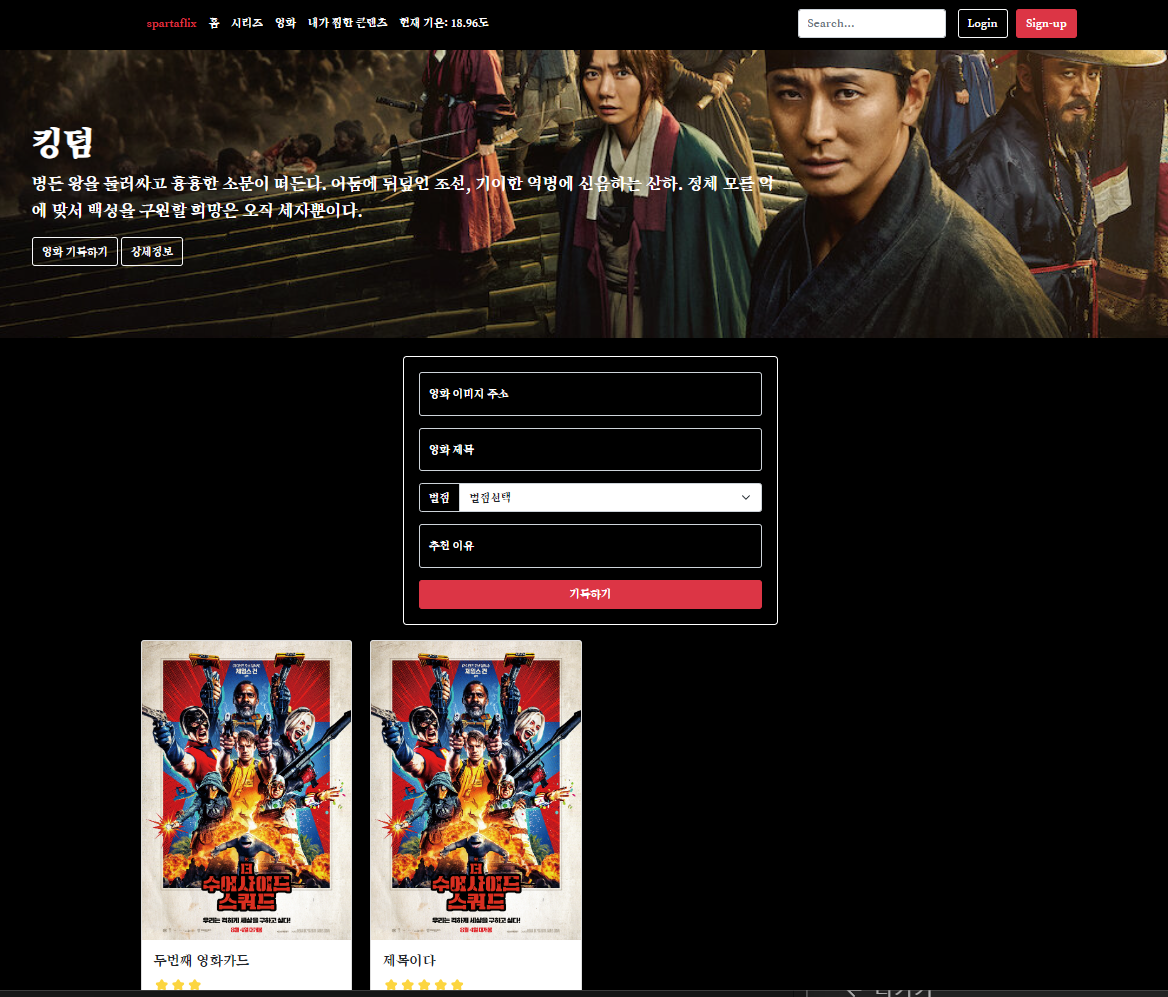
결과 사진
이제 내가 기록한 카드만 볼 수 있음
 |  |
|---|---|
| 스크립트 | 바디 |