1. ArgoCD 접속
Settings → Repositories → + CONNECT REPO
2. Repository 추가
HTTPS , SSH 모두 가능!
1. HTTPS
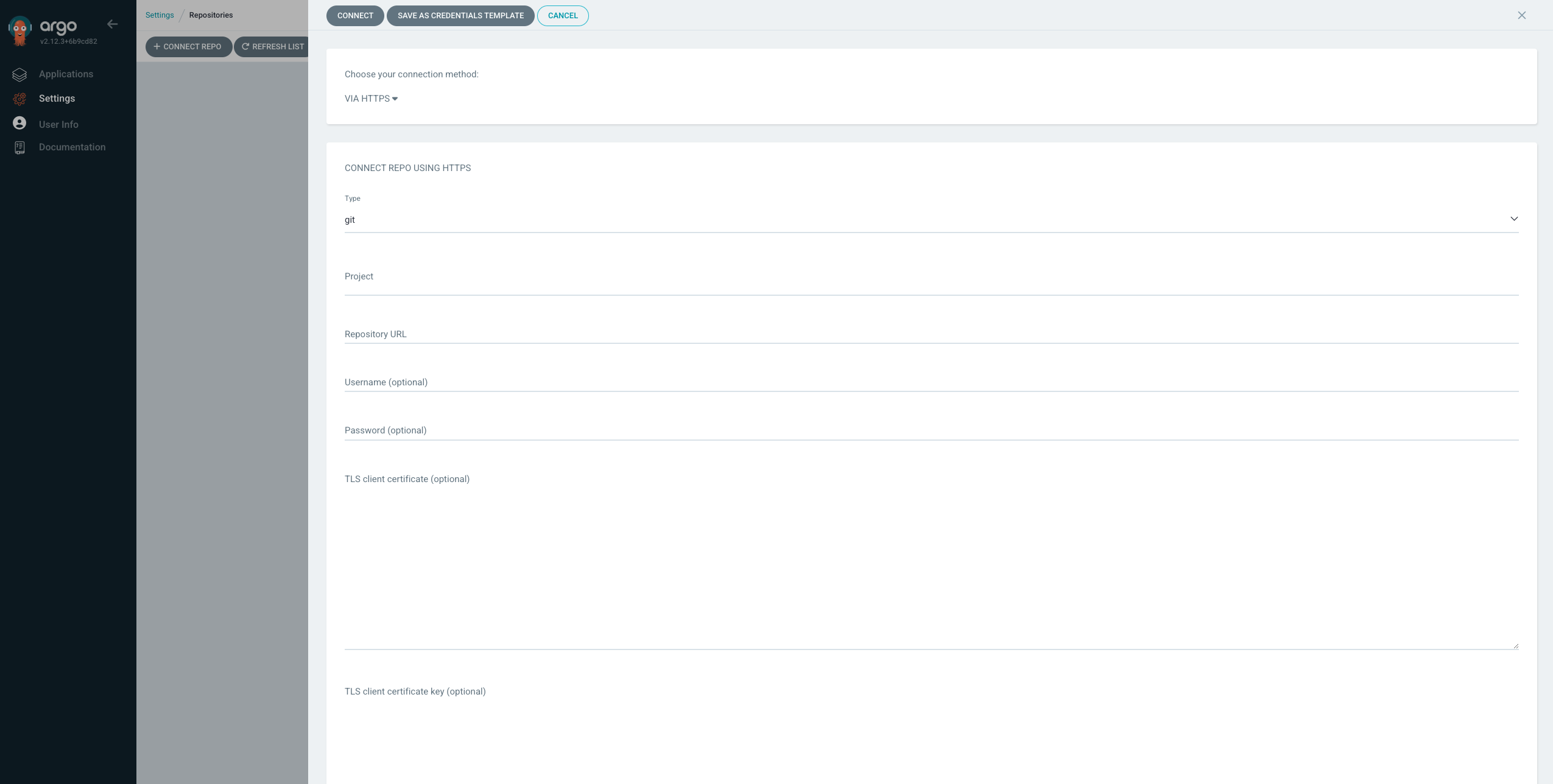
VIA HTTPS
Project : default
Repository URL : https://github.com/project/repo.git
Username : Github Login 계정
Password : Github Login 비밀번호 (OTP와 같은 2중 인증이 있다면 토큰 입력)
✅ Skip server verification 선택
github token 발급 방법
profile → settings → Developer Settings → Personal access tokens → Token(classic) → Generate New Token
꼭 잘 복사해 놓을 것!
2. SSH
ArgoCD Server에서 key 생성
ssh-keygen전부 엔터
cd ~/.ssh/
cat id_rsa.pub
내용 복사 → profile → settings → SSH and GPG keys → New SSH Key → 복사한 공개 키 입력
cat id_rsa내용 복사
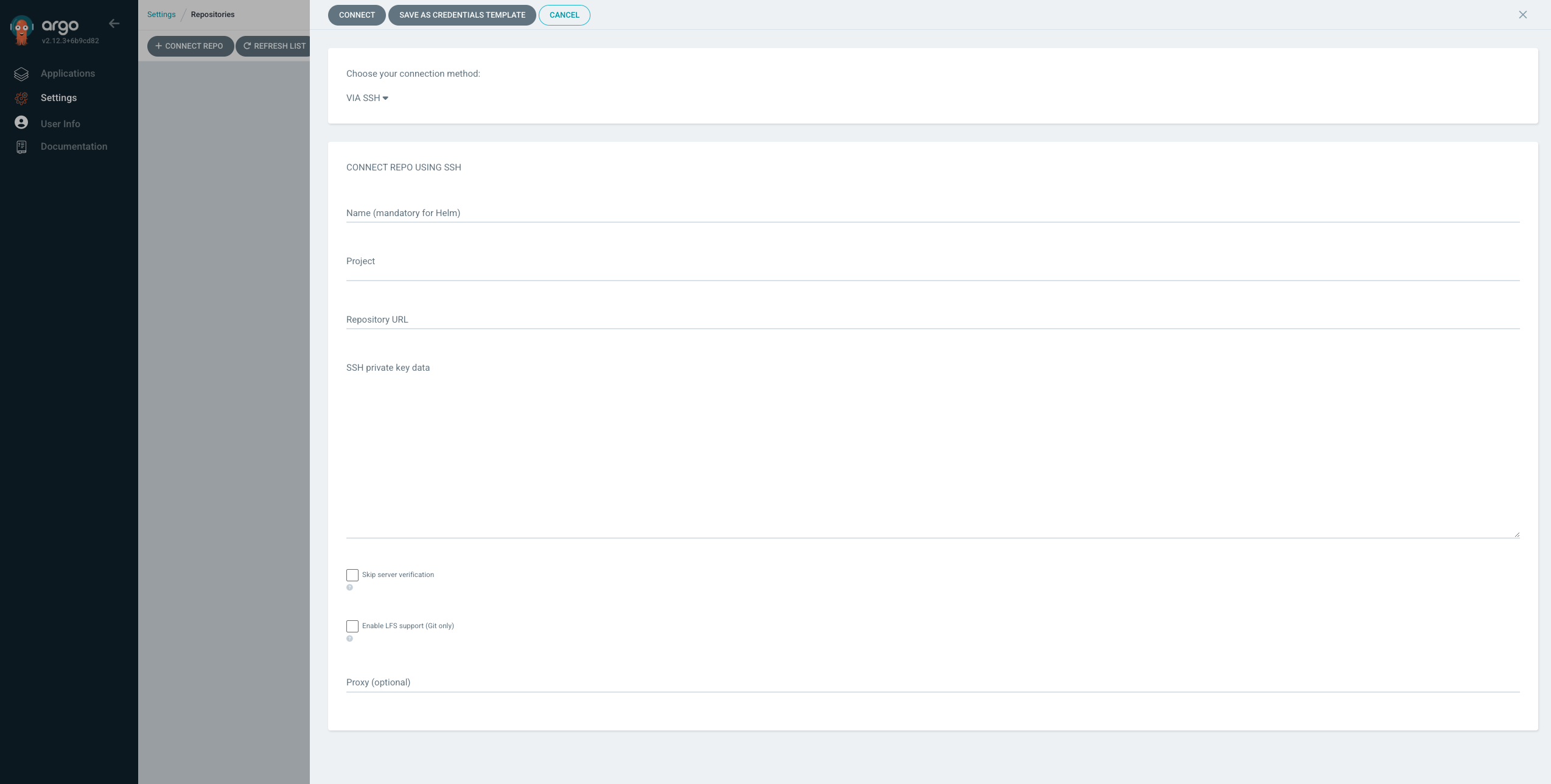
Name : Repo 구별을 위한 임의의 이름 입력
Repository URL : git@github.com:project/repo.git
SSH private key data : 위에서 복사한 개인키 입력
✅ Skip server verification 선택

성공 !!

Cloud/DevOps & Network Virtualization에 관심 있는 Engineer입니다. 🐳⚓️👨✈️