https://backendcode.tistory.com/225
위의 링크를 참고해서 설치함.

이 체크 박스를 해제하지 않고 finish 를 눌렀더니, 뭔지도 모르는 Stack Builder를 선택해서 다운로드를 받게 됨. Categories 중에서 Web Development를 눌러서 나오는 하나의 항목을 체크하고 다운 받음
Stack Builder: 필수 사항은 아니지만, Stack Builder는 PostgreSQL을 보완하는 부가적인 도구, 드라이버, 애플리케이션을 다운로드 받고 설치하는데 이용된다.
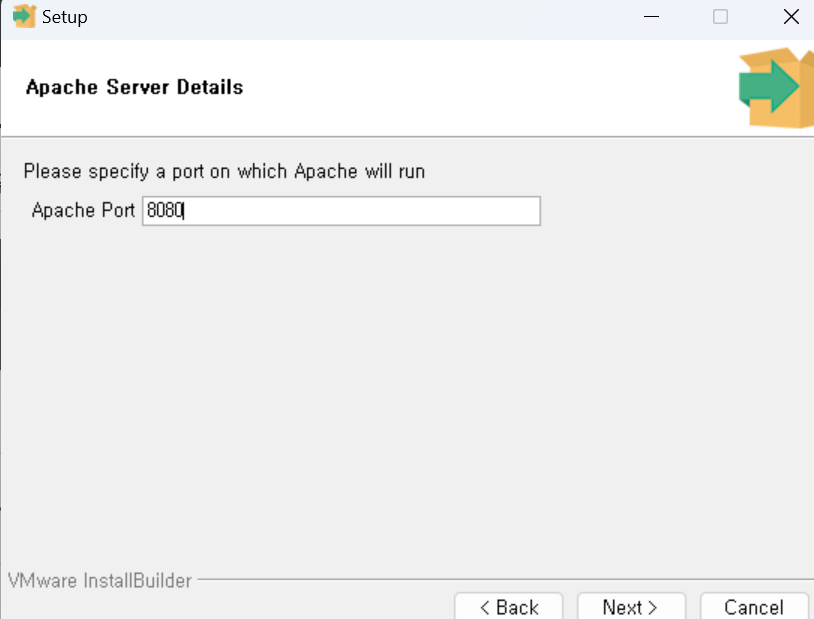
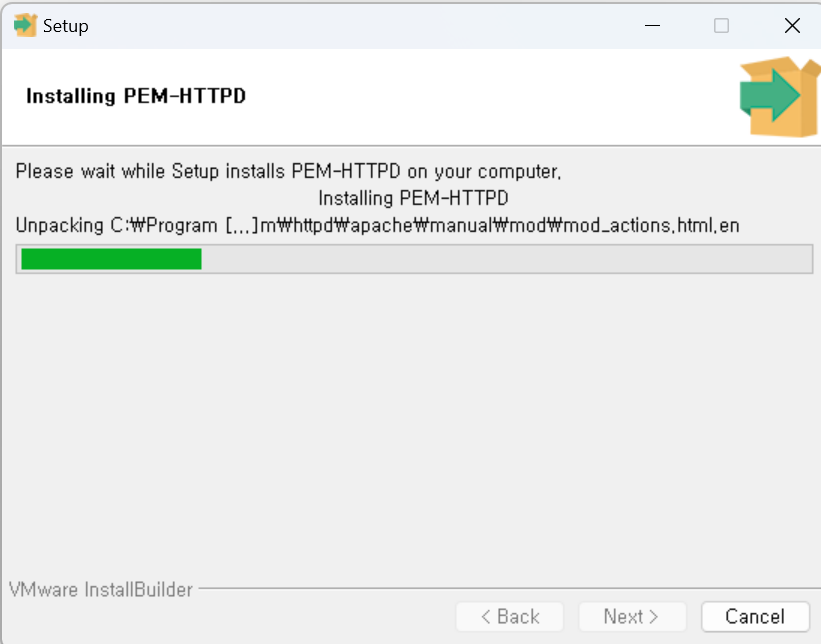
Stackbuilder 참고자료: https://foss4g.tistory.com/1237
Creating a CRUD API with Django Rest Framework and PostgreSQL
https://medium.com/@learncodeguide/creating-a-crud-api-with-django-rest-framework-and-postgresql-3ead7ffb140f
리눅스에서 How to build API with Django REST Framework and PostgreSQL
https://sourcery.blog/how-to-build-api-with-django-rest-framework-and-postgresql/
첫번째 시도
admin에 뭔가 업데이트된 것 같긴 한데,
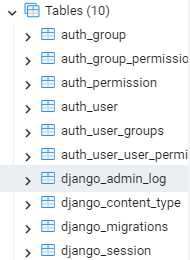
위와 같은 table들을 확인할 수 없었음.
DB -> Schema -> Tables 확인
연동 성공을 위한 과정
1. 완성된 프로젝트의 DB를 sql lite에서 postgreSQL로 바꾸기
이로 인해서 여러 오류가 많이 생긴 듯 해서 새로운 프로젝트를 만들어서 연동해보기로 마음 먹었다.
2. 새로운 프로젝트를 시작할 때 postgreSQL 사용하기
settings.py에 database 정보 다 입력해서 연결하기
참고자료: https://fotia.tistory.com/3
1. django.db.utils.OperationalError: connection to server at "localhost" (::1), port 5432 failed: fe_sendauth: no password supplied
2. django.db.utils.OperationalError: connection to server at "localhost" (::1), port 5432 failed: 치명적오류: 사용자 "DBadmin"의 password 인증을 실패했습니다
위와 같이 password와 관련된 오류를 여러 번 만나고 깨달은 점, Login/Group Roles 우클릭으로 Create한 User(?)는 비밀번호 설정을 하는 데가 없음 -> 비밀번호가 없으니까, password를 빈 문자열로 놓아도 변하지 않았던 것.
settings.py에 추가한 코드
import os
DATABASES = {
    'default': {
        'ENGINE': 'django.db.backends.postgresql',
        'NAME': 'test3',
        'USER': 'postgres',
        'PASSWORD': '123456!',
        'HOST': 'localhost',
        'PORT': 5432,
    }
}
$ python manage.py migrate결과
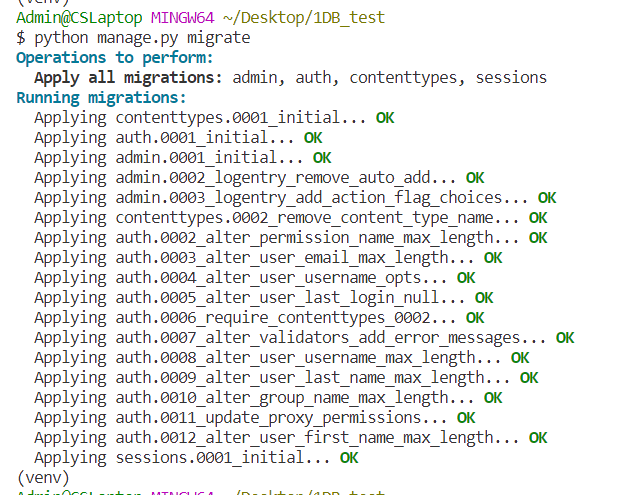
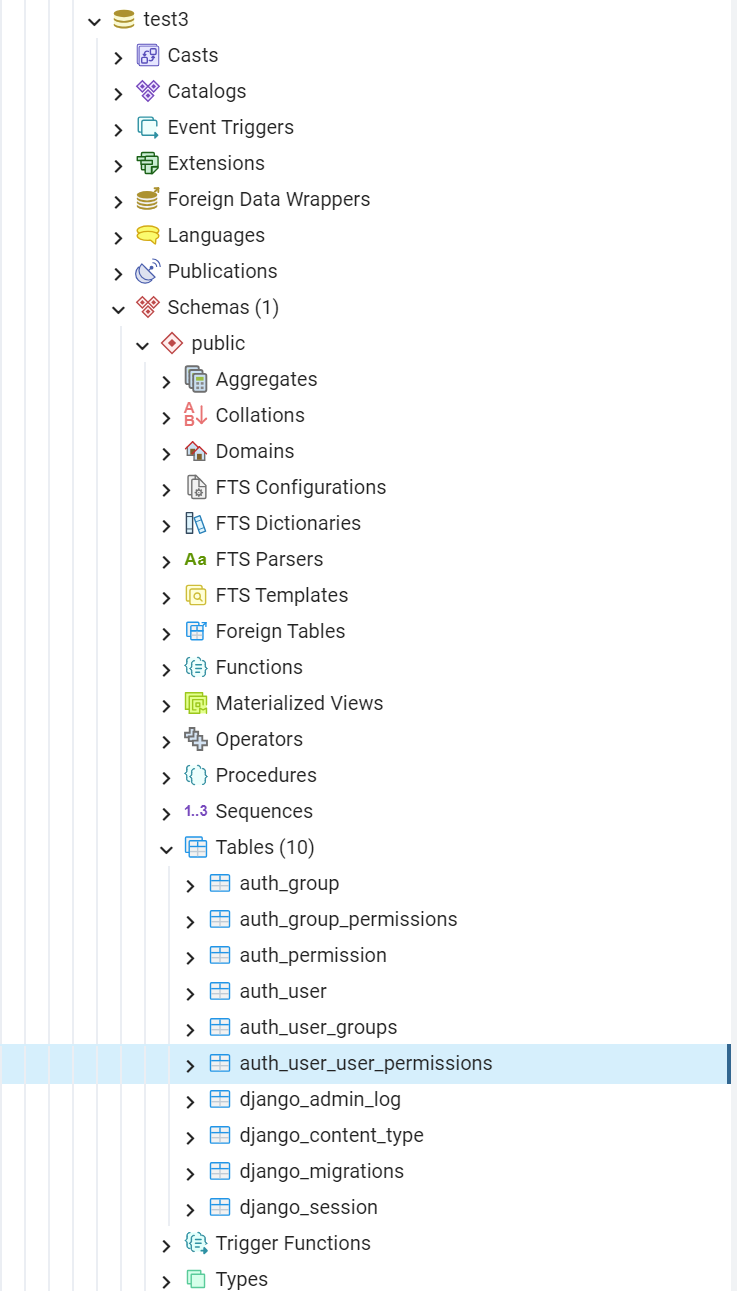
- pg admin 4를 통해 migrate 확인하기
- Schemas > Tables
📌환경변수를 활용한 postgreSQL 연동
참고자료: https://magicmk.tistory.com/6**
ㄴ이게 오류인 건가.. 왜 같은 오류가 계속 반복될까. 다른 자료를 찾아봐야겠다.
manage.py
import dotenv

if __name__ == "__main__":
	dotenv.read_dotenv()
main()
.env
KEY="value"

DB_ENGINE="django.db.backends.postgresql"
DB_USER="DBadmin1"
DB_PASSWORD="123456!"
DB_HOST="localhost"
DB_PORT="5432"
settings.py
import os
os.environ.get("key")

DATABASES = {
    'default': {
        'ENGINE': os.environ.get("DB_ENGINE"),
        'NAME': 'P2P',
        'USER': os.environ.get("DB_USER"),
        'PASSWORD': os.environ.get("DB_PASSWORD"),
        'HOST': os.environ.get("DB_HOST"),
        'PORT': os.environ.get("DB_PORT"),
    }
}
💥python manage.py migrate 시, 발생되는 오류
psycopg2.OperationalError: connection to server at "localhost" (::1), port 5432 failed: fe_sendauth: no password supplied와 함께 발생하는 다른 오류: it doesn't exist.dotenv.read_dotenv()
if __name__ == "__main__":
	dotenv.read_dotenv()
main()- django.db.utils.OperationalError: connection to server at "localhost" (::1), port 5432 failed: fe_sendauth: no password supplied
- 해결시도1: installed_apps에 'psycopg2', 추가해도 오류 발생
- 시도2: engine name 변경 ->
django.db.backends.postgresql_psycopg2- settings.py에 있는 engine name에 직접 넣어야 넘어감..
- 그리고 발생되는 it doesn't exist.
dotenv.read_dotenv()와psycopg2.OperationalError: connection to server at "localhost" (::1), port 5432 failed: fe_sendauth: no password supplied
Docker Postgres 연동과 postres와 장고와 관련된 기타 자료
https://velog.io/@nikevapormax/0721-Docker-Postgres-%EC%97%B0%EB%8F%99
Postres에서만 사용할 수 있는 array field
https://docs.djangoproject.com/en/4.2/ref/contrib/postgres/fields/
-> array field 예: 태그
from django.contrib.postgres.fields import ArrayField
from django.db import models


class Post(models.Model):
    name = models.CharField(max_length=200)
    tags = ArrayField(models.CharField(max_length=200), blank=True)

    def __str__(self):
        return self.name
ex)
>>> Post.objects.create(name="First post", tags=["thoughts", "django"])
>>> Post.objects.create(name="Second post", tags=["thoughts"])
>>> Post.objects.create(name="Third post", tags=["tutorial", "django"])

>>> Post.objects.filter(tags__contains=["thoughts"])
<QuerySet [<Post: First post>, <Post: Second post>]>

>>> Post.objects.filter(tags__contains=["django"])
<QuerySet [<Post: First post>, <Post: Third post>]>

>>> Post.objects.filter(tags__contains=["django", "thoughts"])
<QuerySet [<Post: First post>]>
위와 같이 array field로 사용될 수 있다.

연결 과정에서 발생하는 오류를 잘 기록해 주셨군요 트러블 슈팅은 중요한 부분이죠!