[LG CNS AM Inspire CAMP 1기] MSA (14) - AWS S3
Application ModernizationLG CNS AM CAMP 1기LG CNS AM CampLG CNS AM Inspire CampLG CNS AM Inspire Camp 1기S3awsmsa
LG CNS AM Inspire Camp 1기
목록 보기
45/47
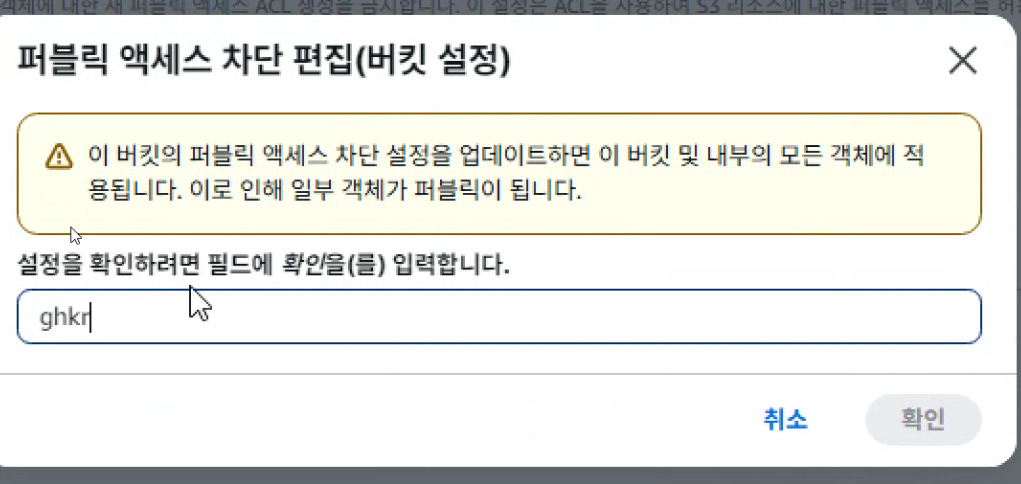
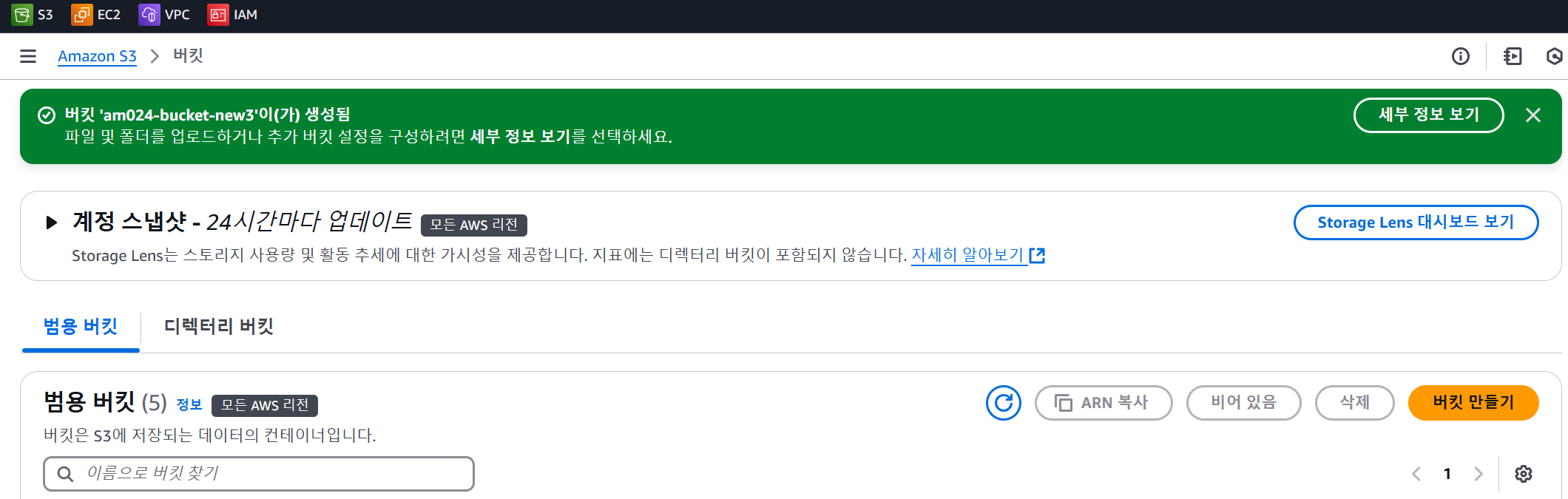
1. 버킷 생성
2. 파일 업로드 후 객체 URL 접근 허용하기
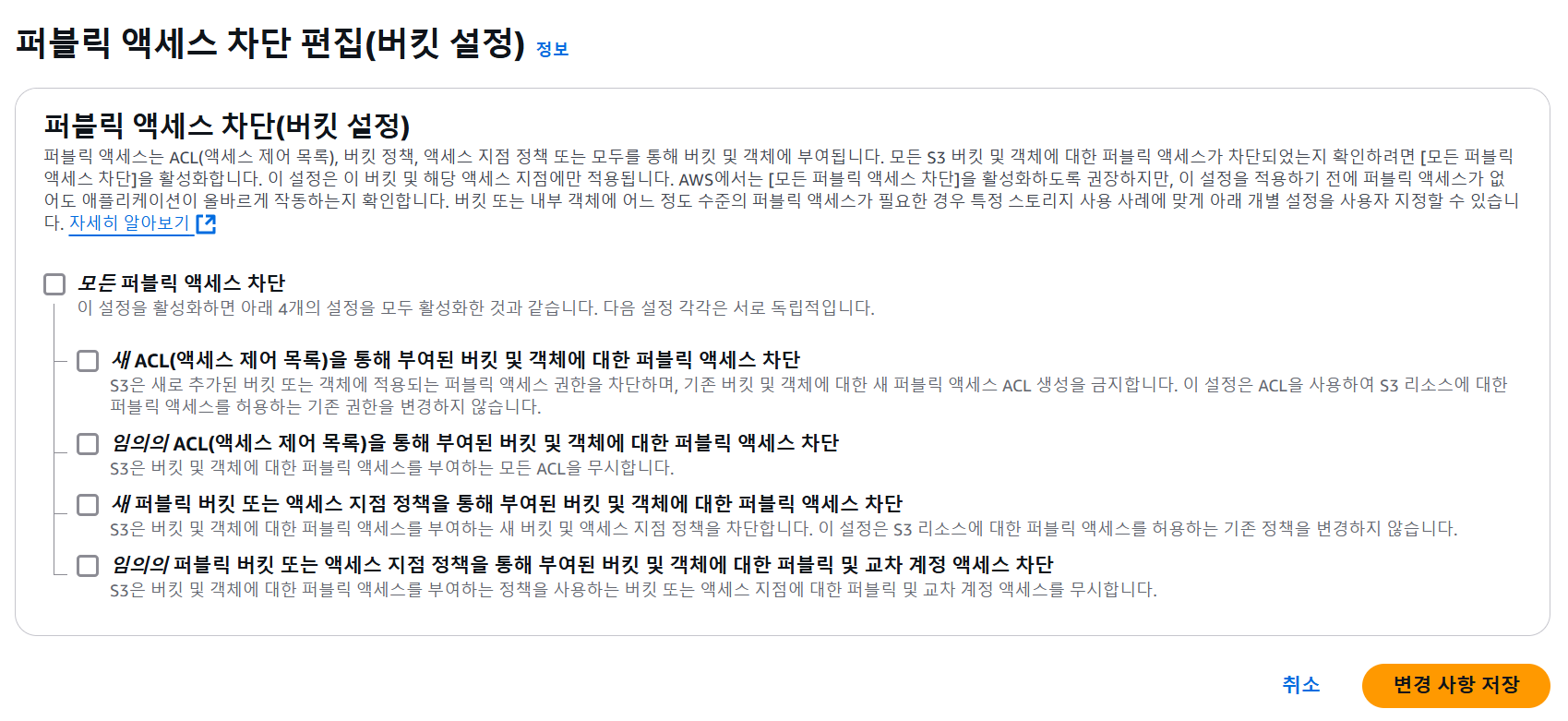
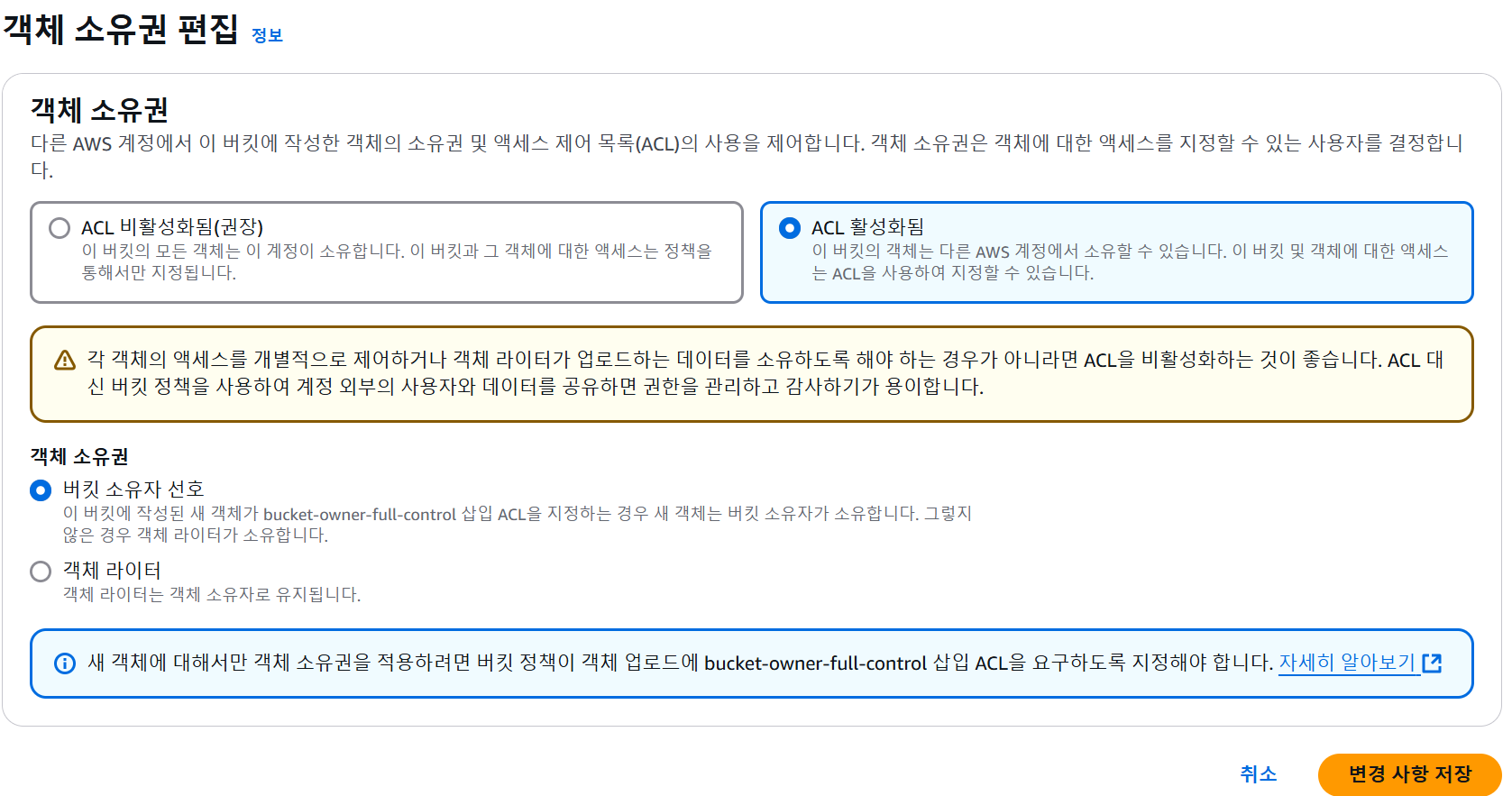
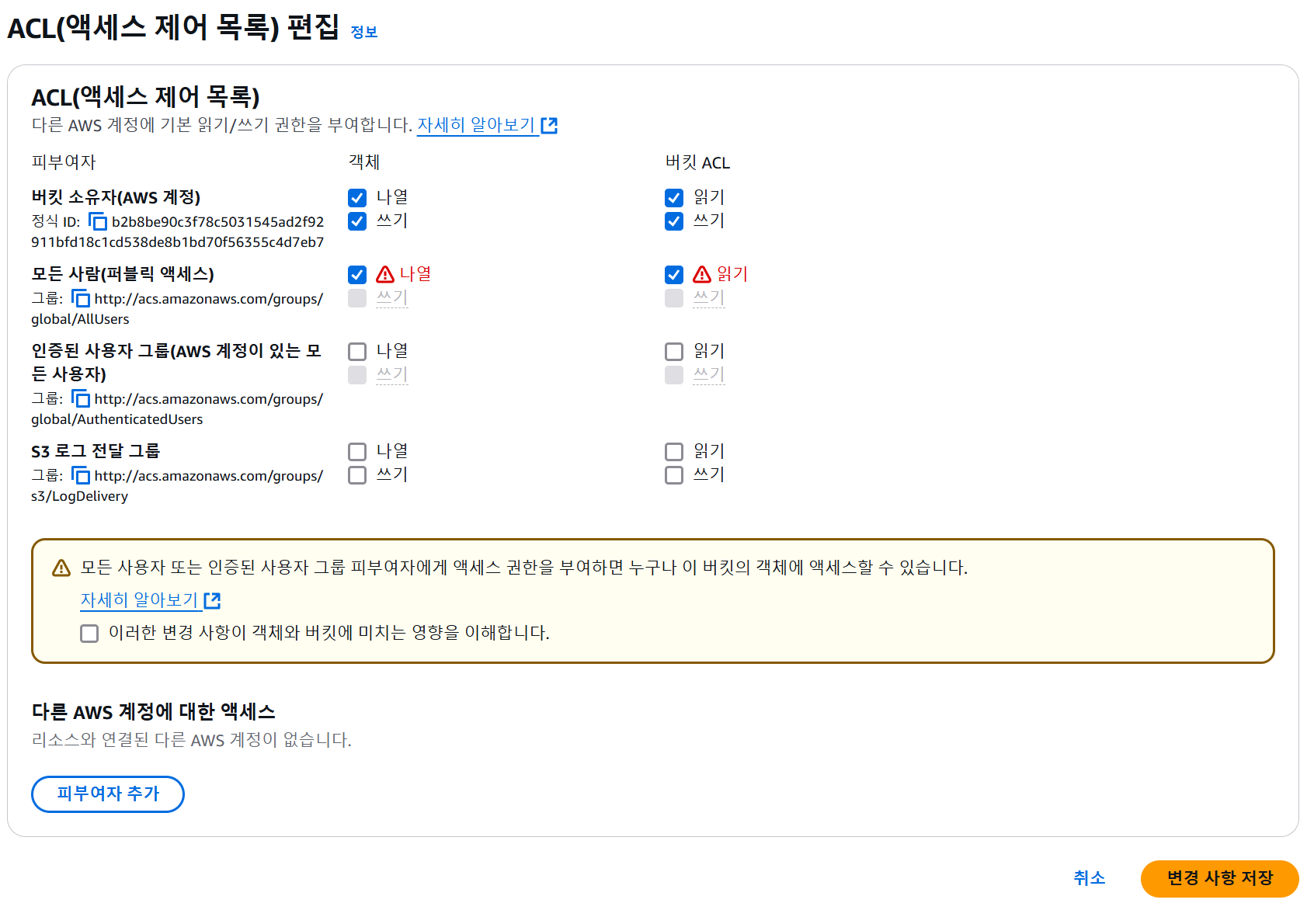
3. 터미널에서 버킷 접근
- aws cli 다운로드
https://docs.aws.amazon.com/ko_kr/cli/latest/userguide/getting-started-install.html
- accessKey 생성
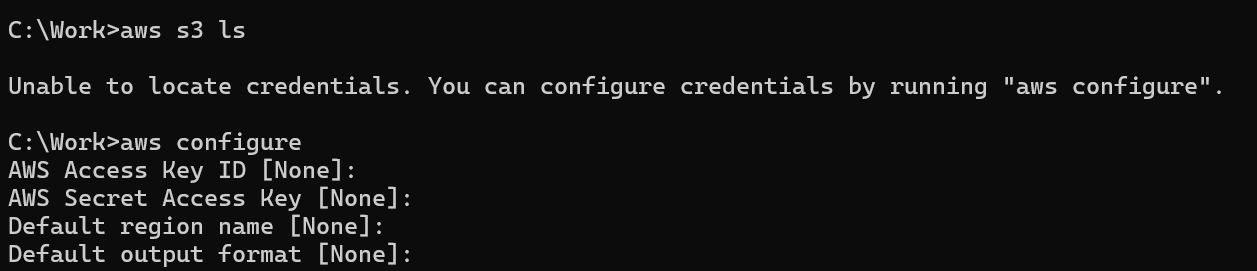
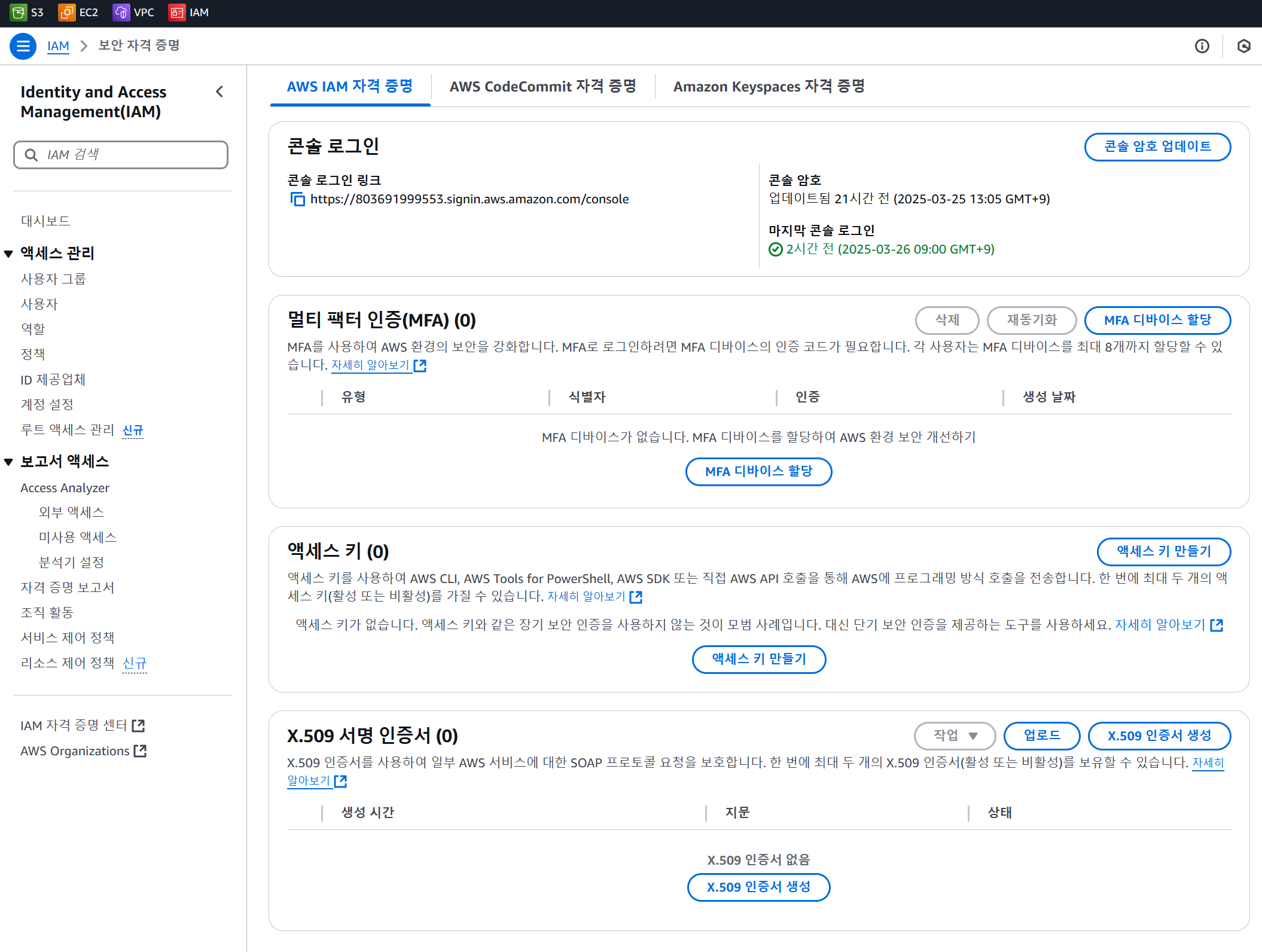
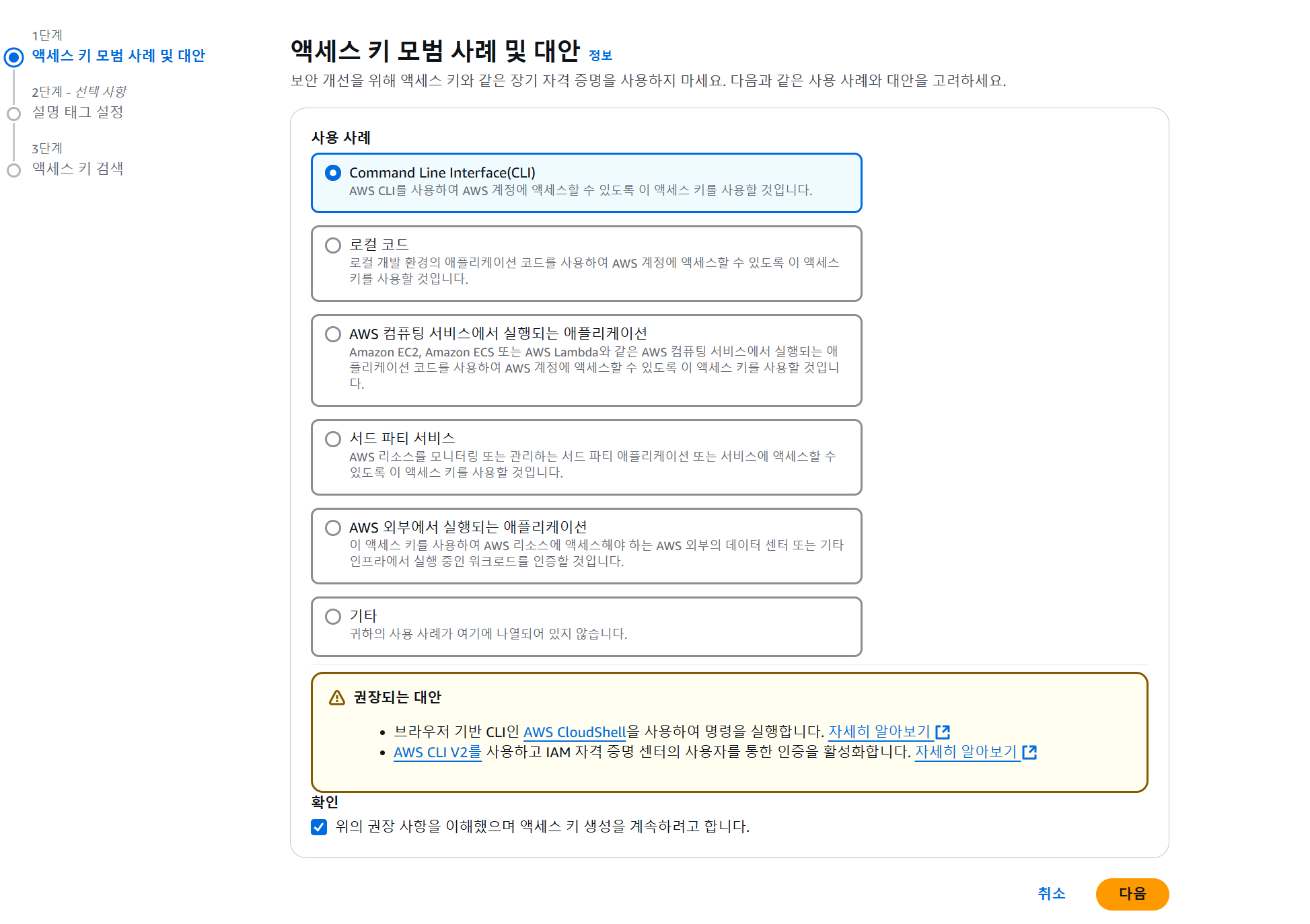
- 파일 업/다운로드
aws configure
aws s3 ls
aws ec2 describe-instances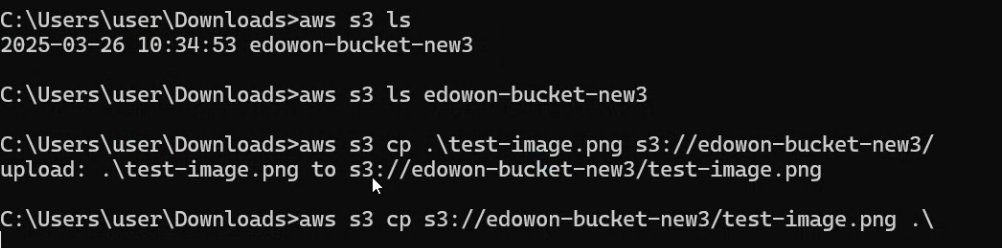
aws configure

# 버킷 리스트 확인
aws s3 ls

# ec2 리스트 확인
aws ec2 describe-instances

# 이미지 있는 폴더로 cmd 위치 이동 후 본인 버킷 이동
# aws s3 ls edowon-bucket-new3
aws s3 ls [본인 버킷]

# 이미지 업로드
# aws s3 cp .\test.png s3://edowon-bucket-new3
aws s3 cp .\test.png s3://본인버킷/

# 이미지 다운로드
# aws s3 cp s3://s3://edowon-bucket-new3/test.png .\
aws s3 cp s3://본인버킷/test.png .\
지니니