REST API의 기본
- Web Server Gateway Interface (WSGI) : 웹 서버와 웹 애플리케이션의 인터페이스를 위한 파이썬 프레임워크
- Ryu에는 WSGI에 대응하는 웹 서버 기능 존재
- 이 기능을 이용하여, 다른 시스템이나 브라우저 등과 연동할 때 유용한 REST API 개발(Ryu Controller 이용)
두 REST API 추가
- MAC 주소 테이블 획득 API
- 스위칭 허브(네트워크 장치로, 연결된 컴퓨터나 장비끼리 데이터를 효율적으로 전달해주는 역할)가 갖고 있는 MAC 주소 테이블의 내용을 반환
- MAC 주소와 포트 번호의 쌍(pair)을 JSON 형식으로 반환
- MAC 주소 테이블 등록 API
- MAC 주소와 포트 번호의 쌍(pair)을 MAC 주소 테이블에 등록하고 스위치 플로우 항목에 추가.
코드 위치
- /home/u20/ryu/ryu/app/simple_switch_rest_13.py
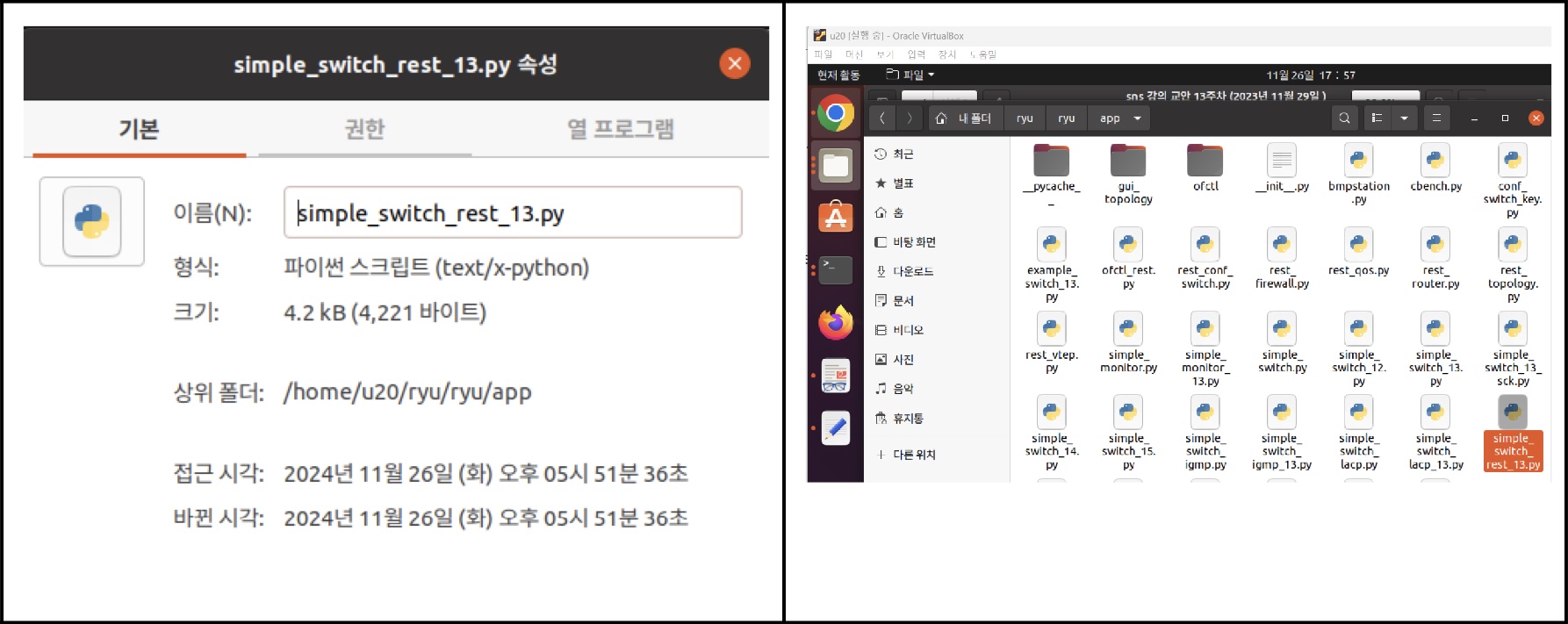
simple_switch_rest.py의 두 클래스
-
SimpleSwitchController
- 첫번째 클래스
- HTTP 요청을 받는 URL과 해당 메서드를 정의하는 컨트롤러
-
SimpleSwitchRest13
- 두번째 클래스
- 스위칭 허브 확장
- MAC 주소 테이블 업데이트 수행
- SimpleSwitchRest13는 스위치에 플로우 항목을 추가하기 위해 FeaturesReply 메서드를 오버라이드하고 datapath 개체를 가짐
-
코드
# Copyright (C) 2016 Nippon T elegraph and T elephone Corporation.
#
# Licensed under the Apache License, Version 2.0 (the "License");
# you may not use this file except in compliance with the License.
# You may obtain a copy of the License at
#
# http://www.apache.org/licenses/LICENSE-2.0
#
# Unless required by applicable law or agreed to in writing, software
# distributed under the License is distributed on an "AS IS" BASIS,
# WITHOUT WARRANTIES OR CONDITIONS OF ANY KIND, either express or
# implied.
# See the License for the specific language governing permissions and
# limitations under the License.

import json

from ryu.app import simple_switch_13
from ryu.controller import ofp_event
from ryu.controller.handler import CONFIG_DISPATCHER
from ryu.controller.handler import set_ev_cls
from ryu.app.wsgi import ControllerBase
from ryu.app.wsgi import Response
from ryu.app.wsgi import route
from ryu.app.wsgi import WSGIApplication
from ryu.lib import dpid as dpid_lib

simple_switch_instance_name = 'simple_switch_api_app'
url = '/simpleswitch/mactable/{dpid}'

class SimpleSwitchRest13(simple_switch_13.SimpleSwitch13):
  _CONTEXTS = {'wsgi': WSGIApplication}

  def __init__(self, *args, **kwargs):
    super(SimpleSwitchRest13, self).__init__(*args, **kwargs)
    self.switches = {}
    wsgi = kwargs['wsgi']
    wsgi.register(SimpleSwitchController, {simple_switch_instance_name: self})

  @set_ev_cls(ofp_event.EventOFPSwitchFeatures, CONFIG_DISPATCHER)
  def switch_features_handler(self, ev):
    super(SimpleSwitchRest13, self).switch_features_handler(ev)
    datapath = ev.msg.datapath
    self.switches[datapath.id] = datapath
    self.mac_to_port.setdefault(datapath.id, {})

  def set_mac_to_port(self, dpid, entry):
    mac_table = self.mac_to_port.setdefault(dpid, {})
    datapath = self.switches.get(dpid)

    entry_port = entry['port']
    entry_mac = entry['mac']

    if datapath is not None:
      parser = datapath.ofproto_parser
      if entry_port not in mac_table.values():

        for mac, port in mac_table.items():

          # from known device to new device
          actions = [parser.OFPActionOutput(entry_port)]
          match = parser.OFPMatch(in_port=port, eth_dst=entry_mac)
          self.add_flow(datapath, 1, match, actions)

          # from new device to known device
          actions = [parser.OFPActionOutput(port)]
          match = parser.OFPMatch(in_port=entry_port, eth_dst=mac)
          self.add_flow(datapath, 1, match, actions)

        mac_table.update({entry_mac: entry_port})
      return mac_table


class SimpleSwitchController(ControllerBase):

  def __init__(self, req, link, data, **config):
    super(SimpleSwitchController, self).__init__(req, link, data, **config)
    self.simple_switch_app = data[simple_switch_instance_name]

  @route('simpleswitch', url, methods=['GET'], requirements={'dpid': dpid_lib.DPID_PATTERN})
  def list_mac_table(self, req, **kwargs):

    simple_switch = self.simple_switch_app
    dpid = kwargs['dpid']

    if dpid not in simple_switch.mac_to_port:
      return Response(status=404)

    mac_table = simple_switch.mac_to_port.get(dpid, {})
    body = json.dumps(mac_table)
    return Response(content_type='application/json', text=body)

  @route('simpleswitch', url, methods=['PUT'], requirements={'dpid': dpid_lib.DPID_PATTERN})
  def put_mac_table(self, req, **kwargs):

  simple_switch = self.simple_switch_app
  dpid = kwargs['dpid']
  try:
    new_entry = req.json if req.body else {}
  except ValueError:
  raise Response(status=400)

  if dpid not in simple_switch.mac_to_port:
    return Response(status=404)

  try:
    mac_table = simple_switch.set_mac_to_port(dpid, new_entry)
    body = json.dumps(mac_table)
    return Response(content_type='application/json', text=body)
  except Exception as e:
    return Response(status=500)
SimpleSwitchRest13 클래스 구현
Ryu 컨트롤러에서 REST API를 통해 스위치의 MAC 주소 테이블을 관리하는 기능을 구현하는 클래스입니다.
주요 기능
-
클래스 변수 _CONTEXT :
- Ryu의 WSGI와 호환되는 Web 서버 클래스를 지정.
- wsgi 라는 키에서 WSGI의 Web 서버 인스턴스 획득.

-
생성자
- 컨트롤러 클래스를 등록하기 위하여, WSGIApplication의 인스턴스를 획득하고 register 메서드를 사용하여 등록
- register 메서드 실행시 컨트롤러의 생성자에서 SimpleSwitchRest13 클래스의 인스턴스에 액세스할 수 있도록 simple_switch_api_app라는 키 이름에서 dictionary 개체를 전달.

-
switch_features_handler
- 부모 클래스의 switch_features_handler을 오버라이딩
- 스위치에서 SwitchFeatures 이벤트가 발생할 때 호출되는 함수입니다. 스위치의 datapath 정보를 받아와서 switches라는 변수에 저장하고, MAC 주소 테이블을 빈 딕셔너리로 초기화합니다.

-
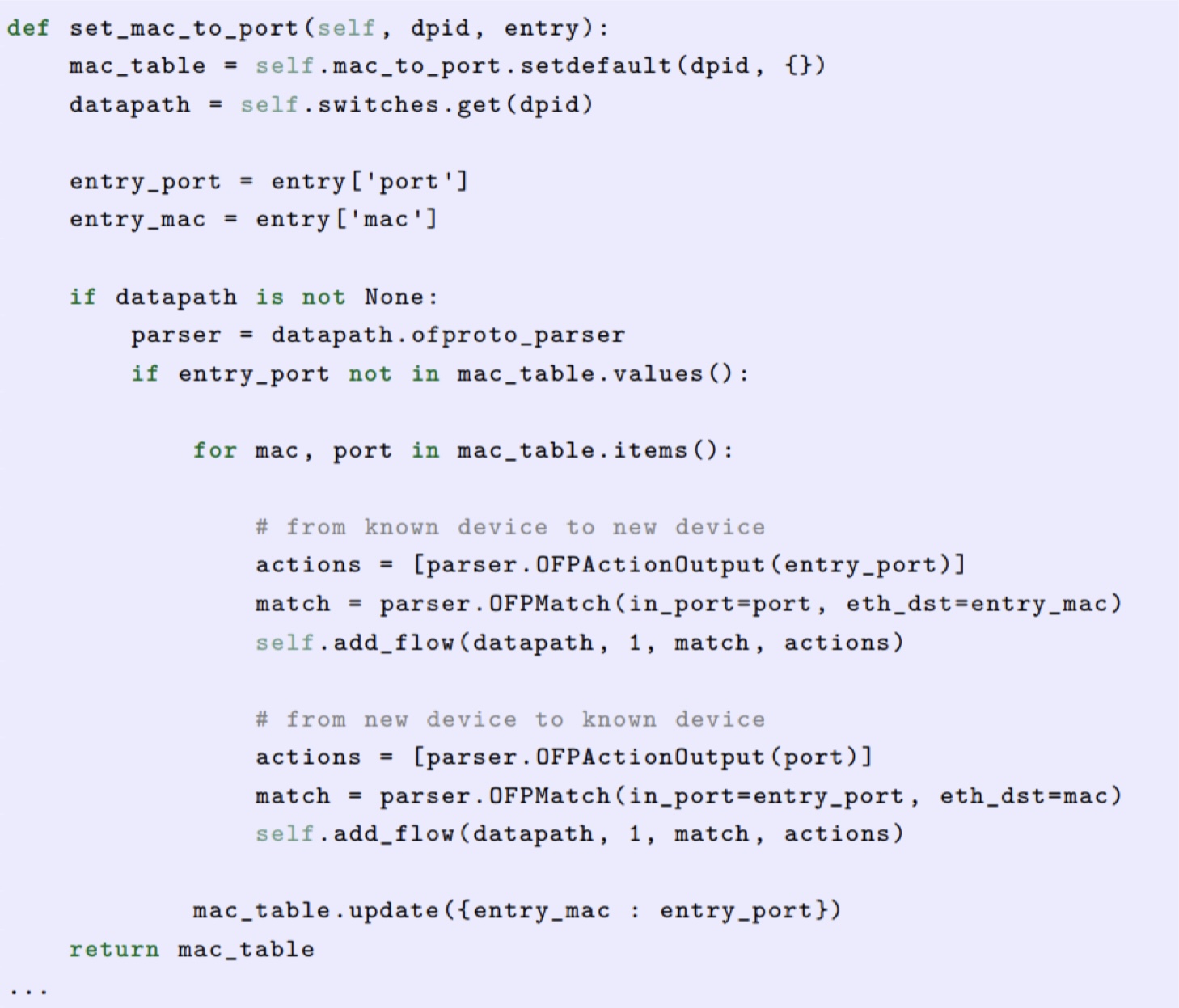
set_mac_to_port
- REST API의 PUT 요청을 처리하는 함수입니다.
- 이 메서드는 MAC 주소와 포트 번호를 스위치에 등록하는 역할을 합니다.
- 인수 entry 에는 등록 하려는 MAC 주소와 연결 포트 쌍(pair)이 포함
- MAC 주소 테이블 self.mac_to_port의 정보를 참조하여 스위치에 등록하는 플로우 항목을 찾아감
- 예를 들어, MAC 주소 테이블에 다음의 MAC 주소와 연결 포트쌍(pair)이 등록되어 있고(00:00:00:00:00:01, 1), 인수 entry에 전달된 MAC 주소와 포트 쌍(pair)이 (00:00:00:00:00:02, 2)일 때, 해당 스위치에 등록해야 하는 플로우 항목은 다음과 같음.
- 매칭 조건: in_port = 1, dst_mac = 00:00:00:00:00:02 -> 조치: output = 2
- 매칭 조건: in_port = 2, dst_mac = 00:00:00:00:00:01 -> 조치: output = 1

- 플로우 항목의 등록은 부모 클래스의 add_flow 메서드를 사용.
- 마지막으로, 인수 entry에서 전달된 정보를 MAC 주소 테이블에 저장함.
핵심 내용
- MAC 주소와 포트를 등록하고, 이를 플로우 항목으로 추가하여 스위치가 패킷을 올바르게 처리하도록 합니다.
- 빈 MAC 주소 테이블로 시작하며, REST API를 통해 MAC 주소와 포트를 동적으로 등록할 수 있습니다.
SimpleSwitchController 클래스 구현
REST API 요청을 받아 MAC 주소 테이블을 조회하거나 등록하는 컨트롤러 클래스입니다.
-
생성자: SimpleSwitchRest13 클래스의 인스턴스를 가져와서 MAC 주소 테이블을 관리할 수 있도록 합니다.
-
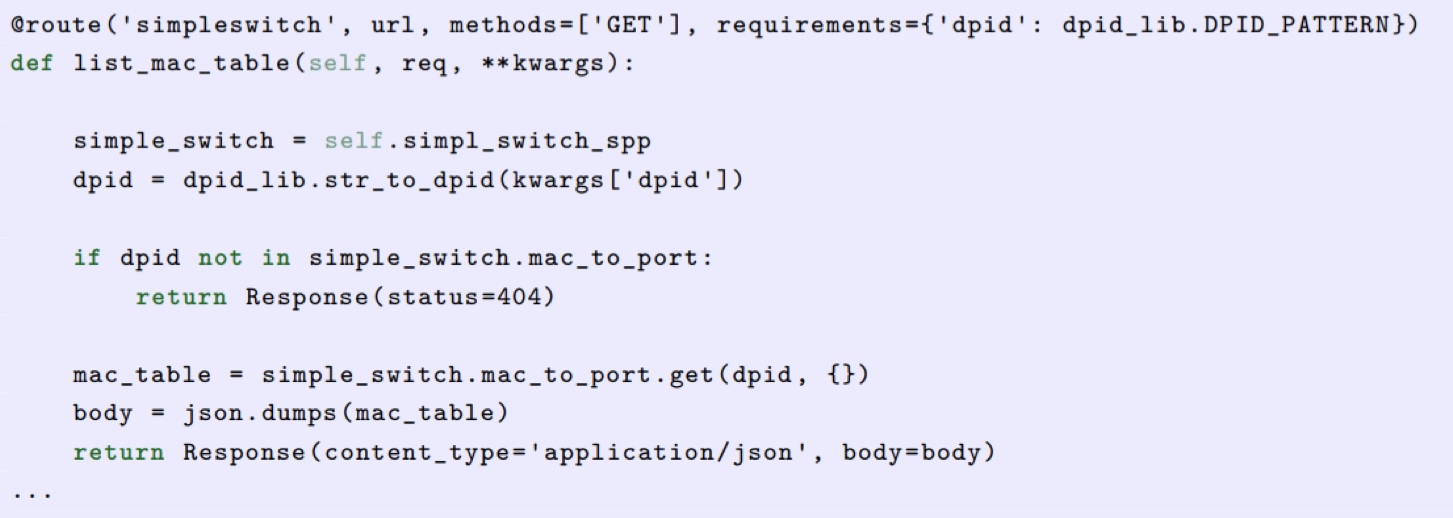
REST API URL과 해당 프로세스를 구현하는 부분.
- 이 방법과 URL과의 바인딩이 Ryu에서 정의된 route 데코레이터를 사용
-
데코레이터로 지정하는 내용
- 첫 번째 인수 : 이름
- 두 번째 인수 : URL 지정
- URL이 http://<서버 IP>:8080/simpleswitch/mactable/<데이터 경로 ID> 가 되도록 함.
- 세 번째 인수 : HTTP 메서드 지정. GET 메서드 지정
- 네 번째 인수
- 지정 위치의 형식을 지정
- URL(/simpleswitch/mactable/{dpid})의 {dpid} 부분이 ryu/lib/dpid.py의 DPID_PATTERN 에서 정의된 16 자리로 된 16 진수로 되어야 함.
-
두 번째 인수로 지정된 URL에서 REST API가 불려 그 때의 HTTP 방식이 GET인 경우 list_mac_table 메서드를 호출
-
이 메서드는, {dpid} 부분에서 지정된 데이터 경로 ID에 해당하는 MAC 주소 테이블을 검색하고 JSON으로 변환되어 호출자에게 반환함.
-
또한, Ryu에 연결되지 않은, 정보가 없는 스위치의 데이터 경로 ID를 지정하면 응답 코드 404를 반환
-
다음은 MAC 주소 테이블을 등록하는 REST API
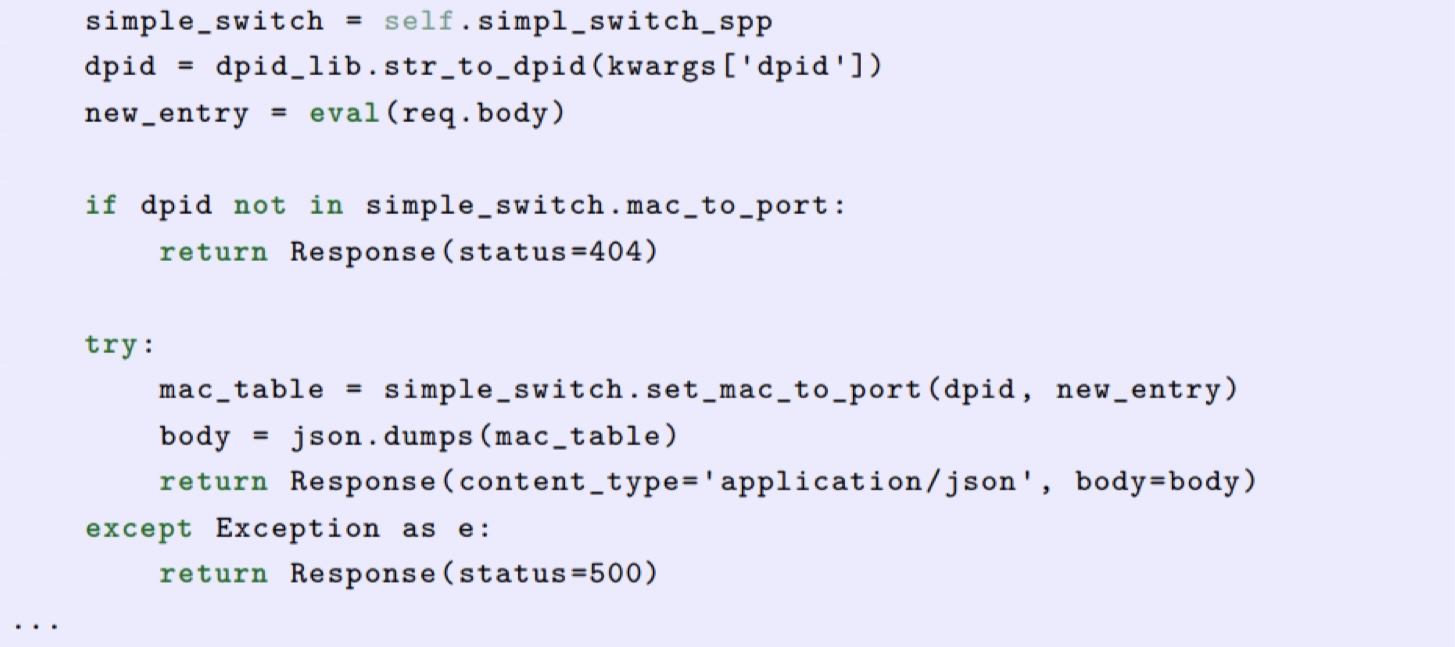
- URL은 MAC 주소 테이블 취득시의 API와 동일하지만 HTTP 메서드가 PUT의 경우 put_mac_table 메서드를 호출
- 이 메서드는 내부적으로 스위칭 허브 인스턴스의 set_mac_to_port 메서드를 호출.
- 또한 put_mac_table 메서드 내에서 예외가 발생하면 응답 코드 500을 반환.
- 또한 list_mac_table 메서드뿐만 아니라 Ryu에 연결하지 않은 미지의 스위치의 데이터 경로 ID를 지정하면 응답 코드 404을 반환.
REST API 추가된 스위칭 허브 실행
-
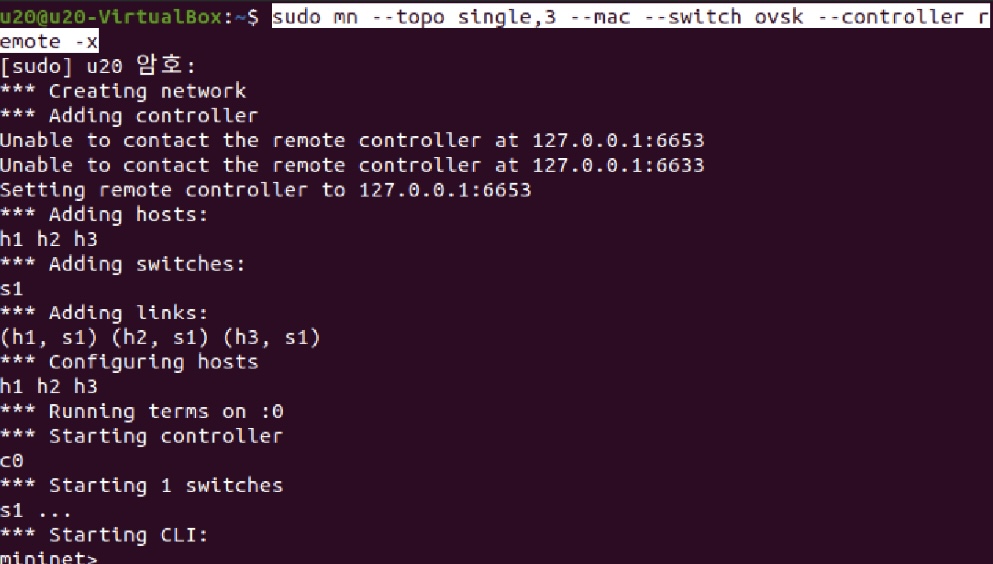
먼저 미니넷을 실행함: sudo mn --topo single,3 --mac --switch ovsk --controller remote -x
-
다른 터미널에서 아래 명령 입력
-
cd ~/ryu/ryu/app
-
sudo ovs-vsctl set Bridge s1 protocols=OpenFlow13: mininet에서 s1 ( --switch ovsk)을 실행하였으며 s1을 Bridge로 set 완료

-
미니넷을 실행하지 않으면 s1이 없다고 함

-
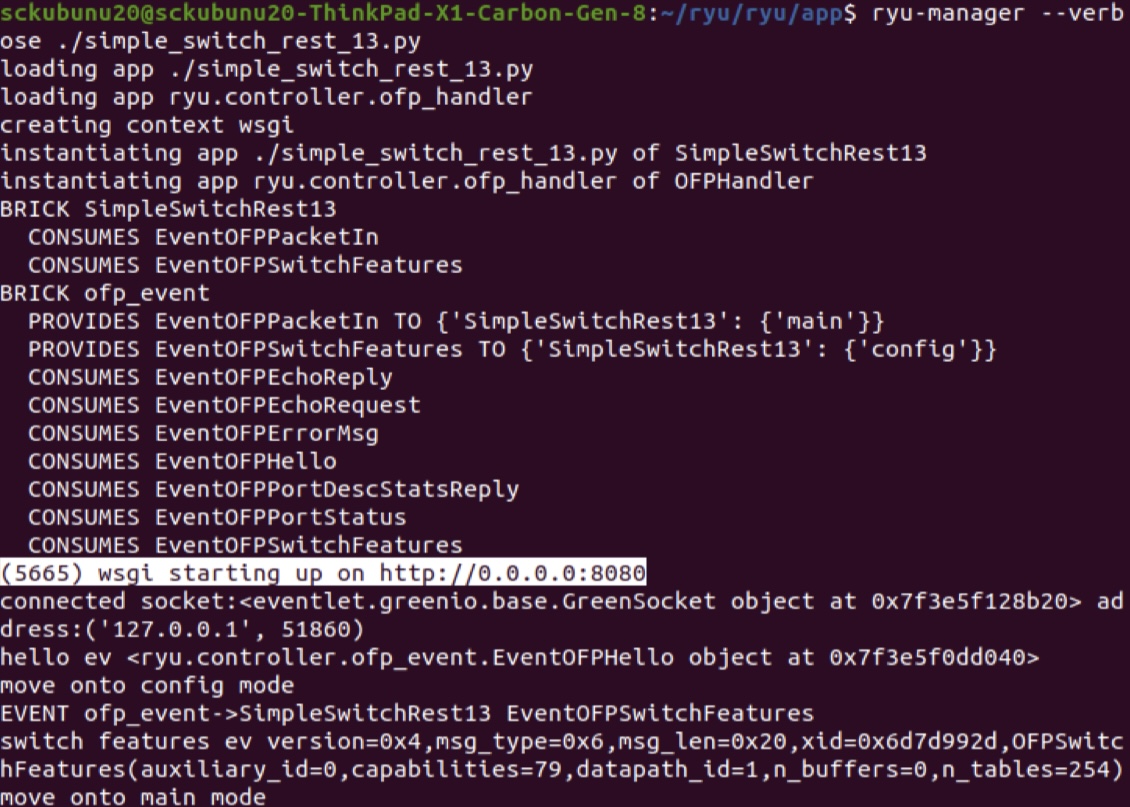
ryu-manager --verbose ./simple_switch_rest_13.py 명령어 실행
- move onto main mode 이 나오면 성공
- 시작 부분 메시지에
(4264) wsgi starting up on http://0.0.0.0:8080/줄이 있는데, 이는 Web 서버가 포트 번호 8080으로 시작되었음을 나타냄.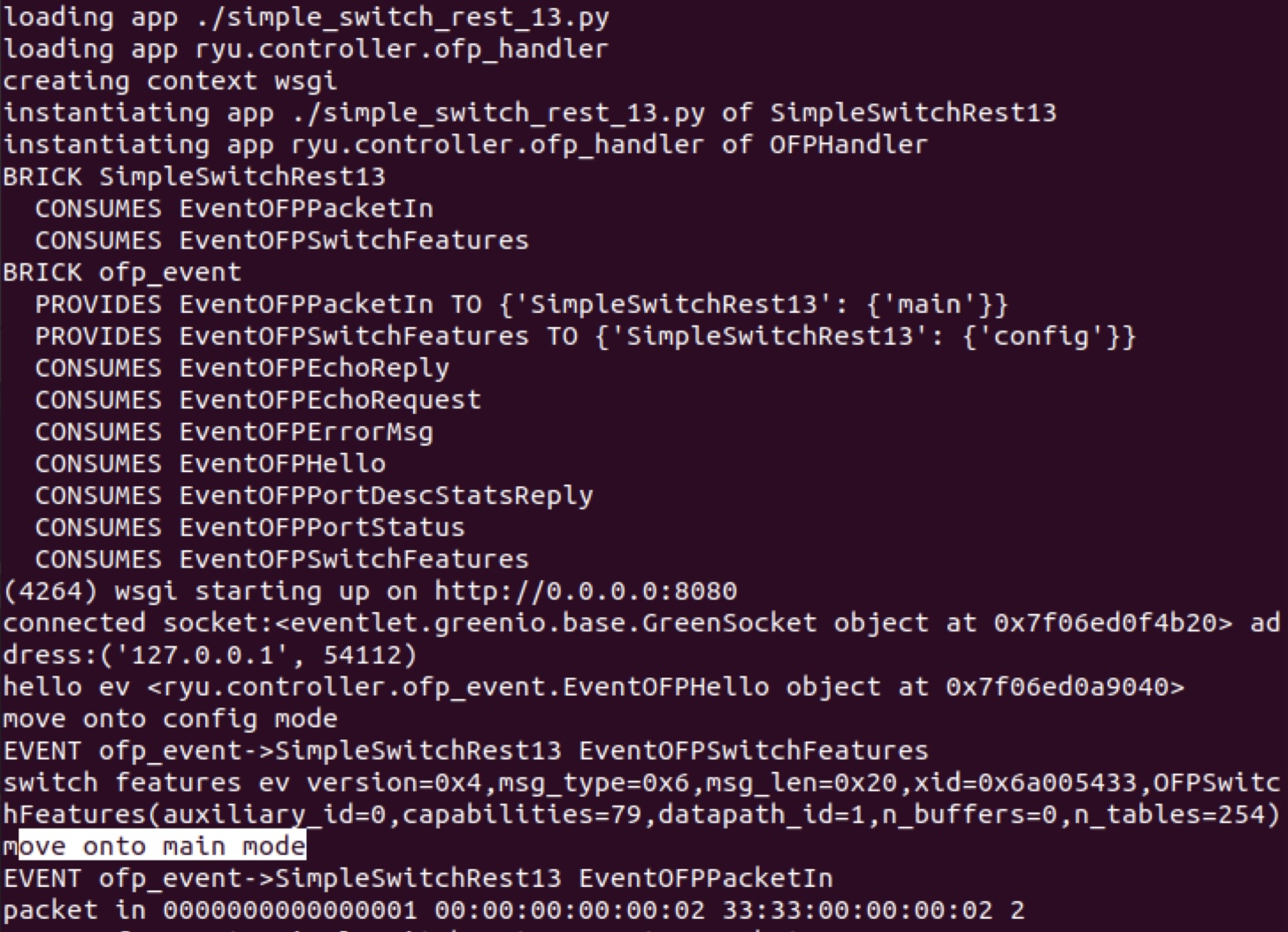
-
-
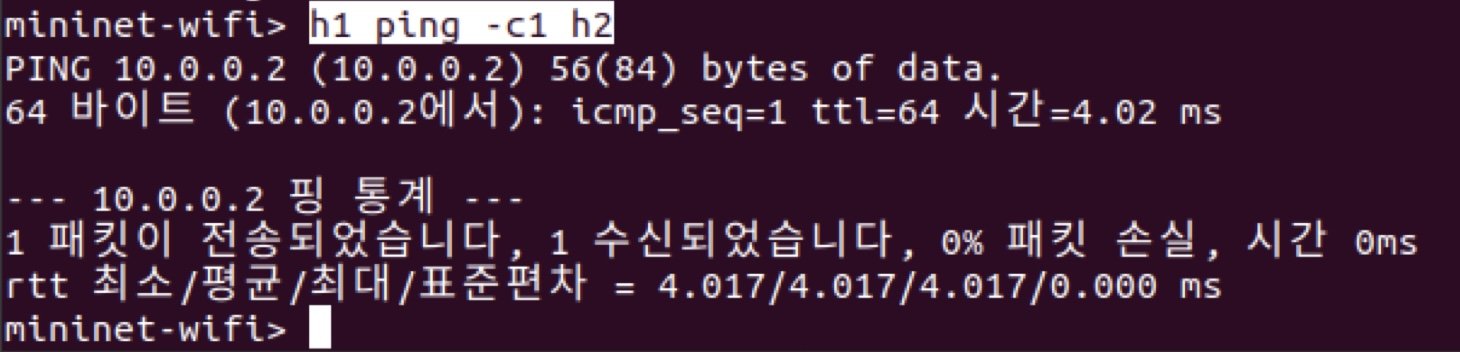
다음 mininet shell에서 h1에서 h2로 ping을 실행.
-
이때 Ryu의 Packet-In은 3번 발생

-
여기서, 스위칭 허브의 MAC 테이블을 검색하는 REST API를 실행
-
이번에는 REST API를 호출하기 위해 curl 명령을 사용
-
세 호스트의 mac 주소 확보

-
sudo apt install curl
-
curl -X GET http://127.0.0.1:8080/simpleswitch/mactable/0000000000000001
-
-
h1과 h2 두 호스트가 MAC 주소 테이블에서 학습된 것을 알 수 있다.

-
이번에는 h1, h2의 두 호스트를 미리 MAC 주소 테이블에 저장하고 ping을 실행
-
먼저 스위칭 허브와 Mininet을 중지합니다.
- sudo mn --wifi -c 로 이전 리소스 클리닝 함
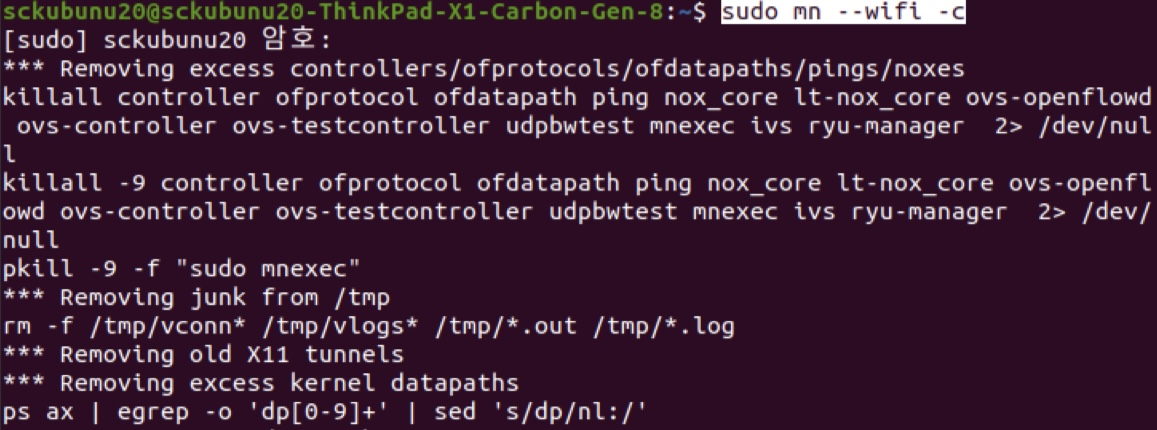
- sudo mn --wifi -c 로 이전 리소스 클리닝 함
-
그 다음 다시 Mininet를 시작하고 OpenFlow 버전을 OpenFlow13로 설정 후 스위칭 허브를 시작
-
이후, MAC 주소 테이블 업데이트를 위한 REST API를 각 호스트마다 호출합니다.
-
REST API를 호출할 때 데이터 형식은 {
mac'':MAC 주소'', port'': 연결
포트 번호}가 되도록 합니다. (포트 8080으로 접속, 8000 아님)-
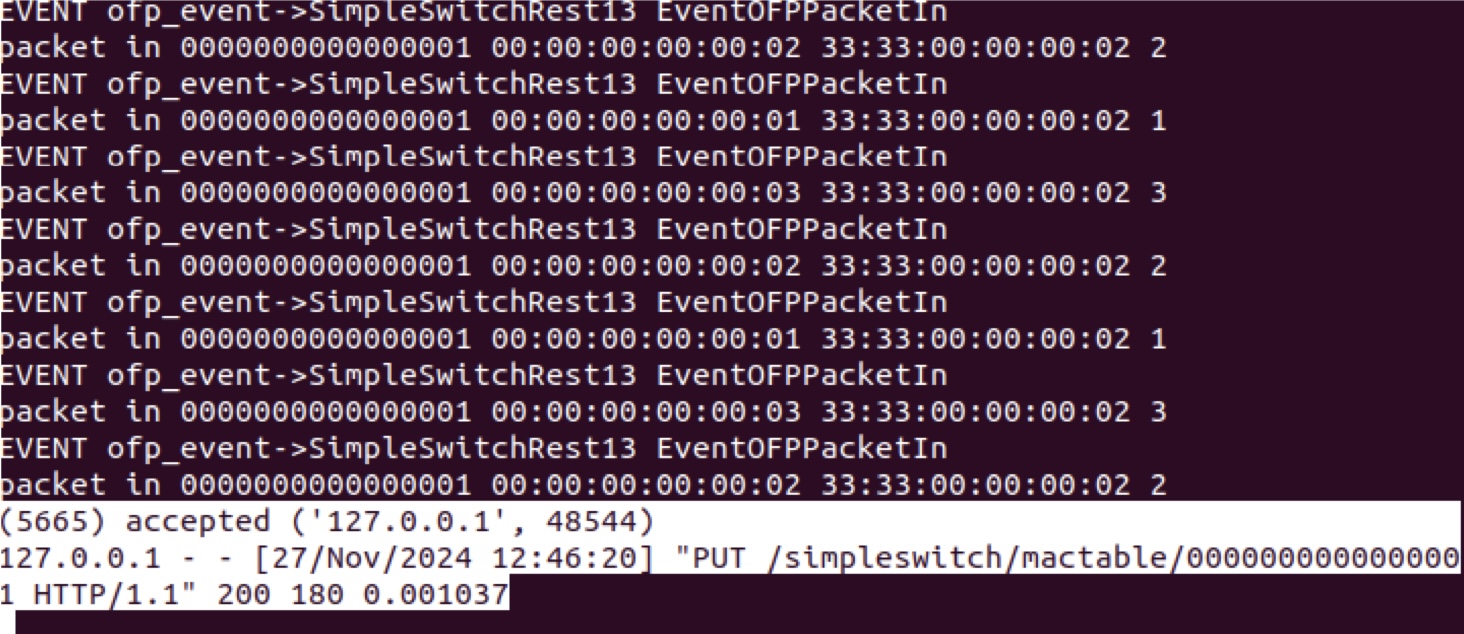
curl -X PUT -d '{"mac" : "00:00:00:00:00:01", "port" : 1}'http://127.0.0.1:8080/simpleswitch/mactable/0000000000000001
-
controller가 스위치 mac 주소 업데이트를 수락함
-
-
h2에 대한 mac 주소를 업데이트함
- curl -X PUT -d '{"mac" : "00:00:00:00:00:02", "port" : 2}'http://127.0.0.1:8080/simpleswitch/mactable/0000000000000001
-
h3에 대한 mac 주소를 업데이트함
- curl -X PUT -d '{"mac" : "00:00:00:00:00:03", "port" : 3}' http://127.0.0.1:8080/simpleswitch/mactable/0000000000000001
-
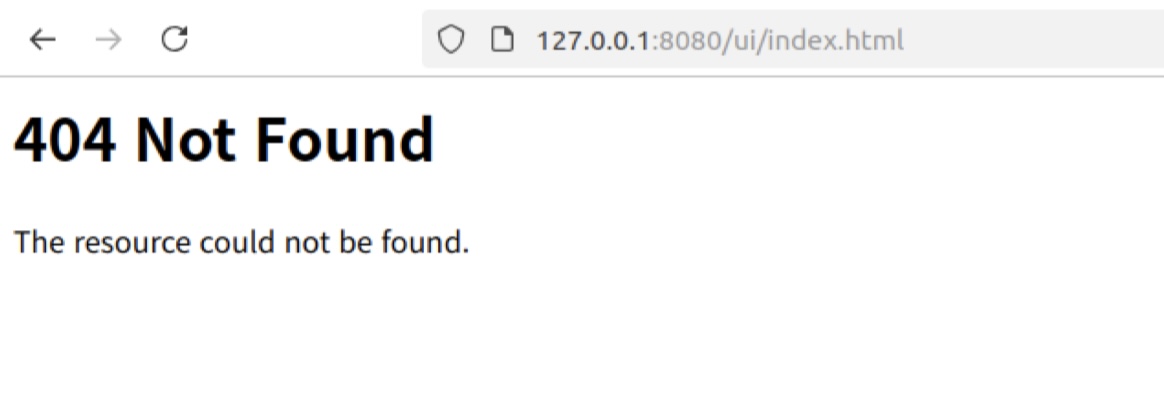
브라우저(파이어폭스)에서 127.0.0.1:8080/index.html 을 이용해서 컨트롤러가 웹서버 REST API로 대응하는지 확인
-
컨트롤러가 웹서버 REST API로 대응함
- 아직 index.html을 컨트롤러가 가지고 있지 않아서 404 상태 코드로 응답함.
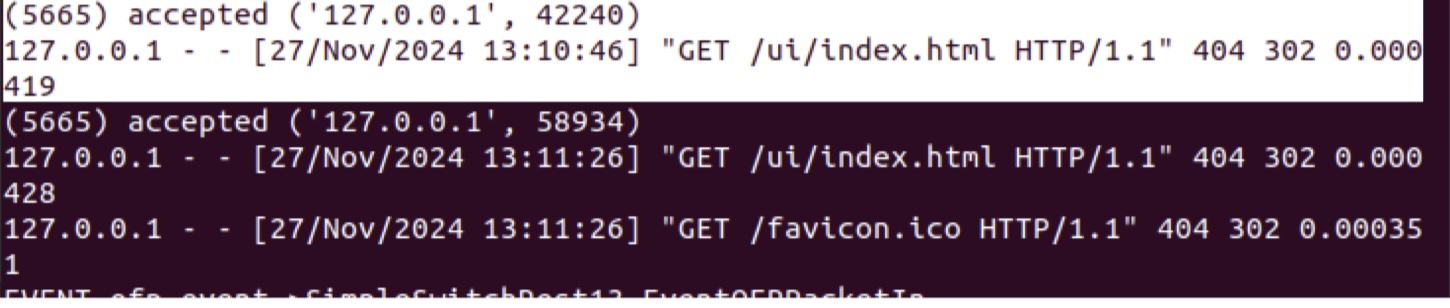
- 아직 index.html을 컨트롤러가 가지고 있지 않아서 404 상태 코드로 응답함.

!%5B%5D(https://velog.velcdn.com/images/nnyouung/post/6c44445a-0479-411b-9b22-5dc706d0b6e2/image.jpg)