깃 설치 : https://git-scm.com/download/mac
https://github.com 에 가입한 후 지난 시간에 설치해 놓은 VS code이랑 터미널을 키고 아래에 있는 명령어를 입력
우선, Git 설치해야 한다. 그 다음에 git config 이라는 명령어를 이용해서 username 과 email 입력
$brew install git
git config --global user.name"username"
git config --global user.email"email"
만약에 Git Command 모르는 경우
git help GitHub 프로필 설정하는 데 필요한 과정
1.원격 레포지토리 생성하려면 dashboard 으로 이동 -> create 버튼 누르기 -> commit changes 누르기
2. clone 명령어로 GitHub 에서 컴퓨터에 파일을 가져오기
- Your Repositories -> Code -> URL 복사하기
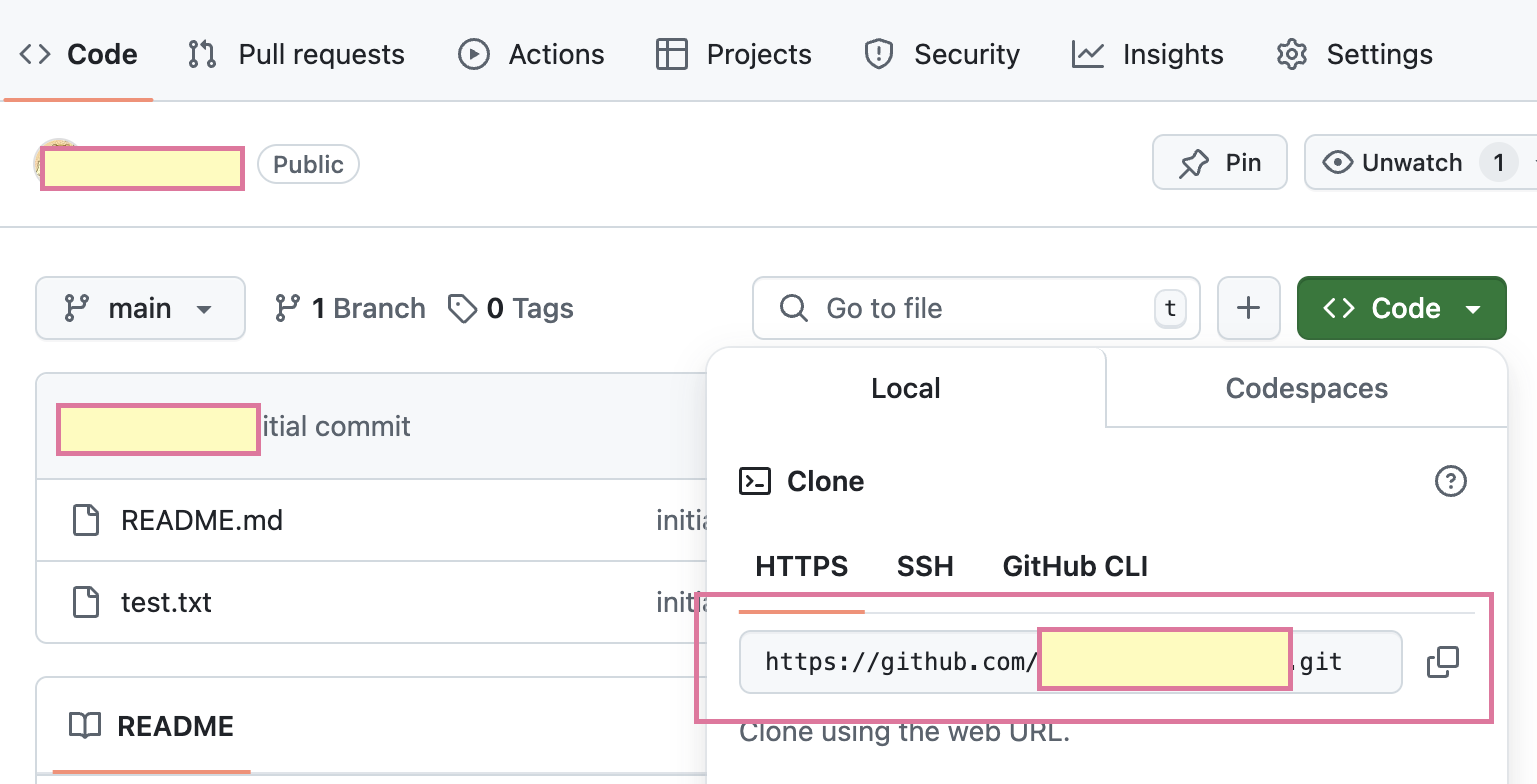
- Desktop 화면에 파일 저장할 수 있는 폴더 추가해야 함
git clone https://github.com/***/***.git file name- 상태 확인하기 위한 명령어
git status파일 수정 전: nothing to commit
새 파일 생성: untracked
파일 수정 후: modifiied
5. 모든 파일 추가
git add .- 모든 파일이 commit 되었음을 확인
git commit -m "message"

e.g.
readme % git commit -m "initial commit"
local repositories의 변경 사항을 원격으로 push하기
-> origin의 내용을 main에 반영
readme % git push origin main 쉽게 읽을 수 있도록 마크다운 사용하는 것이 좋다.

안녕하세요. 이화여대 컴퓨터공학과 23학번 나린입니다.