git branch 삭제 명령줄
현재 디렉토리(프로젝트 루트 디렉토리)에서 main , development, feature를 제외한 모든 branch를 삭제
git branch | grep -v -E "main|development|feature|^\*" | xargs -n 1 git branch -d해설
|(pipe)
|: pass the output of the left command as input to the right command
command1 | command2 | command3
# output of command1 -> input of command2
# output of command2 -> input of command3
git branch
git branch # 모든 branch 출력grep
The name comes from a command in the old ed text editor:
- g - global (search throughout the file)
- re - regular expression (pattern matching)
- p - print (display the matching lines)
So literally "g/re/p" became grep.
# example
# Search for "hello" in a file
grep "hello" file.txt
grep -v # 아래의 줄임 표현
grep --invert-match # 매칭 결과를 반전시킴
grep -E # 아래의 줄임 표현
grep --extended-regexp # 정규 표현을 확장함
git branch | grep --extended-regexp # git branch의 결과 중 grep하는 것으로 정규 표현을 확장함grep "^\*" # grep line starts with "*"^: start of line
\*: literal asterisk character(별표)
When you run git branch, the output looks like this:
  main
  development
* feature-login  #  ← This line starts with *
  bugfix-123
\* of "main|development|feature|^\*" is to protect currently working branch from deletion.
xargs
xargs -n 1 git branch -d # Execute `git branch -d` once for each branch name from previous commandxargs stands for "eXecute ARGumentS"
It makes run commands with result of previous command as arguments.
-n: shorter form of --line-number
xargs -n 1 (command) executes (command) once for each line of previous output, using each line as an argument to (command)
git branch -d
git branch -d "branch-name" # delete branch named "branch-name"Conclusion
git branch | grep -v -E "main|development|feature|^\*" | xargs -n 1 git branch -d
# 1. get every branch
# 2. filter branch named "main", "development", "feature", or currently working branch and invert them.
# 3. delete each of branch from output of #2
정리 배경
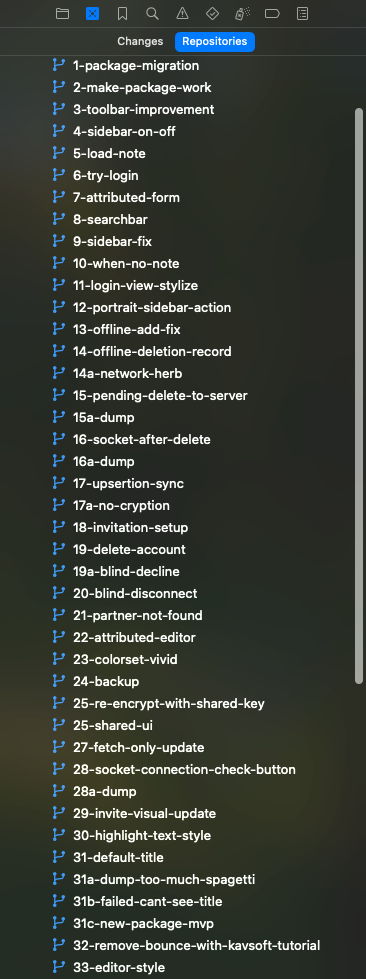
기존에 XCode에서 프로젝트를 제작할 땐 새 기능을 만들 때마다 branch를 새로 만들었다. 그러다보니 시간이 갈 수록 branch의 수가 너무 많아졌다.
too many branches
내가 차례대로 어떤 기능을 구현했는지가 보이기는 하지만, 이전 branch가 필요할 땐 보통 과거에 작동되던 게 지금은 안 되어 롤백이 필요할 때이고, 이 때는 branch의 이름은 상관이 없었다. 또한 branch 자체가 아니라 commit 로그 만으로도 충분했으니 굳이 branch를 매번 새로 만들 필요가 없다고 판단했다.
이후 branch는 세 개로 한정하기로 했다.
1. main
2. development
3. feature