로컬 환경에서 진단 시, 크롬 브라우저에서 CORS를 차단하여 진행이 불가한 경우가 있다.
CORS를 검증하는 Access-Control-Allow-Origin 헤더를 수정하여 우회가 가능한데,
크롬의 확장프로그램을 설치하여도 되고 Fiddler 스크립트로도 설정이 가능하다.
그 중 Fiddler 스크립트를 작성해 둔다.
1. RulesOption 정의
	// CORS Bypass
	public static RulesOption("Force CORS")
	var m_ForceCORS: boolean = true;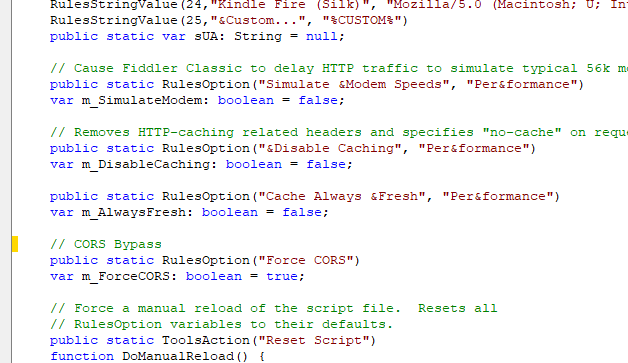
2. OnBeforeRequest 함수 내 아래 코드 추가
    static function OnBeforeRequest(oSession: Session) {
        ...
		// CORS
		// If it's an OPTIONS request, fake the response and return w/e the client expects.
		if (m_ForceCORS && oSession.oRequest.headers.HTTPMethod == "OPTIONS") {
			oSession.utilCreateResponseAndBypassServer();

			oSession.oResponse.headers.Add("Access-Control-Allow-Origin", "*") ;
			oSession.oResponse.headers.Add("Access-Control-Allow-Methods", "*");
			oSession.oResponse.headers.Add("Access-Control-Allow-Headers", "*");
			oSession.oResponse.headers.Add("Access-Control-Allow-Credentials", "true");
			oSession.responseCode = 200;
		}
	}
3. OnBeforeResponse 함수 내 아래 코드 추가
    static function OnBeforeResponse(oSession: Session) {
    	...
        // CORS
		if (m_ForceCORS && oSession.oRequest.headers.Exists("Origin"))
		{
        	// .Remove() the header and .Add("$header_name", oSession.oRequest.headers["$header_name"]) to mirrors the values given in the request.
			// if (oSession.oRequest.headers.Exists("Cookie")) {
			// oSession.oResponse.headers.Remove("Set-Cookie");
			// oSession.oResponse.headers.Add("Set-Cookie", oSession.oRequest.headers["Cookie"]);
			// }

			oSession.oResponse.headers.Remove("Access-Control-Allow-Origin");
			oSession.oResponse.headers.Add("Access-Control-Allow-Origin", "*") ;

			oSession.oResponse.headers.Remove("Access-Control-Allow-Methods");
			oSession.oResponse.headers.Add("Access-Control-Allow-Methods", "*");

			oSession.oResponse.headers.Remove("Access-Control-Allow-Headers");
			oSession.oResponse.headers.Add("Access-Control-Allow-Headers", "*");

			oSession.oResponse.headers.Remove("Access-Control-Allow-Credentials");
			oSession.oResponse.headers.Add("Access-Control-Allow-Credentials", "true");
		}
	}