개요
안드로이드에서 그림자를 표현하려면 elevation 속성만 사용할 수 있다. 그림자 색과 위치등을 조절할 수 없고, 3D상에서 Z축으로 얼마나 올라갔는지를 계산해서 그림자를 만들게 된다.
하지만 나는 View안에 innerShadow를 만들어야 했다. 디자이너의 요구사항이 그렇게 왔기 때문이다. 그래서 아래와 같이 구현하였다.
아이디어
그림자를 구현하기에 앞서서 그림자가 뭘까? 를 생각했다. 사실 컴포넌트에 생기는 그림자는 그림자라고 하기엔 이상한 점이 있었다. 내가 구현할 innershadow만 하더라도, 빛이 사방에서 비춰야 생기는 그림자이고, 애초에 색이 하얀색이다.
따라서 나는 그림자라는 틀에서 벗어나서 꾸밈요소라고 생각하게 되었고, 꾸밈요소의 생김새를 살펴보았다. 그리고 나는 그림자를 끝으로 갈수록 뿌옇게 사라지는 색으로 생각하기로 했다.
따라서 나는 큰 View 안, 상하좌우에 디자인을 적용한 View 를 배치함으로써, 그림자 효과를 구현해보았다.
구현
구현을 위해 react-native-svg를 사용했다.
처음엔 expo-linear-gradient를 사용했는데, expo-linear-gradient는 View라서 효과만 주는 역할에는 맞지 않는다 느껴서 바꿔쓰게 되었다.
상하좌우 그림자는 LinearGradient, 우상,우하,좌상,좌하 그림자는 RadialGradient를 사용해서 그림자 Fragment를 만들고, 그 Fragment들을(8개) 하나의 View에 부착해서 ShadowView를 만들었다.
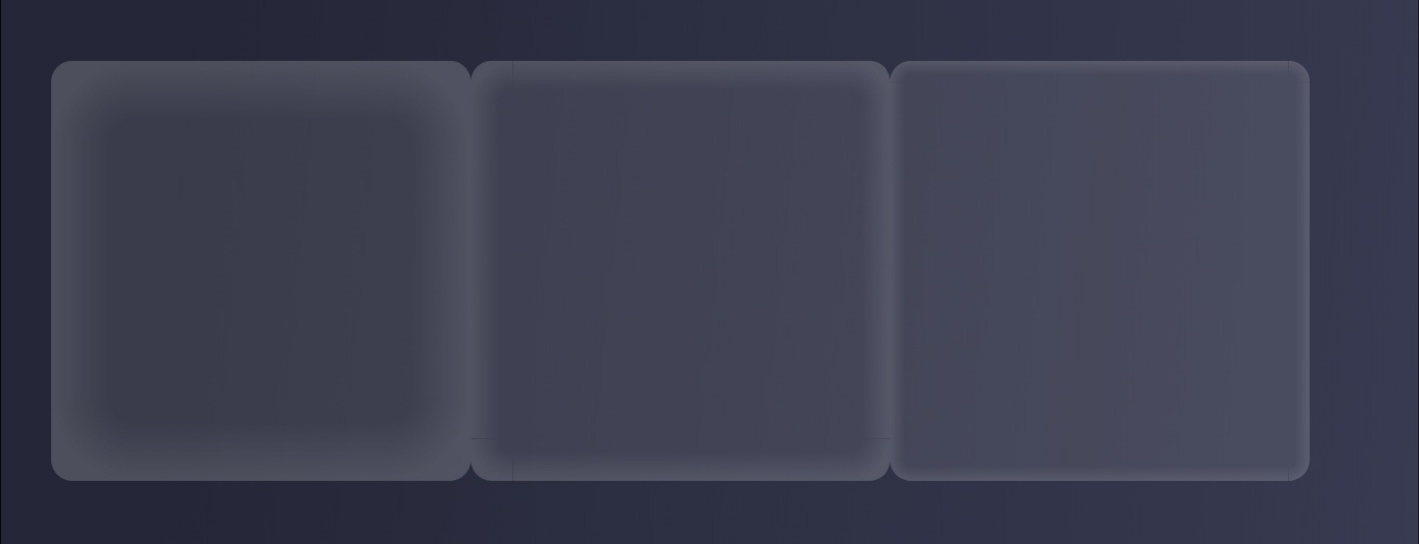
디자이너가 원하는 그림자 효과를 고를 수 있게 하기 위해 View의 width, 그림자의 두께, blur를 조절할 수 있게 하였다. 사용은 아래처럼
 <ShadowView w={200} shadowHeight={40} blur={0.7} >
     <Text></Text>
 </ShadowView>
결과
코드
ShadowFragment.tsx
import { View } from 'react-native'
import {
  Svg,
  Defs,
  RadialGradient,
  LinearGradient,
  Stop,
  Rect,
} from 'react-native-svg'

const ShadowFragment = ({
  type,
  number,
  w,
  h,
  blur
}: {
  type: 'bar' | 'corner'
  number: 1 | 2 | 3 | 4
  w: number
  h: number
  blur: number
}) => {
  if (type === 'bar') {
    //직선 그레디언트
    const dimensions = {
      1: {
        height: h,
        width: w,
        x1: '0%',
        y1: '0%',
        x2: '0%',
        y2: '100%',
        style: {
          top: 0,
          left: h,
          position:
            'absolute' as 'absolute',
        },
      },
      2: {
        height: w,
        width: h,
        x1: '100%',
        y1: '0%',
        x2: '0%',
        y2: '0%',
        style: {
          right: 0,
          top: h,
          position:
            'absolute' as 'absolute',
        },
      },
      3: {
        height: h,
        width: w,
        x1: '0%',
        y1: '100%',
        x2: '0%',
        y2: '0%',
        style: {
          bottom: 0,
          left: h,
          position:
            'absolute' as 'absolute',
        },
      },
      4: {
        height: w,
        width: h,
        x1: '0%',
        y1: '0%',
        x2: '100%',
        y2: '0%',
        style: {
          left: 0,
          top: h,
          position:
            'absolute' as 'absolute',
        },
      },
    }

    const {
      height,
      width,
      x1,
      y1,
      x2,
      y2,
      style,
    } = dimensions[number]

    return (
      <View style={style}>
        <Svg
          height={height}
          width={width}
        >
          <Defs>
            <LinearGradient
              id="grad"
              x1={x1}
              y1={y1}
              x2={x2}
              y2={y2}
            >
              <Stop
                offset="0"
                stopColor="#FAFAFA"
                stopOpacity="0.1"
              />
              <Stop
                offset={blur}
                stopColor="#000000"
                stopOpacity="0"
              />
            </LinearGradient>
          </Defs>
          <Rect
            x="0"
            y="0"
            width={width}
            height={height}
            fill="url(#grad)"
          />
        </Svg>
      </View>
    )
  } else {
    //모서리 그레디언트
    const dimensions = {
      1: {
        cx: '100%',
        cy: '100%',
        style: {
          top: 0,
          left: 0,
          position:
            'absolute' as 'absolute',
        },
      },
      2: {
        cx: '0%',
        cy: '100%',
        style: {
          right: 0,
          top: 0,
          position:
            'absolute' as 'absolute',
        },
      },
      3: {
        cx: '0%',
        cy: '0%',
        style: {
          bottom: 0,
          right: 0,
          position:
            'absolute' as 'absolute',
        },
      },
      4: {
        cx: '100%',
        cy: '0%',
        style: {
          left: 0,
          bottom: 0,
          position:
            'absolute' as 'absolute',
        },
      },
    }

    const { cx, cy, style } =
      dimensions[number]
    return (
      <View style={style}>
        <Svg height={h} width={h}>
          <Defs>
            <RadialGradient
              id="grad"
              cx={cx}
              cy={cy}
              rx="100%"
              ry="100%"
              fx="50%"
              fy="50%"
            >
              <Stop
                offset={1-blur}
                stopColor="#000000"
                stopOpacity="0"
              />
              <Stop
                offset={1}
                stopColor="#FAFAFA"
                stopOpacity="0.1"
              />
            </RadialGradient>
          </Defs>

          <Rect
            x="0"
            y="0"
            width={h}
            height={h}
            fill="url(#grad)"
          />
        </Svg>
      </View>
    )
  }
}

export default ShadowFragment
ShadowView.tsx
import { View } from "react-native";
import ShadowFragment from "./ShadowFragment";
const ShadowView = ({w,shadowHeight,blur,children}: {w:number,shadowHeight:number,blur:number,children: React.ReactNode}) => {
    const shadowWidth = w-shadowHeight*2;
    const shadowColor = 'rgba(250, 250, 250, 0.1)';
    return <View
    style={{
      width:w,
      aspectRatio:1,
      borderRadius: 10,
      backgroundColor: shadowColor,
      overflow: 'hidden',
    }}
    >
        {Array.from({ length: 4 }, (_, i) => (
            <ShadowFragment key={`bar-${i}`} type="bar" number={i + 1 as 1 | 2 | 3 | 4} w={shadowWidth} h={shadowHeight} blur={blur} />
        ))}
        {Array.from({ length: 4 }, (_, i) => (
            <ShadowFragment key={`corner-${i}`} type="corner" number={i + 1 as 1 | 2 | 3 | 4} w={shadowWidth} h={shadowHeight} blur={blur} />
        ))}

     {children}
    </View>
}

export default ShadowView;