
⚡ nuxt.config.js 변경
nuxt.config.js 파일의 head 아래에 코드 추가
  target: 'static', // 정적 웹사이트임을 명시
  router: {
    base: '/NuxtJS-Guide/' // github repository 이름 넣기
  },
⚡ push-dir 사용
1. push-dir 패키시 설치
npm install push-dir --save-dev2. packge.json 코드 추가
  "scripts": {
    "deploy": "push-dir --dir=dist --branch=gh-pages --cleanup"
  },
3. 배포할 파일 생성
npm run generate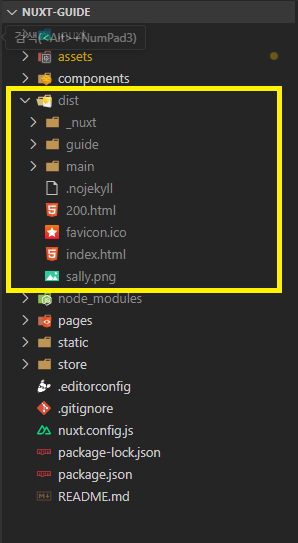
dist 폴더 하위에 있는 파일들이 실제 배포될 파일
4. gh-pages 브랜치 올리기
npm run deploy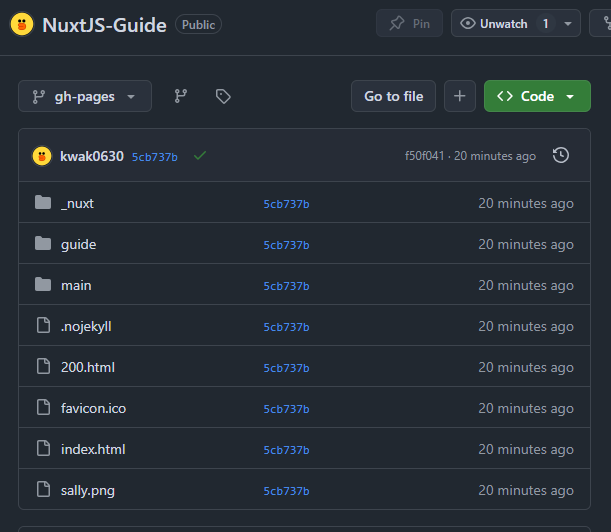
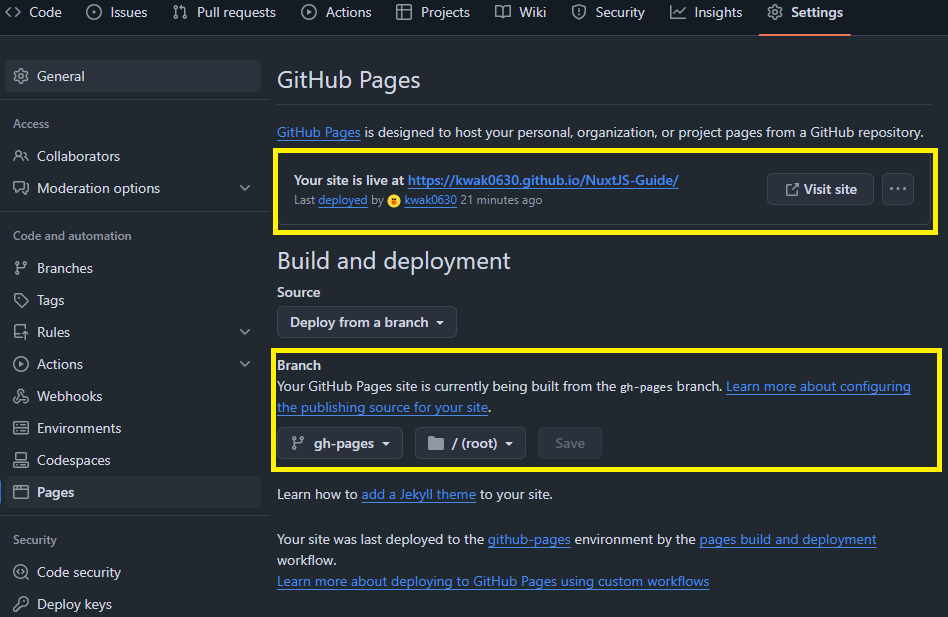
5. github setting
만들었던 깃허브 레파지토리 셋팅 창에서 pages 들어가서 Build and deployment 의 branch 값을 gh-pages 로 변경
완료 ! 😚😋😊