일단 CheetSheet식으로 만들고, Node 환경의 console, 웹브라우저 환경의 console이 다른 경우도 작성할 예정입니다.
console.group / console.groupEnd
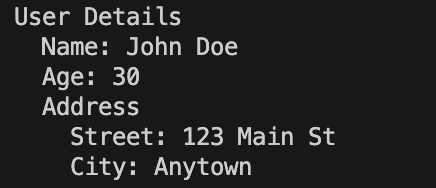
계층적 구조를 보여주는 명령어입니다.
console.group('User Details');
  console.log('Name: John Doe');
  console.log('Age: 30');
  console.group('Address');
    console.log('Street: 123 Main St');
    console.log('City: Anytown');
    console.groupEnd(); // End Address group
console.groupEnd(); // End User Details group
들여쓰기는 임의로 한 거고, 안해줘도 무방합니다.
Node.JS 실행
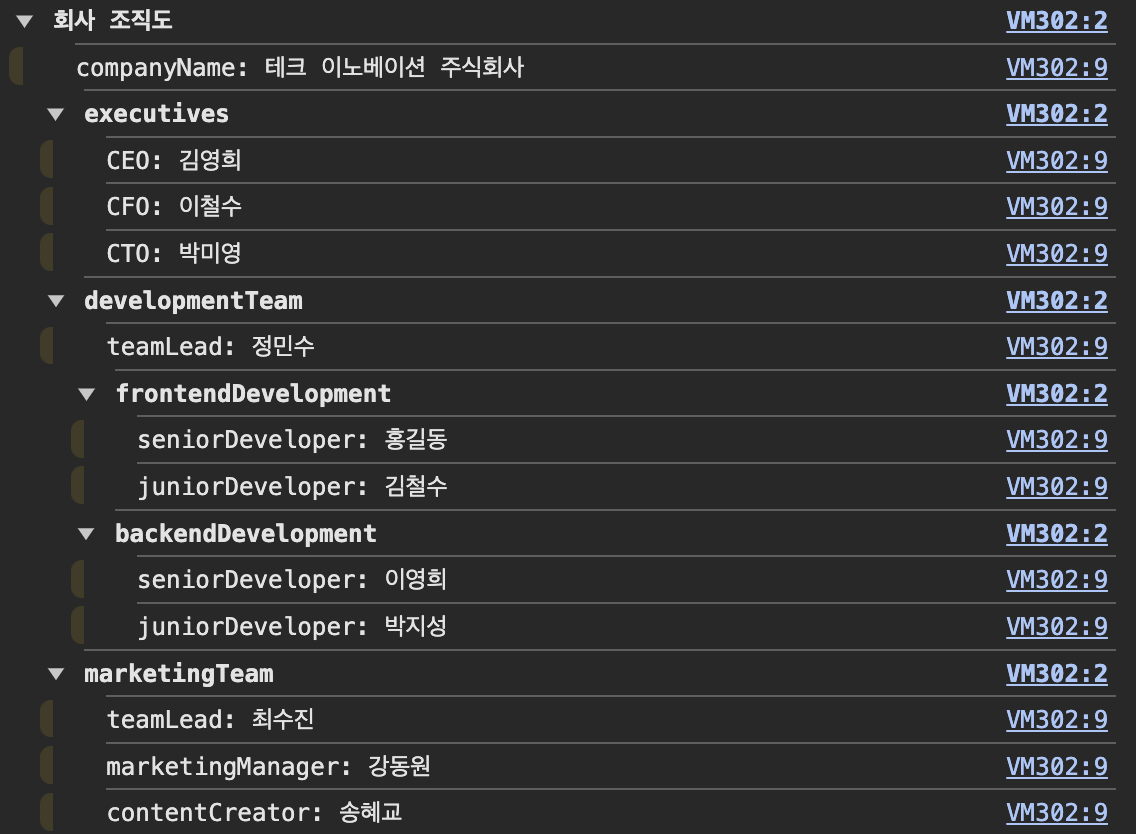
추가 : 재귀 함수 + group 응용
function logObjectAsGroup(obj, name = 'Object') {
  console.group(name);

  for (let key in obj) {
    if (obj.hasOwnProperty(key)) {
      if (typeof obj[key] === 'object' && obj[key] !== null) {
        logObjectAsGroup(obj[key], key);
      } else {
        console.log(`${key}: ${obj[key]}`);
      }
    }
  }

  console.groupEnd();
}

// 사용 예시
const company = {
  companyName: "테크 이노베이션 주식회사",
  executives: {
    CEO: "김영희",
    CFO: "이철수",
    CTO: "박미영"
  },
  developmentTeam: {
    teamLead: "정민수",
    frontendDevelopment: {
      seniorDeveloper: "홍길동",
      juniorDeveloper: "김철수"
    },
    backendDevelopment: {
      seniorDeveloper: "이영희",
      juniorDeveloper: "박지성"
    }
  },
  marketingTeam: {
    teamLead: "최수진",
    marketingManager: "강동원",
    contentCreator: "송혜교"
  }
};

logObjectAsGroup(company, '회사 조직도');- 객체의 각 속성을 순회.
- 값이 또 다른 객체인 경우, 재귀적으로 함수를 호출해 중첩된 구조 표현.
- 값이 원시 타입인 경우, 단순히
console.log()로 출력.
console.table
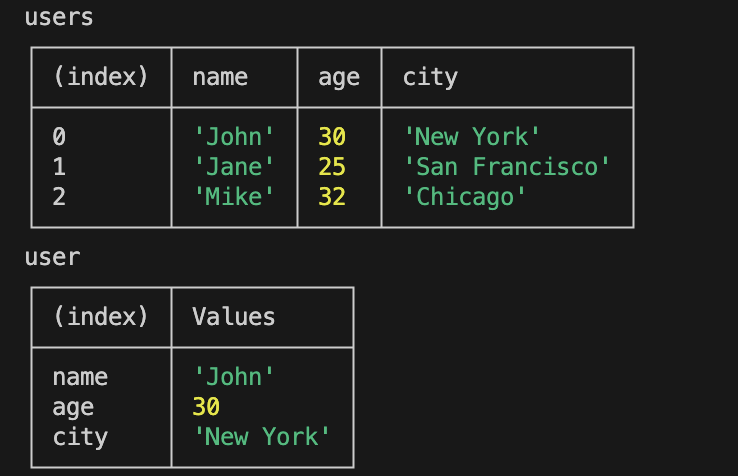
배열과 객체를 한눈에 확인 시켜줄 수 있는 명령어입니다.
const users = [
  { name: 'John', age: 30, city: 'New York' },
  { name: 'Jane', age: 25, city: 'San Francisco' },
  { name: 'Mike', age: 32, city: 'Chicago' },
];

console.log('users');
console.table(users);

const user = {
  name: 'John',
  age: 30,
  city: 'New York',
};

console.log('user');
console.table(user);
Node.JS 실행
console.time / console.timeLog /console.timeEnd
console.time('totalTime');

async function fetchData(ms) {
  return new Promise((resolve) =>
    setTimeout(() => {
      resolve(`Fetched data after ${ms / 1000} seconds`);
    }, ms),
  );
}

async function main() {
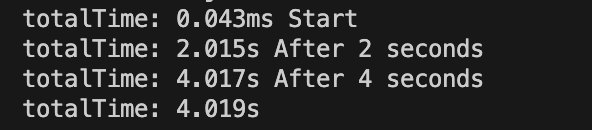
  console.timeLog('totalTime', 'Start');

  await fetchData(2000);
  console.timeLog('totalTime', 'After 2 seconds');

  await fetchData(2000);
  console.timeLog('totalTime', 'After 4 seconds');

  console.timeEnd('totalTime');
}

main();
Node.JS 실행

코뿔소처럼 저돌적으로