오늘은 과제 제출하고 특별과제 시작해봤는데 정신 나갈꺼 같다.
Fragment를 다루는데 Activity랑 다르게 뭔가 intent도 안되고 어려운 느낌 ㅠㅠ
여튼 각설하고 시작하자
MainActivity
-
activity는 사실 별게 없다 버튼을 누르면 메뉴 리스트가 있는 fragment를 출력
시켜주기 위한 발사대(?)같은 역할이랄까...
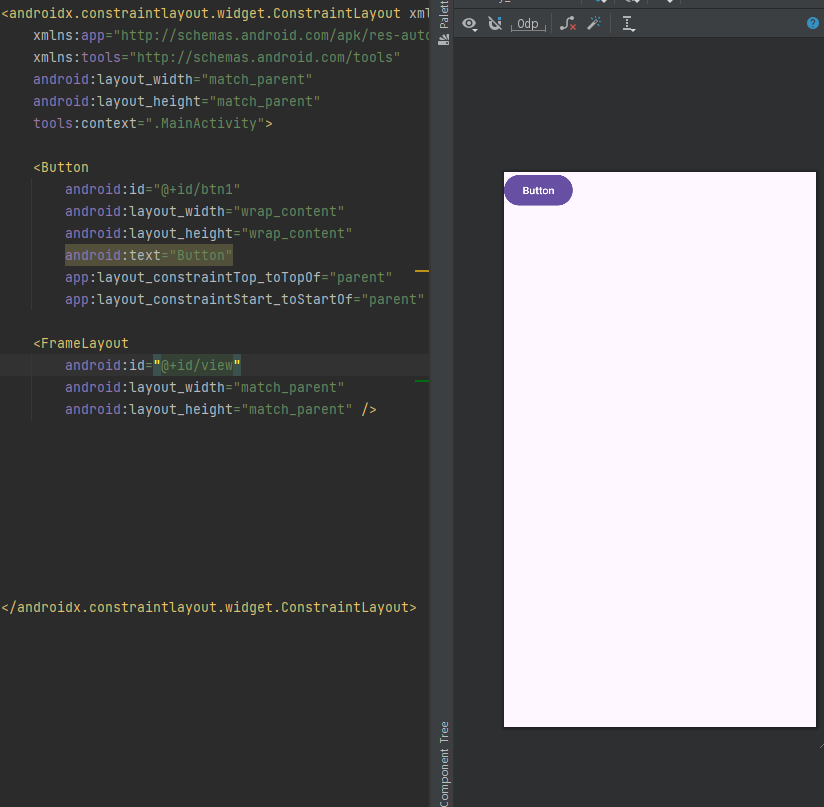
버튼을 누르면 FrameLayout에 이제 fragment의 레이아웃이 출력된다.
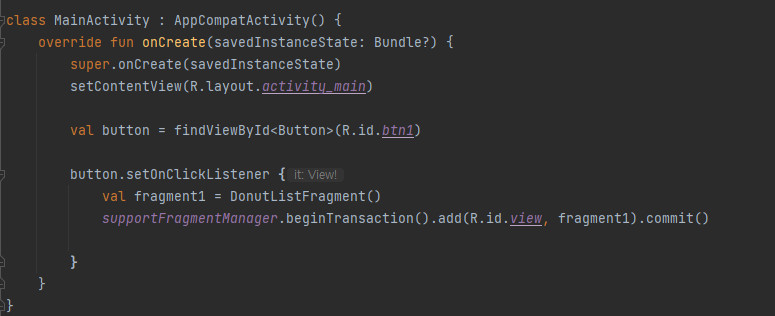
MainActivity.kt 에서 코드 처리를 해주었다.
donut_list_fragment
- 이제 donut_list_fragment UI를 준비해주고
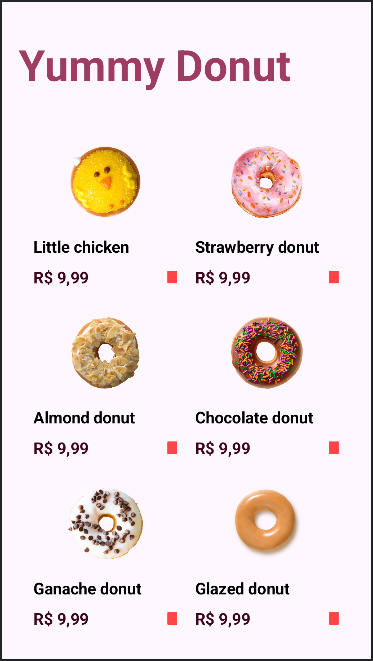
각 메뉴는 GridLayout에 layout으로 담아줬다.
오른쪽 아래 빨간 네모는 나중에 찜 기능을 위해 잠깐 위치만 잡아두었다.
<GridLayout
	android:layout_width="match_parent"
    android:layout_height="570dp"
    android:layout_marginTop="140dp"
    android:layout_marginBottom="20dp"
    android:layout_marginStart="25dp"
    android:layout_marginEnd="25dp"
    android:columnCount="2"
    android:orientation="horizontal"
    android:rowCount="3"
    app:layout_constraintEnd_toEndOf="parent"
    app:layout_constraintStart_toStartOf="parent"
    app:layout_constraintTop_toTopOf="parent">

	<include
    	android:id="@+id/donut1"
        layout="@layout/layout_donut1"
        android:layout_width="180dp"
        android:layout_height="190dp" />

    <include
    	android:id="@+id/donut2"
        layout="@layout/layout_donut2"
        android:layout_width="180dp"
        android:layout_height="190dp" />

	<include
    	android:id="@+id/donut3"
        layout="@layout/layout_donut3"
        android:layout_width="180dp"
        android:layout_height="190dp" />

	<include
    	android:id="@+id/donut4"
        layout="@layout/layout_donut4"
        android:layout_width="180dp"
        android:layout_height="190dp" />

	<include
    	android:id="@+id/donut5"
        layout="@layout/layout_donut5"
        android:layout_width="180dp"
        android:layout_height="190dp" />

	<include
    	android:id="@+id/donut6"
        layout="@layout/layout_donut6"
        android:layout_width="180dp"
        android:layout_height="190dp" />

	</GridLayout>
(사실 이렇게 하는게 맞는지는 아직도 의문...)
donut_detail_fragment
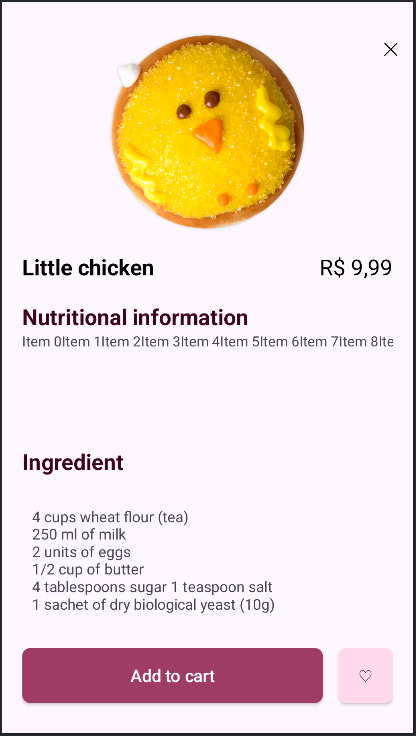
그리고 디테일 화면으로 들어왔는데...
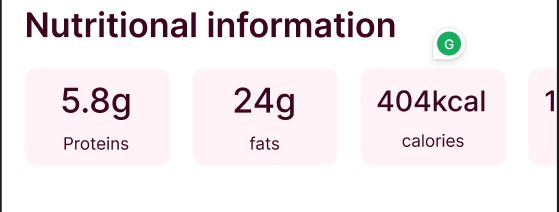
가로로 ListView는 만들 수 없기에...RecyclerView를 활용해보려 공부하고...만들어보고...
삽질만 2시간한거 같다...ㅠㅠㅠㅠ
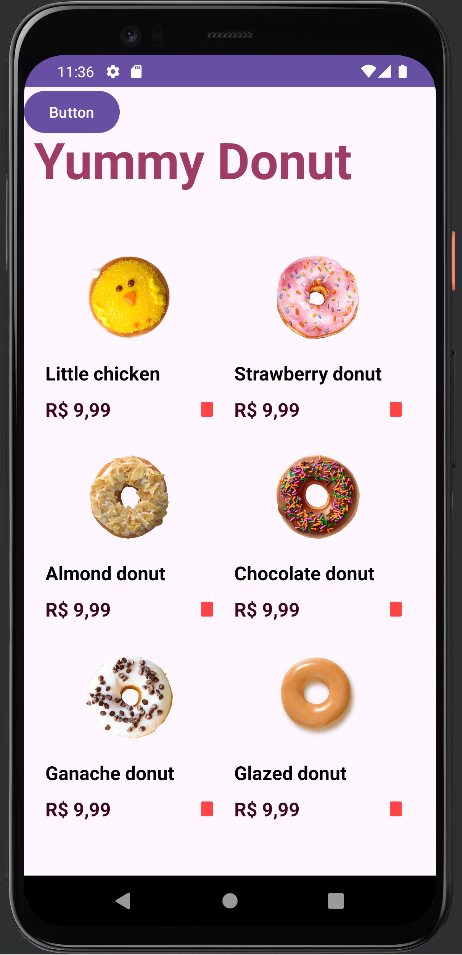
버튼 클릭하면 fragment 불러오는건 성공했지만
fragment에서 fragment를 불러오려고 하니 너무 삽질을 이상한 곳으로 팠는지
앱이 계속 종료되서 오늘은 시간에 비해 성과는 없는 것 같다 ㅠㅠ
후...머리 식히고 내일 다시 도전해보는걸로...!
하루의 마무리
-
오랜만에 예전만큼 스트레스 받은거 같다 흑
내일은 이론부터 좀 정리하면서 예제코드 보고 활용해봐야겠다.
아직 fragment를 다뤄본적이 없어서 그런지 activity랑 너무 달라서 어려운 것 같다.