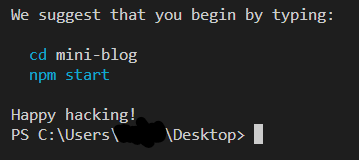
한동안 언해피한 해킹의 나날이었다.
CRA를 통해 리액트 초기 셋업을 하는데 어느 날부터
node_modules
package.json
package-lock.json
3가지만 설치되고 있었다. public, src등등은 모두 설치가 안됨
A template was not provided. This is likely because you're using an outdated version of create-react-app.
Please note that global installs of create-react-app are no longer supported.
You can fix this by running npm uninstall -g create-react-app or yarn
global remove create-react-app before using create-react-app again.
구글링 결과 너무 많이 설치되면서 발생할 수 있다 라는 결론을 얻고
npm uninstall -g --save create-react-app
npx create-react-app mini-blog
로 처리해봤으나 실패.
사실 이 방법은 매번 한번씩 해봤다. 항상 실패했지만
더 많은 영역으로 파악하던 중 아예 파일을 지우는걸 추천해줬다.
두번째.
%appdata%npm
(== C:\Users\{ npm이 설치된사용자 계정}\AppData\Roaming\npm)
의 구성요소를 찾으라 하는데 AppData 이하 루트를 찾을 수 없었다.
일단 npm과 관련되면서 쓰지 않는 폴더를 모두 지우기로 마음 먹었다.
안되겠다 싶으면 노트북 포맷을 하기까지 마음먹고 시도!
사실 겸사겸사 용량도 줄일 겸 파일 정리를 했는데
가장 유력한 후보를 소개하자면
C:\Users{userName}\node_modules
의 모든 파일을 지우고보니 갑자기 Happy hacking! 메세지와 함께 완벽한 CRA 셋업이 완료됐다
사실 이게 안되니 너무 화나서 다른 프로젝트를 복사하여 수정하면서 작성하고 codesandbox도 사용했는데 이제 로컬에서 편히 사용할 수 있게 됐다
훗날 또 다시 언해피해지는 날이 온다면 저 파일이 있는지 확인해보는 작업부터 시작하기로

게으르지만 기록은 하고싶어!