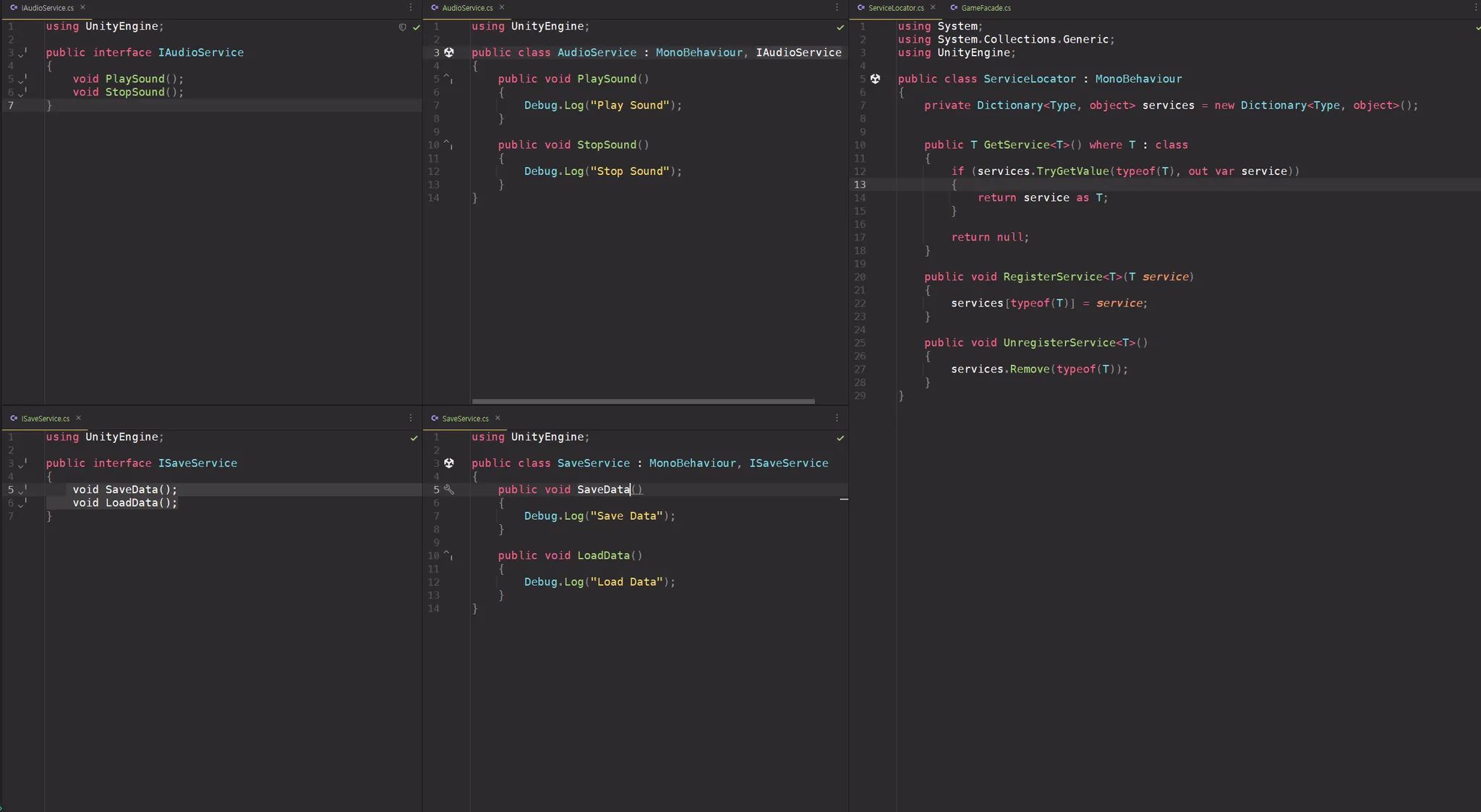
Factory
: 객체 생성 로직을 한 곳(Factory)에 모아두고, 외부에서는 생성 방법을 몰라도 쉽게 객체를 만들 수 있도록 하는 패턴
- 객체를 만드는 공장을 따로 둔다는 개념
- 목적: 코드 중복 제거 + 생성 방식 변경 시 한 곳만 수정
기본 예시
public abstract class Enemy {
    public abstract void Attack();
}

public class Orc : Enemy {
    public override void Attack() => Debug.Log("오크 공격!");
}

public class Goblin : Enemy {
    public override void Attack() => Debug.Log("고블린 공격!");
}

public static class EnemyFactory {
    public static Enemy CreateEnemy(string type) {
        return type switch {
            "Orc" => new Orc(),
            "Goblin" => new Goblin(),
            _ => null
        };
    }
}
사용
Enemy enemy1 = EnemyFactory.CreateEnemy("Orc");
enemy1.Attack(); // 오크 공격!

Enemy enemy2 = EnemyFactory.CreateEnemy("Goblin");
enemy2.Attack(); // 고블린 공격!
추가 예시
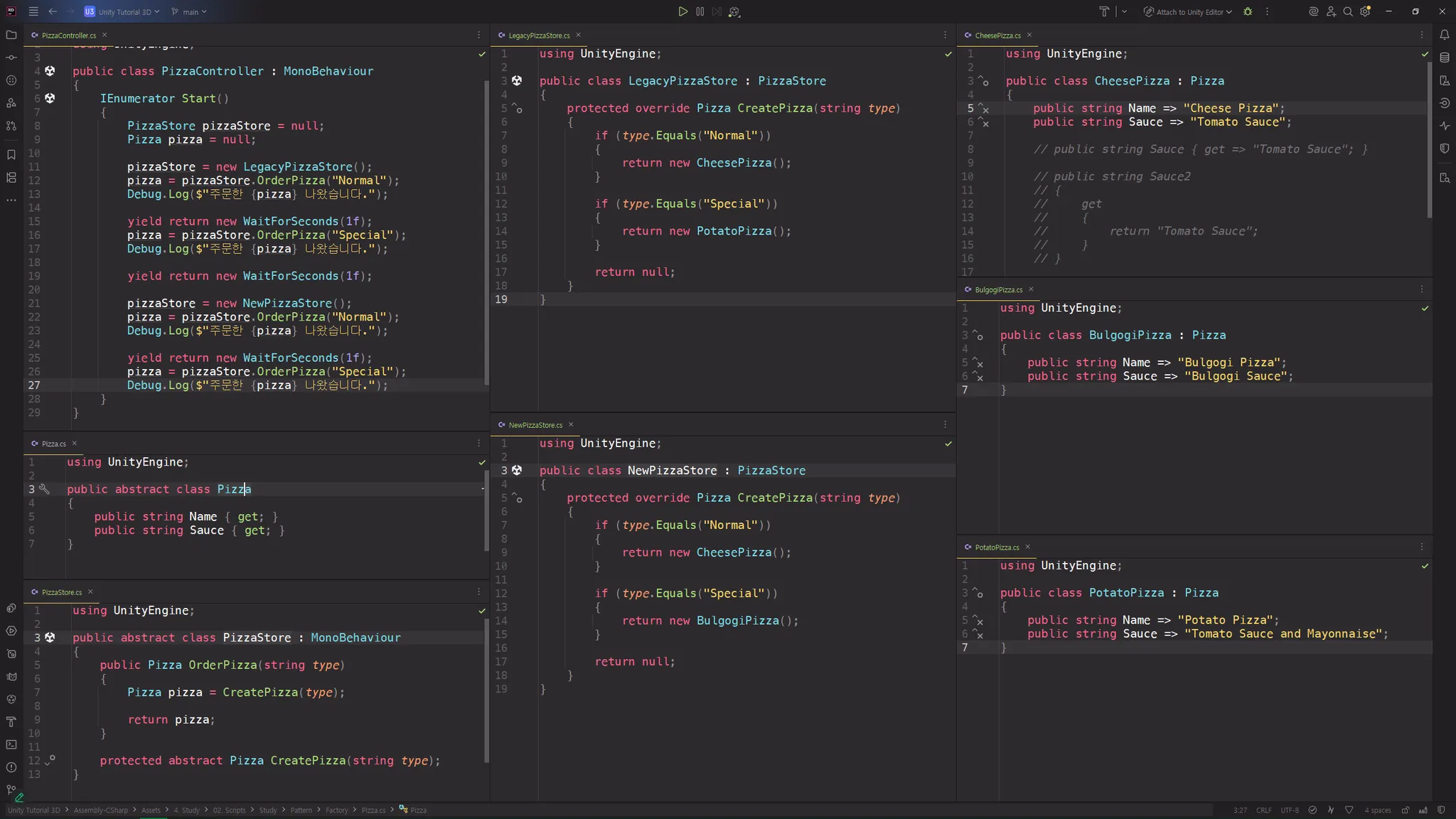
Decorator
: 기존 객체의 기능을 상속 없이 동적으로 확장하는 패턴
-
“객체를 감싸(wrap)서 새로운 기능을 추가”
-
실행 중에도 기능을 쉽게 붙였다 떼었다 할 수 있음
기본 예시
// 기본 인터페이스
public interface IWeapon
{
    void Attack();
}

// 기본 무기
public class Sword : IWeapon
{
    public void Attack() => Debug.Log("검으로 공격!");
}

// 데코레이터 추상 클래스
public abstract class WeaponDecorator : IWeapon
{
    protected IWeapon weapon;
    public WeaponDecorator(IWeapon weapon) { this.weapon = weapon; }
    public virtual void Attack() => weapon.Attack();
}

// 구체적인 데코레이터 (불 속성 추가)
public class FireEnchantment : WeaponDecorator
{
    public FireEnchantment(IWeapon weapon) : base(weapon) {}
    public override void Attack()
    {
        base.Attack();
        Debug.Log("불 속성 추가 공격!");
    }
}
사용
IWeapon sword = new Sword();
sword.Attack(); // 검으로 공격!

IWeapon fireSword = new FireEnchantment(sword);
fireSword.Attack();
// 검으로 공격!
// 불 속성 추가 공격!
추가 예시
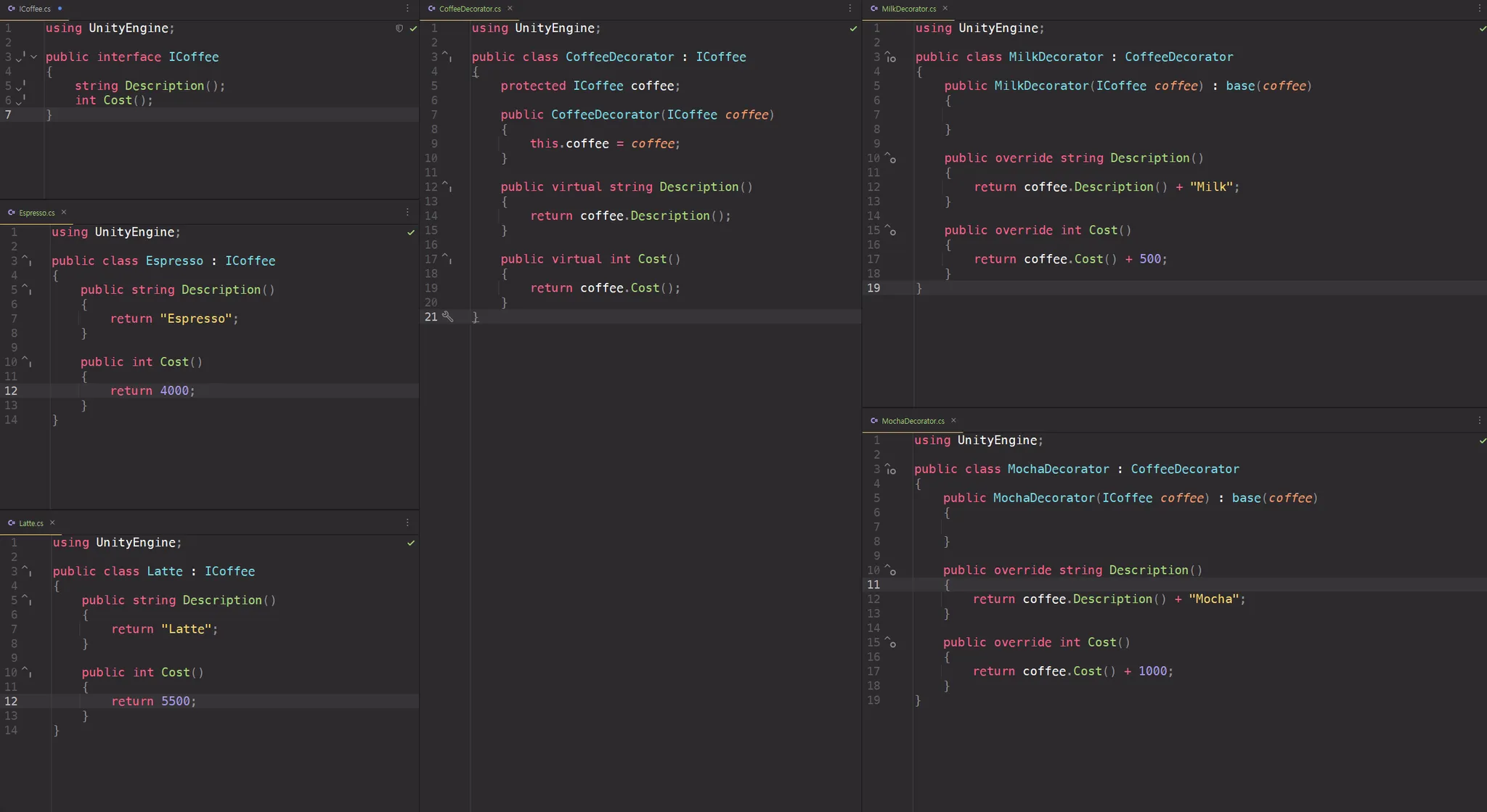
Adapter
: 호환되지 않는 두 인터페이스를 연결해주는 패턴
- 새 코드에서 예전 코드(혹은 다른 형식의 코드)를 그대로 사용 가능하게 만들어줌
- 비유: 110V → 220V 콘센트 변환기
예시 코드
// Target 인터페이스 (새 코드에서 요구하는 방식)
public interface IEnemy
{
    void Attack();
}

// 기존 코드 (Adaptee) - 인터페이스가 맞지 않음
public class OldMonster
{
    public void PerformStrike() => Debug.Log("구몬스터 공격!");
}

// Adapter - OldMonster를 IEnemy에 맞춰줌
public class MonsterAdapter : IEnemy
{
    private OldMonster oldMonster;
    public MonsterAdapter(OldMonster oldMonster)
    {
        this.oldMonster = oldMonster;
    }
    public void Attack()
    {
        // 내부적으로 기존 메서드를 호출
        oldMonster.PerformStrike();
    }
}
사용
IEnemy enemy = new MonsterAdapter(new OldMonster());
enemy.Attack(); // 구몬스터 공격!
추가 예시
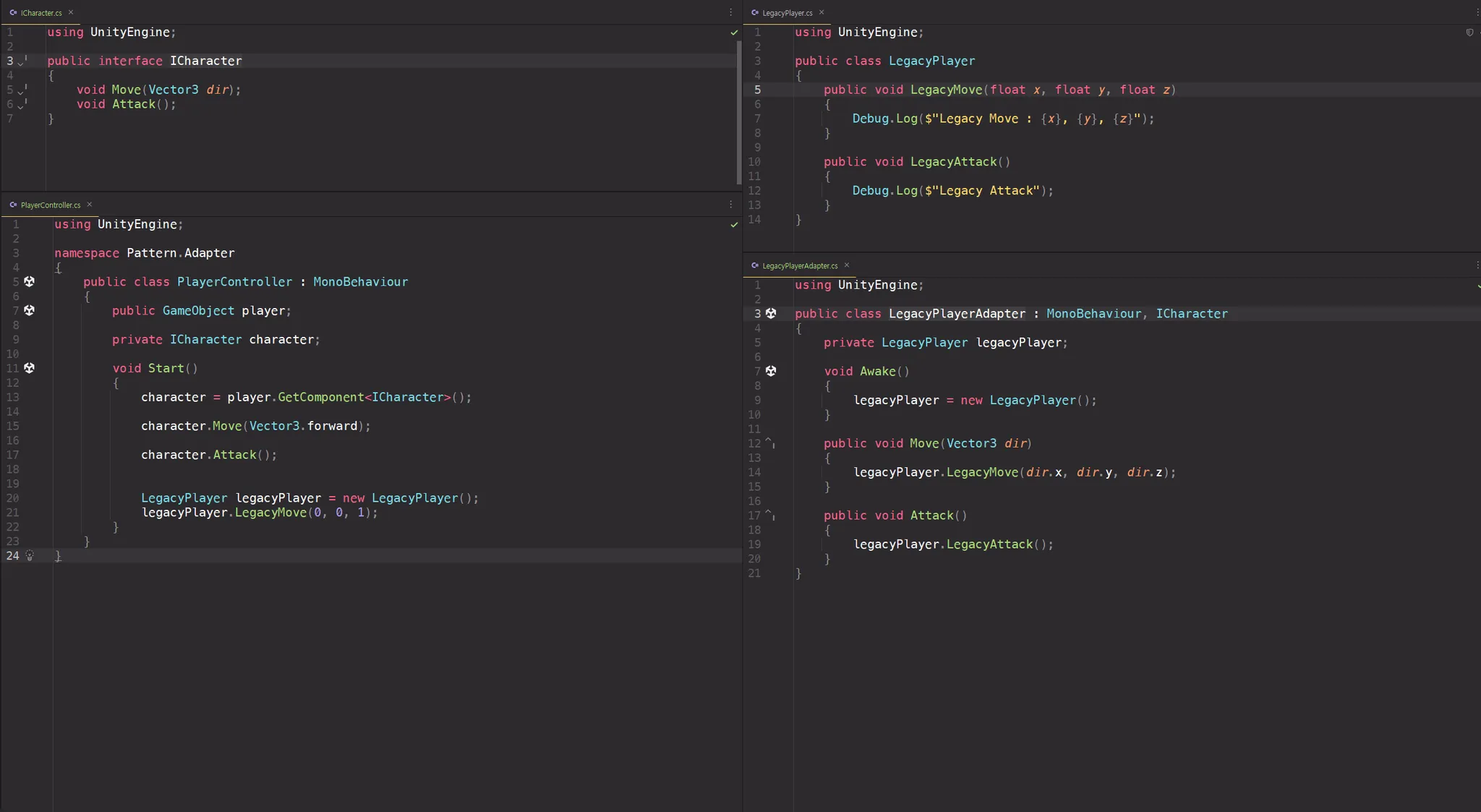
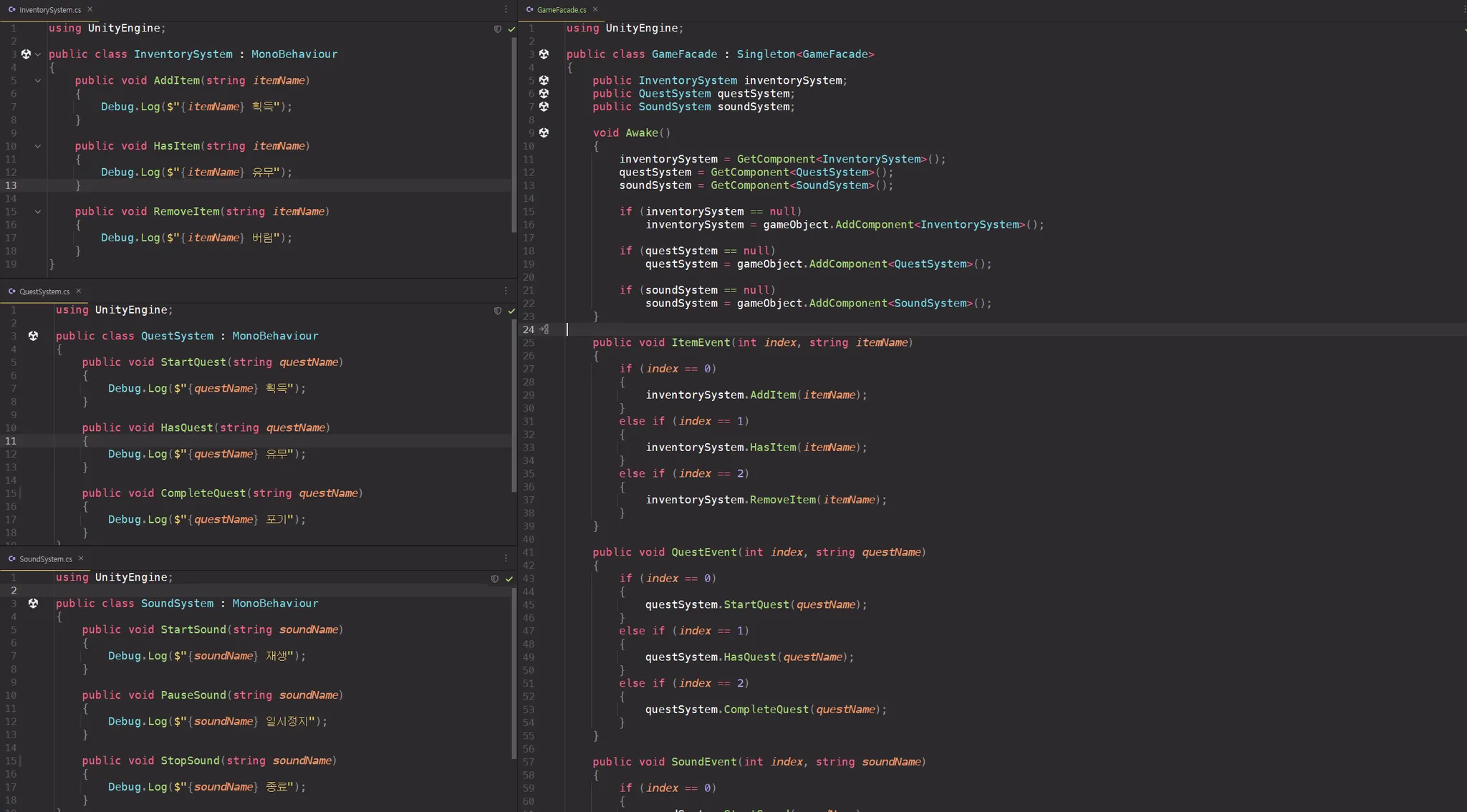
Facade
: 복잡한 서브시스템(Subsystem)에 대한 단순화된 인터페이스를 제공하는 구조적 패턴
- 즉, 복잡한 내부 구조는 숨기고, 필요한 기능만 골라서 제공하는 "간편한 창구" 역할을 함
<구성>
-
Subsystem Classes: 실제 기능을 제공하는 여러 클래스들
-
Facade: 여러 Subsystem들을 묶어 단순한 인터페이스를 제공
-
Client: Facade만 보고 사용
예시 코드
// Subsystem 1
public class SoundManager
{
    public void PlayBGM() => Debug.Log("배경 음악 재생");
}

// Subsystem 2
public class EnemySpawner
{
    public void SpawnEnemies() => Debug.Log("적 생성");
}

// Subsystem 3
public class UIManager
{
    public void ShowStartScreen() => Debug.Log("시작 UI 보여줌");
}

// Facade
public class GameStartFacade
{
    private SoundManager soundManager = new SoundManager();
    private EnemySpawner spawner = new EnemySpawner();
    private UIManager uiManager = new UIManager();

    public void StartGame()
    {
        uiManager.ShowStartScreen();
        soundManager.PlayBGM();
        spawner.SpawnEnemies();
    }
}
사용
public class Game : MonoBehaviour
{
    void Start()
    {
        GameStartFacade gameStart = new GameStartFacade();
        gameStart.StartGame();  // 내부의 복잡한 작업들을 한번에 실행
    }
}


GameStartFacade.StartGame()만 호출하면
→ UI 출력, BGM 재생, 적 생성 모두 자동으로 처리됨
추가 예시
Service Locator
: 객체가 필요로 하는 서비스 객체를 찾아서 알려주는 서비스 센터같은 패턴
- new나 FindObjectOfType을 직접 쓰지 않고 중앙의 Service Locator에서 필요한 서비스(객체)를 가져오기만 하는 방식
<주요 구성 요소>
- Service Interface : 제공할 서비스의 인터페이스
- Service 구현체 : 실제 서비스 구현 클래스
- Service Locator : 서비스들을 등록하고, 요청하면 제공
- Client : 서비스를 locator를 통해 얻는 사용자
예시 코드
// 서비스 인터페이스
public interface IAudioService
{
    void PlaySound(string name);
}

// 서비스 구현
public class AudioService : IAudioService
{
    public void PlaySound(string name)
    {
        Debug.Log($"Sound Played: {name}");
    }
}

// Service Locator
public static class ServiceLocator
{
    private static Dictionary<System.Type, object> services = new Dictionary<System.Type, object>();

    public static void Register<T>(T service)
    {
        services[typeof(T)] = service;
    }

    public static T Get<T>()
    {
        if (services.TryGetValue(typeof(T), out object service))
        {
            return (T)service;
        }

        throw new System.Exception($"Service {typeof(T)} not found");
    }
}
사용
public class Game : MonoBehaviour
{
    void Start()
    {
        // 서비스 등록
        ServiceLocator.Register<IAudioService>(new AudioService());

        // 서비스 사용
        IAudioService audio = ServiceLocator.Get<IAudioService>();
        audio.PlaySound("Explosion");
    }
}
추가 예시