table이란?
- 여러 종류의 데이터를 보기 좋게 정리하여 보여주는 표를 의미한다
- html에서는
table태그를 사용하여 표를 작성할 수 있다
table의 구성요소
thead: 머리글,th의 태그를 가진다tbody: 본문글,td의 태그를 가진다, 그 외의 태그들도 모두 여기에 넣는다tfoot: 바닥글, 잘 쓰이진 않지만 본문글과 같은 태그들을 사용한다th: 각 열의 제목td: 각 칸 안에 들어갈 내용tr: 열을 구분
<div class="box-1">
    <table border="1">
        <thead>
            <tr>
                <th>교시/요일</th>
                <th>월</th>
                <th>화</th>
            </tr>
        </thead>
        <tbody>
            <tr>
                <th>1교시</th>
                <td>국어</td>
                <td>사회</td>
            </tr>
            <tr>
                <th>2교시</th>
                <td>사회</td>
                <td>영어</td>
            </tr>
        </tbody>
        <tfoot>
        </tfoot>
    </table>
</div>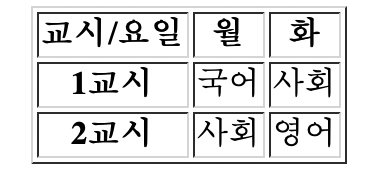
테이블 커스텀
- html의
table의 모든 구성요소 태그 안에 직접 커스텀을 할 수 있다 - 입력방식 :
<table border="1" bordercolor="blue" width ="500" height="300" align = "center" >
border: 테이블의 테두리bordercolor: 테이블의 테두리 색상width: 테이블 가로 크기height: 테이블 세로 크기align: 정렬bgcolor: 배경색colspan: 가로 합병(열 합병)rowspan: 세로 합병(행 합병)
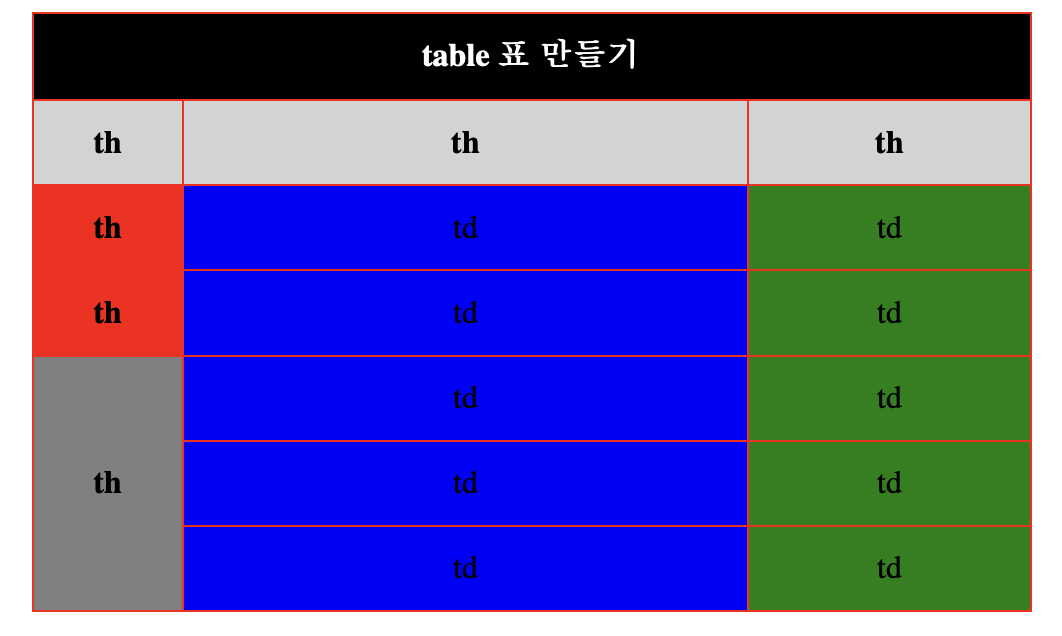
<table border="1" bordercolor="red" width ="500" height="300" align = "center" >
    <tr bgcolor="black" align ="center">
	<th colspan = "3" span style="color:white">table 표 만들기</th>
    </tr>

    <tr align = "center" bgcolor="lightgray">
	<th>th</th>
	<th>th</th>
	<th>th</th>
    </tr>

    <tr align = "center" >
	<th width = "50">th</th>
	<td>td</td>
	<td>td</td>
    </tr>

    <tr align = "center">
	<th>th</th>
	<td>td</td>
	<td>td</td>
    </tr>

    <tr align = "center">
	<th rowspan="3" align = "center" bgcolor="gray">th</th>
	<td>td</td>
	<td>td</td>
    </tr>

    <tr align = "center">
	<td>td</td>
	<td>td</td>
    </tr>

    <tr align = "center">
	<td>td</td>
	<td>td</td>
    </tr>
</table>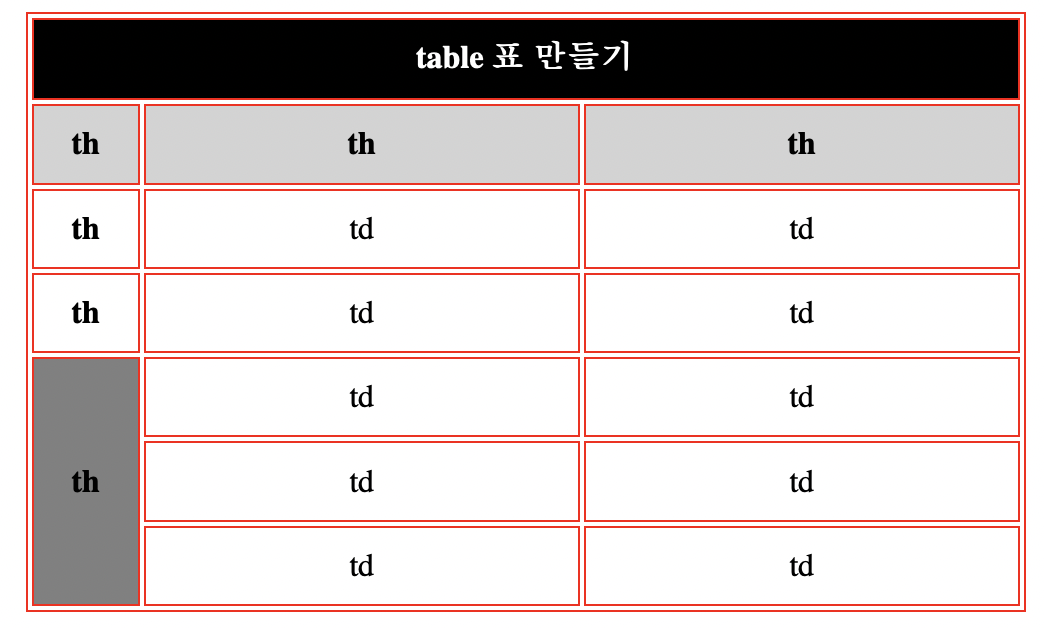
칸 사이 여백 지우기
- 표는 잘 만들어졌지만, 칸 사이사이 공백들이 너무 거슬려 지울수 방법이 있는 찾아보자
table에class를 생성하여 css에 아래의 코드를 넣어주면 된다border-collapse: collapse;
collaps: 지운다는 뜻
html --!
<table class="con" border="1" bordercolor="red" width ="500" height="300"...이하 동일>

css --!
.con{
    border-collapse:collapse;
}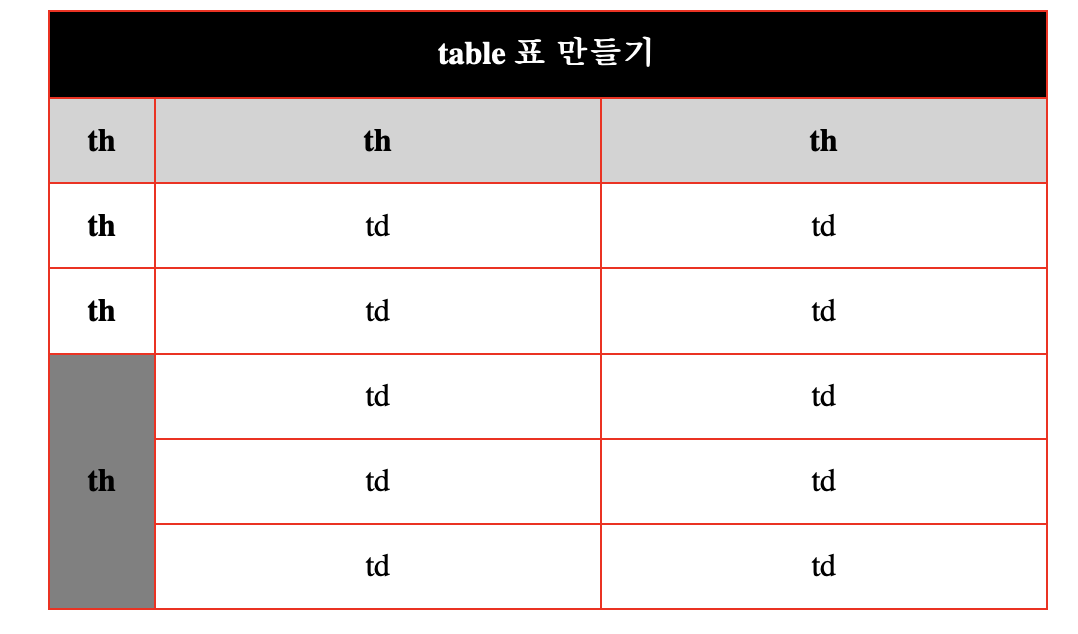
- 이를 보아 table도
class를 주면 바뀌는 것을 보니 css에서 추가로 커스텀이 가능할 거 같다
hover기능을 넣어보자
.con td:hover{
    background-color : pink;
}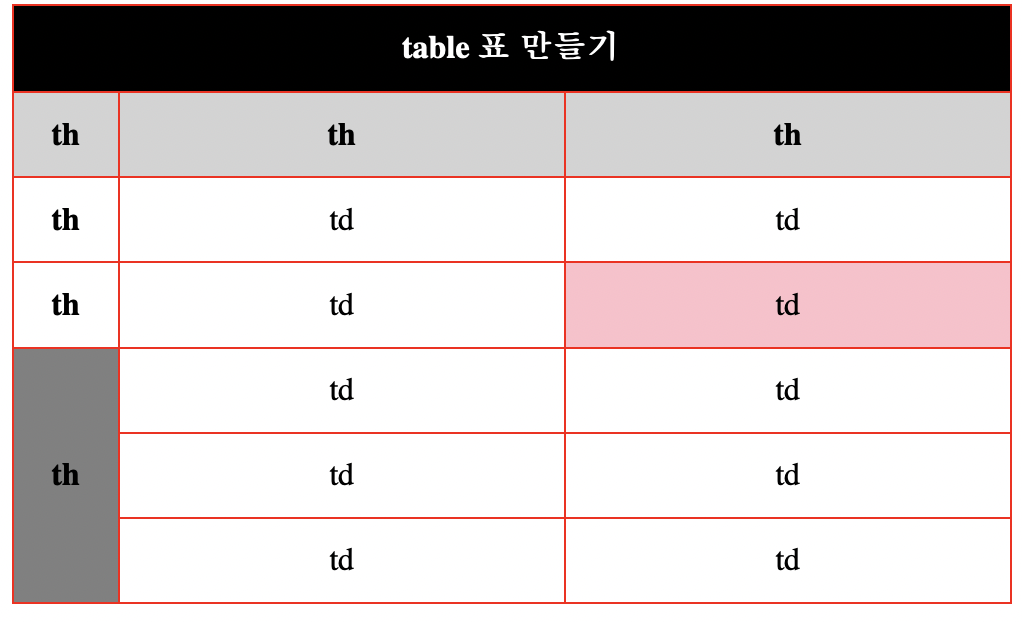
- 마우스 오버 시 핑크색으로 잘 변하는 것을 확인할 수 있다
추가로 알아두면 좋은 코드 :
colgroup: 테이블의 컬럼(td 태그)에 적용할 스타일width와bakcground를 해당 태그에서 미리 적용할 수 있게 한다입력방식 :
table안에colgroup을 넣으면 된다<colgroup> <col width="50px" style="background: red" /> <col width="200px" style="background: blue" /> <col width="100px" style="background: green" /> </colgroup>
Today Comment :
html은 스스로 커스텀이 어려운 줄 알았는데 가능한 부분에서 신기했다하지만 여기서 모 아니면 도 식으로
table은 html 태그에서 수정해야 한다고 생각하면 안 된다class를 추가하고 css에서도 활용이 가능하다는 점을 꼭 생각하자

박상은