Direct Object References
Direct Object References are when an application uses client-provided input to access data & objects.
Direct Object References는 Application이 사용자가 재공한 입력을 사용해 데이터나 객체에 접근하는 경우를 말한다.
Examples
Examples of Direct Object References using the GET method may look something like
GET 메서드를 사용한 Direct Object References의 예시는 다음과 같다.
- https://some.company.tld/dor?id=12345
- https://some.company.tld/images?img=12345
- https://some.company.tld/dor/12345
Other Methods
POST, PUT, DELETE or other methods are also potentially susceptible and mainly only differ in the method and the potential payload.
POST, PUT, DELETE나 다른 메서드 역시 잠재적으로 영향을 받을 수 있으며 주로 메서드나 잠재적 페이로드에서 차이가 있다.
Insecure Direct Object References
These are considered insecure when the reference is not properly handled and allows for authorization bypasses or disclose private data that could be used to perform operations or access data that the user should not be able to perform or access. Let’s say that as a user, you go to view your profile and the URL looks something like:
참조가 적절하게 처리되지 않으면 유저가 실행 또는 접근 할 수 없는 작업을 수행하거나 데이터에 액세스에 필요한 개인적인 데이터를 우회 또는 공개할 수 있게 된다. 이는 안전하지 않다. 유저가 자신의 프로필을 보려 할 때 URL이 다음과 같다고 가정한다.
https://some.company.tld/app/user/23398
... and you can view your profile there. What happens if you navigate to:
... 그리고 이 곳에서 자신의 프로필을 볼 수 있다. 만약 다음과 같은 URL로 이동한다면:
https://some.company.tld/app/user/23399 … or use another number at the end. If you can manipulate the number (user id) and view another’s profile, then the object reference is insecure. This of course can be checked or expanded beyond GET methods to view data, but to also manipulate data.
https://some.company.tld/app/user/23399 또는 끝에 다른 숫자를 사용했을 때 어떻게 될까? 숫자(유저 ID)를 조작해 다른 사용자의 프로필을 볼 수 있다면 객체 참조는 안전하지 않다. 이는 데이터를 조회하는 GET 메서드 외에도 데이터를 조작할 수도 있다.
More good reading
Before we go on to practice, here’s some good reading on Insecure Direct Object References:
- https://www.owasp.org/index.php/Testing_for_Insecure_Direct_Object_References_(OTG-AUTHZ-004)
- https://www.owasp.org/index.php/Top_10-2017_A5-Broken_Access_Control
- https://cheatsheetseries.owasp.org/cheatsheets/Insecure_Direct_Object_Reference_Prevention_Cheat_Sheet.html
- https://www.owasp.org/index.php/Top_10_2013-A4-Insecure_Direct_Object_References
- http://cwe.mitre.org/data/definitions/639.html
Authenticate First, Abuse Authorization Later
Many access control issues are susceptible to attack from an authenticated-but-unauthorized user. So, let’s start by legitimately authenticating. Then, we will look for ways to bypass or abuse Authorization.
많은 접근 제어 문제는 인증된 사용자가 권한을 부여받지 않은 경우 공격에 취약하다. 따라서 합법적으로 인증을 하는 것부터 시작한다. 그리고 권한을 우회하거나 남용할 방법을 찾아보자.
The id and password for the account in this case are 'tom' and 'cat' (It is an insecure app, right?).
이 케이스에서 계정의 id와 password는 각각 'tom'과 'cat'이다(보안에 취약한 앱이니까).
After authenticating, proceed to the next screen.
인증 후 다음 화면으로 진행해라.

Observing Differences & Behaviors
A consistent principle from the offensive side of AppSec is to view differences from the raw response to what is visible. In other words (as you may have already noted in the client-side filtering lesson), there is often data in the raw response that doesn’t show up on the screen/page. View the profile below and take note of the differences.
Application 보안 공격 측면에서 일관된 원칙은 Raw Response와 화면에 보이는 것의 차이를 관찰하는 것이다. 다시 말해(이미 클라이언트 측 필터링 레슨에서 언급했듯), Raw Response에는 종종 화면/페이지에 나타나지 않는 데이터가 포함되어 있다. 아래 프로필을 보고 차이점을 작성해라.
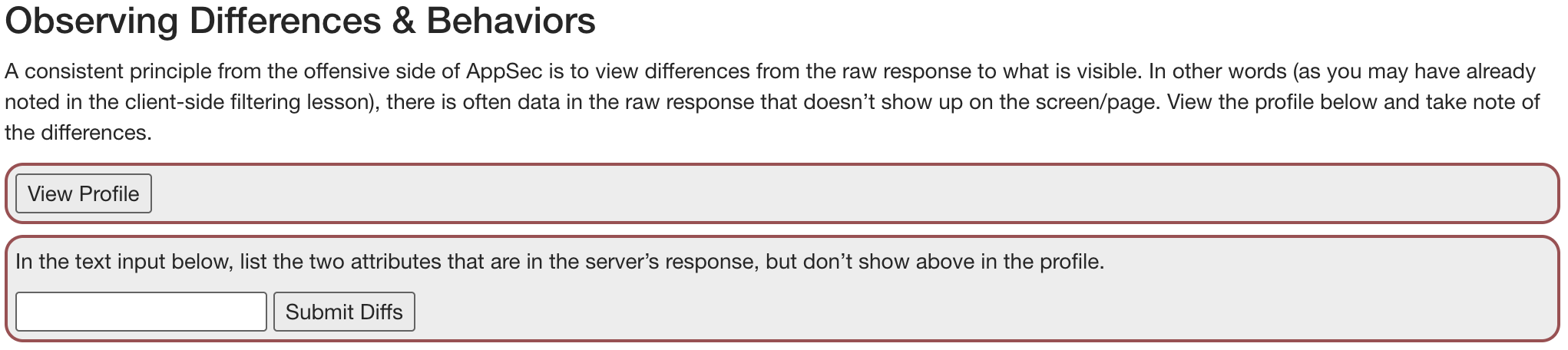
화면에 보이는 것

화면에 보이지 않는 것
HTTP/1.1 200 OK
Connection: close
Content-Type: application/json
Date: Tue, 14 May 2024 03:28:13 GMT

{
  "role" : 3,
  "color" : "yellow",
  "size" : "small",
  "name" : "Tom Cat",
  "userId" : "2342384"
}
Guessing & Predicting Patterns
View Your Own Profile Another Way
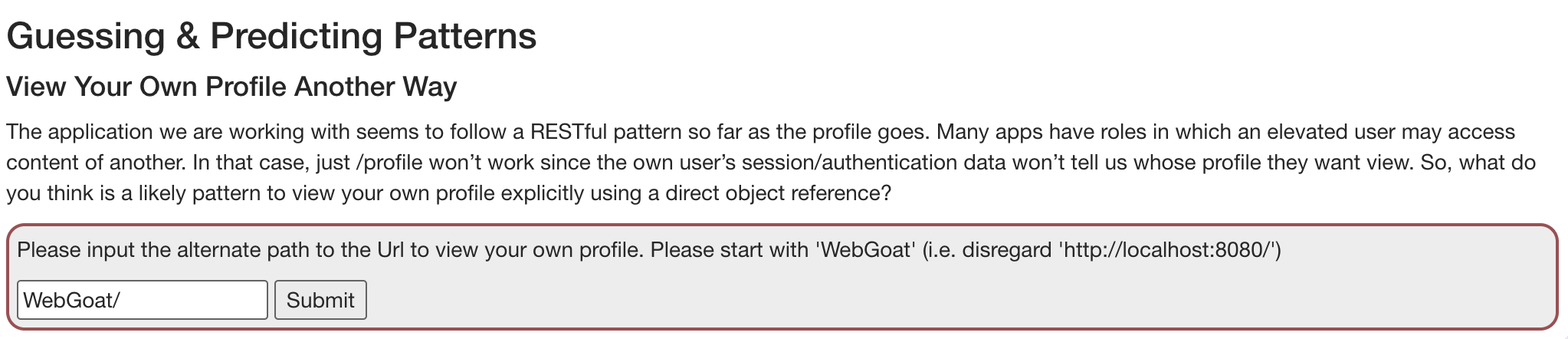
The application we are working with seems to follow a RESTful pattern so far as the profile goes. Many apps have roles in which an elevated user may access content of another. In that case, just /profile won’t work since the own user’s session/authentication data won’t tell us whose profile they want view. So, what do you think is a likely pattern to view your own profile explicitly using a direct object reference?
자신의 프로필을 다른 방법으로 보기
현재 작업 중인 Application은 프로필과 관련하여 RESTful 패턴을 따르는 것으로 보인다. 많은 App은 다수의 권한을 가지는데, 권한이 높은 사용자가 다른 사용자의 컨텐츠에 접근할 수 있다. 이 경우 유저의 세션/인증 데이터는 어떤 사용자의 프로필을 조회해야 하는지 말해주지 않기 떄문에 단순히 /profile 만으로는 동작하지 않는다. 그러면 직접 객체 참조를 이용해 자신의 프로필을 명시적으로 보기 위한 패턴은 무엇일까?
Write Up
GET /WebGoat/IDOR/profile HTTP/1.1
Host: localhost:8080
.
.
.
이전에 보냈던 Request를 참조하면 GET /WebGoat/IDOR/profile URL로 요청을 보냈음을 알 수 있다. 일반적으로 RESTful 패턴을 따르는 URL이라면 /WebGoat/IDOR/profile/{userId}를 따를 것이다.
Playing with the Patterns
View Another Profile
View someone else’s profile by using the alternate path you already used to view your own profile. Use the 'View Profile' button and intercept/modify the request to view another profile. Alternatively, you may also just be able to use a manual GET request with your browser.
자신의 프로필을 보기 위해 사용한 경로를 이용해 다른 사람의 프로필을 봐라. 'View Profile' 버튼을 사용하고 다른 프로필을 보기 위한 요청을 가로채 수정해라. 아니면 브라우저를 사용해 수동으로 GET 요청을 보내는 것도 가능하다.
Write Up
Burp Suite를 이용해 프로필 보기 버튼 요청을 가로채고 userId 값을 변경해 포워딩 했다.
HTTP/1.1 200 OK
Connection: close
Content-Type: application/json
Date: Tue, 14 May 2024 04:06:21 GMT

{
  "lessonCompleted" : true,
  "feedback" : "Well done, you found someone else's profile",
  "output" : "{role=3, color=brown, size=large, name=Buffalo Bill, userId=2342388}",
  "assignment" : "IDORViewOtherProfile",
  "attemptWasMade" : true
}
Edit Another Profile
Older apps may follow different patterns, but RESTful apps (which is what’s going on here) often just change methods (and include a body or not) to perform different functions.
구형 App은 다른 패턴을 따를 수 있지만 RESTful App(여기서 다루는)은 종종 메서드(및 포함된 바디)를 변경해 다른 기능을 수행한다.
Use that knowledge to take the same base request, change its method, path and body (payload) to modify another user’s (Buffalo Bill’s) profile. Change the role to something lower (since higher privilege roles and users are usually lower numbers). Also change the user’s color to 'red'.
이를 활용해 동일한 기본 요청을 사용하되 메서드와 경로, 바디(payload)를 바꿔 다른 유저(Buffalo Bill's)의 프로필을 수정해라. 역할을 더 낮은 수준으로 변경하고(더 높은 권한을 가지는 역할과 사용자는 일반적으로 더 낮은 번호를 갖는다) 유저의 색상을 'red'로 변경해라.
Write Up
- 동일한 URL, PUT 메서드를 사용한다.
- Content-Type을 application/json으로 변경한다.
- 변경 사항을 적용한 body를 작성한다.
PUT /WebGoat/IDOR/profile/2342388 HTTP/1.1
Host: localhost:8080
sec-ch-ua: "Not-A.Brand";v="99", "Chromium";v="124"
Accept: */*
Content-Type: application/json;
.
.
.
Content-Length: 92

{
	"role":  1,
	"color":"red",
	"size":"large",
	"name":"Buffalo Bill",
	"userId":2342388
}