참고로, 오른쪽에 띄워져 있는 힌트 태그를 사용해서 문제를 풀면 된다.
1. Select the plates

<div class="table">
	<plate />
	<plate />
</div>
먼저 단순히 plate 태그를 선택하는 문제이다.
plate
{
/* Styles would go here. */
}
2. Select the bento boxes

<div class="table">
	<bento />
	<plate />
	<bento />
</div>
bento 태그 요소들을 선택하면 되니까
bento
{
/* Styles would go here. */
}
3. Select the fancy plate

<div class="table">
	<plate id="fancy" />
	<plate />
	<bento />
</div>
id가 "fancy"인 요소를 선택하기 위해서 #를 사용한다.
#fancy
{
/* Styles would go here. */
}
4. Select the apple on the plate
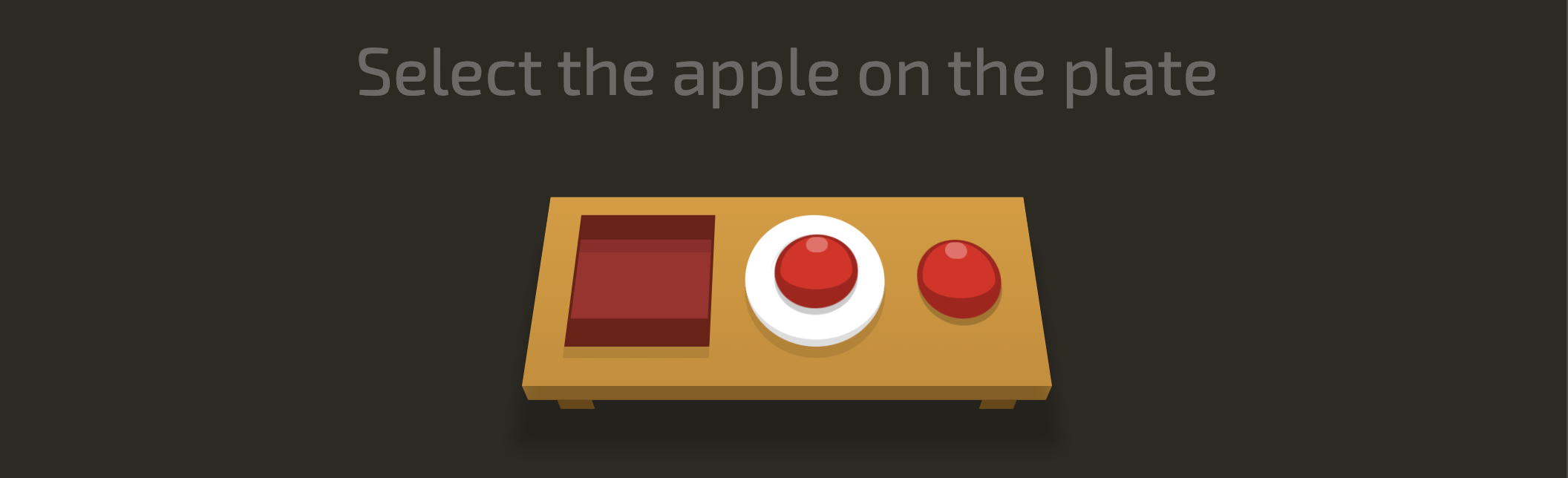
<div class="table">
	<bento />
	<plate>
		<apple />
	</plate>
	<apple />
</div>
plate 안에 있는 자손(자식) 요소를 선택하기 위해선 공백을 사용하면 된다.
plate apple
{
/* Styles would go here. */
}
5. Select the pickle on the fancy plate

<div class="table">
	<bento>
		<orange />
	</bento>
	<plate id="fancy">
		<pickle />
	</plate>
	<plate>
		<pickle />
	</plate>
</div>
"fancy" 라는 id를 가진 요소의 자손 요소를 선택
#fancy pickle
{
/* Styles would go here. */
}
6. Select the small apples

<div class="table">
	<apple />
	<apple class="small" />
	<plate>
		<apple class="small" />
	</plate>
	<plate />
</div>
class명이 "small"인 요소를 선택하기 위해서 클래스 이름 앞에 .을 사용해서 선택한다.
.small
{
/* Styles would go here. */
}
7. Select the small oranges

<div class="table">
    <apple />
	<apple class="small" />
	<bento>
		<orange class="small" />
	</bento>
	<plate>
		<orange />
	</plate>
	<plate>
		<orange class="small" />
	</plate>
</div>
orange 태그 요소들 중에 class 명이 "small"인 것들을 선택
orange.small
{
/* Styles would go here. */
}
8. Select the small oranges in the bentos

<div class="table">
	<bento>
		<orange />
	</bento>
	<orange class="small" />
	<bento>
		<orange class="small" />
	</bento>
	<bento>
		<apple class="small" />
	</bento>
	<bento>
		<orange class="small" />
	</bento>
</div>
bento 태그 안에 있는 오렌지 태그들 중 클래스명이 "small"인 요소들 선택!
bento orange.small
{
/* Styles would go here. */
}
9. Select all the plates and bentos

<div class="table">
	<pickle class="small" />
	<pickle />
	<plate>
		<pickle />
	</plate>
	<bento>
		<pickle />
	</bento>
	<plate>
		<pickle />
	</plate>
	<pickle />
	<pickle class="small" />
</div>
모든 plate와 bento 태그들을 선택하기 위해서는 ,를 사용한다.
plate, bento
{
/* Styles would go here. */
}
10. Select all the things!

<div class="table">
	<apple />
	<plate>
		<orange class="small" />
	</plate>
	<bento />
	<bento>
		<orange />
	</bento>
	<plate id="fancy" />
</div>
모든 요소 선택을 하려면 *를 사용한다.
*
{
/* Styles would go here. */
}
11. Select everything on a plate

<div class="table">
	<plate id="fancy">
		<orange class="small" />
	</plate>
	<plate>
		<pickle />
	</plate>
	<apple class="small" />
	<plate>
		<apple />
	</plate>
</div>
plate 태그 안에 있는 모든 요소들을 선택
plate *
{
/* Styles would go here. */
}
12. Select every apple that's next to a plate

<div class="table">
	<bento>
		<apple class="small" />
	</bento>
	<plate />
	<apple class="small" />
		<plate />
	<apple />
	<apple class="small" />
	<apple class="small" />
</div>
plate 태그 바로 다음에 있는 apple 태그를 선택하기 위해서는 인접 형제 선택자인 +를 사용한다.
(바로 뒤에 인접한 형제만 선택한다.)
plate+apple
{
/* Styles would go here. */
}
13. Select the pickles beside the bento

<div class="table">
	<pickle />
	<bento>
		<orange class="small" />
	</bento>
	<pickle class="small" />
	<pickle />
	<plate>
		<pickle />
	</plate>
	<plate>
		<pickle class="small" />
	</plate>
</div>
bento 태그 옆에 있는 pickle 태그 요소들을 선택하려면 일반 형제 선택자인 ~를 사용한다.
bento 태그 뒤에 나오는 형제들 중, pickle 태그를 가진 형제들이 선택되는 것이다.
bento~pickle
{
/* Styles would go here. */
}
14. Select the apple directly on a plate
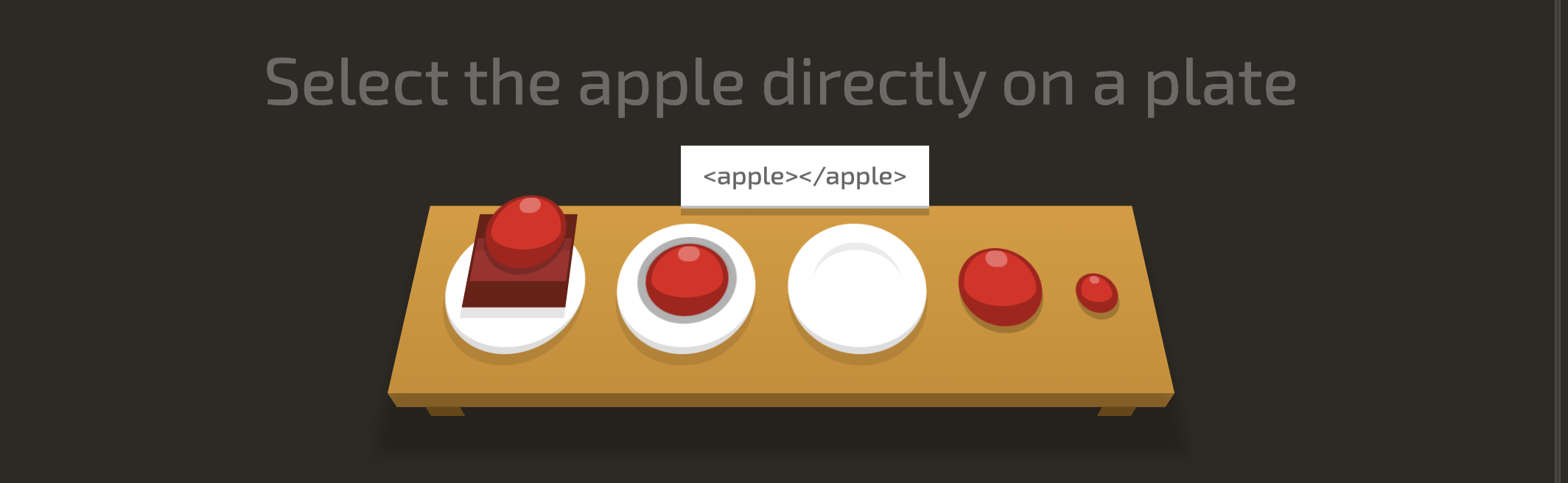
<div class="table">
	<plate>
		<bento>
			<apple />
		</bento>
	</plate>
	<plate>
		<apple />
		</plate>
	<plate />
	<apple />
	<apple class="small" />
</div>
plate 위에 바로 담겨있는 사과. 즉, plate 태그의 직계 자손들 중 apple 태그를 선택하라는 말이기 때문에 자식 선택자인 >를 사용한다.
plate>apple
{
/* Styles would go here. */
}
15. Select the top orange
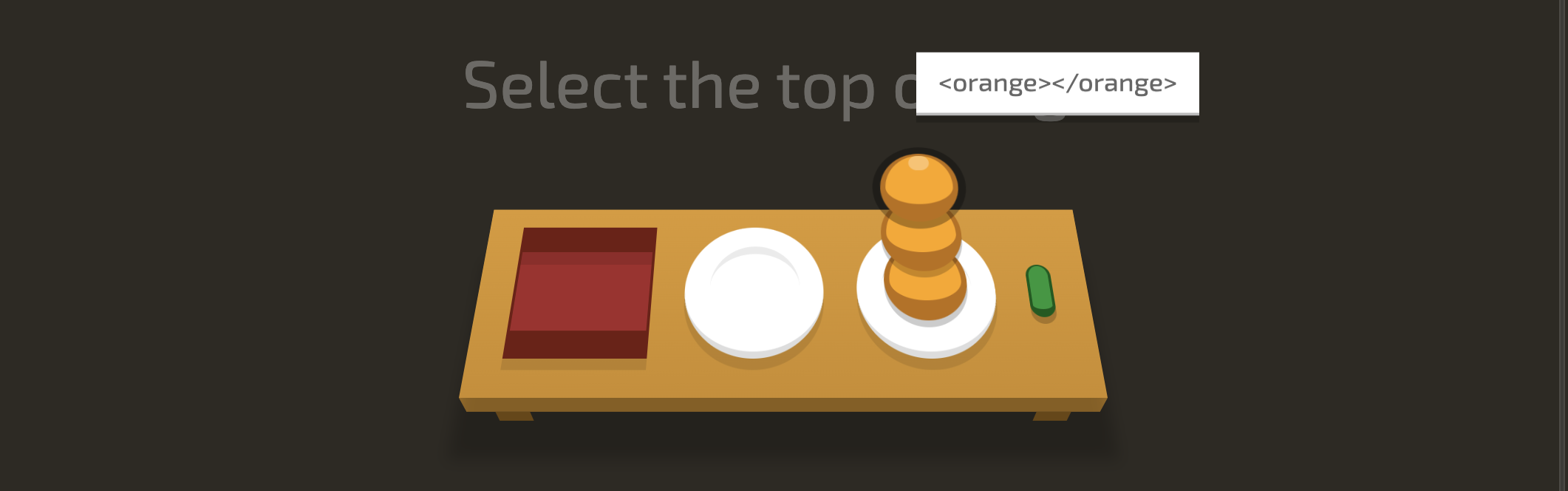
<div class="table">
	<bento />
	<plate />
	<plate>
		<orange />
		<orange />
		<orange />
	</plate>
	<pickle class="small" />
</div>
첫번째 자식 요소를 선택하려면 :first-child를 사용한다. 첫번째 자식 요소인 orange 태그를 선택하려면 다음과 같다.
orange:first-child
{
/* Styles would go here. */
}
16. Select the apple and the pickle on the plates

<div class="table">
	<plate>
		<apple />
	</plate>
	<plate>
		<pickle />
	</plate>
	<bento>
		<pickle />
	</bento>
	<plate>
		<orange class="small" />
		<orange />
	</plate>
	<pickle class="small" />
</div>
plate 위에 있는 사과와 피클을 선택. 즉,
plate 태그의 자식 요소들 중 하나만 있는 자식 요소들을 선택하려면 다음과 같다.
only-child 을 사용해서 하나만 존재하는 자식 요소를 찾는다.
여기서 orange 태그는 plate 태그 안에 두개가 존재하기 때문에 only-child가 아니게 되어 제외된다.
plate>:only-child
{
/* Styles would go here. */
}
17. Select the small apple and the pickle

<div class="table">
	<plate id="fancy">
		<apple class="small" />
	</plate>
	<plate />
	<plate>
		<orange class="small" />
		<orange />
	</plate>
	<pickle class="small" />
</div>
"small"이라는 클래스명을 가지고 있는 사과와 피클을 선택하라는 문제이다. 먼저 .small로만 작성해준다면 오렌지까지 포함되게 되는데, last-child을 사용해서 자식 요소들 중 가장 마지막 요소들만 선택하도록 하면 "small"이라는 클래스명을 가진 orange 태그가 제외되게 된다.
.small:last-child
{
/* Styles would go here. */
}
18. Select the 3rd plate

<div class="table">
	<plate />
	<plate />
	<plate />
	<plate id="fancy" />
</div>
세번째 plate를 선택!
자식 요소들 중 A번째 요소를 선택하는 :nth-child(A) 속성을 사용해준다.
.nth-child(3)
{
/* Styles would go here. */
}
19. Select the 1st bento

<div class="table">
	<plate />
	<bento />
	<plate>
		<orange />
      	<orange />
		<orange />
	</plate>
	<bento />
</div>
첫번째 bento를 선택해야 한다.
이를 :nth-last-child 속성을 사용해서 선택한다면 다음과 같다.
bento:nth-last-child(3)
{
/* Styles would go here. */
}
참고로,
:nth-last-child(3)
{
/* Styles would go here. */
}
이렇게 작성한다면 자식 요소들 중 뒤에서 세번째인 모든 요소들이 선택되기 때문에 plate 태그 안에 있는 자식 요소들인 orange 태그들 중 뒤에서 세번째인 orange 태그도 함께 선택되게 된다.
따라서 자식 요소들 중, bento 태그 중에서 뒤에서 세번째인 요소를 선택하려면 bento:nth-last-child(3) 이렇게 작성해주어야 한다.
20. Select first apple

<div class="table">
	<orange class="small" />
	<apple />
	<apple class="small" />
	<apple />
  	<apple class="small" />
	<plate>
		<orange class="small" />
		<orange />
	</plate>
</div>
첫번째로 나오는 apple 태그를 선택하면 된다.
first-of-type를 사용한다. 태그를 나타낼 때는 .이나 # 등 아무것도 붙지 않기 때문에 그냥 apple:first-of-type이렇게 작성해준다.
apple:first-of-type
{
/* Styles would go here. */
}
만약 .small:first-of-type 으로 작성해주었다면, 클래스(type이 class)명이 "small"인 요소들이 선택될 것이다. 따라서 맨 처음에 나오는 orange 태그와, plate 안에 있는 orange 태그가 선택될 것이다.
21. Select all even plates

<div class="table">
	<plate />
	<plate />
	<plate />
	<plate />
	<plate id="fancy" />
	<plate />
</div>
plate들 중 짝수번째의 plate들을 선택하려면 :nth-of-type(A)를 사용한다. 여기서 A는 주기를 나타내는 숫자나 수식을 의미한다.
:nth-of-type(even)
{
/* Styles would go here. */
}
22. Select every 2nd plate, starting from the 3rd

<div class="table">
	<plate />
	<plate>
		<pickle class="small" />
	</plate>
	<plate>
		<apple class="small" />
	</plate>
	<plate />
	<plate>
		<apple />
	</plate>
	<plate />
</div>
어려워 보이지만 제목을 통해서 힌트를 얻을 수 있다. 21번에서 사용한 :nth-of-type(A)의 A에 해당하는 수식을 넣어준다.
:nth-of-type(2n+3)
{
/* Styles would go here. */
}
23. Select the apple on the middle plate
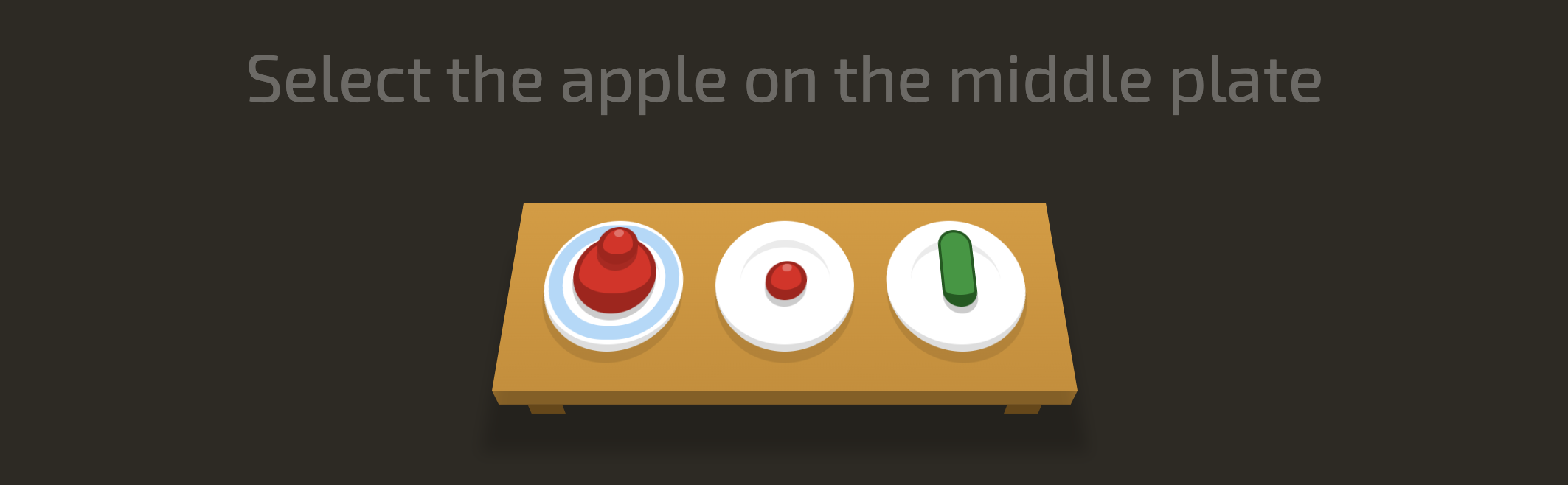
<div class="table">
	<plate id="fancy">
		<apple class="small" />
		<apple />
	</plate>
	<plate>
		<apple class="small" />
	</plate>
	<plate>
		<pickle />
	</plate>
</div>
가운데 plate에 있는 apple을 선택하는 문제이다.
:only-of-type을 사용해야 한다.
plate 안에 있는 자식 요소들인 apple 태그 요소들 중, 자식 요소의 개수가 하나인 태그를 선택하면 된다.
그러면 맨 첫번째 접시에는 사과가 두개 놓여져 있으니까 제외되게 된다.
plate apple:only-of-type
{
/* Styles would go here. *
}
24. Select the last apple and orange
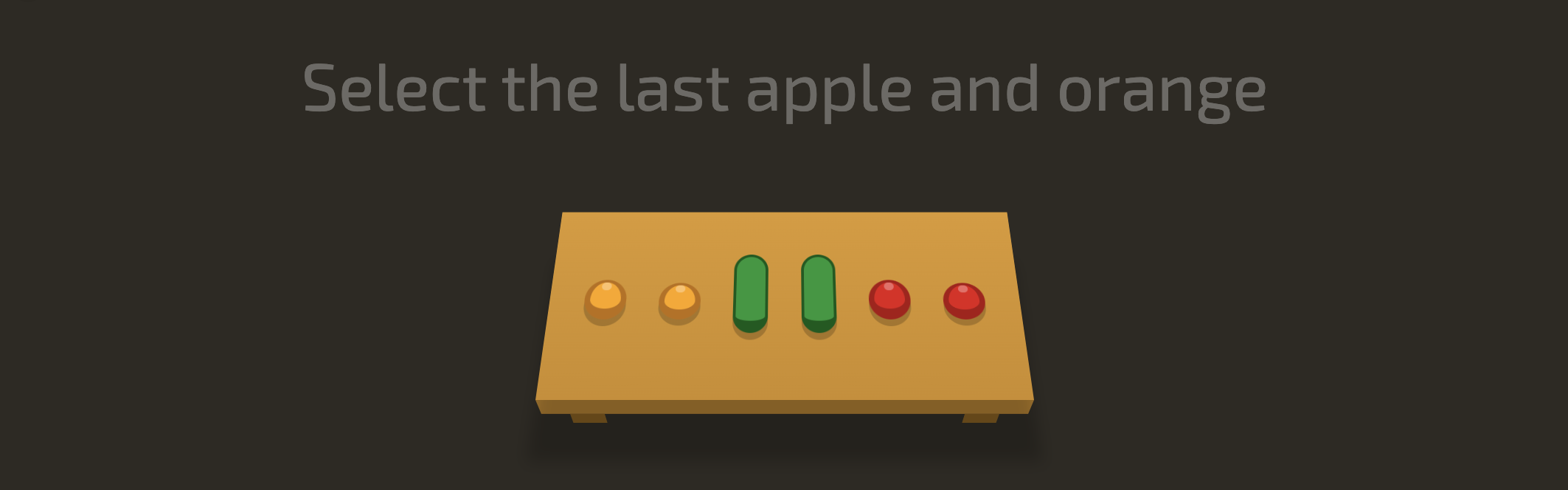
<div class="table">
	<orange class="small" />
	<orange class="small" />
	<pickle />
	<pickle />
	<apple class="small" />
	<apple class="small" />
</div>
마지막 apple과 orange 태그를 선택해야 한다.
코드를 살펴보면 pickle을 제외한 apple, orange 태그에만 "small" 클래스명이 지정되어 있는 것을 알 수 있다.
last-of-type을 사용해서 해당 타입을 가진 가장 마지막 자식 요소를 선택해주면 된다.
"small" 클래스명을 가지고 있는 자식 요소들 중 가장 마지막에 위치한 태그 선택!
small:last-of-type
{
/* Styles would go here. *
}
25. Select the empty bentos

비워져있는 bento들을 선택해야 한다.
<div class="table">
	<bento />
	<bento>
		<pickle class="small" />
	</bento>
	<plate />
	<bento />
</div>
안에 자식 요소들이 아무것도 없는 bento 태그들을 선택하기 위해선 empty을 사용한다.
bento:empty
{
/* Styles would go here. *
}
26. Select the big apples

<div class="table">
	<plate id="fancy">
		<apple class="small" />
	</plate>
	<plate>
		<apple />
	</plate>
	<apple />
	<plate>
		<orange class="small" />
	</plate>
	<pickle class="small" />
</div>:not(X)을 사용하면 된다.
큰 사과를 선택하려면 작은("small" 클래스명을 가진) 사과들을 제외한 사과들을 선택하면 된다.
apple:not(.small)
{
/* Styles would go here. *
}
27. Select the items for someone

<div class="table">
	<bento>
		<apple class="small" />
	</bento>
	<apple for="Ethan" />
	<plate for="Alice">
		<pickle />
	</plate>
	<bento for="Clara">
		<orange />
	</bento>
	<pickle />
</div>
for 속성이 있는 것들만 선택하기 위해선 이렇게
[for]
{
/* Styles would go here. *
}
28. Select the plates for someone

<div class="table">
	<plate for="Sarah">
		<pickle />
	</plate>
	<plate for="Luke">
		<apple />
	</plate>
	<plate />
	<bento for="Steve">
		<orange />
	</bento>
</div>
plate 태그 안에 있는 요소들 중 for 속성이 있는 요소들을 선택하려면 이렇게
plate[for]
{
/* Styles would go here. *
}
29. Select Vitaly's meal

<div class="table">
	<apple for="Alexei" />
		<bento for="Albina">
	<apple />
	</bento>
	<bento for="Vitaly">
		<orange />
	</bento>
	<pickle />
</div>
for 속성의 값이 "Vitaly"인 것만 선택
[for="Vitaly"]
{
/* Styles would go here. *
}
30. Select the items for names that start with 'Sa'

<div class="table">
	<plate for="Sam">
		<pickle />
	</plate>
	<bento for="Sarah">
		<apple class="small" />
	</bento>
	<bento for="Mary">
		<orange />
	</bento>
</div>
for 속성의 값이 "Sa"로 시작하는 것을 선택하려면 ^를 넣어준다.
[for^="Sa"]
{
/* Styles would go here. *
}
31. Select the items for names that end with 'ato'
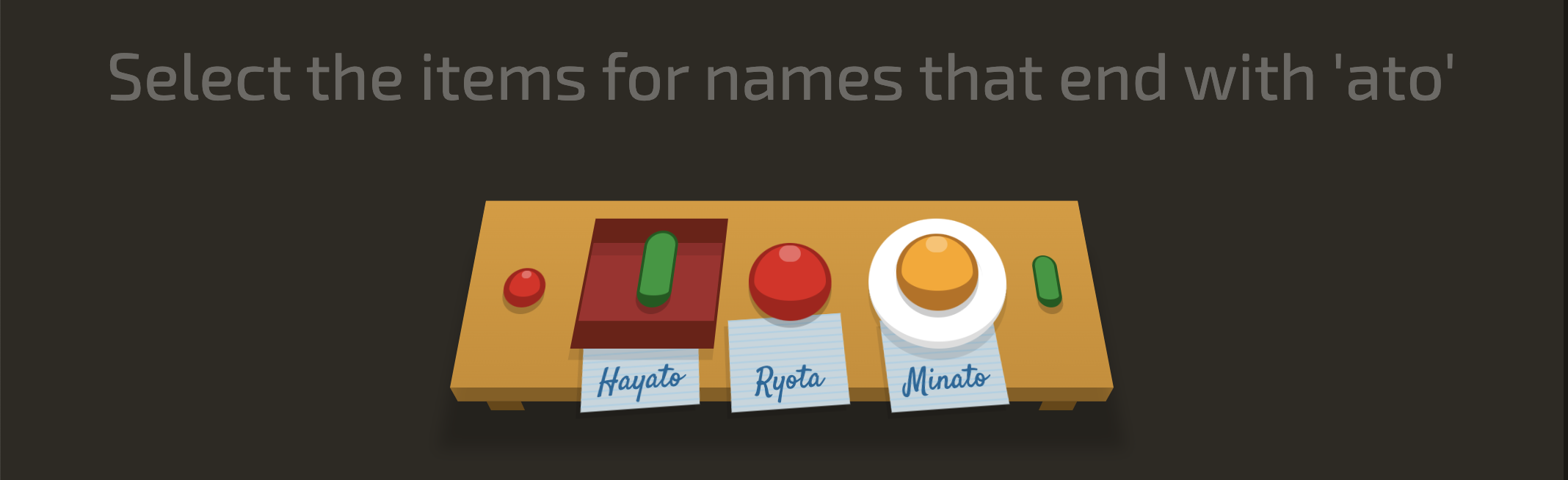
<div class="table">
	<apple class="small" />
	<bento for="Hayato">
		<pickle />
	</bento>
	<apple for="Ryota" />
	<plate for="Minato">
		<orange />
	</plate>
	<pickle class="small" />
</div>
for 속성의 값이 "ato"로 끝나는 것을 선택하려면 $를 넣어준다.
[for$="ato"]
{
/* Styles would go here. *
}
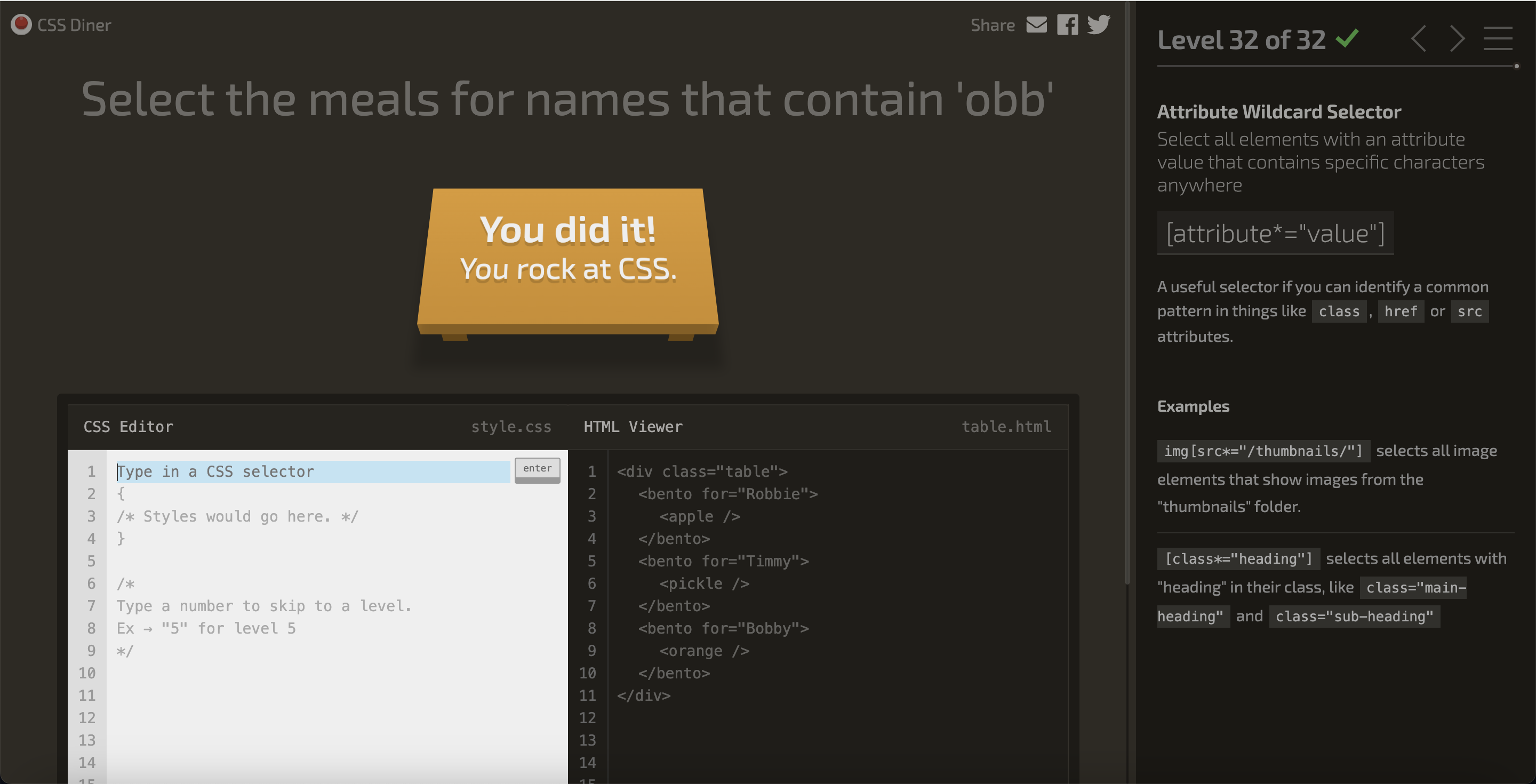
32. Select the meals for names that contain 'obb'
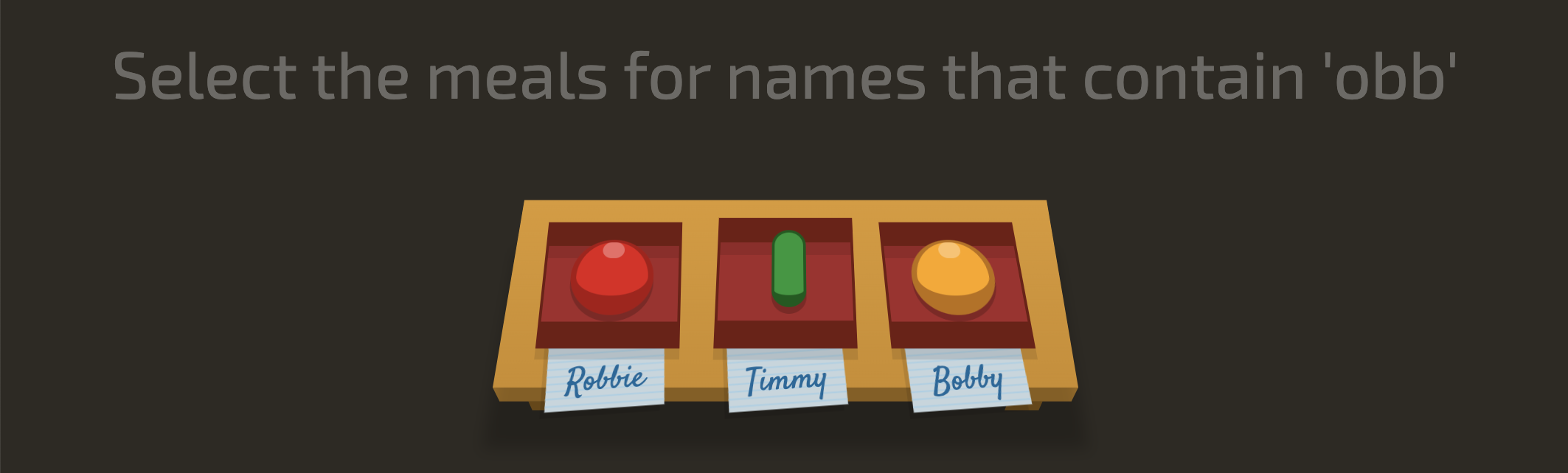
<div class="table">
	<bento for="Robbie">
		<apple />
	</bento>
	<bento for="Timmy">
		<pickle />
	</bento>
  	<bento for="Bobby">
		<orange />
	</bento>
</div>
for 속성의 값이 "obb"를 포함하는 것을 선택하려면 *를 넣어준다.
[for*="obb"]
{
/* Styles would go here. *
}
따단!