-
const [working, setWorking] = useState(true); 를 이용해서 work 와 travel을 클릭할 때 색이 바뀌도록 한다.
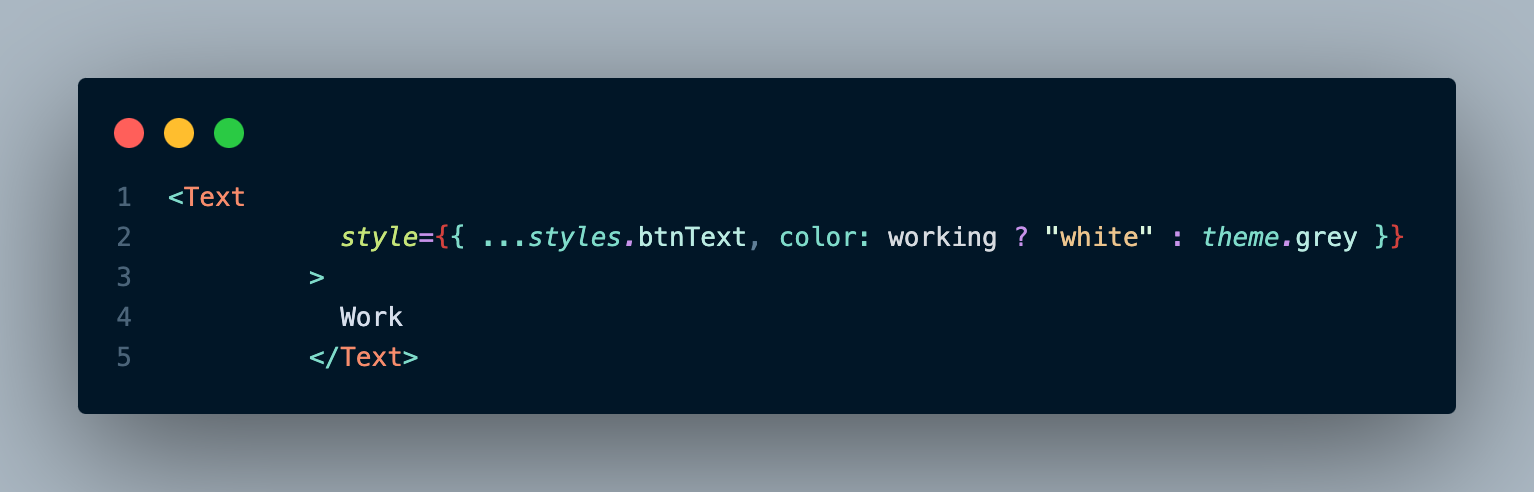
-
TextInput을 이용해서 사용자의 입력을 받는다.
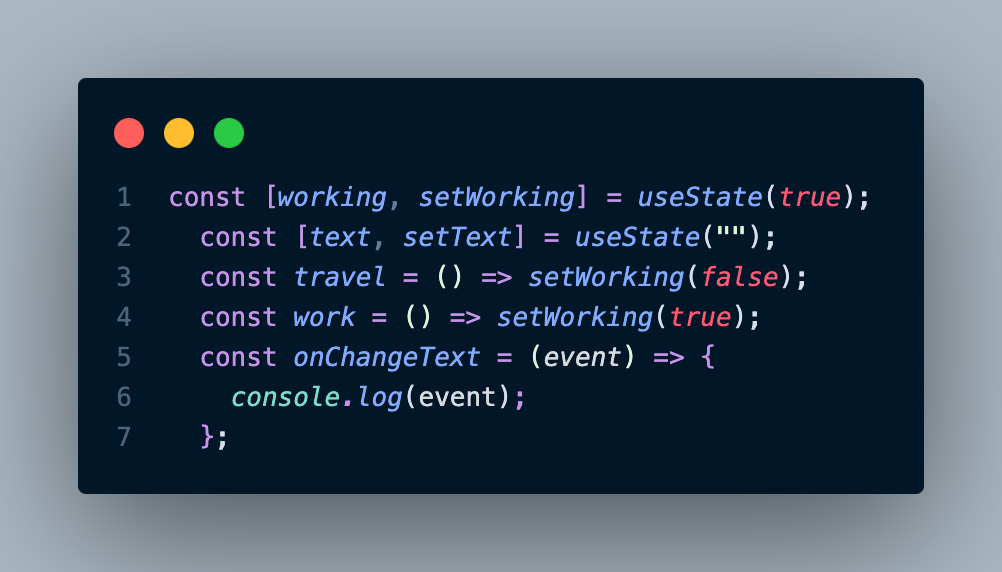
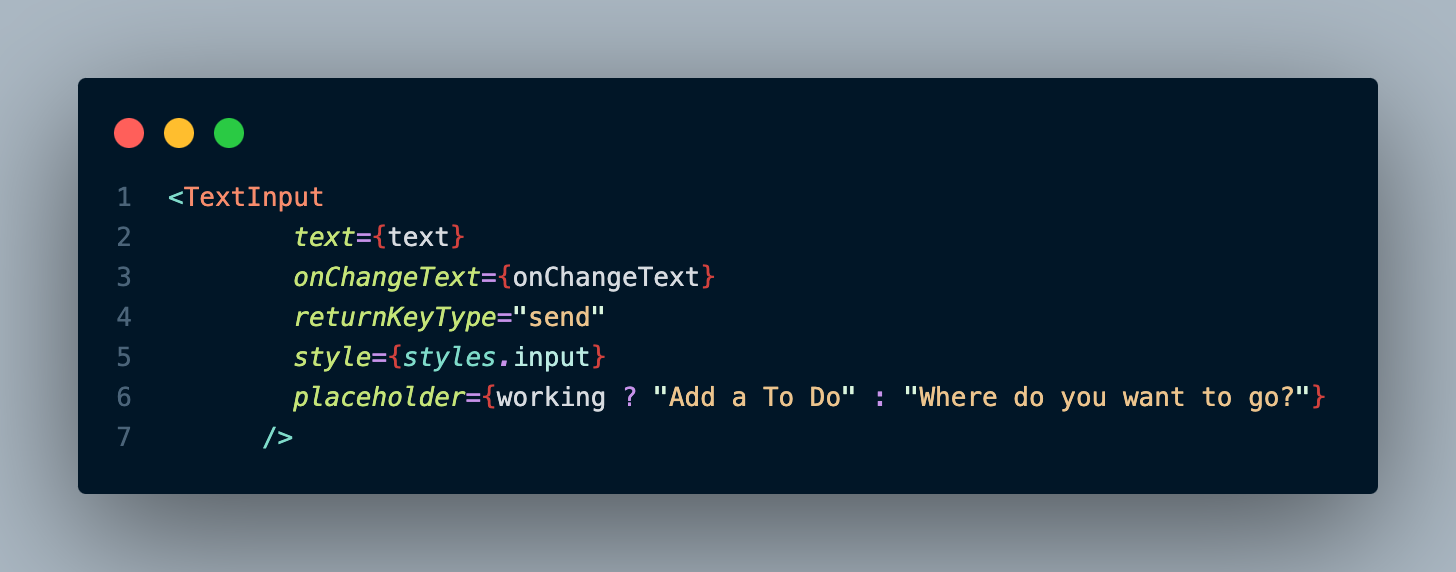
-
Date.now()를 키로 하는 오브젝트를 생성한다.
const newToDos = { ...toDos, [Date.now()]: { text, work: working } };- toDos를 scrollView 에 넣는다.
<ScrollView>
        {Object.keys(toDos).map((key) => (
          <View style={styles.toDo} key={key}>
            <Text style={styles.toDoText}>{toDos[key].text}</Text>
          </View>
        ))}
</ScrollView>
전체코드
import { StatusBar } from "expo-status-bar";
import {
  StyleSheet,
  Text,
  View,
  TouchableOpacity,
  TextInput,
  ScrollView,
} from "react-native";
import theme from "./colors";
import { useState } from "react";
export default function App() {
  const [working, setWorking] = useState(true);
  const [text, setText] = useState("");
  const [toDos, setToDos] = useState({});
  const travel = () => setWorking(false);
  const work = () => setWorking(true);
  const onChangeText = (payload) => setText(payload);
  const addToDo = () => {
    if (text === "") {
      return;
    }
    //save to do
    const newToDos = { ...toDos, [Date.now()]: { text, work: working } };
    setToDos(newToDos);
    console.log(newToDos);
    setText("");
  };
  return (
    <View style={styles.container}>
      <StatusBar style="auto" />
      <View style={styles.header}>
        <TouchableOpacity onPress={work}>
          <Text
            style={{ ...styles.btnText, color: working ? "white" : theme.grey }}
          >
            Work
          </Text>
        </TouchableOpacity>
        <TouchableOpacity onPress={travel}>
          <Text
            style={{
              ...styles.btnText,
              color: !working ? "white" : theme.grey,
            }}
          >
            Travel
          </Text>
        </TouchableOpacity>
      </View>

      <TextInput
        text={text}
        onSubmitEditing={addToDo}
        onChangeText={onChangeText}
        returnKeyType="done"
        style={styles.input}
        placeholder={working ? "Add a To Do" : "Where do you want to go?"}
      />
      <ScrollView>
        {Object.keys(toDos).map((key) => (
          <View style={styles.toDo} key={key}>
            <Text style={styles.toDoText}>{toDos[key].text}</Text>
          </View>
        ))}
      </ScrollView>
    </View>
  );
}

const styles = StyleSheet.create({
  container: {
    flex: 1,
    backgroundColor: theme.bg,
    paddingHorizontal: 20,
  },
  header: {
    justifyContent: "space-between",
    flexDirection: "row",
    marginTop: 100,
  },
  btnText: {
    fontSize: 44,
    fontWeight: "600",
  },
  input: {
    backgroundColor: "white",
    paddingVertical: 10,
    paddingHorizontal: 20,
    borderRadius: 30,
    marginVertical: 20,
    fontSize: 18,
  },
  toDo: {
    backgroundColor: theme.toDoBg,
    marginBottom: 10,
    paddingVertical: 20,
    paddingHorizontal: 20,
    borderRadius: 15,
  },
  toDoText: {
    color: "white",
    fontSize: 16,
    fontWeight: "500",
  },
});

어른 아이