사전준비
- node.js
- vscode
설치
1. 폴더 생성
mkdir typechain && cd typechain
2. node.js 초기화
npm init -y
3. typescript 설치
npm i -D typescript
4. tsconfig.json 파일 생성
5. tsconfig.json 프로퍼티 설정
{
 	"include":["src"]
  	"compilerOptions":{
      "outDir":["build"]
      "target":"ES6"
      "lib":["ES6","DOM"]
    }
}- include : 어떤 폴더에 typescript 파일이 있는지
- compilerOptions
- outDir: 변환된 파일이 어디에 위치할 것인지
- target: 어떤 버전의 javascript로 변환할 것인지
- lib :typescript 가 동작하는 환경 정의
- ex) DOM(브라우저환경) 을 입력하면 typescript는 document를 입력할때 브라우저 document 객체의 자동완성을 도와줌
6. package.json 수정
{
  "name": "typechain",
  "version": "1.0.0",
  "description": "",
  "scripts": {
    "build": "tsc" //build에 추가
  },
  "keywords": [],
  "author": "",
  "license": "ISC"
}
7. 타입 스크립트 빌드
npm run build
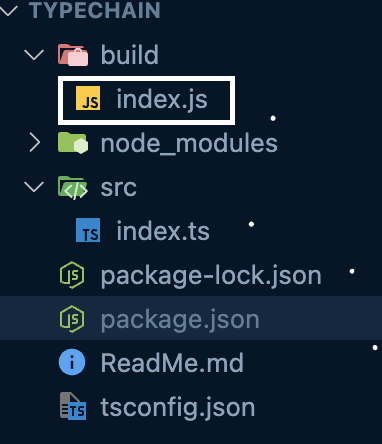
8. build 폴더에 생성된 파일 확인

어른 아이