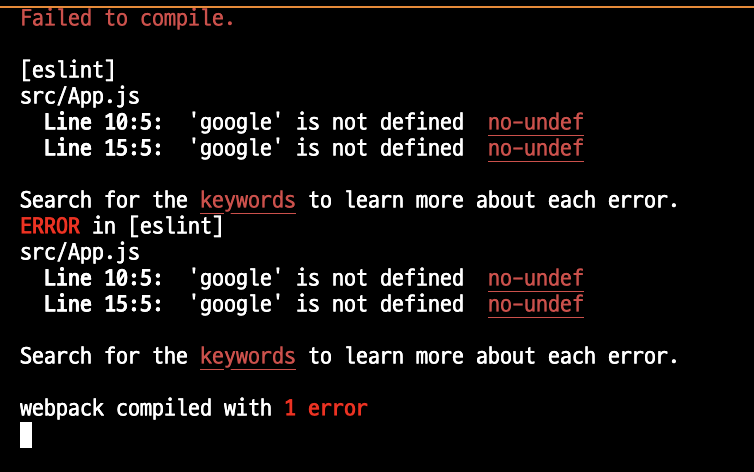
src/App.js
Line 10:5: 'google' is not defined no-undef
Line 15:5: 'google' is not defined no-undef
Search for the keywords to learn more about each error.
ERROR in [eslint]
src/App.js
Line 10:5: 'google' is not defined no-undef
Line 15:5: 'google' is not defined no-undef
Search for the keywords to learn more about each error.
webpack compiled with 1 error
- index.html :
<title>React App</title>밑에
<script src="https://accounts.google.com/gsi/client" async defer></script>
- App.js
import { useEffect } from 'react';

function App() {
  function handleLoginResponse(response) {
    console.log("Encoded JWT ID token: " + response.credential);
  }

  useEffect(() => {
    // global google
    google.accounts.id.initialize({
      client_id: "138487470041-qo2hanr2791bvr3th4tunvm729gqbbqs.apps.googleusercontent.com",
      callback: handleLoginResponse
    });

    google.accounts.id.renderButton(
      document.getElementById("signInDiv"),
      { theme: "outline", size: "large" }
    );
  }, []);

  return (
    <div className="App">
      <div id="signInDiv"></div>
    </div>
  );
}

export default App;
- 해결
import { useEffect } from 'react';

const google = window.google;

function App() {
  function handleLoginResponse(response) {
    console.log("Encoded JWT ID token: " + response.credential);
  }

  useEffect(() => {
    // global google
    google.accounts.id.initialize({
      client_id: "138487470041-qo2hanr2791bvr3th4tunvm729gqbbqs.apps.googleusercontent.com",
      callback: handleLoginResponse
    });

    google.accounts.id.renderButton(
      document.getElementById("signInDiv"),
      { theme: "outline", size: "large" }
    );
  }, []);

  return (
    <div className="App">
      <div id="signInDiv"></div>
    </div>
  );
}

export default App;
The solution was to implicitly define google in a variable above the class, like this:
const google = window.google
왓두유민