db.json (요청할 데이터)
{
  "customers": [
    {
      "id": 1,
      "name": "Bob",
      "age": 31,
      "grade": "vip"
    },
    {
      "id": 2,
      "name": "Chris",
      "age": 25,
      "grade": "basic"
    },
    {
      "id": 3,
      "name": "Jane",
      "age": 21,
      "grade": "basic"
    }
  ]
}
ui.js (출력함수)
class UI {
	//data가 배열 형태일 때 출력함수
    static printMultiple(data) {
        let output = '';

        data.forEach(customer => {
            output += `
            <ul class='list-group'>
                <li class='list-group-item'> name: ${customer.name}</li>
                <li class='list-group-item'> age: ${customer.age}</li>
                <li class='list-group-item'> grade: ${customer.grade}</li>
            </ul>
            <br>
            `;
        });
        document.getElementById('output').innerHTML = output;
    }

	// data가 객체 형태일 때 출력함수
    static printSingle(data) {
        let output = `
        <ul class='list-group'>
            <li class='list-group-item'> name: ${data.name}</li>
            <li class='list-group-item'> age: ${data.age}</li>
            <li class='list-group-item'> grade: ${data.grade}</li>
        </ul>
        <br>
        `;
        document.getElementById('output').innerHTML = output;

    }
}
1. Get Request
async function get() {
    try{
        res = await fetch('/customers'); //promise를 반환
        data = await res.json();//Object화 시켜줌
        //console.log(typeof(data));
        //console.log(data);
        UI.printMultiple(data);
    }
    catch(err) {
        console.log(err);
    }
}
fetch로 customers의 데이터를 가져올 때까지 await 하여 res에 저장한다.
Promise 타입으로 반환 된 response를 객체화 할때까지 await 하여 data 저장한다.
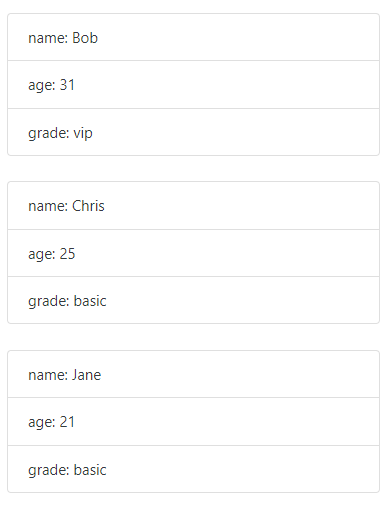
get으로 가져온 전체 데이터
2. Post Request
async function post() {
    res  = await fetch('/customers', {
        method: "POST",
        headers: {
            "Content-type": "application/json"
        },
        body: JSON.stringify({
            id: 4,
            name: 'Alice',
            age: 23,
            grade: 'basic'
        })
    });

	data = await res.json();
    UI.printSingle(data);

}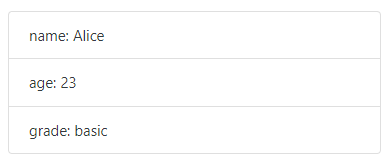
post로 이름이 Alice인 새로운 데이트 등록
3. Put Request
async function put() {
    res = await fetch('/customers/4', {
        method: 'PUT',
        headers: {
            "Content-type": "application/json"
        },
        body: JSON.stringify({
            id: 4,
            name: 'Dahye',
            age: 23,
            grade: 'basic'
        })
    });
    data = await res.json();
    UI.printSingle(data);
}
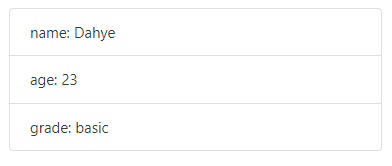
put으로 id가 4인 데이터의 이름을 Dahye로 수정
4. Patch Request
async function patch() {
    res = await fetch('/customers/4', {
        method: 'PATCH',
        headers: {
            "Content-type": "application/json"
        },
        body: JSON.stringify({
            grade: 'vip'
        })
    });
    data = await res.json();
    UI.printSingle(data);
}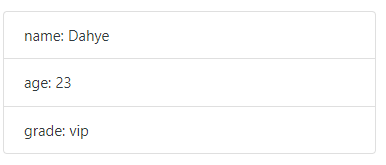
patch로 id가 4인 데이터의 일부분인 grade를 vip로 수정
5. Delete Request
async function Delete() {
    res = await fetch('/customers/4', {
        method: 'DELETE'
    });
    //data = await res.json();
    console.log('success deleted');
}
delete로 id가 4인 데이터 삭제