Java 17로 프로젝트
IntelliJ를 사용해서 Java 17로 프로젝트를 생성하고 ./gradlew build 명령어를 사용하여 gradle을 실행시켰는데
No matching variant of org.springframework.boot:spring-boot-gradle-plugin:3.1.8 was found. The consumer was configured to find a runtime of a library compatible with Java 11, packaged as a jar, and its dependencies declared externally, as well as attribute 'org.gradle.plugin.api-version' with value '8.5' but:
          - Variant 'apiElements' capability org.springframework.boot:spring-boot-gradle-plugin:3.1.8 declares a library, packaged as a jar, and its dependencies declared externally:
              - Incompatible because this component declares an API of a component compatible with Java 17 and the consumer needed a runtime of a component compatible with Java 11
              - Other compatible attribute:
                  - Doesn't say anything about org.gradle.plugin.api-version (required '8.5')
          - Variant 'javadocElements' capability org.springframework.boot:spring-boot-gradle-plugin:3.1.8 declares a runtime of a component, and its dependencies declared externally:
              - Incompatible because this component declares documentation and the consumer needed a library
              - Other compatible attributes:
                  - Doesn't say anything about its target Java version (required compatibility with Java 11)
                  - Doesn't say anything about its elements (required them packaged as a jar)
                  - Doesn't say anything about org.gradle.plugin.api-version (required '8.5')
          - Variant 'mavenOptionalApiElements' capability org.springframework.boot:spring-boot-gradle-plugin-maven-optional:3.0.1 declares a library, packaged as a jar, and its dependencies declared externally:
              - Incompatible because this component declares an API of a component compatible with Java 17 and the consumer needed a runtime of a component compatible with Java 16
              - Other compatible attribute:
                  - Doesn't say anything about org.gradle.plugin.api-version (required '8.5')
          - Variant 'mavenOptionalRuntimeElements' capability org.springframework.boot:spring-boot-gradle-plugin-maven-optional:3.0.1 declares a runtime of a library, packaged as a jar, and its dependencies declared externally:
              - Incompatible because this component declares a component compatible with Java 17 and the consumer needed a component compatible with Java 11
              - Other compatible attribute:
                  - Doesn't say anything about org.gradle.plugin.api-version (required '8.5')
          - Variant 'runtimeElements' capability org.springframework.boot:spring-boot-gradle-plugin:3.1.8 declares a runtime of a library, packaged as a jar, and its dependencies declared externally:
              - Incompatible because this component declares a component compatible with Java 17 and the consumer needed a component compatible with Java 11
              - Other compatible attribute:
                  - Doesn't say anything about org.gradle.plugin.api-version (required '8.5')
          - Variant 'sourcesElements' capability org.springframework.boot:spring-boot-gradle-plugin:3.1.8 declares a runtime of a component, and its dependencies declared externally:
              - Incompatible because this component declares documentation and the consumer needed a library
              - Other compatible attributes:
                  - Doesn't say anything about its target Java version (required compatibility with Java 11)
                  - Doesn't say anything about its elements (required them packaged as a jar)
                  - Doesn't say anything about org.gradle.plugin.api-version (required '8.5')
이와 같은 오류가 발생했다.
이를 해결하기 위해서
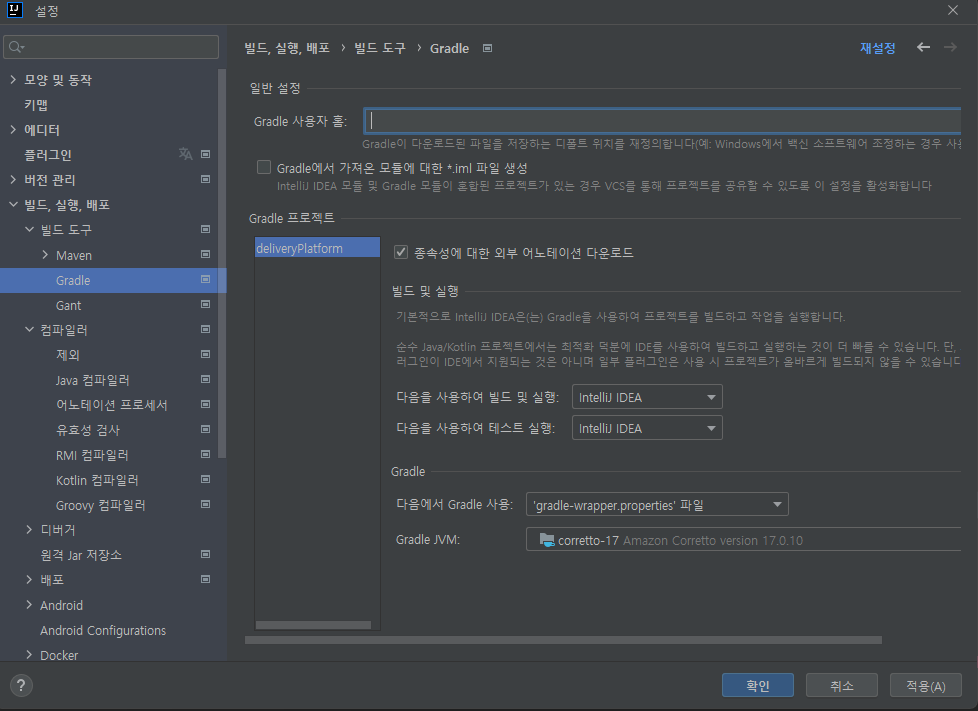
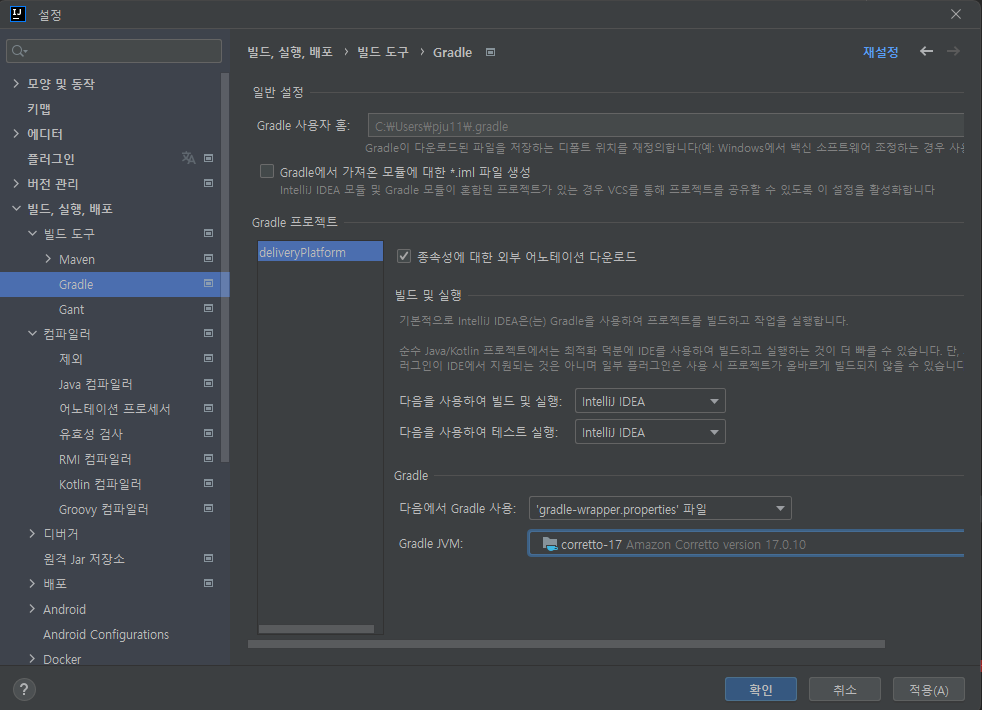
JVM 설정을 17로 변경하고
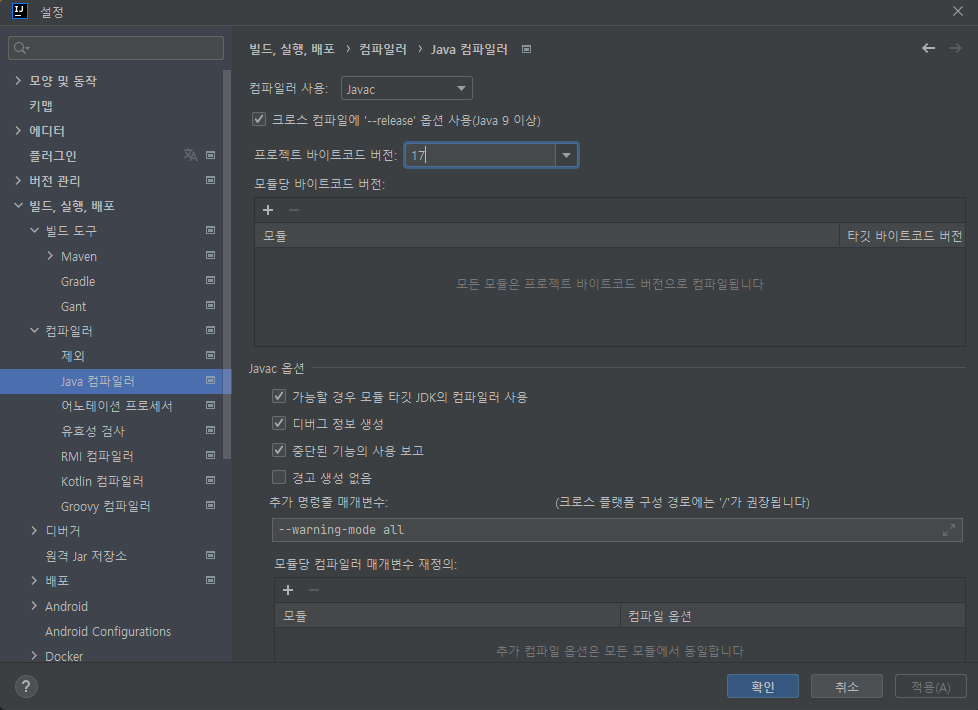
컴파일러 바이트코드 버전도 17로 변경
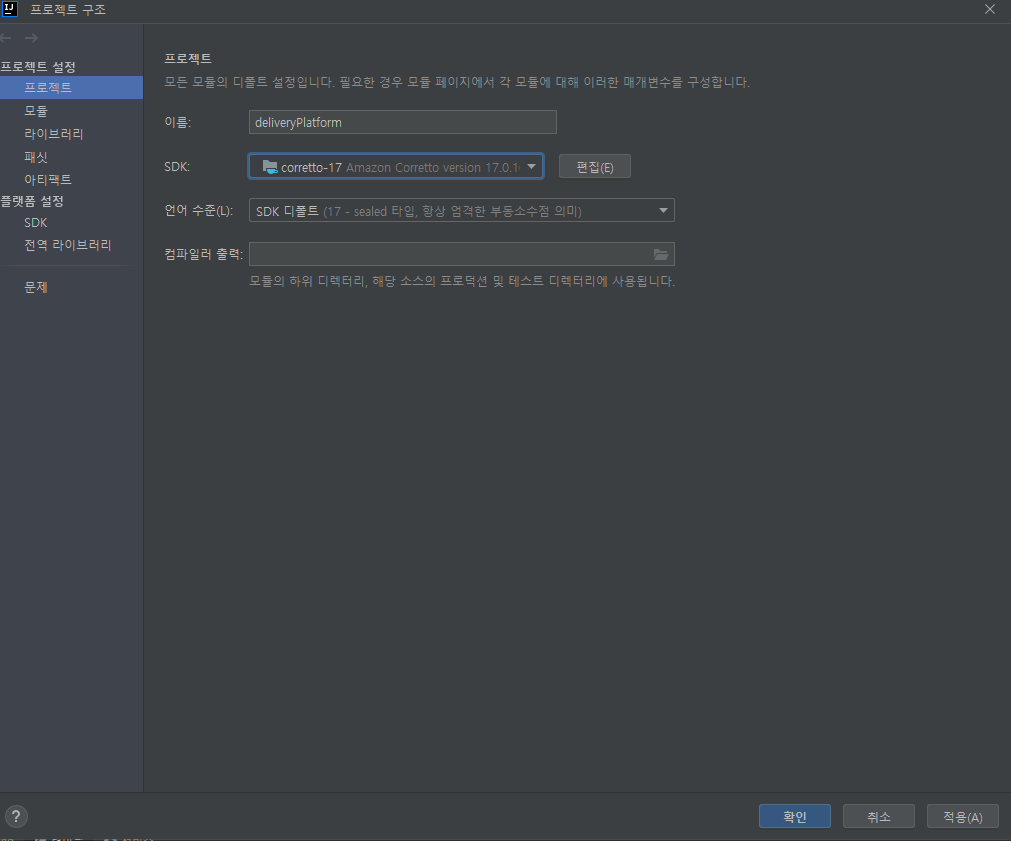
프로젝트 구조의 SDK도 변경하였다.
이렇게 해서 해결될 일이면 글을 쓰지 않았다...
남들은 IntelliJ 에서 JDK 다운 받아서 잘 쓰거나 위의 해결방법을 사용하면 다 해결되었는데 나는 해결이 안됐다.
늘 나에게만 엄격해
그래서 또 해결 방법을 찾던 중
나는 터미널에서 java -version 을 입력했을 때 11버전이 나오는 것을 확인했다.
프로젝트 구조에서 JDK 홈 경로도 제대로 설정되어 있고 설치도 제대로 되어있는 것을 확인했지만 java 11만 확인됐다...
그 원인은 JAVA_HOME이 java 11 경로로 설정되있기 때문이였다.
gradle은 기본적으로 JAVA_HOME이 지정한 위치의 Java를 불러오기 때문에
오류가 발생한 것이였다.
이를 해결하기 위한 방법은
- 프로젝트
gradle폴더에gradle.properties파일에서org.gradle.java.home={JDK 파일 경로}로 설정해줘도 되고 - JAVA_HOME 경로를 java 17 설치 경로로 변경해줘도 된다.
나는 JAVA_HOME 경로를 변경해주었고 해당 오류가 해결되었다.
