
지난 시간에는 jwt 적용을 했다면 이번 시간에는 api gateway에 jwt와 스프링 시큐리티를 적용해보는 시간을 가졌다.
목적
보안 처리는 필터 체인을 따라 진행된다. 게이트 웨이에서 등록한 체인이 클라이언트 요청을 가로채서 필터링한다.
용어
Authentication interface
사용자의 인증 상태와 관련된 모든 정보를 포함하고 있는 인터페이스.
Collection<? extends GrantedAuthority> getAuthorities();
Object getCredentials();
Object getPrincipal();
boolean isAuthenticated();
...
Principal interface
인증된 사용자의 정보를 가지고 있다.
public boolean equals(Object another);
public String toString();
public int hashCode();
public String getName();
...
적용
1. 의존성 추가
implementation 'org.springframework.boot:spring-boot-starter-security'
implementation 'io.jsonwebtoken:jjwt-api:0.12.5'
runtimeOnly 'io.jsonwebtoken:jjwt-impl:0.12.5'
runtimeOnly 'io.jsonwebtoken:jjwt-jackson:0.12.5'
2. yml jwt 설정
jwt:
  header: Authorization
  secret-key: 이전 user 프로젝트와 같은 키
작성할 클래스는 다음과 같다.
JwtConfigProperties -> header, secretKey
UserPrincipal -> principal 상속 받음
JwtAuthentication -> 인증 관련 클래스
JwtTokenValidator -> 토큰 유효성 관련 클래스
WebSecurityConfig -> 웹 cors 등 허용 설정
JwtAuthenticationFilter
JwtConfigProperties
설정값을 담는 클래스.
config 애노테이션 : yml에 있는 jwt 관련 설정 값을 자동으로 주입
@Component
@ConfigurationProperties
@Getter
@Setter
public class JwtConfigProperties {
    private String header;
    private String secretKey;
}
UserPrincipal
사용자 정보 표현
@Getter
@RequiredArgsConstructor
public class UserPrincipal implements Principal {
    private final String userId;

    public boolean hasName() {
        return userId != null;
    }
    public boolean hasMandatory() {
        return userId != null;
    }

    @Override
    public boolean equals(Object another) {
        if(this == another) {
            return true;
        }
        if(another == null) {
            return false;
        }
        if(!getClass().isAssignableFrom(another.getClass())) {
            return false;
        }

        UserPrincipal principal = (UserPrincipal) another;

        if(!Objects.equals(userId, principal.userId)) {
            return false;
        }
        return true;
    }

    @Override
    public String toString() {
        return getName();
    }

    @Override
    public int hashCode() {
        int result = userId != null ? userId.hashCode() : 0;
        return result;
    }

    @Override
    public String getName() {
        return userId; //유저 아이디 반환
    }
}
JwtAuthentication
jwt를 통해 인증 토큰을 표현
@Getter
public class JwtAuthentication extends AbstractAuthenticationToken {

    private final String token;
    private final UserPrincipal principal;

    public JwtAuthentication(UserPrincipal principal, String token, Collection<? extends GrantedAuthority> authorities) {
        super(authorities); // 권한 설정
        this.token = token;
        this.principal = principal;
        this.setDetails(principal);
        setAuthenticated(true); // 인증완료
    }

    @Override
    public boolean isAuthenticated() {
        return true;
    }

    @Override
    public Object getCredentials() { // 자격 증명 반환
        return token;
    }

    @Override
    public Object getPrincipal() {
        return principal;
    }
}
JwtTokenValidator
@Component
@RequiredArgsConstructor
public class JwtTokenValidator {

    private final JwtConfigProperties configProperties;
    private volatile SecretKey secretKey;
    private SecretKey getSecretKey() {
        if (secretKey == null) {
            synchronized (this) {
                if (secretKey == null) {
                    secretKey = Keys.hmacShaKeyFor(Decoders.BASE64.decode(configProperties.getSecretKey()));
                }
            }
        }
        return secretKey;
    }

    public JwtAuthentication validateToken(String token) {
        String userId = null;

        final Claims claims = this.verifyAndGetClaims(token);
        if (claims == null) {
            return null;
        }
        Date expirationDate = claims.getExpiration();
        if (expirationDate == null || expirationDate.before(new Date())){
            return null;
        }
        userId = claims.get("userId", String.class);

        String tokenType = claims.get("tokenType", String.class);
        if(!"access".equals(tokenType)){
            return null;
        }

        UserPrincipal principal = new UserPrincipal(userId);

        return new JwtAuthentication(principal, token, getGrantedAuthorities("user"));
        //인증 유무 메소드 포함되어 있음
    }


    private Claims verifyAndGetClaims(String token) {
        Claims claims;
        try {
            claims = Jwts.parser()
                    .verifyWith(getSecretKey())
                    .build()
                    .parseSignedClaims(token)
                    .getPayload();
        } catch (Exception e) {
            claims = null;
        }
        return claims;
    }

    private List<GrantedAuthority> getGrantedAuthorities(String role) {
        ArrayList<GrantedAuthority> grantedAuthorities = new ArrayList<>();
        if(role != null) {
            grantedAuthorities.add(new SimpleGrantedAuthority(role));
        }
        return grantedAuthorities;
    }

    public String getToken(HttpServletRequest request) {
        String authHeader = getAuthHeaderFromHeader(request);
        if( authHeader != null && authHeader.startsWith("Bearer ")) {
            return authHeader.substring(7);
        }
        return null;
    }

    private String getAuthHeaderFromHeader(HttpServletRequest request) {
        return request.getHeader(configProperties.getHeader());
    }
}
JwtAuthenticationFilter
jwt 추출, 인증 객체 생성, Spring Security Context에 저장
@Slf4j
@RequiredArgsConstructor
public class JwtAuthenticationFilter extends OncePerRequestFilter {
    private final JwtTokenValidator jwtTokenValidator;

    @Override
    protected void doFilterInternal(HttpServletRequest request, HttpServletResponse response, FilterChain filterChain) throws ServletException, IOException {

       String jwtToken = jwtTokenValidator.getToken(request);
-> 요청 헤더에 jwt 토큰 추출

       if(jwtToken!=null){
           JwtAuthentication authentication = jwtTokenValidator.validateToken(jwtToken);
-> 토큰 파싱, 유효성 검증 후 객체 생성
           if(authentication!=null){
               SecurityContextHolder.getContext().setAuthentication(authentication);
 -> 인증 객체를 SecurityContext에 등록 -> 인증된 사용자!
           }
       }
       filterChain.doFilter(request,response);
       -> 나머지 필터나 컨트롤러로 요청을 계속 전달
    }
}
WebSecurityConfig
시큐리티 전체 보안 설정, jwt 필터를 필터 체인에 등록.
@Configuration
@EnableWebSecurity
@RequiredArgsConstructor
public class WebSecurityConfig {
    private final JwtTokenValidator jwtTokenValidator;

    @Bean
    public SecurityFilterChain applicationSecurity(HttpSecurity http) throws Exception {
        http
            .cors(httpSecurityCorsConfigurer -> {
                    httpSecurityCorsConfigurer.configurationSource(corsConfigurationSource());
                })
            .csrf(AbstractHttpConfigurer::disable)
            .securityMatcher("/**")
            .sessionManagement(sessionManagementConfigurer
                        ->  sessionManagementConfigurer.sessionCreationPolicy(SessionCreationPolicy.STATELESS))
            .formLogin(AbstractHttpConfigurer::disable)
            .httpBasic(AbstractHttpConfigurer::disable)
            .addFilterBefore(
                new JwtAuthenticationFilter(jwtTokenValidator) -> jwt 인증 필터 먼저 실행되도록,
                    UsernamePasswordAuthenticationFilter.class)
            .authorizeHttpRequests(registry-> registry
            .requestMatchers("/api/user/v1/auth/**").permitAll()
                        .anyRequest().authenticated()
                );

        return http.build();
    }

    @Bean
    public CorsConfigurationSource corsConfigurationSource() {
        CorsConfiguration config =  new CorsConfiguration();

        config.setAllowCredentials(true);
        config.setAllowedOriginPatterns(List.of("*"));
        config.setAllowedMethods(List.of("GET", "POST", "PUT", "DELETE", "PATCH", "OPTIONS"));
        config.setAllowedHeaders(List.of("*"));
        config.setExposedHeaders(List.of("*"));

        UrlBasedCorsConfigurationSource source = new UrlBasedCorsConfigurationSource();
        source.registerCorsConfiguration("/**", config);

        return source;
    }

}
인증 정보를 헤더에 주입하려면?
-
AuthenticationHeaderFilteFunction
-
GatewayFilterFunctions
-
GatewayFilterSupplier : filter를 동적으로 생성해주는 공급자 역할 클래스
AuthenticationHeaderFilteFunction
커스텀 헤더를 자동으로 주입해서 내부 마이크로 서비스로 전달.
public class AuthenticationHeaderFilterFunction {
    public static Function<ServerRequest, ServerRequest> addHeader() {
        return request -> {
            ServerRequest.Builder requestBuilder = ServerRequest.from(request);

            Object principal = SecurityContextHolder.getContext().getAuthentication().getPrincipal();
            if(principal instanceof UserPrincipal userPrincipal) {
                requestBuilder.header("X-Auth-UserId", userPrincipal.getUserId());

            }

            //String remoteAddr = HttpUtils.getRemoteAddr(request.servletRequest());
            String remoteAddr = "70.1.23.15";
            requestBuilder.header("X-Client-Address", remoteAddr);

            String device = "WEB";
            requestBuilder.header("X-Client-Device", device);

            return requestBuilder.build();
        };
    }

}
GatewayFilterFunctions
AuthenticationHeaderFilterFunction을 Gateway에서 쉽게 적용할 수 있도록 래핑
public interface GatewayFilterFunctions {
    @Shortcut
    static HandlerFilterFunction<ServerResponse, ServerResponse> addAuthenticationHeader() {
        return ofRequestProcessor(AuthenticationHeaderFilterFunction.addHeader());
    }
}
GatewayFilterSupplier
GatewayFilterFunctions를 Gateway 라우터에 자동 주입할 수 있도록 등록해주는 설정 클래스
@Configuration
public class GatewayFilterSupplier extends SimpleFilterSupplier {
    public GatewayFilterSupplier(){
        super(GatewayFilterFunctions.class);
    }
}
요약
✅ 인증 정보 헤더 주입 흐름 요약
- 클라이언트 요청 → Gateway 도착
- 인증 완료된 사용자 정보 (
UserPrincipal)가SecurityContext에 존재 GatewayFilterFunctions.addAuthenticationHeader()필터 실행AuthenticationHeaderFilterFunction.addHeader()에서 다음 헤더 추가:X-Auth-UserId: 사용자 IDX-Client-Address: 클라이언트 IP 주소X-Client-Device: 클라이언트 장치 정보 (예: "WEB")
- 수정된 요청이 내부 마이크로서비스로 전달됨
cf. WebFlux란?
Spring WebFlux는 Spring Framework의 논블로킹, 비동기 방식 웹 프레임워크.
Servlet 기반인 Spring MVC와는 완전히 다른 방식으로 작동
📌 주요 특징
| 항목 | WebFlux | Spring MVC |
|---|---|---|
| 방식 | 논블로킹 / 비동기 | 블로킹 / 동기 |
| API | WebFlux, Mono, Flux (Reactive Streams) | @Controller, RestController |
| 웹 서버 | Netty (내장), Undertow 등 | Tomcat (서블릿 기반) |
| 성능 특성 | 높은 동시성, 낮은 지연 | 단순 구조, 직관적 개발 |
큰 틀은 아무튼 이와 같다. 이렇게 회원 등록을 하고 로그인을 한 후, 토큰 값을 bearer Token에 넣어주면... 요청 완료! 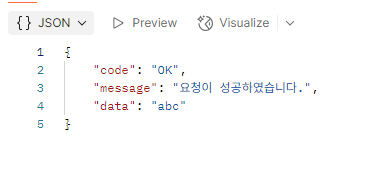
그리고 나의 코드의 큰 구멍이 있었다.
@ConfigurationProperties (value = "jwt", ignoreUnknownFields = true) 여기 부분을 애노테이션만 작성하고 jwt명시를 해주지 않아서 계속 userId가 없다고 오류가 났던 것이다.... 코드를 보고 작성하는데도 이런 자잘한 오류가 생긴다. 더욱 흐름을 잘 파악해야 겠다고 느낀 시간들이었다. 끝.