HTML/CSS
<!DOCTYPE html>
<html lang="ko">
  <head>
    <meta charset="utf-8" />
    <meta name="viewport" content="width=device-width, initial-scale=1" />
    <title>detail</title>
    <link
      href="https://cdn.jsdelivr.net/npm/bootstrap@5.2.0-beta1/dist/css/bootstrap.min.css"
      rel="stylesheet"
      integrity="sha384-0evHe/X+R7YkIZDRvuzKMRqM+OrBnVFBL6DOitfPri4tjfHxaWutUpFmBp4vmVor"
      crossorigin="anonymous"
    />
    <style>
      .visHidden {
        visibility: hidden;
      }
    </style>
  </head>
  <body>
    <div class="container">
      <div class="row">
      </div>
    </div>
    <div class="container">
      <button class="btn btn-danger">더보기</button>
    </div>
    <script
      src="https://cdn.jsdelivr.net/npm/bootstrap@5.2.0-beta1/dist/js/bootstrap.bundle.min.js"
      integrity="sha384-pprn3073KE6tl6bjs2QrFaJGz5/SUsLqktiwsUTF55Jfv3qYSDhgCecCxMW52nD2"
      crossorigin="anonymous"
    ></script>
    <script src="tap2.js"></script>
  </body>
</html>
Javascript
const products = [
  { id: 0, price: 70000, title: "Blossom Dress" },
  { id: 1, price: 50000, title: "Springfield shirt" },
  { id: 2, price: 60000, title: "Black honastery" },
];
let count = 0;
function productsMaker(array) {
  count++;
  array.forEach((a) => {
    const templit = `<div class="col-sm-4">
  <img src="https://via.placeholder.com/600" class="w-100" />
  <h5>${a.title}</h5>
  <p>가격 : ${a.price}</p>
  </div>`;
    document.querySelector(".row").insertAdjacentHTML("beforeend", templit);
  });
}

productsMaker(products);
document.querySelector(".btn-danger").addEventListener("click", function () {
  if (count === 1) {
    fetch("https://codingapple1.github.io/js/more1.json")
      .then((res) => res.json())
      .then((data) => productsMaker(data))
      .catch(function (error) {
        console.log("error");
      });
  } else if (count === 2) {
    fetch("https://codingapple1.github.io/js/more2.json")
      .then((res) => res.json())
      .then((data) => productsMaker(data))
      .catch(function (error) {
        console.log("error");
      });
  } else {
    alert("마지막 페이지 입니다");
    document.querySelector(".btn-danger").classList.add("visHidden");
  }
});
결과
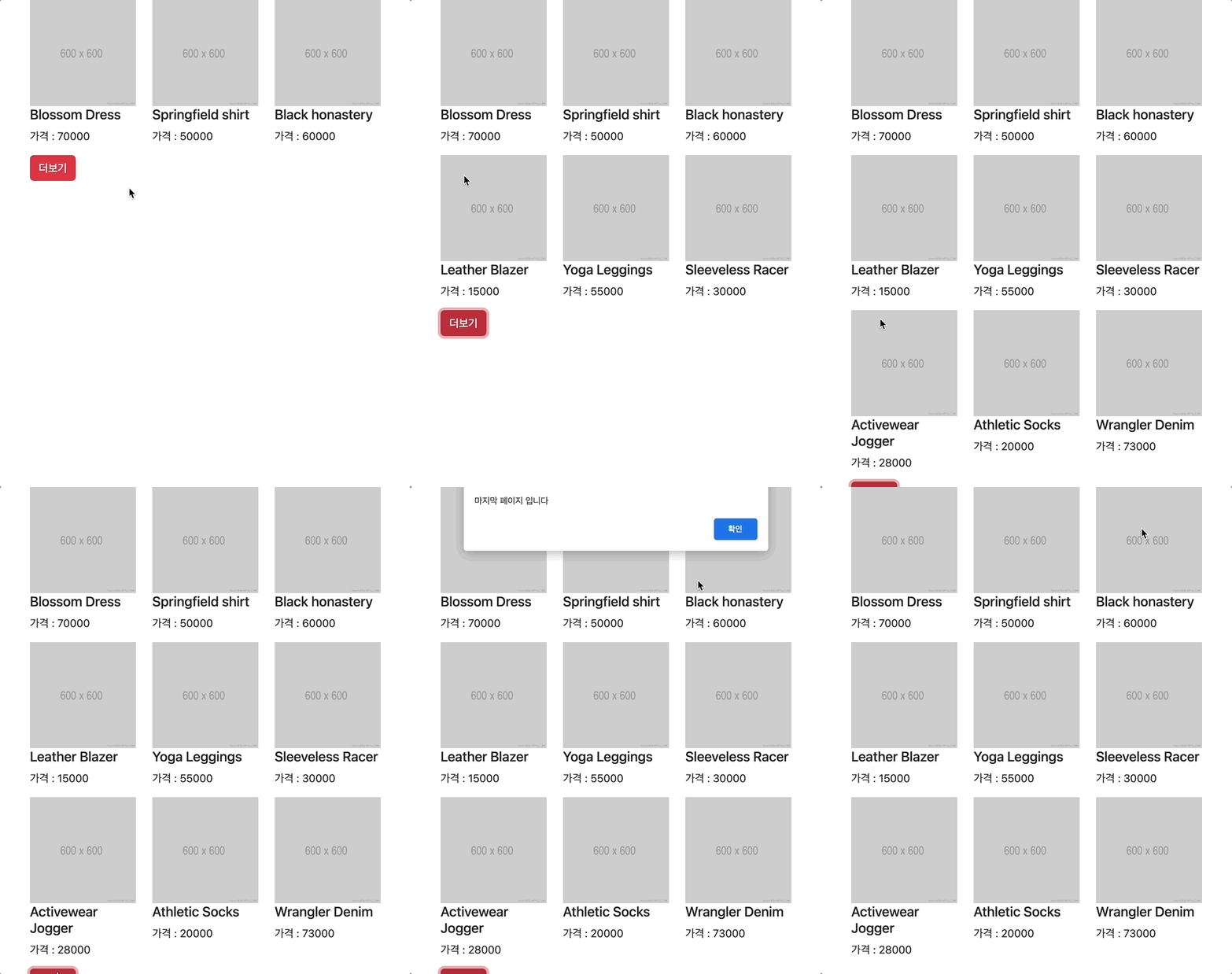
설명
ajax 연습
더보기 버튼을 누르면 서버에서 get 요청을 받아 데이터를 보여주는 기능이다
기능 구현 자체는 간단했지만 ajax 라는 개념과 생소한 문법이 어려웠다
우선 조금 햇갈렸던 개념. 문법이 어려웠다고 해야하나 ?
기능 구현 후 리펙토링을 하던중에
fetch("https://codingapple1.github.io/js/more1.json")
      .then((res) => res.json())
      .then((data) => productsMaker(data))
      .catch(function (error) {
        console.log("error");
      });
여기서 처음에 then 부분에 그냥 productsMaker(data) 를 집어 넣었었다
결과는 당연히 안됨
화살표 함수로 구현해서 조금 풀어서 보자면
(data) => 함수명(data)
===
  function(data){
    함수명(data)
  }
이런식이다.
기본 문법이
fetch('http://example.com/movies.json')
  .then((response) => response.json())
  .then((data) => console.log(data));
서버에서 파일을 요청받아 data에 저장하여 값을 console로 출력하는 과정
아직 배열이나 object 를 다루는게 익숙치 않아서 forEach 함수를 쓰는것도 어색했다
for 함수와 forEach 함수의 차이와 ajax에 대해서 조금 더 깊이 알아보려고 한다
더불어 이거 jQuery로 하면 엄청 쉽게 쓰던데 너무 고집스럽게 안쓰려고 하나 싶기도 하고
구글링해도 죄다 jQuery 로 구현해놓은 예제들이 많아서 알아보기 힘들었다
fetch 와 jQuery 문법의 차이도 조금 알아봐야겠다
숙제가 많다
😇
추가
문법 설명을 이렇게 해두는게 나중에 봤을때 좀 더 쉽게 알 수 있을 것 같아서 다시 정리했다
btn.addEventListener(’click’, function() {
	fetch(’Url’)
  .then(respon ⇒ respon.json())
  .then(function(data){
    console.log(data) // 파일을 잘 불러왔을 경우 실행할 함수
  })
  .catch(function(error){
    console.log(’erroe’) // 파일을 불러오지 못했을경우 실행할 함수
  })
})
Always, we are friend 🧡