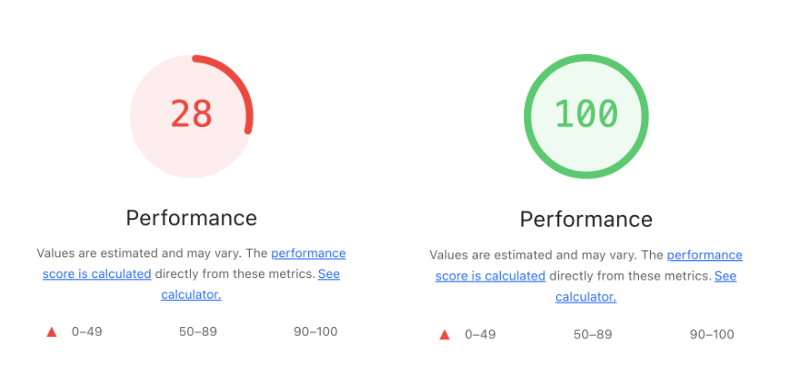
성능 최적화 배경
프로젝트를 진행하던 중, 초기 진입 페이지의 로딩 속도가 너무 느리다고 느껴졌다.
첫 화면이 뜨기까지 시간이 오래 걸리다 보니 사용자가 페이지를 이탈할 가능성도 높아졌고, 실제로 로딩 중인 화면이 길게 노출되는 문제가 있었다. 성능 분석 결과, 초기 렌더링 시 불필요하게 많은 리소스가 한 번에 로드되고 있음을 확인했다. 특히 애니메이션을 위한 Lottie 파일과 모든 라우트의 코드가 초기 번들에 포함되어 있던 것이 주요 원인이었다. 이를 개선하기 위해 Lottie 최적화와 lazy 기반의 route 코드 분할을 적용하게 되었다.
Lottie 최적화
홈 화면의 3개 Lottie 애니메이션이 초기 번들 용량과 스크롤 시 CPU/JS 부하를 키우고 있었다. “보일 때만 로드하고, 보일 때만 재생”하도록 구조를 바꾸고, 타입·스타일·접근성까지 함께 정리했다. 그 결과 초기 로딩이 가벼워지고 성능이 올라가는 결과를 얻었다.
| 구분 | 최적화 전 | 최적화 후 |
|---|---|---|
| 성능 | 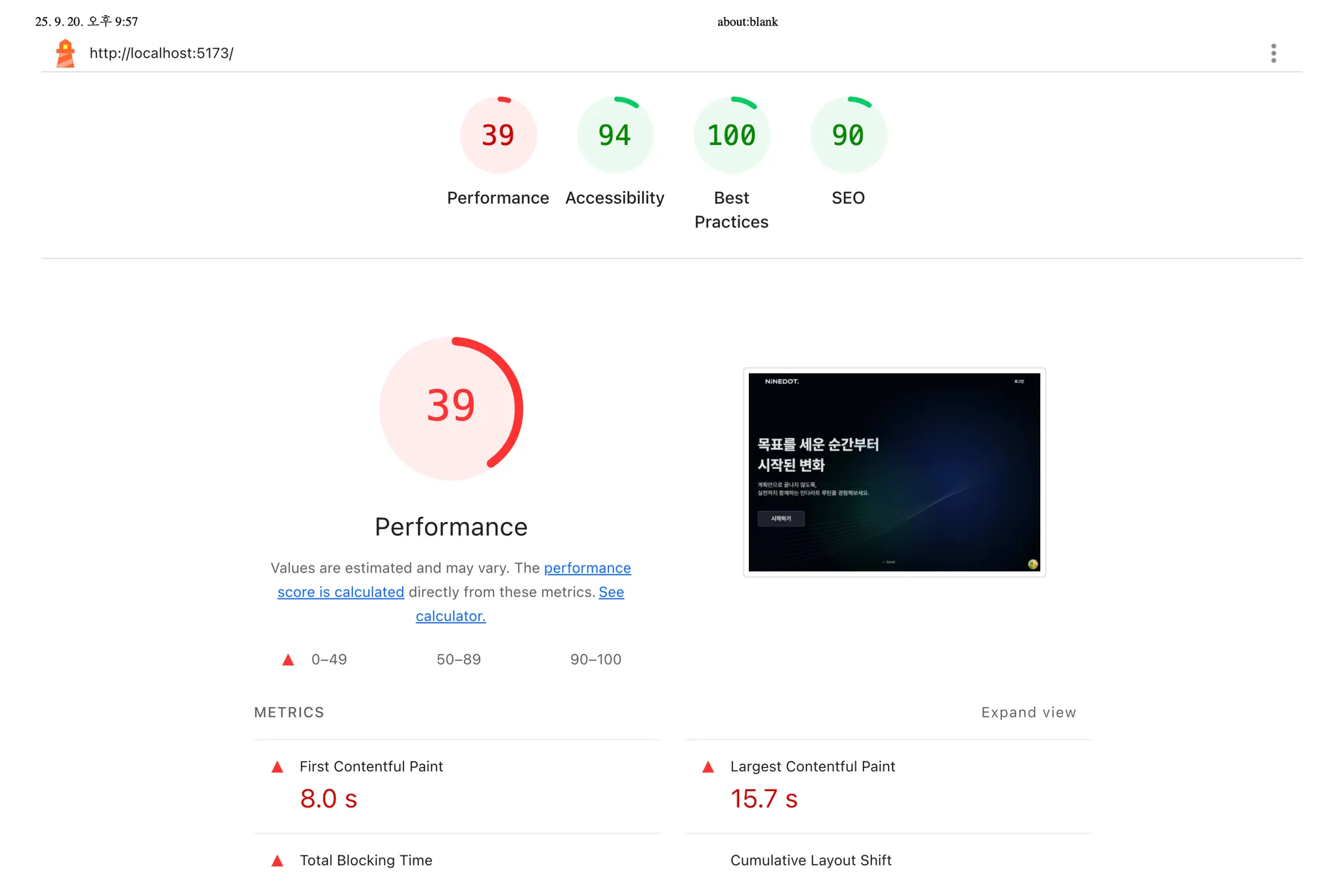 | 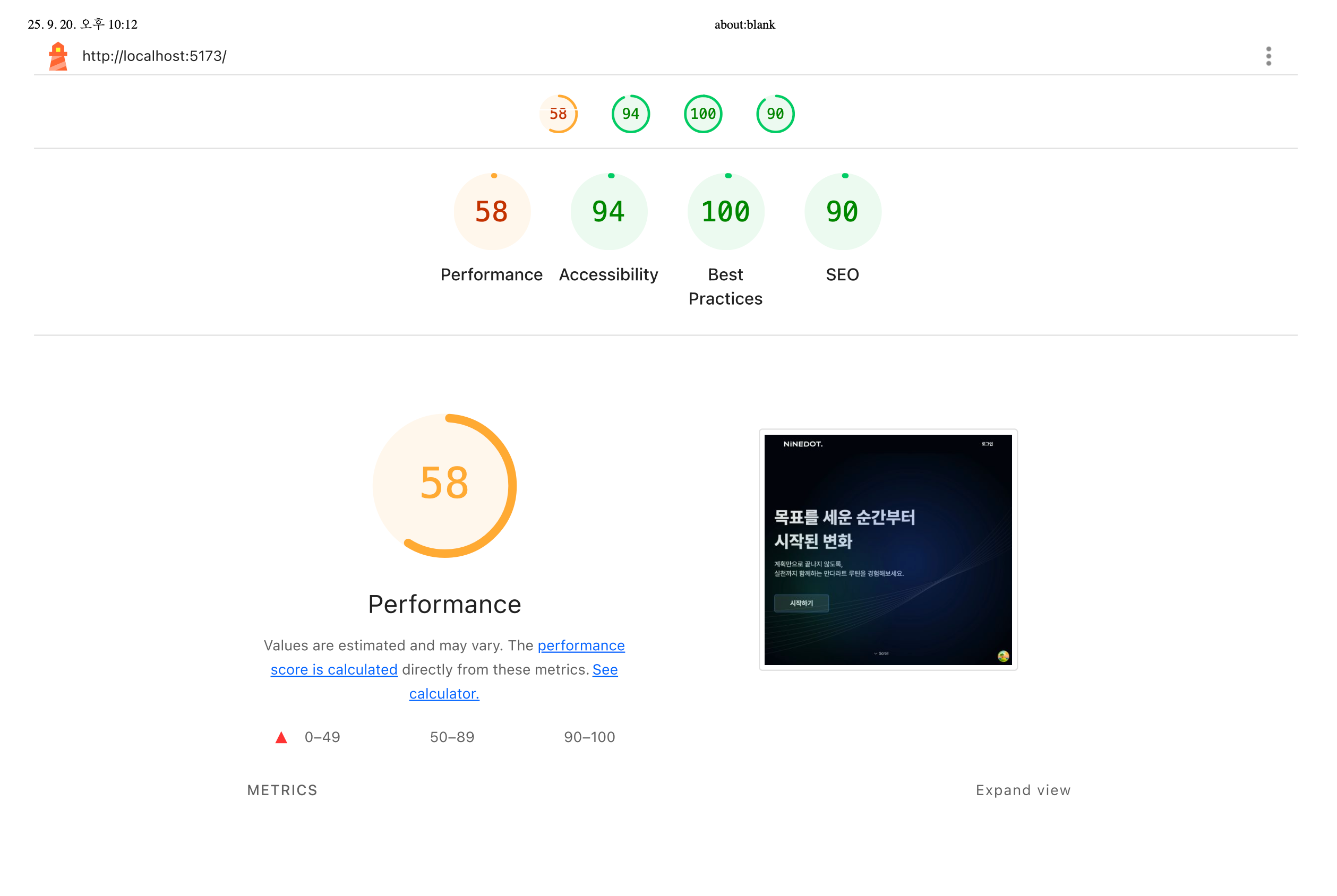 |
| 성능 리포트 | 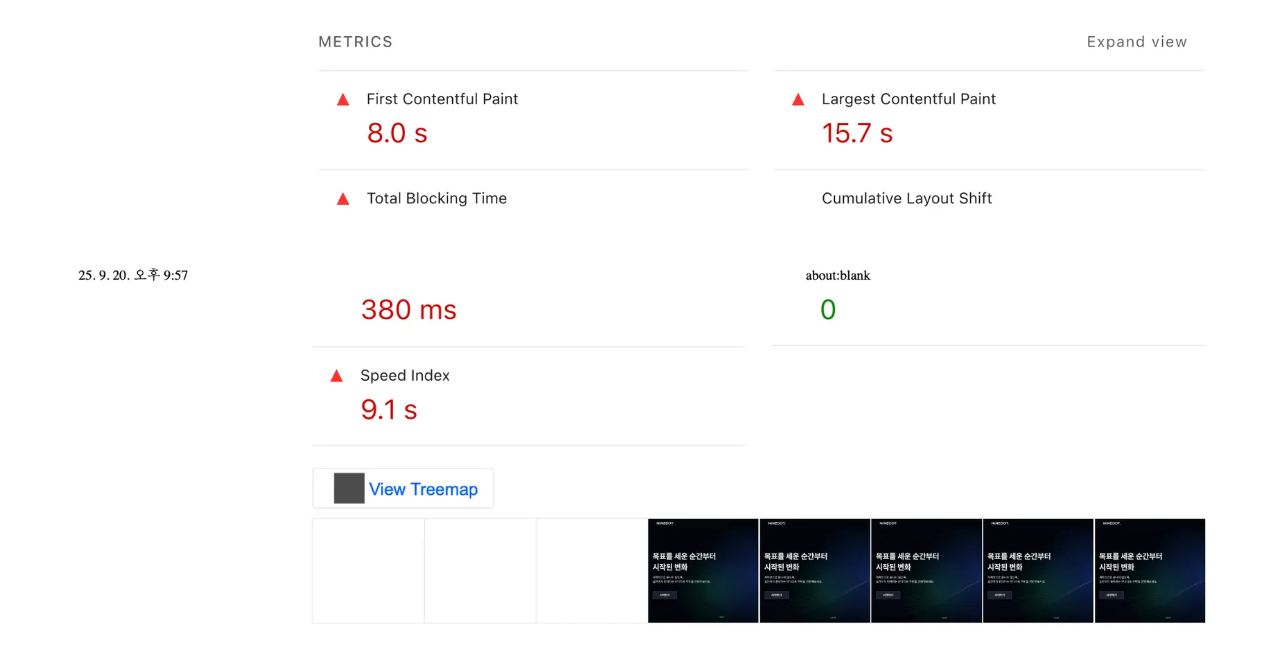 | 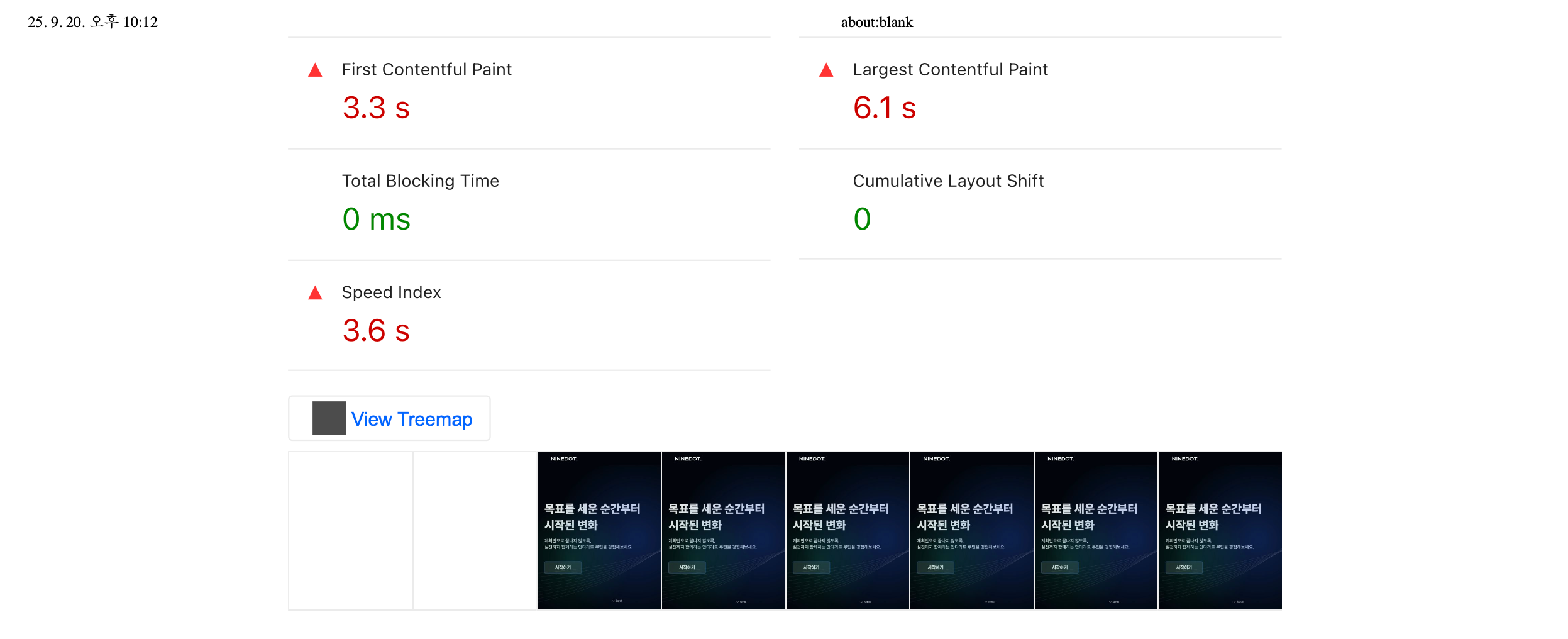 |
✔️ 배경 & 문제
- 기존 구조
mandalart.json,ai.json,todo.json정적 import → 초기 번들에 포함- 스크롤 섹션이 보이지 않아도 Lottie 컴포넌트가 마운트/루프
- 대형 JSON 파싱 + 애니메이션 렌더가 초기 로딩과 스크롤 성능에 악영향
- 나타난 현상
- 초기 JS 번들이 불필요하게 커짐
- 스크롤 구간에 도달하기 전부터 CPU 사용량 증가
- 모바일/저사양에서 버벅임 체감
✔️ 목표
- 초기 번들에서 Lottie JSON 제거 (코드 스플리팅)
- 화면에 보일 때만 JSON 로드하고 보일 때만 재생
✔️ 설계 전략
- 동적 import:
() => import('...json')함수를 섹션별로 넘기고, 가시성(visible)일 때만 호출 - 재생 제어:
autoplay={false}+ref.play()/pause()로 뷰포트 진입/이탈 시 재생/일시정지 - UI 스켈레톤: JSON 로딩 전에는 skeleton 박스로 자리만 유지(레이아웃 시프트 방지)
✔️ 최종 구조
1. Home.tsx (동적 import + 가시성 제어 + 방향 계산)
- 초기 번들에서 JSON 제외: 동적 import 함수만 들고 다님
- 보일 때만 로드:
visible이 true가 되면 내부에서animationImporter()실행 - 좌/우 번갈아 배치:
direction을 부모에서 계산해 전달(불필요한indexprop 제거)
import ScrollSection from '@/page/home/ScrollSection/ScrollSection';
import type { AnimationImporter } from '@/page/home/type/lottieType';

const animationImporters = [
  () => import('@/assets/lottie/mandalart.json'),
  () => import('@/assets/lottie/ai.json'),
  () => import('@/assets/lottie/todo.json'),
] as const satisfies readonly AnimationImporter[];

const sectionKeys = ['mandalart', 'ai', 'todo'] as const;

{sectionKeys.map((key, index) => {
  const { ref, visible } = scrolls[index];
  const direction = index % 2 === 1 ? 'right' : 'left' as const;

  return (
    <div key={key} ref={ref} className={fadeSlide({ state: visible ? 'in' : 'out' })}>
      <ScrollSection
        title={INTRO_MESSAGE[key].title}
        content={INTRO_MESSAGE[key].content}
        visible={visible}
        direction={direction}
        animationImporter={animationImporters[index]}
      />
    </div>
  );
})}
2. ScrollSection.tsx (보일 때 로드 & play.pause)
- autoplay 금지 + 수동 play/pause로 CPU 낭비 제거
- 로딩 전 스켈레톤으로 CLS(레이아웃 시프트) 방지
import Lottie from 'lottie-react';
import type { LottieRefCurrentProps } from 'lottie-react';
import type { AnimationData, AnimationImporter } from '@/page/home/type/lottieType';
import { resolveAnimation } from '@/page/home/type/lottieType';

type ScrollProps = {
  title: string;
  content: string;
  visible: boolean;
  direction: 'left' | 'right';
  animationImporter: AnimationImporter;
};

const ScrollSection = ({ title, content, visible, direction, animationImporter }: ScrollProps) => {
  const [data, setData] = useState<AnimationData | null>(null);
  const lottieRef = useRef<LottieRefCurrentProps>(null);

  useEffect(() => {
    let mounted = true;

    if (visible && !data) {
      animationImporter().then((mod) => {
        if (!mounted) return;
        setData(resolveAnimation(mod));           // 안전하게 JSON으로
      });
    }

    if (!visible) lottieRef.current?.pause();     // 뷰포트 밖이면 정지
    else lottieRef.current?.play();               // 뷰포트 안이면 재생

    return () => { mounted = false; };
  }, [visible, data, animationImporter]);

  return (
    <section className={styles.scrollContainer}>
      <div className={styles.layoutContainer({ direction })}>
        <div>
          <h1 className={styles.titleText}>{title}</h1>
          <p className={styles.contentText}>{content}</p>
        </div>

        {data ? (
          <Lottie
            className={styles.LottieContainer}
            lottieRef={lottieRef}
            animationData={data}
            loop
            autoplay={false} // 수동 제어
            rendererSettings={{ progressiveLoad: true, preserveAspectRatio: 'xMidYMid meet' }}
          />
        ) : (
          <div className={styles.lottieSkeleton} aria-hidden />
        )}
      </div>
    </section>
  );
};
3. Skeletion 스타일
- 자리 유지 + 가벼운 펄스 애니메이션으로 로딩 감지
export const lottieSkeleton = style({
  display: 'flex',
  justifyContent: 'center',
  alignItems: 'center',
  width: '90rem',
  height: '52.6rem',
  borderRadius: '30px',
  backgroundColor: colors.grey03,
  animation: 'pulse 1.5s ease-in-out infinite',
  '@keyframes': {
    pulse: { '0%': { opacity: 1 }, '50%': { opacity: 0.5 }, '100%': { opacity: 1 } },
  },
});
✔️ 결과 요약
| 항목 | Before | After | 기대 효과 |
|---|---|---|---|
| Lottie JSON 로딩 | 정적 import(초기 번들 포함) | 동적 import(보일 때만) | 초기 번들 용량↓, 최초 로딩 가벼움 |
| 재생 제어 | 기본 autoplay, 뷰포트 밖에서도 실행 | visible 기반 play/pause | 스크롤 시 CPU/JS 부하↓ |
| 타입 처리 | any 혼입 가능 | 타입 가드 + type-only import | TS 경고 제거, 안정성↑ |
| UI 로딩 | 즉시 렌더 시도 | Skeleton 표시 | CLS 방지, 체감 품질↑ |
| props | index로 내부 계산 | 부모에서 direction 계산 | 책임 분리, 컴포넌트 단순화 |
Lazy 기반 route 코드 분할
모든 페이지 컴포넌트를 import로 한 번에 가져오다 보니, 초기 번들 사이즈가 커지고 최초 로딩 속도가 느려졌다.
👉 그래서 react-router-dom@7 의 lazy()API를 활용해 라우트 단위로 코드 스플리팅을 적용했다.
| 구분 | 최적화 전 | 최적화 후 |
|---|---|---|
| 성능 | 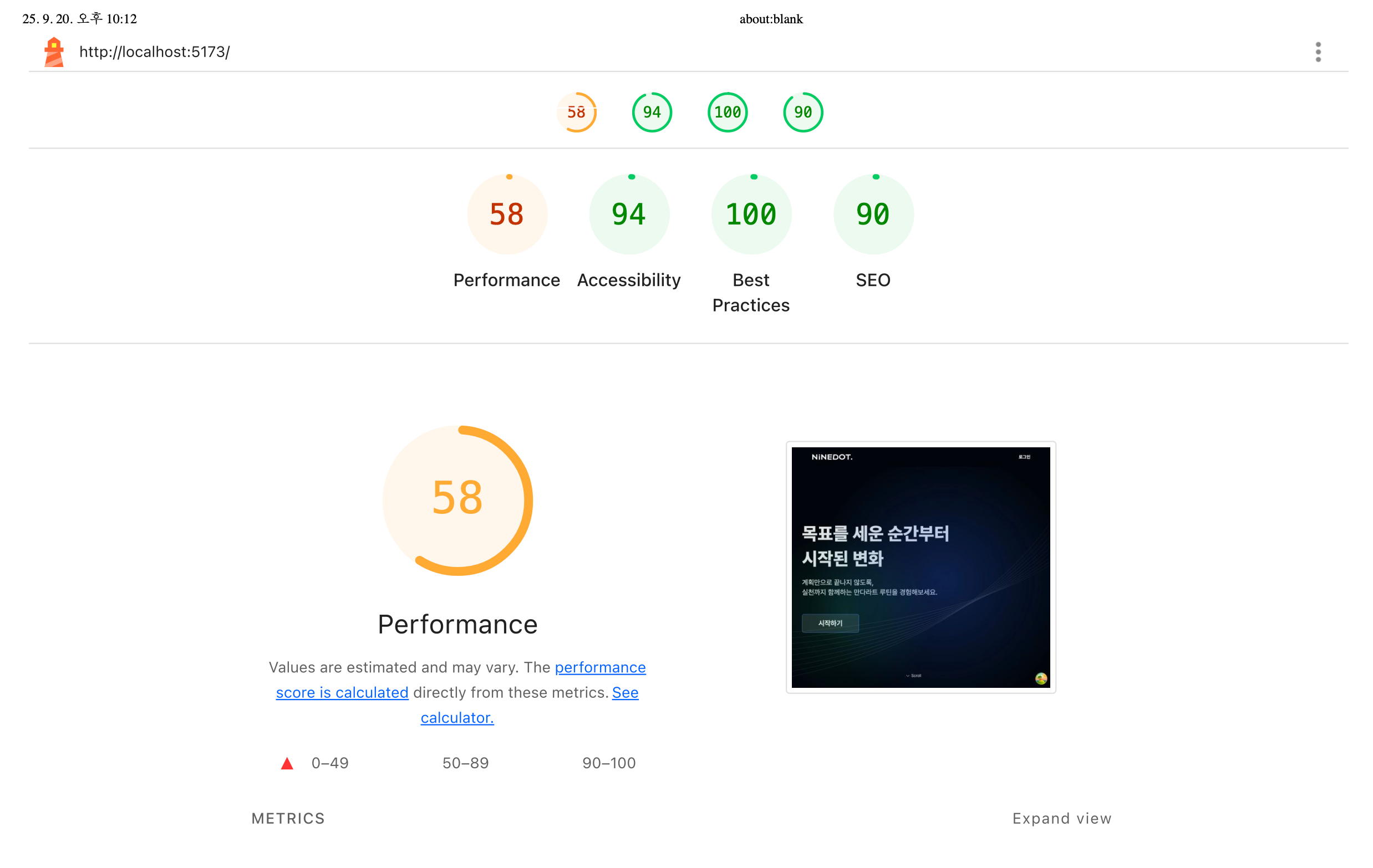 | 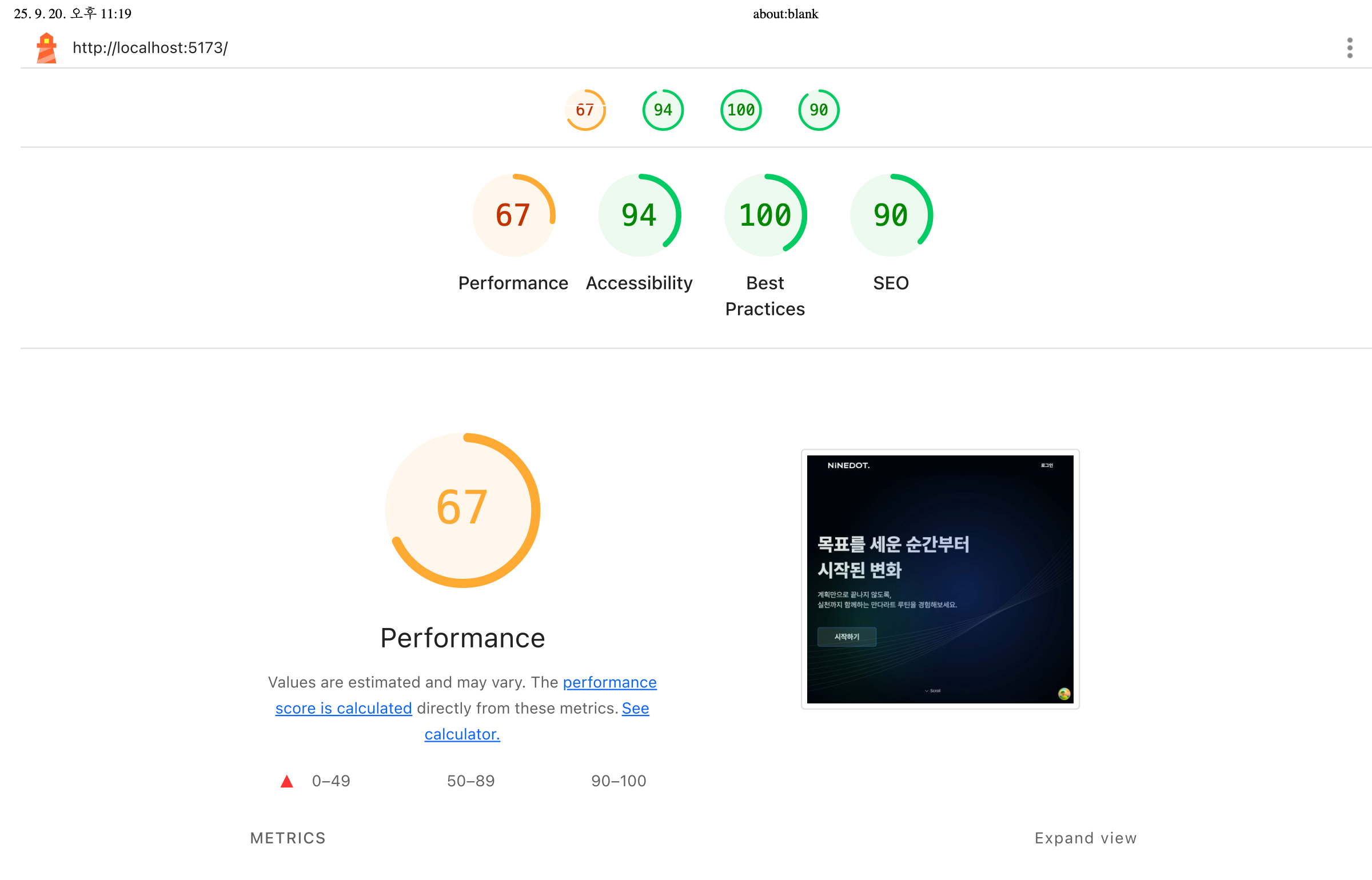 |
| 성능 리포트 | 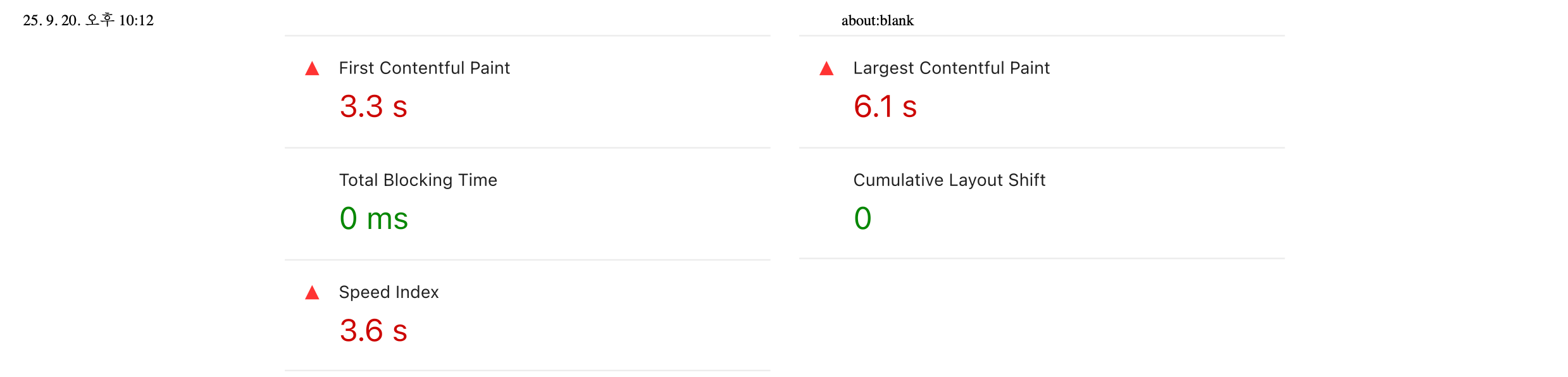 | 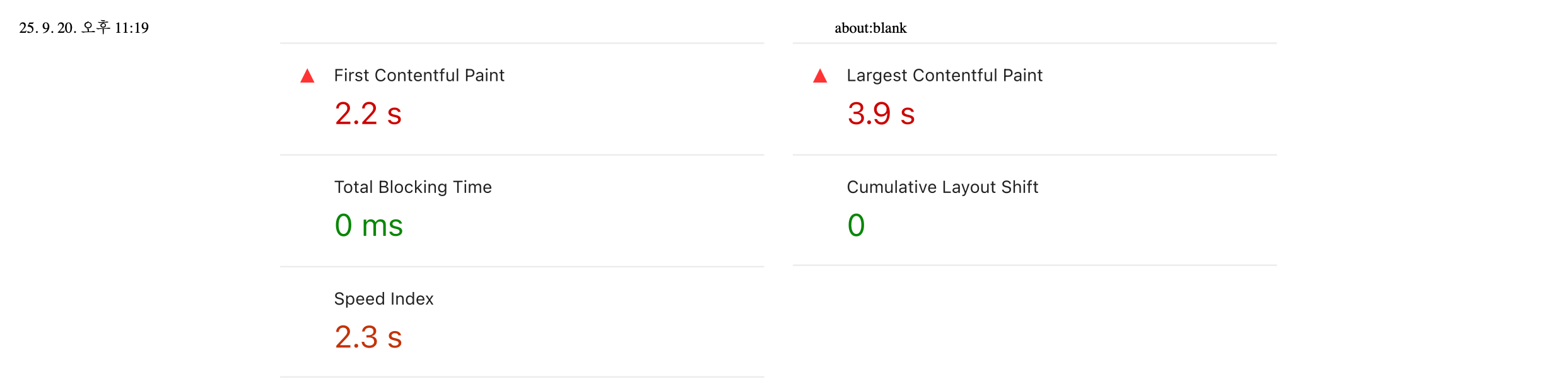 |
✔️ 배경 & 문제
- 기존 구조
MainRoutes.tsx에서Home, Todo, Mandal, History, …등 모든 페이지를 정적 import- 초기 번들에 모든 페이지 코드가 포함됨
- 실제로 처음 방문 시 필요 없는 코드까지 전부 내려옴
- 나타난 현상
- 초기 번들 크기 증가 → TTI(Time To Interactive) 지연
- 네트워크·CPU 자원 낭비
- 모바일에서 첫 화면 진입 속도 저하
✔️ 목표
- 초기 번들 크기 최소화
- 사용자가 특정 경로에 진입할 때만 해당 페이지 코드 로드
- 전역 Fallback(
Loading)으로 UX 유지
✔️ 설계 전략
- React Router v7
lazy()→async lazy() { const { default: Page } = await import('...'); return { Component: Page }; }
- 자주 쓰는 컴포넌트는 eager 유지 →
Layout,Home,Intro는 첫 화면에 필요하므로 그대로 import
- 전역 로딩 UI →
RouterProvider에fallbackElement={<Loading />}적용
- NotFound 페이지 추가 → 잘못된 경로 접근 시에도 lazy 로드 적용
✔️ 최종 구조
1. MainRoutes.tsx
export const mainRoutes: RouteObject[] = [
  {
    element: <Layout />,
    children: [
      { path: PATH.ROOT, element: <Home /> },
      { path: PATH.INTRO, element: <Intro /> },

      {
        path: PATH.REDIRECT,
        async lazy() {
          const { default: GoogleCallback } = await import('@/page/GoogleCallback');
          return { Component: GoogleCallback };
        },
      },
      {
        path: PATH.TODO,
        async lazy() {
          const { default: Todo } = await import('@/page/todo/Todo');
          return { Component: Todo };
        },
      },
      {
        path: PATH.TODO_UPPER,
        async lazy() {
          const { default: UpperTodo } = await import('@/page/todo/upper/UpperTodo');
          return { Component: UpperTodo };
        },
      },
      {
        path: PATH.TODO_LOWER,
        async lazy() {
          const { default: LowerTodo } = await import('@/page/todo/lower/LowerTodo');
          return { Component: LowerTodo };
        },
      },
      ...
    ],
  },
  {
    path: '*',
    async lazy() {
      const { default: NotFound } = await import('@/page/_errors/NotFound');
      return { Component: NotFound };
    },
  },
];
App.tsx (전역 로딩 UI)
import { RouterProvider } from 'react-router-dom';
import { router } from '@/route';
import Loading from '@/common/component/Loading/Loading';

function App() {
  return <RouterProvider router={router} fallbackElement={<Loading type="default" />} />;
}

export default App;
✔️ 결과 요약
| 항목 | Before | After | 기대 효과 |
|---|---|---|---|
| 페이지 import | 모든 페이지 정적 import | 라우트 단위 lazy import | 초기 번들 크기↓ |
| 로딩 UI | 없음 | fallbackElement 적용 | UX 안정성↑ |
| 첫 화면 컴포넌트 | 모두 import | Home/Intro만 eager 유지 | 초기 로딩 가벼움 |
| 잘못된 경로 | 대응 없음 | NotFound lazy 추가 | 안정성↑ |
최종 결과
➡ Lighthouse 성능 점수 28점 → 100점으로 개선
➡ Largest Contentful Paint 7.3초 → 0.6초로 단축
로딩 속도가 눈에 띄게 개선되었고, 초기 진입 시 지연 없이 콘텐츠가 표시되는 것을 확인할 수 있었다.