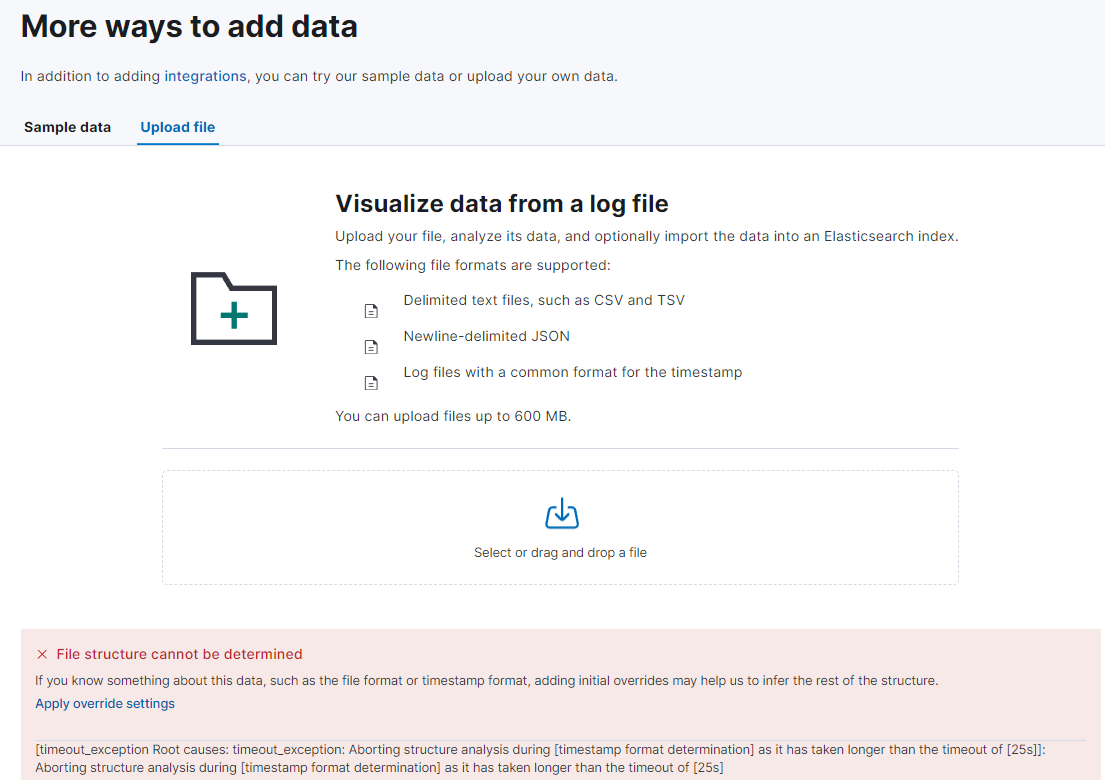
키바나에서 Upload file로 csv, ndjson 등의 파일을 업로드 할 때 오류가 났다.
File structure cannot be determined

If you know something about this data, such as the file format or timestamp format, adding initial overrides may help us to infer the rest of the structure.

[timeout_exception Root causes: timeout_exception: Aborting structure analysis during [timestamp format determination] as it has taken longer
than the timeout of [25s]]: Aborting structure analysis during [timestamp format determination] as it has taken longer than the timeout of [25s]
에러의 원인은
1. 업로드하려는 데이터의 날짜, 시간 필드의 포맷이 다양함.
2. 그로 인해 데이터를 인식하는데 오랜 시간이 걸려서 timeout_exception이 발생
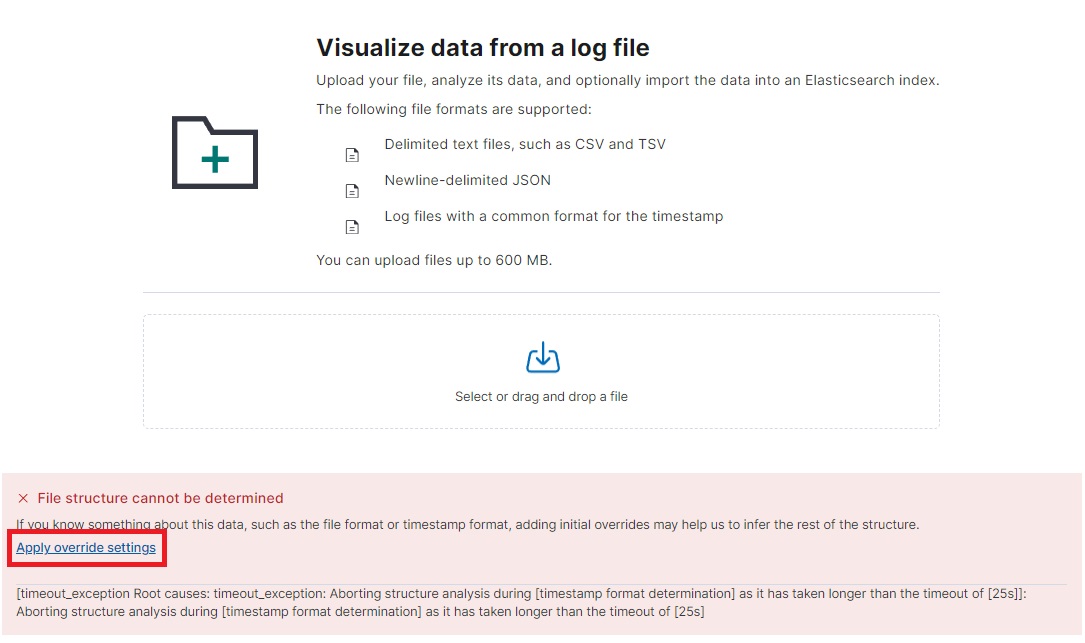
이럴 때에는 우선 Apply override settings 를 눌러 분석할 샘플 데이터의 수를 줄여본다.
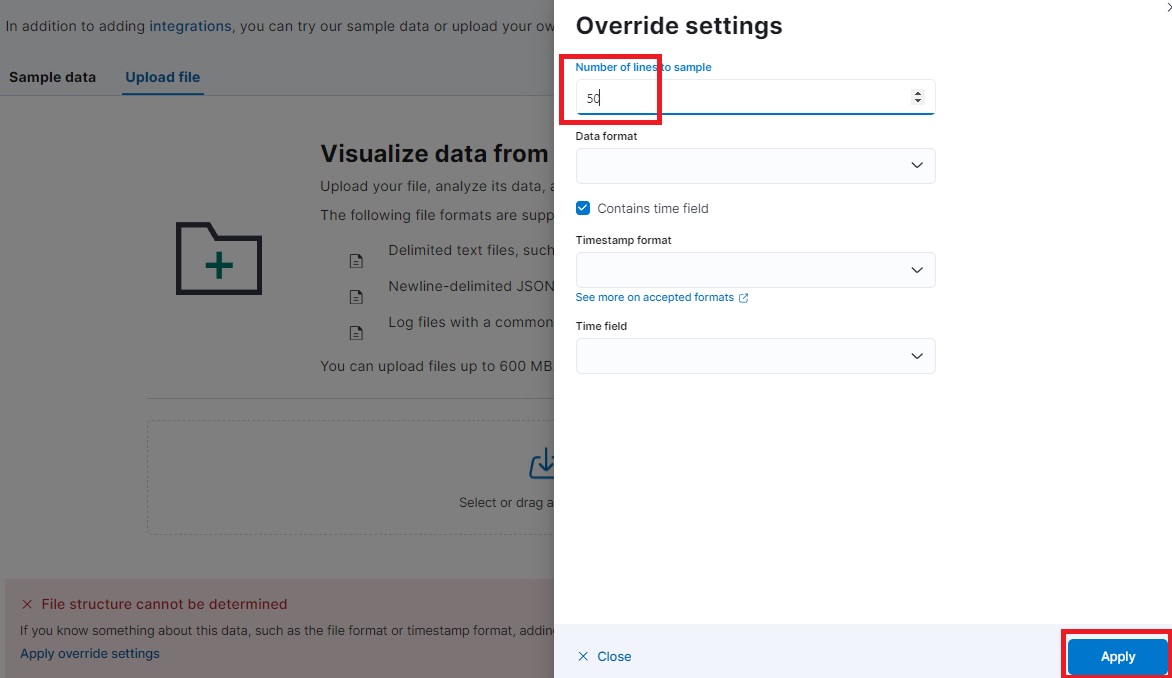
Number of lines to sample 의 기본값인 1000에서 50으로 수정 -> Apply 를 누르면
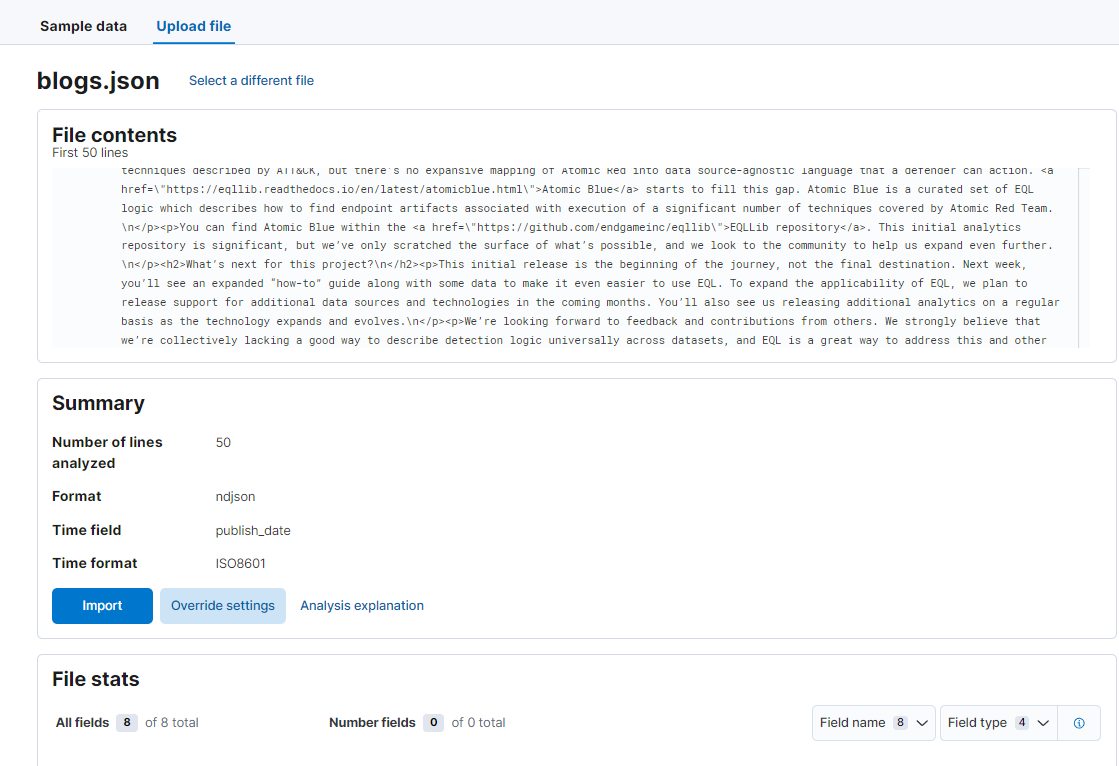
분석할 샘플 데이터의 수가 적기 때문에 timeout_exception이 해결되었다.

반갑습니다