1. Tailwind CSS 설치
먼저 Visual Studio Code에서 Vue 프로젝트에 Tailwind CSS를 설치해줍니다.
저는 vue폴더안에 frontend를 넣어서 두 곳에 tailwind 를 설치합니다.
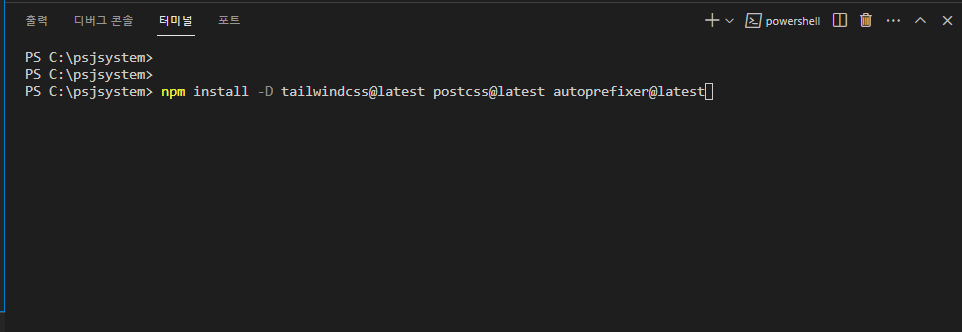

/* C:/psjsystem */
/* C:/psjsystem/frontend */

npm install -D tailwindcss@latest postcss@latest autoprefixer@latest
2. configuration file 생성
Tailwind, postcss의 설정 파일을 생성해줍니다.
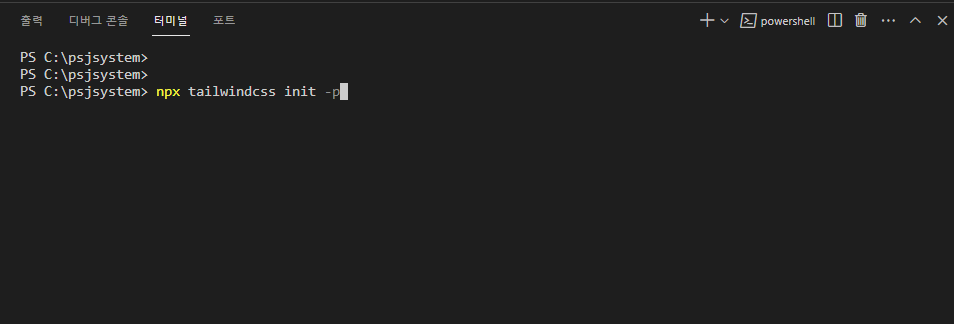
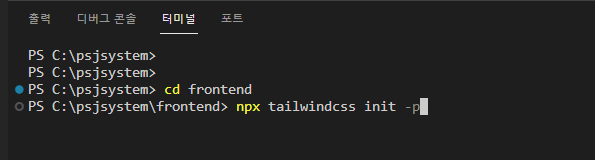
npx tailwindcss init -p3. tailwind.config.js 코드 수정
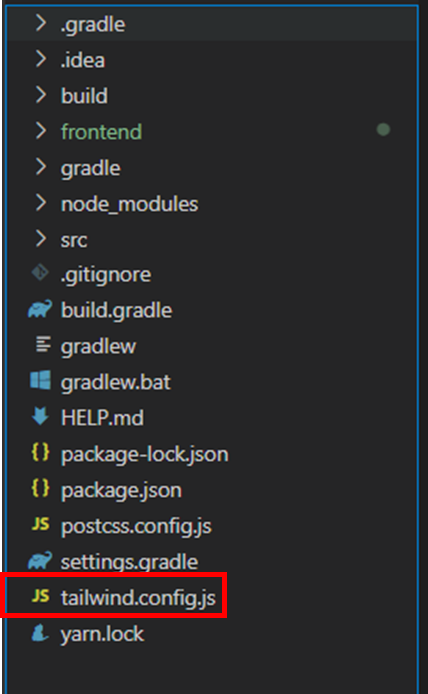
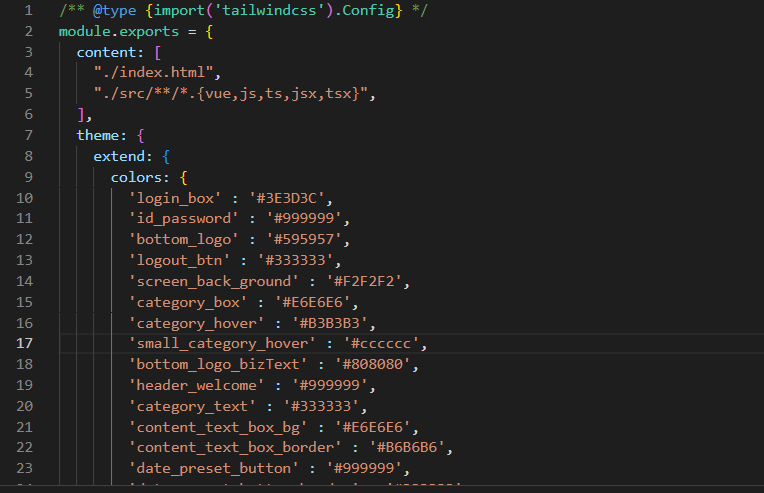
/* psjsystem/tailwind.config.js */

/** @type {import('tailwindcss').Config} */
module.exports = {
  content: [
    "./index.html",
    "./src/**/*.{vue,js,ts,jsx,tsx}",
  ],
  theme: {
    extend: {
      colors: {
        'login_box' : '#3E3D3C',
        'id_password' : '#999999',
        'bottom_logo' : '#595957',
        'logout_btn' : '#333333',
        'screen_back_ground' : '#F2F2F2',
        'category_box' : '#E6E6E6',
        'category_hover' : '#B3B3B3',
        'small_category_hover' : '#cccccc',
        'bottom_logo_bizText' : '#808080',
        'header_welcome' : '#999999',
        'category_text' : '#333333',
        'content_text_box_bg' : '#E6E6E6',
        'content_text_box_border' : '#B6B6B6',
        'date_preset_button' : '#999999',
        'date_preset_button_border' : '#333333',
        'basket_title' : '#0071DC',
        'delete_selected_btn' : '#4d4d4d',
        'request_selected_Item' : '#808080',
      //  장바구니 화면
        'basket_text_bottom_normal' : '#666666',
        'basket_text_bottom_won' : '#000000',
        'basket_text_bottom_contractAmount' : '#333333',
        'basket_text_bottom_number' : '#29ABE2',
        'basket_text_bottom_number_total' : '#ED1C24',
        'basket_bottom_box_bg' : '#F2F2F2',
        'basket_request_select_item' : '#808080',
      // 주문하기 화면
        'regist_third_category_button_bg' : '#B3B3B3',
        'regist_third_category_button_border' : '#333333'
      },
      height: {
        'loginBtm' : '7.5rem',
        'home_notice' : '30rem',
        'detain_info' : '14.4rem'
      },
      width: {
        'search_box' : '38.4rem',
        'delivery_field' : '42rem',
        'sms_field' : '20.8rem',
        'basket_bottom_text' : '30rem',
        '120' : '30rem',
        'smstel_last' : '5.3rem'
      },
      fontFamily: {
        'noto_santos_r' : ['NotoSansKR-Regular'],
        'noto_santos_b' : ['NotoSansKR-Bold'],
        'noto_santos_l' : ['NotoSansKR-Light'],
        'noto_santos_m' : ['NotoSansKR-Medium']
      },
      fontWeight: {
        medium_bold: 600,
      }
    },
  },
  plugins: [],
}
4. css 파일 생성
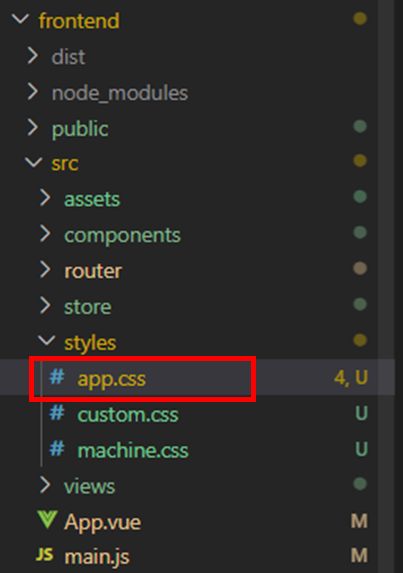
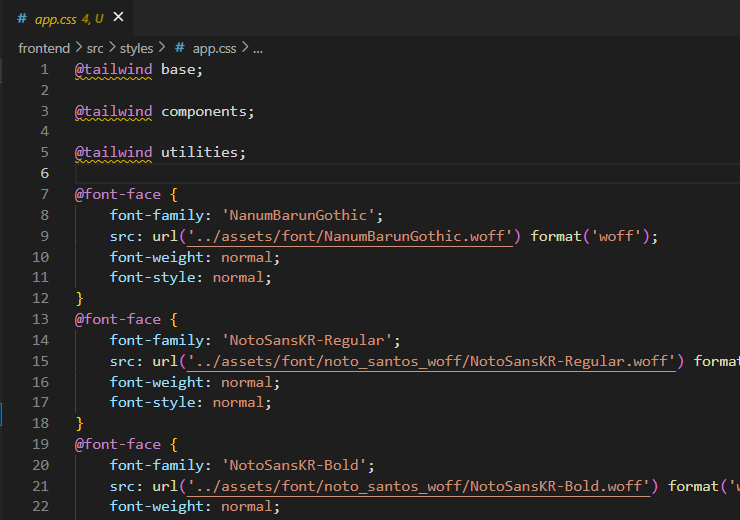
/* ./src/styles/app.css */

@tailwind base;

@tailwind components;

@tailwind utilities;

@font-face {
    font-family: 'NanumBarunGothic';
    src: url('../assets/font/NanumBarunGothic.woff') format('woff');
    font-weight: normal;
    font-style: normal;
}
@font-face {
    font-family: 'NotoSansKR-Regular';
    src: url('../assets/font/noto_santos_woff/NotoSansKR-Regular.woff') format('woff');
    font-weight: normal;
    font-style: normal;
}
@font-face {
    font-family: 'NotoSansKR-Bold';
    src: url('../assets/font/noto_santos_woff/NotoSansKR-Bold.woff') format('woff');
    font-weight: normal;
    font-style: normal;
}
@font-face {
    font-family: 'NotoSansKR-Light';
    src: url('../assets/font/noto_santos_woff/NotoSansKR-Light.woff') format('woff');
    font-weight: normal;
    font-style: normal;
}
@font-face {
    font-family: 'NotoSansKR-Medium';
    src: url('../assets/font/noto_santos_woff/NotoSansKR-Medium.woff') format('woff');
    font-weight: normal;
    font-style: normal;
}

html, body {
    margin: 0;
    padding: 0;
    height: 100%;
    font-family: NanumBarunGothic, NotoSansKR-Regular, NotoSansKR-Bold, NotoSansKR-Light, system-ui;
}

/* 전체 페이지 */
.full_page {
    min-height: 100%;
    position: relative;
}

.content{
    /*width: 1600px;*/
    width: 90%;
    height: 100%;
    background-color: white;
    /*margin-top: 100px;*/
    /*padding-bottom: 55px; !* footer의 높이 *!*/

}

.content_order{
    /*width: 1460px;*/
    width: 75%;
    height: 100%;
    /*margin-top: 100px;*/
    /*padding-bottom: 55px; !* footer의 높이 *!*/

}

.header_left{
    width: 142px;
}

/* 전자결재 좌측메뉴 */
.leftMenu{
    width: 10%;
    height: inherit;

}

.rightMenu{
    width: 130px;

}

/*수주 wrap*/
.wrap_contract {
    /*margin-top: 100px;*/
    /*padding-bottom: 100px;*/
    /*height: 200vh;*/
}

.wrap {
    height: 100%;
    position: relative;
    width: 1460px;
}

.footer {
    width: 100%;
    height: 100px; /* footer의 높이 */
    position: absolute;
    bottom: 0;
    left: 0;

}

/* 로그인 푸터 */
.login_footer {
    width: 100%;
    height: 50px;
    position: fixed;
    bottom: 0;
    left: 0;
}

/*검색 칸을 위한 설정*/
.search {
    position: relative;
    width: 300px;
}

.search_input {
    width: 40%;
    border: 1px solid #bbb;
    border-radius: 20px;
    padding: 10px 12px;
    font-size: 14px;
}

.search_img {
    position : absolute;
    width: 17px;
    top: 20px;
    right: 340px;
    margin: 0;
}

.numberCell {
    justify-content: right !important;
}
.textCell {
    text-align: center !important;
}
.textLeftCell {
    justify-content: left !important;
}
.ag-header-cell-label {
    justify-content: center !important;
}
.testCell {
    border: 1px solid #000 !important;
}

/* 로그인 화면 체크박스 */
.login_checkBox {
    width: 20px;
    height: 20px;
}

/* 폰트 자간 설정 */
.font_letter_spc {
    letter-spacing: -2px;
}

/* 폰트 단어 간격 설정 */
.font_word_spc {
    word-spacing: 2px;
}

/* ag 그리드 설정 */
.ag-theme-alpine .ag-header-group-cell-label {
    justify-content: center;
}

/* Chrome, Safari, Edge, Opera */
input::-webkit-outer-spin-button,
input::-webkit-inner-spin-button {
    -webkit-appearance: none;
    margin: 0;
}

.text-yellow {
    color: #ffff00;
}
.text-red {
    color: #ff0000;
}
.items-center.btn {
    justify-content: center;
    align-items: center;
}

.nodisp {
    display: none;
}

.show-cell {
    background: white;
    border-left: 1px solid lightgrey !important;
    border-right: 1px solid lightgrey !important;
    border-bottom: 1px solid lightgrey !important;
    display: flex;
    justify-content: center; /* align horizontal */
    align-items: center;
}

.border-left-0 {
    border-left:0 !important;
}
.border-right-0 {
    border-right:0 !important;
}

.rag-red {
    background-color: lightcoral;
    justify-content: right !important;
}
.rag-green {
    background-color: lightgreen;
    justify-content: right !important;
}
.rag-amber {
    background-color: lightsalmon;
    justify-content: right !important;
}

.rag-red-outer .rag-element {
    background-color: lightcoral;
}

.rag-green-outer .rag-element {
    background-color: lightgreen;
}

.rag-amber-outer .rag-element {
    background-color: lightsalmon;
}

.pointer {
    cursor: pointer;
}

input {
    padding-left: 0.25rem;
}
css 파일 적용
./src/main.js에 만들어 둔 css 파일을 적용시킵니다.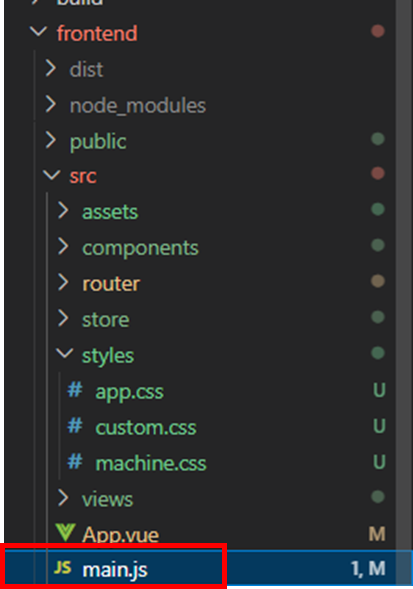
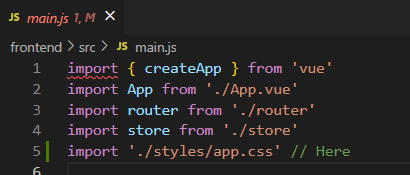
import './styles/app.css' // Here실행
npm run serve 명령어를 통해 Vue 프로젝트를 실행시키면 Vue에 Tailwind CSS 적용이 완료됩니다!