Remote Repository 생성
-
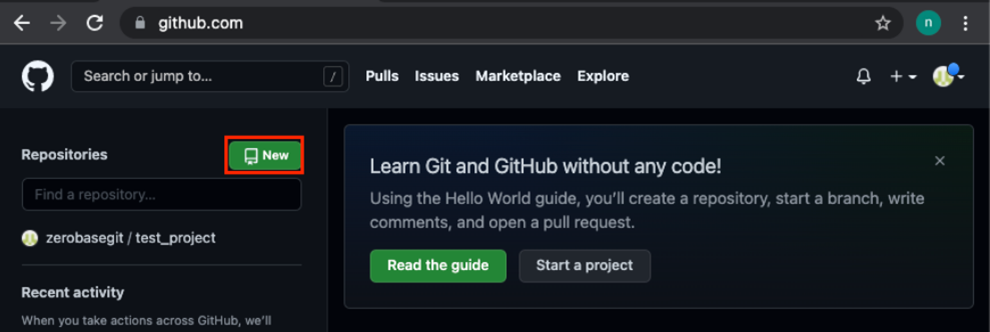
Git Home 에서 Repositoreis 'New' 버튼 선택
-
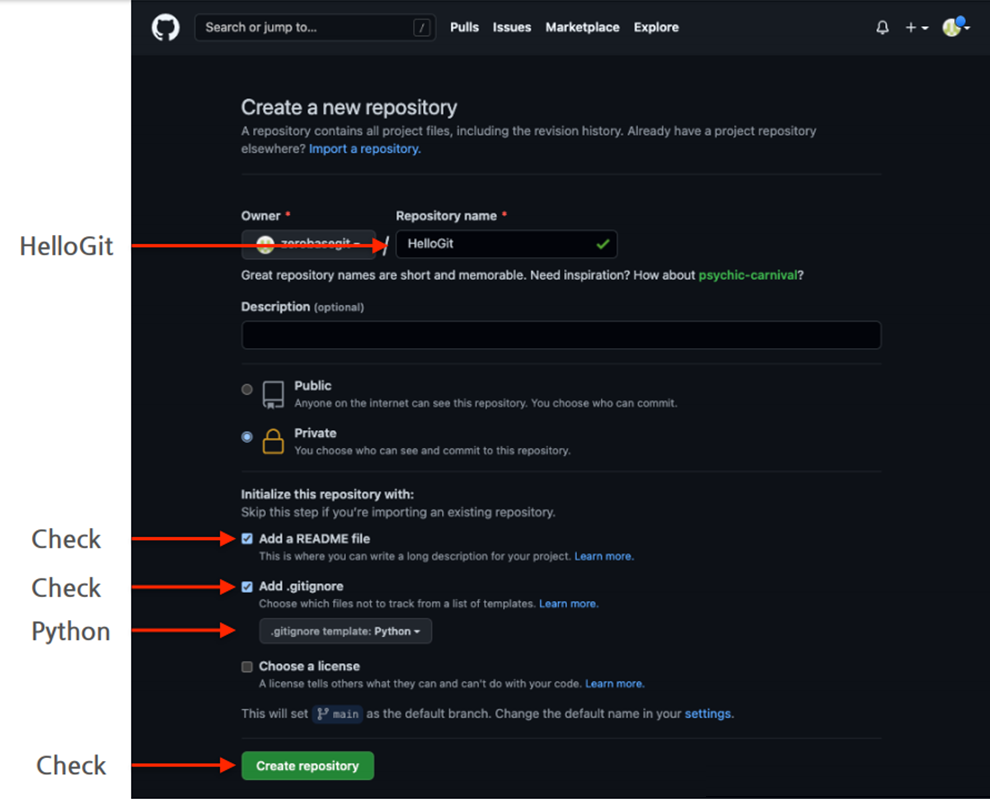
HelloGit 생성
-
README File & .gitignore (python) 선택 > Create repository
-
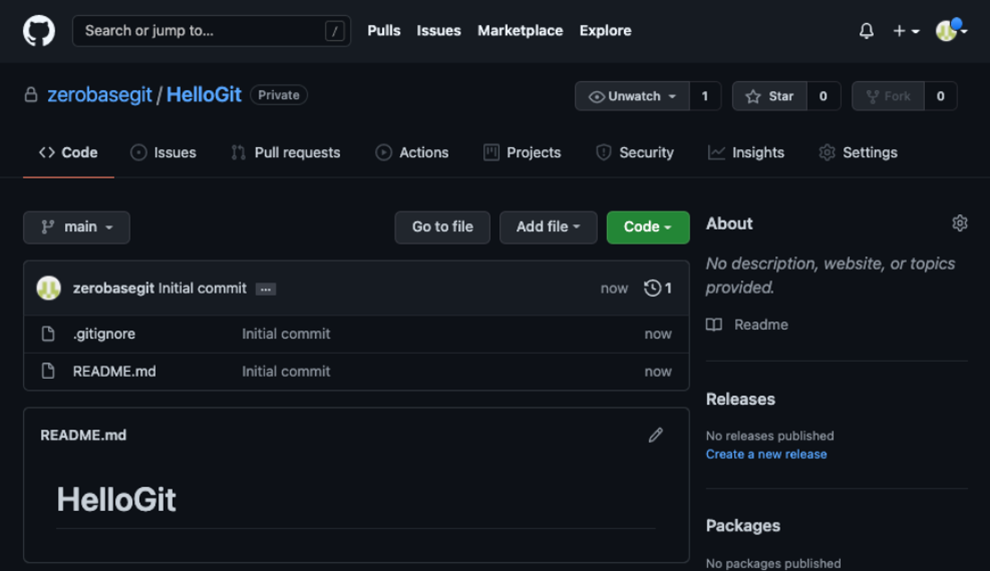
HelloGit 생성 확인
-
-
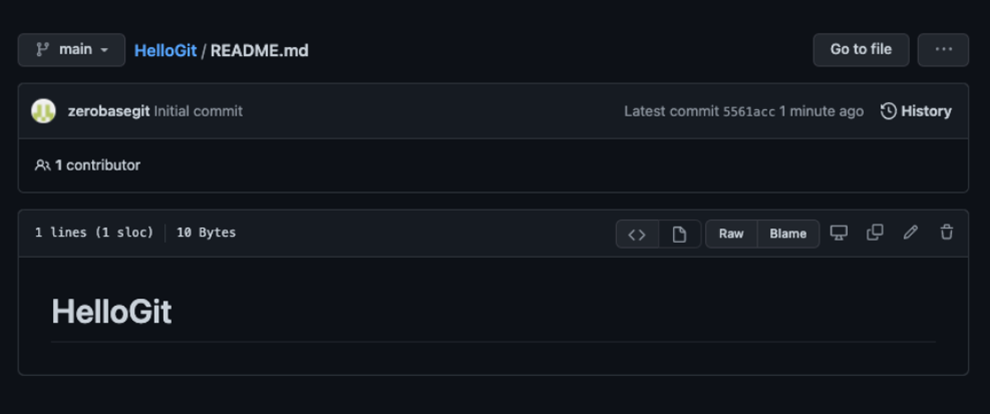
참고 - README File
- 프로젝트에 대한 설명, 사용방법, 라이센스, 설치방법 등에 대한 내용을 기술하는 파일
- 나, 직장동료, 프로그램 사용자를 위해 존재
-
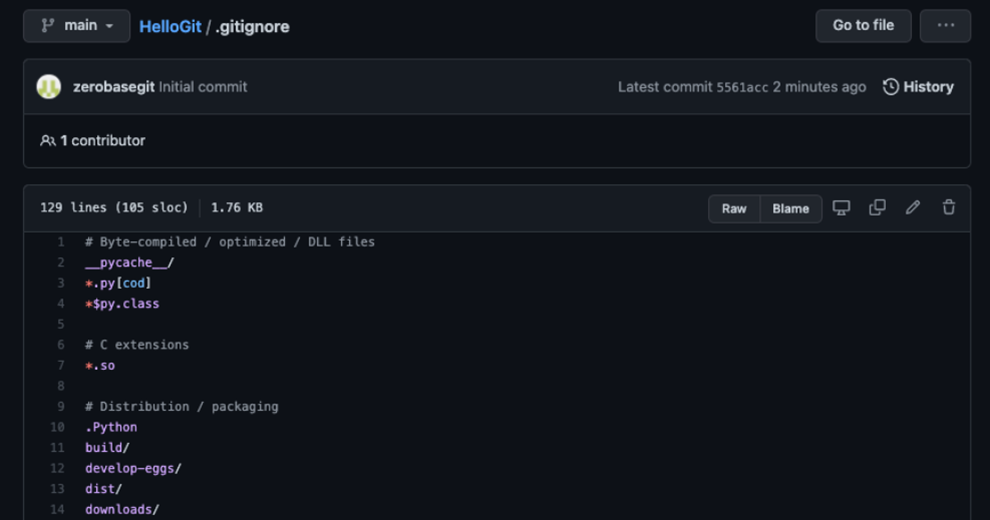
참고 - .gitignore
-
Git 버전 관리에서 제외할 파일목록을 지정하는 파일
-
사용자가 원하지 않는 파일들을 자동으로 commit 대상에서 제외시켜 줌
-
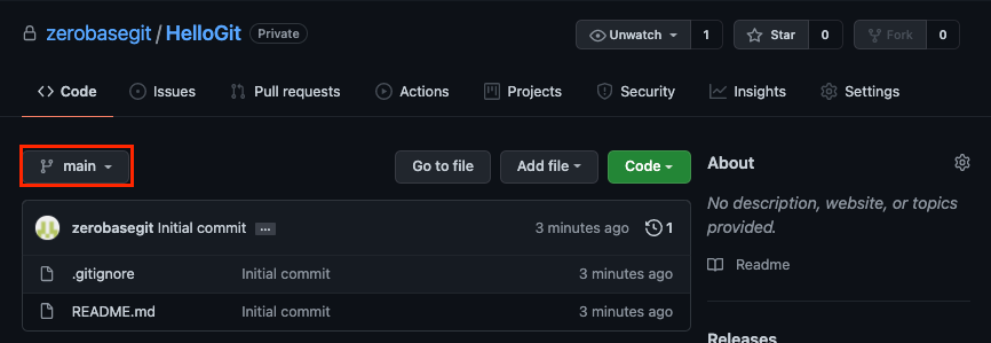
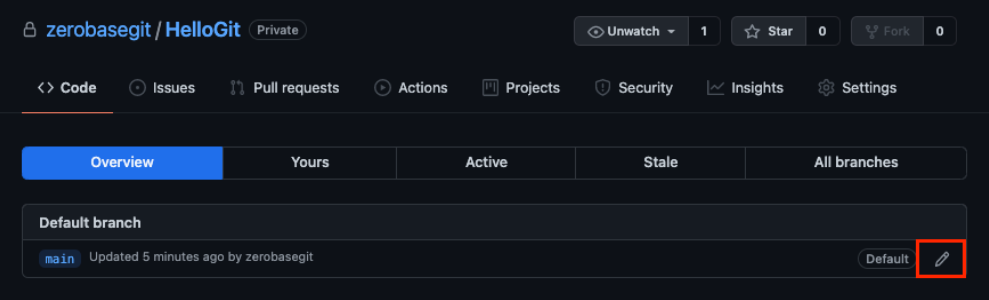
Default Branch
-
Main or Master ?
-
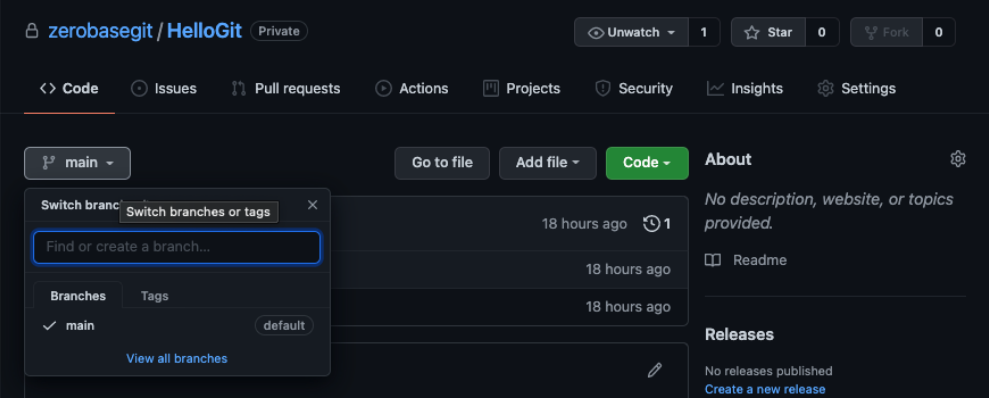
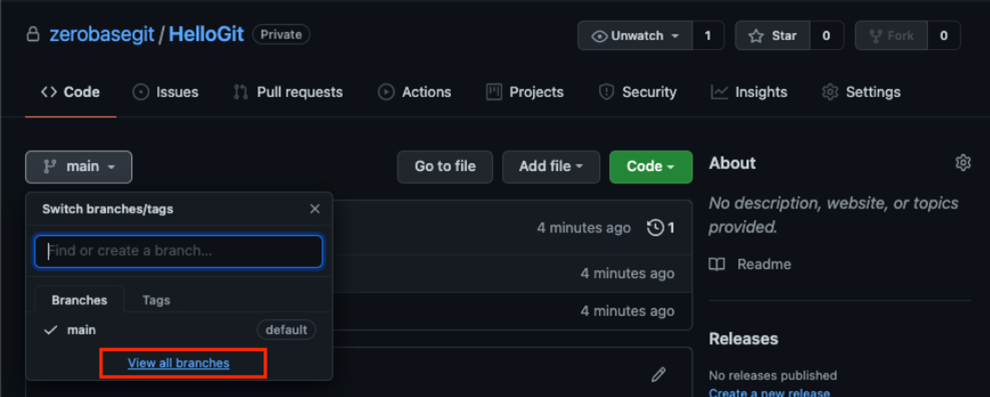
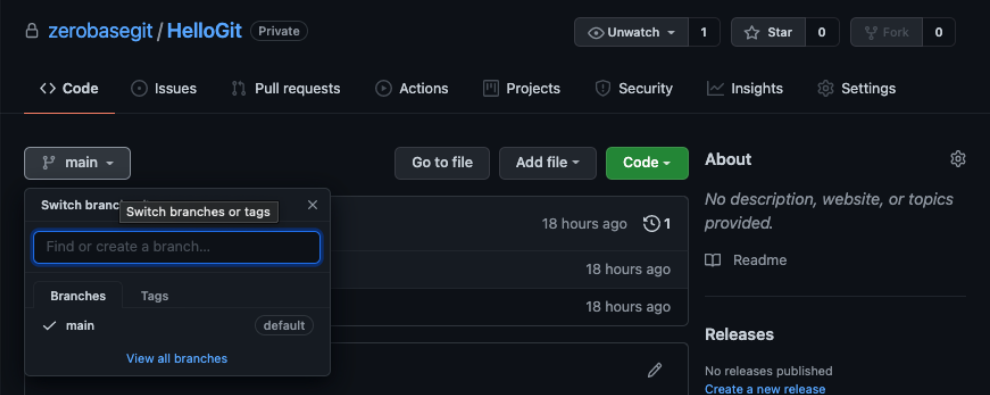
View all branches
-
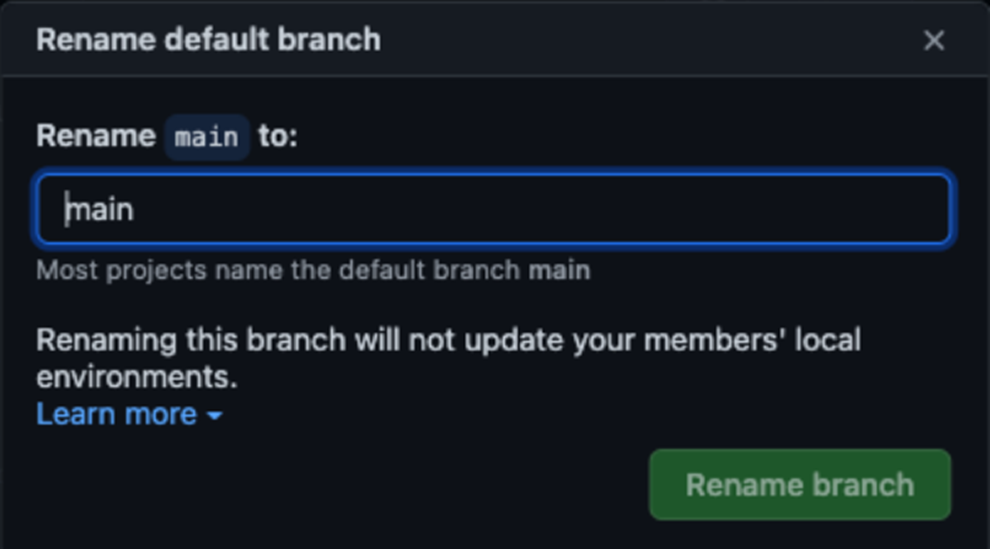
Default branch : 수정이 가능하나 다른 팀원들까지 영향을 받으니 신중해야 한다.
-
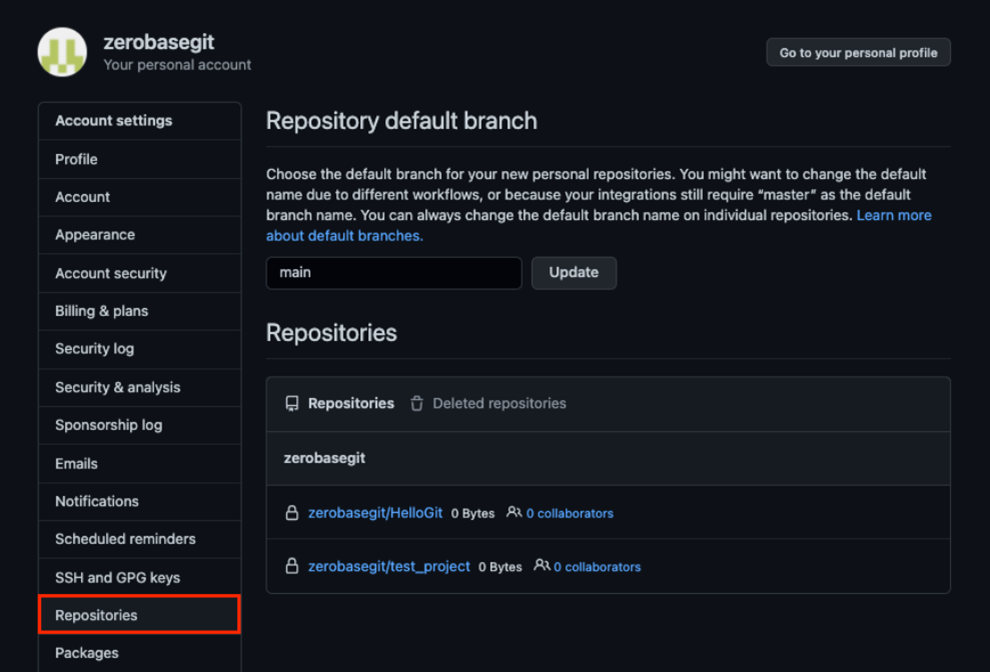
Default Branch 설정
-
Remote Repository 를 생성할 때 Default Branch 이름을 설정할 수 있음
-
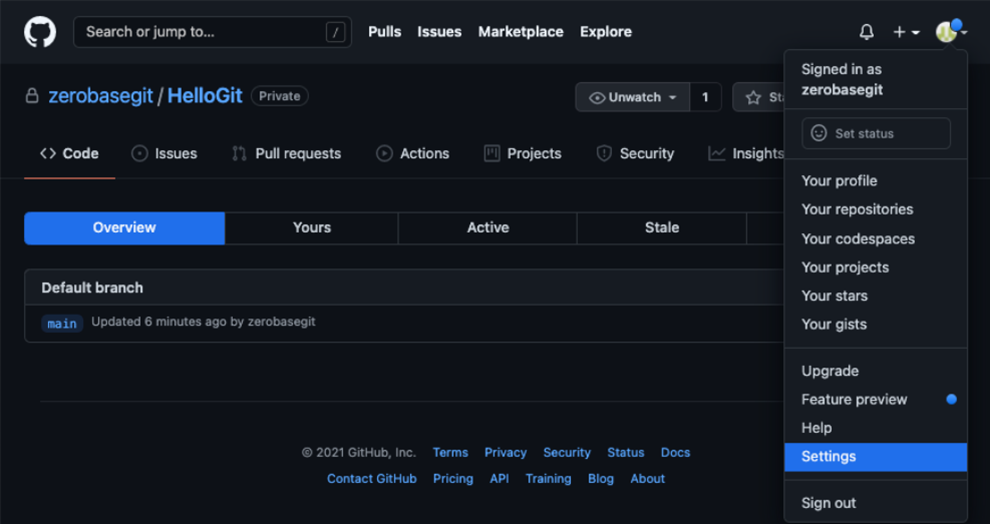
사용자 메뉴 > Settings
-
Repository > Repository default branch
-
Remote Repository 복제하기
-
Local Repository 를 생성하지 않은 상태에서 Git Clone 명령을 사용하여 Remote Repository 를 Local 에 복제할 수 있음
-
Git Clone
- 앞서 폴더를 만들고
- Git Init 으로 해당 폴더를 초기화
- Remote Repository 를 등록
- Remote Repository 의 내용을 Pull 하는 모든 과정을 수행
git clone https://github.com/(repository).git
-
Git Clone with username and token
git clone https://(username):(token)@github.com/(repository).git
-
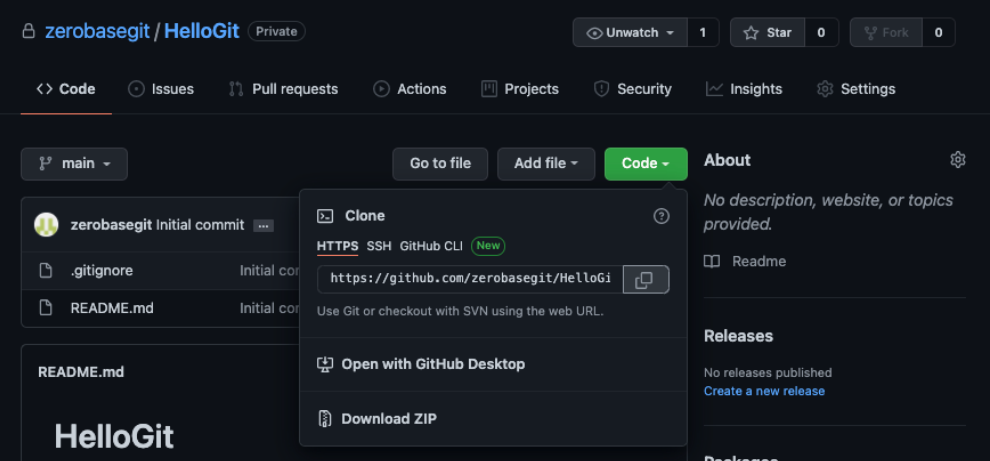
Git Clone 실습
-
Remote Repository 주소 복사
-
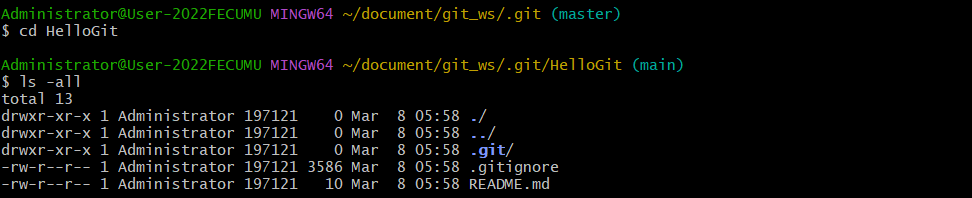
Workspace 로 이동하여 Clone

-
Local Repository 생성 확인
-
Branch
Branch 조회
-
Branch 조회 (Local Branch)
git branch
-
Branch 조회 (Local Branch) 실습

-
Branch 조회 (Remote Branch)
git branch -r
-
Branch 조회 (Remote Branch) 실습

-
Branch 조회 (Local + Remote)
git branch -a
-
Branch 조회 (Local + Remote) 실습

Branch 생성/이동
Local Repository
-
Branch 생성
git branch (branchname)
-
Branch 생성 실습

-
Branch 이동
git checkout (branchname)
-
Branch 이동 실습

-
Branch 생성 + 이동
git checkout -b (branchname)
-
Branch 생성 + 이동 실습

-
GitHub 에서 Branch 확인 : Local Repository 에 생성된 Branch 는 Remote Repository (GitHub) 에서 보이지않음
Remote Repository
-
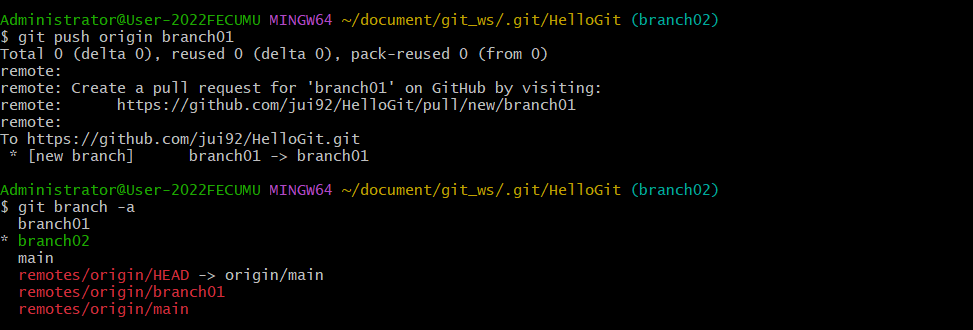
Branch 생성
git push origin (branchname)
-
Branch 생성 (Remote Repository) 실습 - 1
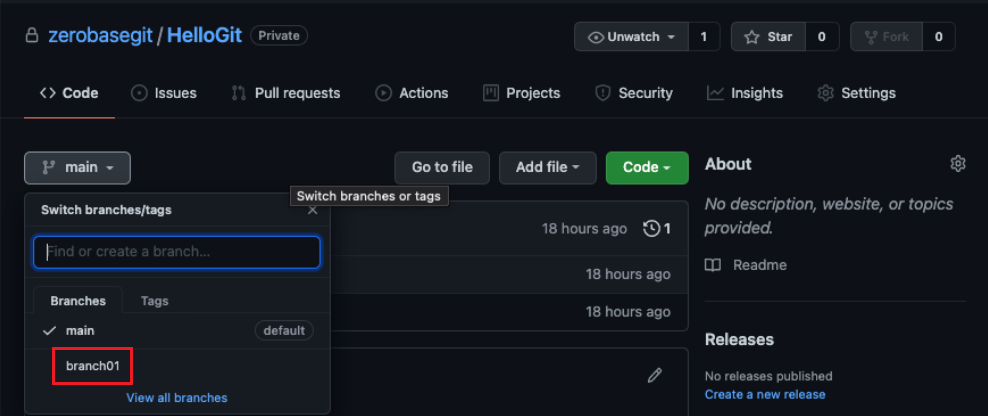
-
Branch 생성 (Remote Repository) 실습 - 2
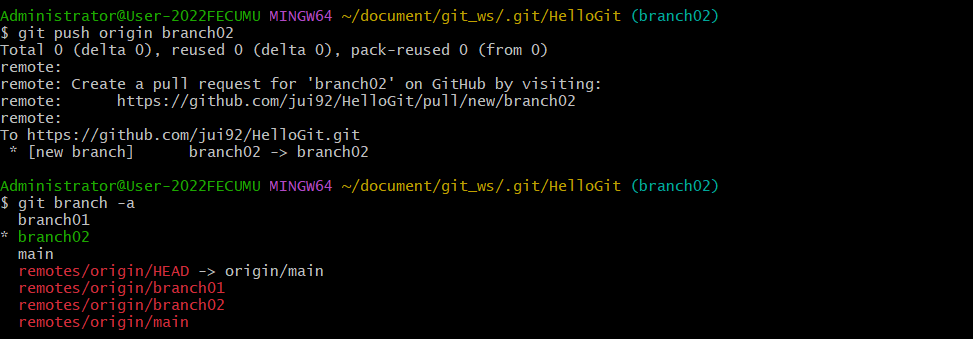
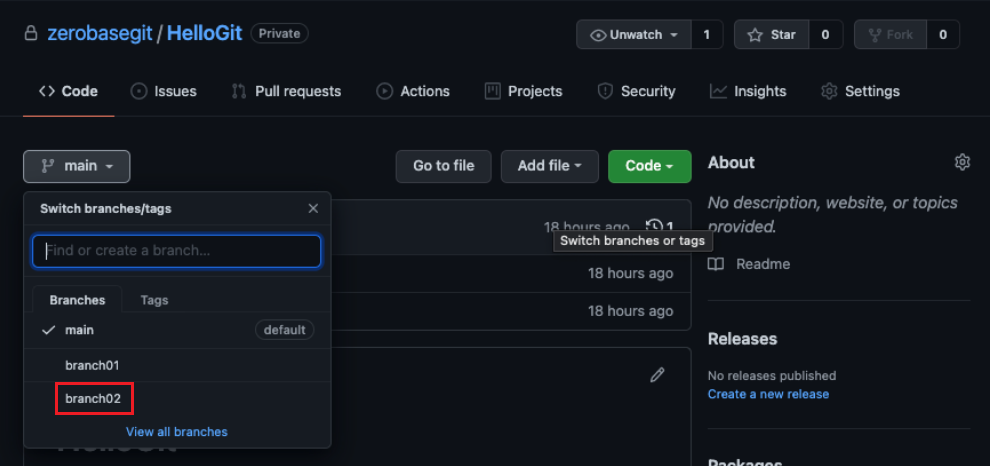
Branch 삭제
-
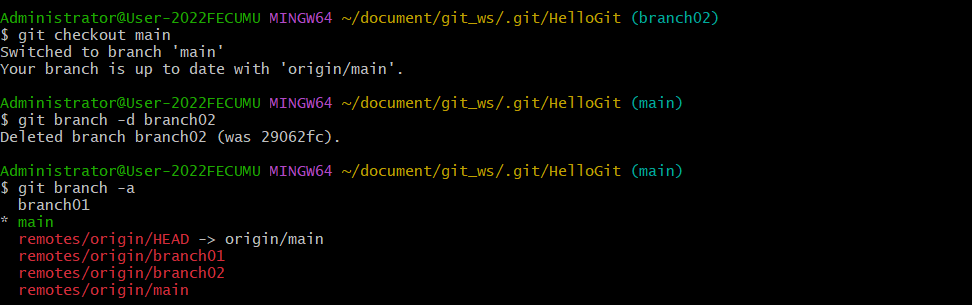
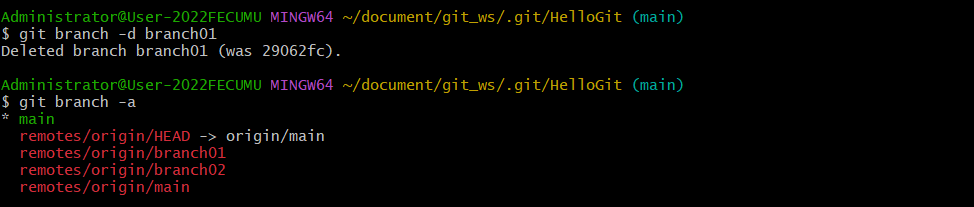
Branch 삭제 (Local Repository)
git branch -d (branchname)
-
Branch 삭제 (Local Repository) 실습 - 1
삭제 하고자 하는 파일 위치에 있을 시 에러 발생
→ 다른 위치로 이동 후 재실행

-
Branch 삭제 (Local Repository) 실습 - 2
-
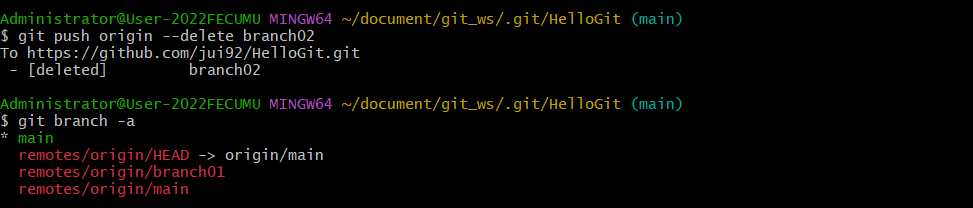
Branch 삭제 (Remote Repository)
git push origin --delete (branchname)
-
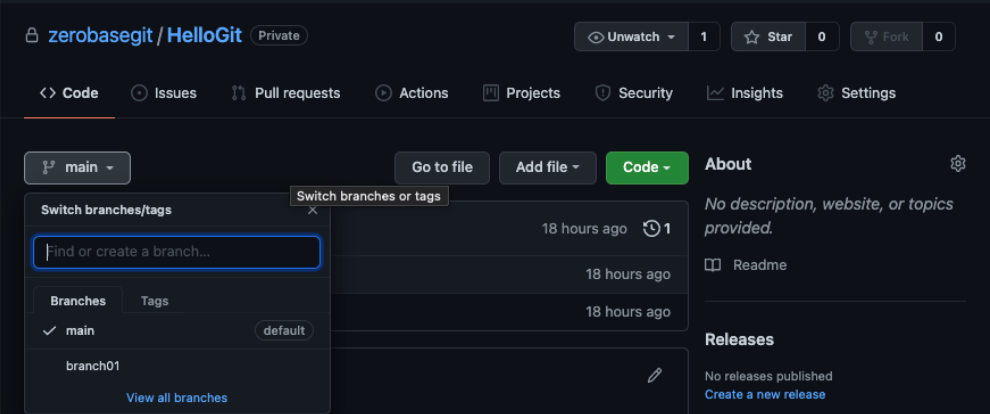
Branch 삭제 (Remote Repository) 실습 - 1
-
Branch 삭제 (Remote Repository) 실습 - 2