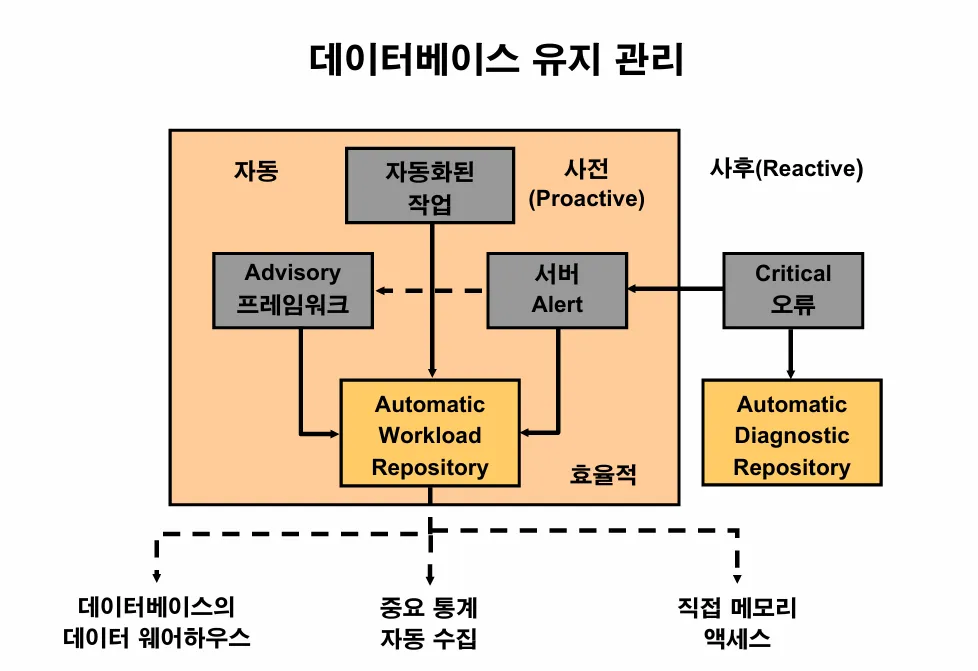
🔎 오라클이 자신의 문제를 스스로 진단하고 그 문제점에 대한 내용을 저장하는 공간
AWR(Automatic Workload Repository)
🔎 AWR이 있는 공간이 어느 테이블 스페이스인가?
sysaux 테이블 스페이스
[실습1] 1시간에 한번씩 성능정보를 자동으로 수집하고 있는지 확인하기
SYS @ ora19dw > @?/rdbms/admin/awrrpt.sql


report_type의 값을 입력하십시오: html
구   1: select 'Type Specified: ',lower(nvl('&&report_type','html')) report_type from dual
신   1: select 'Type Specified: ',lower(nvl('html','html')) report_type from dual

Type Specified:  html

구   1: select '&&report_type' report_type_def from dual
신   1: select 'html' report_type_def from dual


구   1: select '&&view_loc' view_loc_def from dual
신   1: select 'AWR_PDB' view_loc_def from dual


Current Instance
~~~~~~~~~~~~~~~~
DB Id          DB Name        Inst Num       Instance       Container Name
-------------- -------------- -------------- -------------- --------------
 1004651910     ORA19DW                     1 ora19dw        ora19dw


Instances in this Workload Repository schema
~~~~~~~~~~~~~~~~~~~~~~~~~~~~~~~~~~~~~~~~~~~~
  DB Id      Inst Num   DB Name      Instance     Host
------------ ---------- ---------    ----------   ------
* 1004651910     1      ORA19DW      ora19dw      ora19c

Using 1004651910 for database Id
Using          1 for instance number


Specify the number of days of snapshots to choose from
~~~~~~~~~~~~~~~~~~~~~~~~~~~~~~~~~~~~~~~~~~~~~~~~~~~~~~
Entering the number of days (n) will result in the most recent
(n) days of snapshots being listed.  Pressing <return> without
specifying a number lists all completed snapshots.


num_days의 값을 입력하십시오:  그냥 엔터치세요

Listing all Completed Snapshots
Instance     DB Name      Snap Id       Snap Started    Snap Level
------------ ------------ ---------- ------------------ ----------

ora19dw      ORA19DW              5  29 8월  2025 14:10   1
                                  6  29 8월  2025 16:27   1
                                  7  01 9월  2025 10:30   1
                                  8  01 9월  2025 12:00   1
                                  9  01 9월  2025 13:00   1
                                 10  01 9월  2025 14:00   1
                                 11  01 9월  2025 15:00   1
                                 12  01 9월  2025 16:00   1
                                 13  01 9월  2025 17:00   1
                                 14  02 9월  2025 16:26   1
                                 15  05 9월  2025 12:18   1
                                 16  05 9월  2025 13:00   1
                                 17  05 9월  2025 14:00   1
                                 18  05 9월  2025 15:00   1


Specify the Begin and End Snapshot Ids
~~~~~~~~~~~~~~~~~~~~~~~~~~~~~~~~~~~~~~
begin_snap의 값을 입력하십시오:


Instances in this Workload Repository schema
~~~~~~~~~~~~~~~~~~~~~~~~~~~~~~~~~~~~~~~~~~~~
  DB Id      Inst Num   DB Name      Instance     Host
------------ ---------- ---------    ----------   ------
* 1004651910     1      ORA19DW      ora19dw      ora19c

Using 1004651910 for database Id
Using          1 for instance number


Specify the number of days of snapshots to choose from
~~~~~~~~~~~~~~~~~~~~~~~~~~~~~~~~~~~~~~~~~~~~~~~~~~~~~~
Entering the number of days (n) will result in the most recent
(n) days of snapshots being listed.  Pressing <return> without
specifying a number lists all completed snapshots.


num_days의 값을 입력하십시오:

Listing all Completed Snapshots
Instance     DB Name      Snap Id       Snap Started    Snap Level
------------ ------------ ---------- ------------------ ----------

ora19dw      ORA19DW              5  29 8월  2025 14:10   1
                                  6  29 8월  2025 16:27   1
                                  7  01 9월  2025 10:30   1
                                  8  01 9월  2025 12:00   1
                                  9  01 9월  2025 13:00   1
                                 10  01 9월  2025 14:00   1
                                 11  01 9월  2025 15:00   1
                                 12  01 9월  2025 16:00   1
                                 13  01 9월  2025 17:00   1
                                 14  02 9월  2025 16:26   1
                                 15  05 9월  2025 12:18   1
                                 16  05 9월  2025 13:00   1
                                 17  05 9월  2025 14:00   1
                                 18  05 9월  2025 15:00   1


Specify the Begin and End Snapshot Ids
~~~~~~~~~~~~~~~~~~~~~~~~~~~~~~~~~~~~~~
begin_snap의 값을 입력하십시오: 17

end_snap의 값을 입력하십시오: 18
모바텀에서 html 파일 다운받고 열어보면 됨
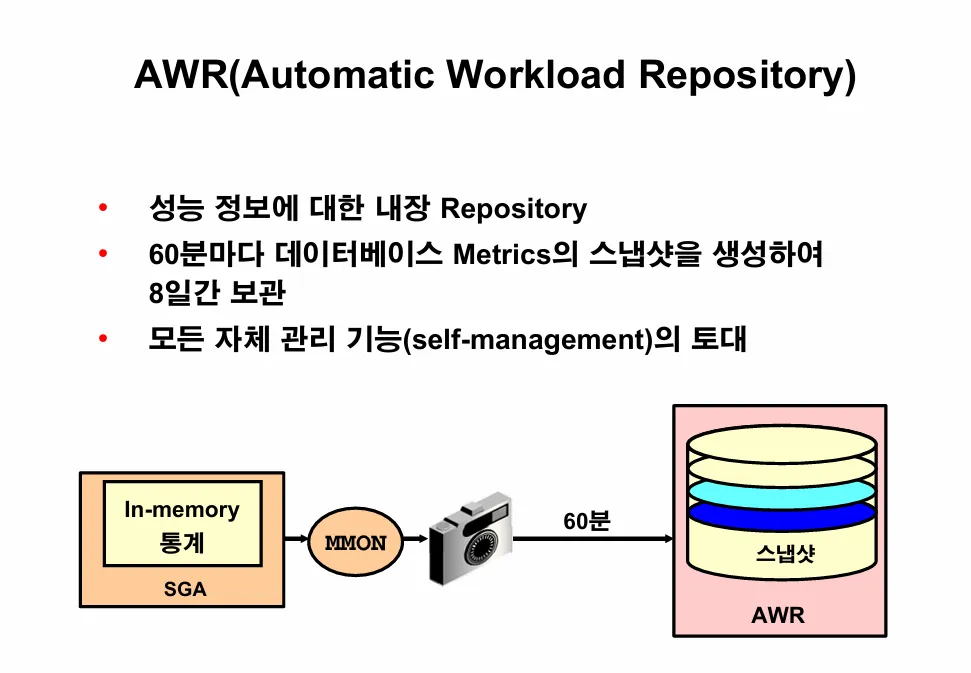
[실습2] 수동으로 성능정보를 수집하게 하시오
exec dbms_workload_repository.create_snapshot;

select snap_id, begin_interval_time, end_interval_time
 from dba_hist_snapshot
 order by snap_id asc;
문제2. scott 유져에서 악성 SQL을 하나 걸고 TOP 과 오렌지로 현재 발생한 이슈를 확인하시오
SYS @ ora19dw > connect scott/tiger
연결되었습니다.
SCOTT @ ora19dw >
SCOTT @ ora19dw > select count(*)
            from emp, emp, emp, emp, emp, emp, emp, emp, emp, emp, emp;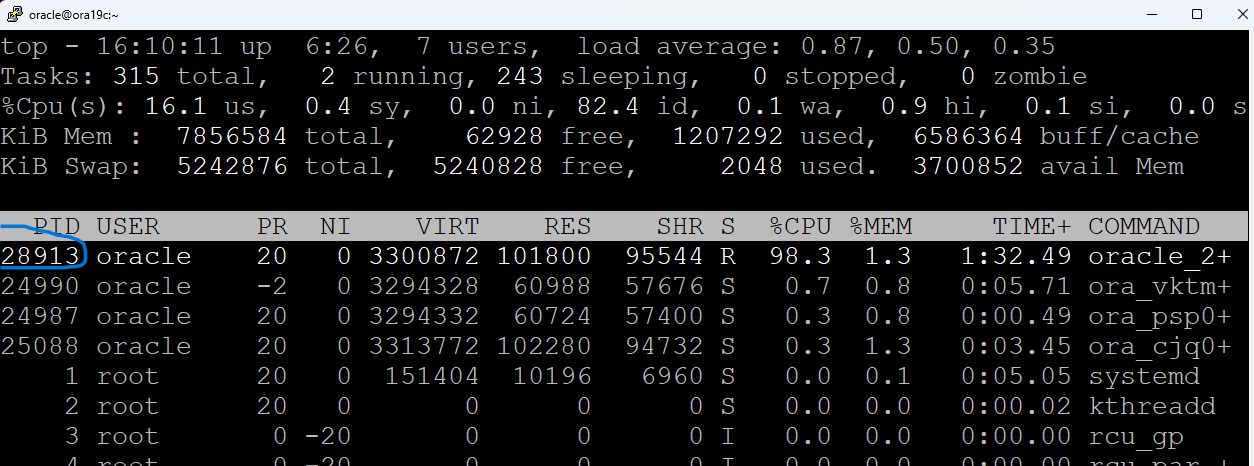
오렌지를 켭니다.
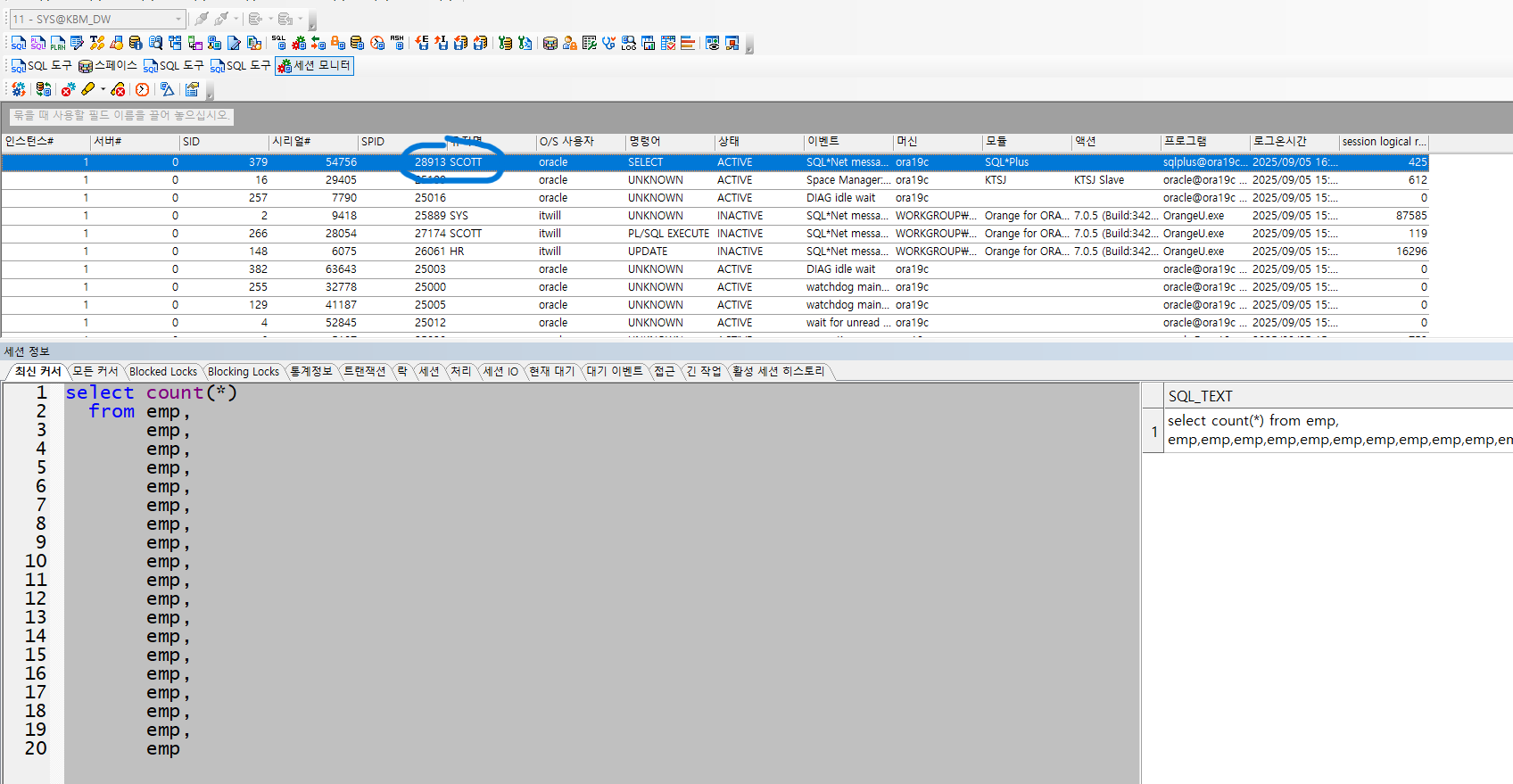
마우스 우클릭 - kill session 하면
putty의 top에서 28913번이 사라짐
문제3. 과거에 DB에서 발생한 성능상의 이슈를 확인하시오
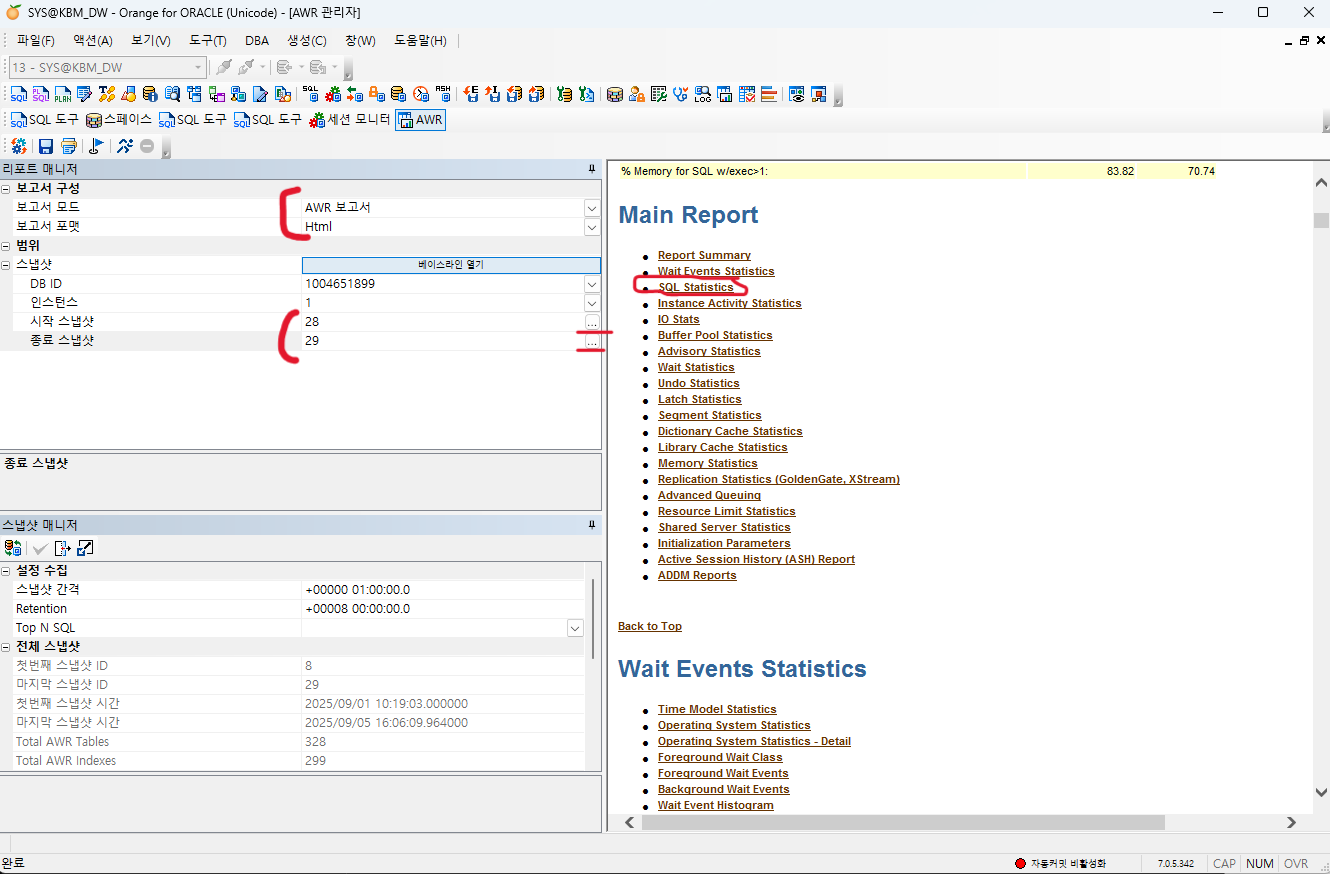
ㄴ SQL Statistics 클릭
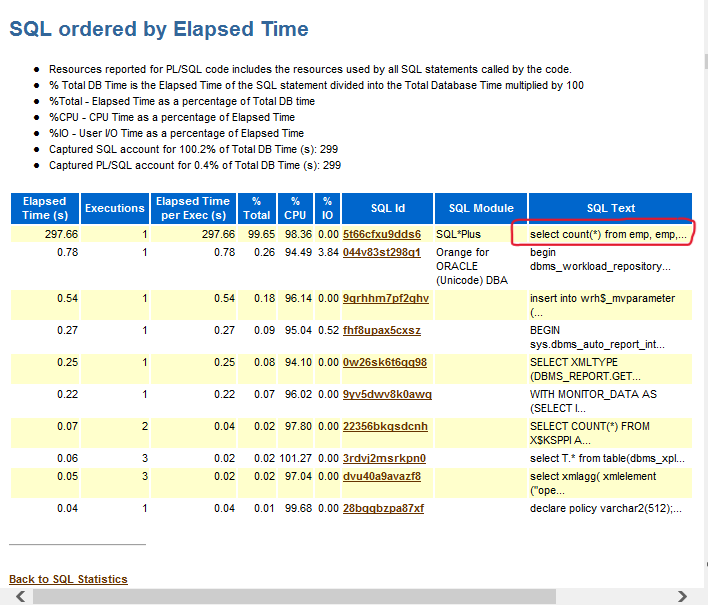
🔸 [문제] hr 계정으로 접속해서 employees 테이블에 대한 악성 SQL을 하나 수행하고, 오렌지에 awr 레포트를 생성해서 악성 sql의 full text를 찾아내시오
1. snapshot 찍기
exec dbms_workload_repository.create_snapshot;

select snap_id, begin_interval_time, end_interval_time
 from dba_hist_snapshot
 order by snap_id asc;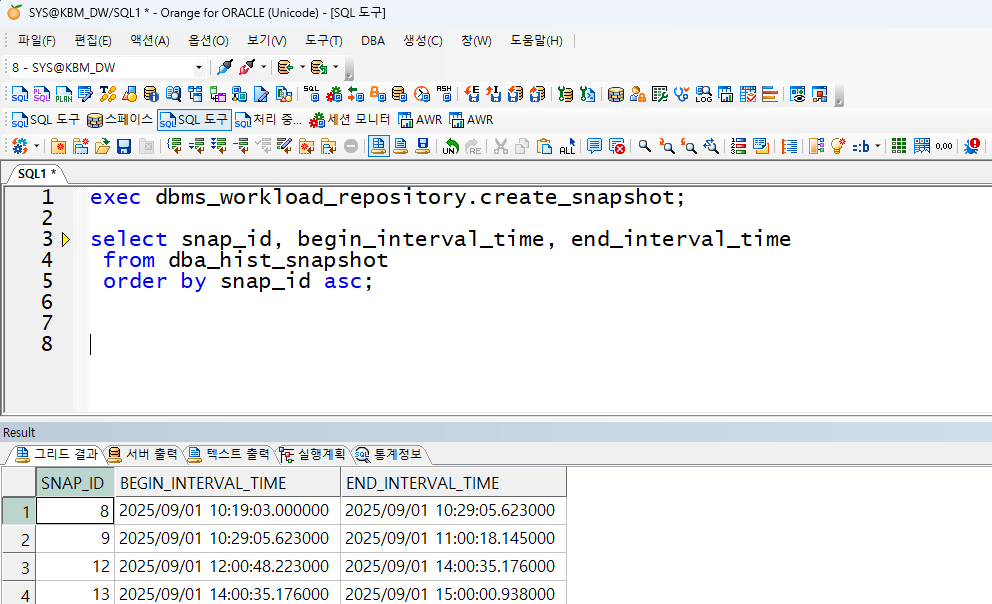
2. hr 계정으로 접속해서 employees 테이블에 대한 악성 SQL 수행
SYS @ ora19dw > connect hr/hr
연결되었습니다.

HR @ ora19dw > select count(*)
  2  from employees, employees, employees, employees, employees, employees, employees, employees, employees;
3. 오렌지에 awr 레포트 생성 후, 악성 sql의 full text 찾기
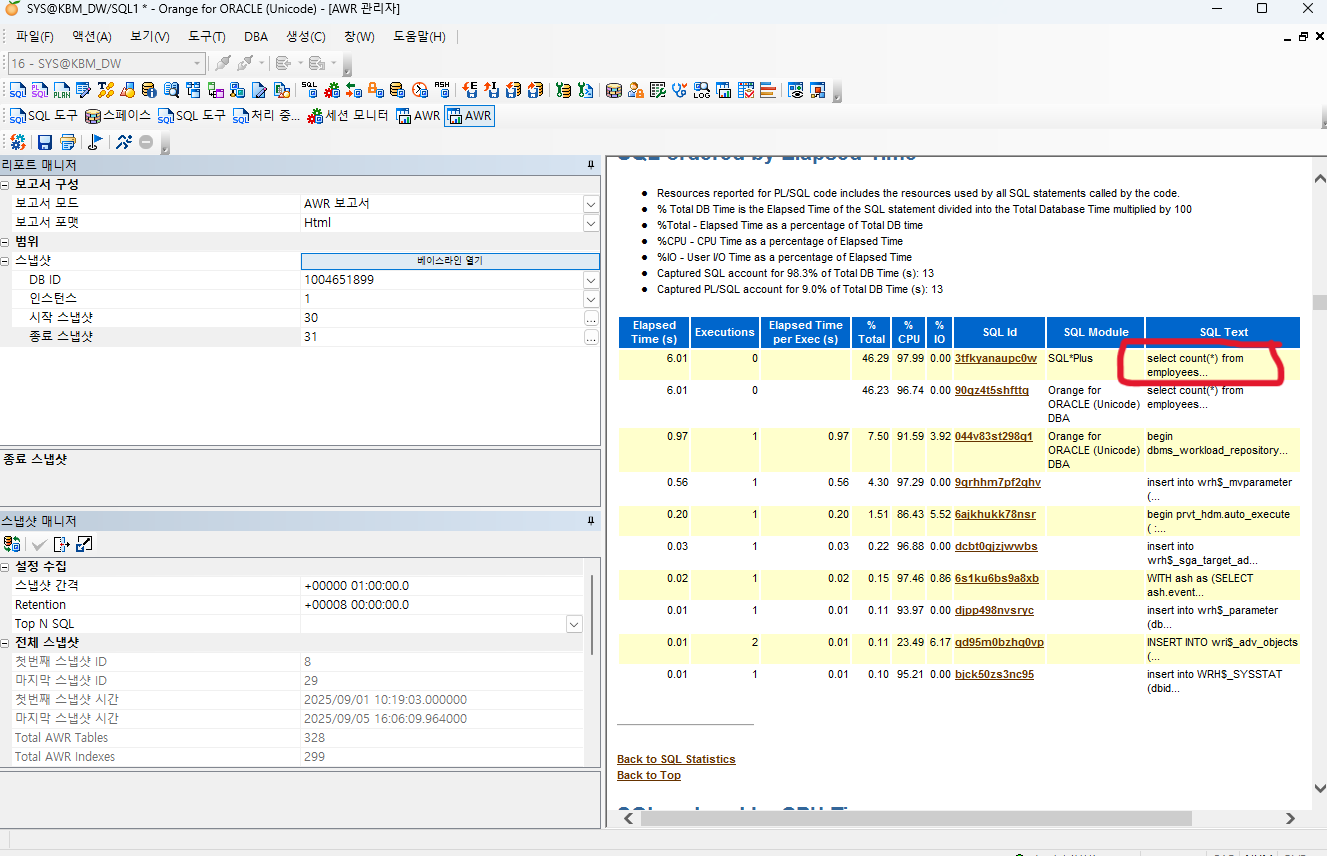
🔸 [문제] dw쪽에 ts50 이라는 이름으로 테이블 스페이스를 생성하고 이 테이블 스페이스를 default permanent 테이블 스페이스로 지정하시오. 그리고 temp200 이라는 temporary 테이블 스페이스를 생성하고 이 테이블 스페이스를 default temporary 테이블 스페이스로 지정하시오
1. ts50 테이블스페이스 생성 후, default permanent 테이블스페이스로 지정
SYS @ ora19dw > create tablespace ts50
  2  datafile '/u01/app/oracle/oradata/ORA19DW/ts50.dbf' size 10m;

테이블스페이스가 생성되었습니다.

SYS @ ora19dw > alter database default tablespace ts50;

데이타베이스가 변경되었습니다.

SYS @ ora19dw >
2. temp200이라는 temporary 테이블스페이스 생성 후, default temporary 테이블스페이스로 지정
SYS @ ora19dw > create temporary tablespace temp200
  2  tempfile '/u01/app/oracle/oradata/ORA19DW/temp200.dbf' size 10m;

테이블스페이스가 생성되었습니다.

SYS @ ora19dw > alter database default temporary tablespace temp200;

데이타베이스가 변경되었습니다.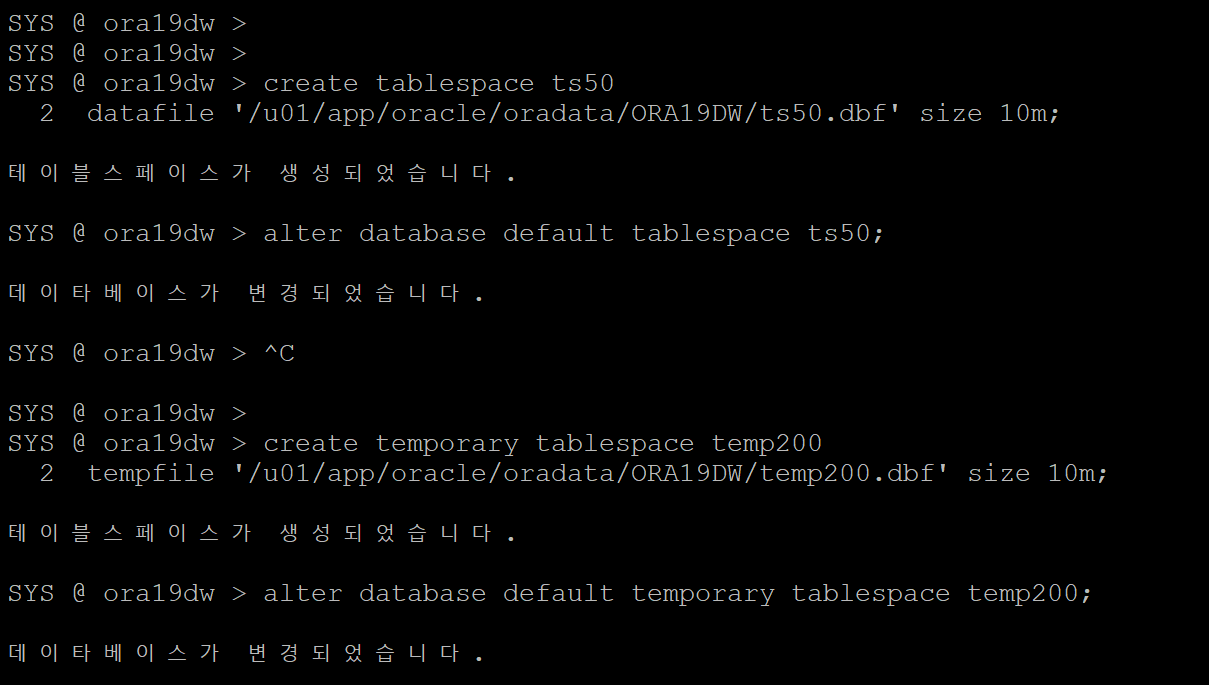
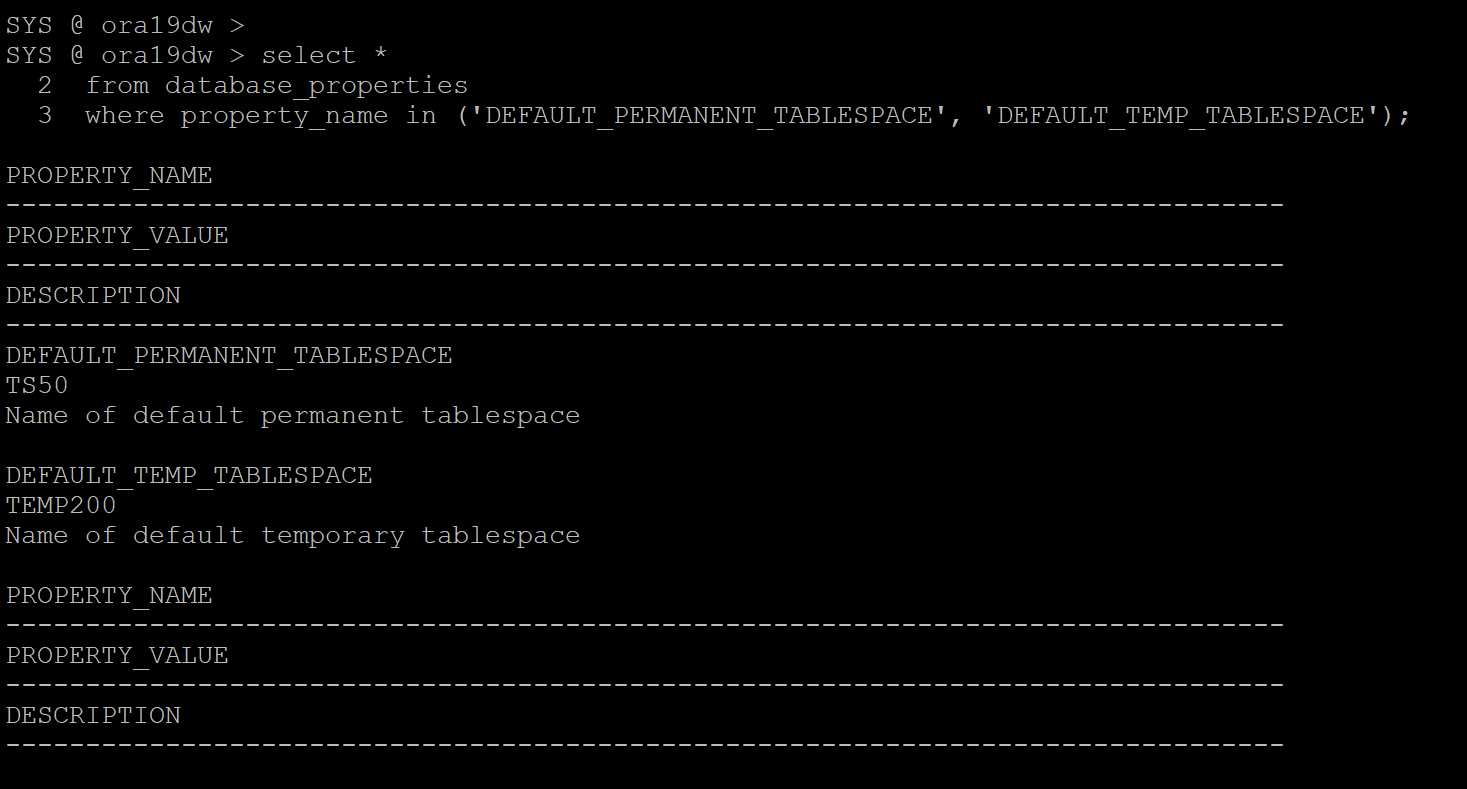
3. 각각 잘 지정되었는지 확인
SYS @ ora19dw > select *
  2  from database_properties
  3  where property_name in ('DEFAULT_PERMANENT_TABLESPACE', 'DEFAULT_TEMP_TABLESPACE');

PROPERTY_NAME
--------------------------------------------------------------------------------
PROPERTY_VALUE
--------------------------------------------------------------------------------
DESCRIPTION
--------------------------------------------------------------------------------
DEFAULT_PERMANENT_TABLESPACE
TS50
Name of default permanent tablespace

DEFAULT_TEMP_TABLESPACE
TEMP200
Name of default temporary tablespace

PROPERTY_NAME
--------------------------------------------------------------------------------
PROPERTY_VALUE
--------------------------------------------------------------------------------
DESCRIPTION
--------------------------------------------------------------------------------
문제4. 아카이브 로그 파일이 생성되는 위치인 fast recovery area 영역의 사이즈를 더 늘리시오
SYS @ ora19dw > alter system set db_recovery_file_dest_size=20g;

시스템이 변경되었습니다.

[oracle@ora19c ~]$ export ORACLE_SID=ora19dw
[oracle@ora19c ~]$
[oracle@ora19c ~]$ rman target /

복구 관리자: Release 19.0.0.0.0 - Production on 월 9월 8 09:50:35 2025
Version 19.3.0.0.0

Copyright (c) 1982, 2019, Oracle and/or its affiliates.  All rights reserved.

대상 데이터베이스에 접속됨: ORA19DW(DBID=1004651910)

RMAN> delete archivelog all;

[oracle@ora19c ~]$ cd /u01/app/oracle/oradata
[oracle@ora19c oradata]$ ls
ORA19  ORA19DW
[oracle@ora19c oradata]$
[oracle@ora19c oradata]$ rm -rf ORA19
[oracle@ora19c oradata]$ df -h
Filesystem           Size  Used Avail Use% Mounted on
devtmpfs             3.8G     0  3.8G   0% /dev
tmpfs                3.8G     0  3.8G   0% /dev/shm
tmpfs                3.8G  9.3M  3.8G   1% /run
tmpfs                3.8G     0  3.8G   0% /sys/fs/cgroup
/dev/mapper/ol-root   44G   32G   13G  71% /
/dev/sda1           1014M  234M  781M  23% /boot
tmpfs                768M     0  768M   0% /run/user/1000
tmpfs                768M   12K  768M   1% /run/user/42
[oracle@ora19c oradata]$ sysdw

SQL*Plus: Release 19.0.0.0.0 - Production on 월 9월 8 09:53:09 2025
Version 19.3.0.0.0

Copyright (c) 1982, 2019, Oracle.  All rights reserved.


다음에 접속됨:
Oracle Database 19c Enterprise Edition Release 19.0.0.0.0 - Production
Version 19.3.0.0.0

SYS @ ora19dw >