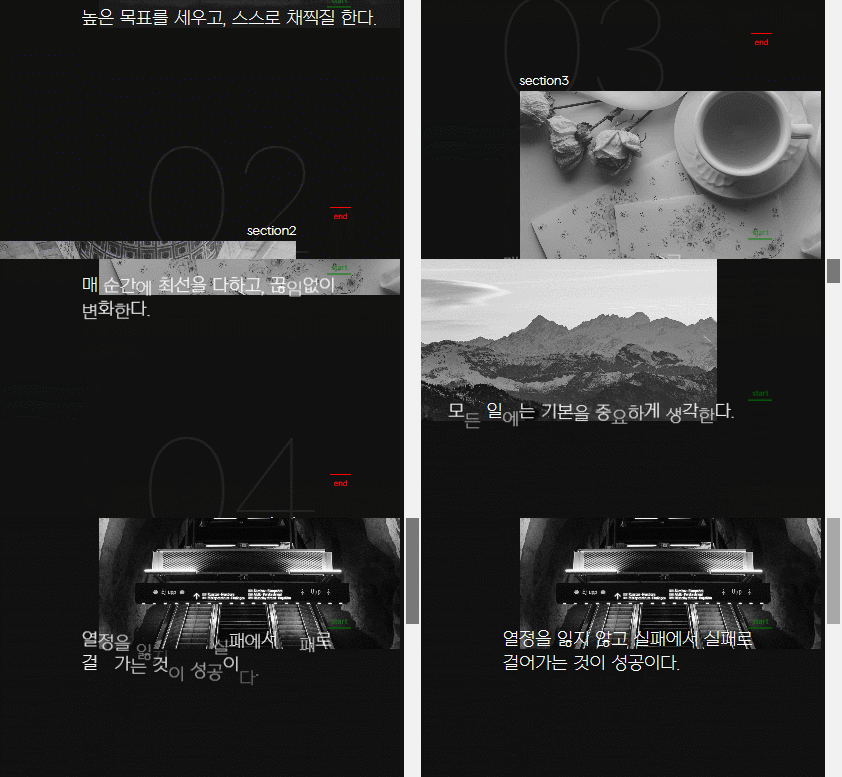
텍스트 글자 따로따로 나타나는 애니메이션 주기
<section id="section9" class="parallax__item">
            <span class="parallax__item__num">09</span>
            <h2 class="parallax__item__title">section9</h2>
            <figure class="parallax__item__imgWrap">
                <div class="parallax__item__img"></div>
            </figure>
            <p class="parallax__item__desc split">꿈이 있다면, 그 꿈을 잡고 절대 놓아주지마라.</p>
        </section>
1. 라이브러리 없이 쓰는방법
1. 텍스트 분리방법
let text = document.querySelector('.split');
let splitText = text.innerText;
let splitWrap = splitText.split("").join('</span><span>');
         text.innerHTML = splitWrap = `<span>${splitWrap}</span>`;
2. 모든 텍스트 분리하기
document.querySelectorAll(".split").forEach(text =>{
  let splitWrap = text.innerText.split("").join("</span><span aria-hidden='true'>");
  text.innerHTML = `<span aria-hidden='true'>${splitWrap}</span>`;
  text.setAttribute("aria-label", text.innerText)
});
3. 모든 텍스트 분리하기 : 여백 표현하기
document.querySelectorAll(".split").forEach(text => {
let theText = text.innerText;
let newText = "";
for(let i=0; i<text.innerText.length; i++){
newText += "<span aria-hidden='true'>";
if(text.innerText[i] == " "){
newText += " ";
} else {
newText += text.innerText[i];
}
newText += "</span>";
}
text.innerHTML = newText;
text.setAttribute("aria-label", theText);
});gsap.utils.toArray(".split").forEach(text=>{
gsap.from(text.querySelectorAll('span'),{
yPercent:100,
autoAlpha:0,
// rotation:100,
y:100,
x:100,
// scale:10,
duration:1,
ease:"circ.out",
stagger:{
amount:3,
from:"random"
},
scrollTrigger:{
trigger: text,
start:"top bottom",
end:"+=400",
markers:true,
}
})
})2. 유료 라이브러리 쓸때 손쉽게 쓰는방법 (04 split-type 사용하기)
<script src="https://unpkg.com/split-type"></script>const targets = gsap.utils.toArray(".split");
targets.forEach(target => {
let SplitClient = new SplitType(target, {type: "lines, words, chars"});
let lines = SplitClient.lines;
let words = SplitClient.words;
let chars = SplitClient.chars;
gsap.from(chars, {
yPercent: 100,
autoAlpha: 0,
duration: 1,
ease: "circ.out",
stagger: {
amount: 1,
from : "random"
},
scrollTrigger: {
trigger: target,
start: "top bottom",
end: "+=400",
markers: true
}
});
});
lbh_dev