Airflow - BigQuery
사전에 connection을 맺어놓은 상태에서 BigQueryOperator를 dag 작성
BigQueryHook: BigQuery에 연결하고 쿼리를 실행할 수 있게 해주는 Airflow용 클래스
DAG 작성
Airflow DAG 전체구조 요약
├── BigQuery 쿼리 정의
├── 쿼리 실행 함수 정의 (PythonOperator에서 실행)
└── DAG 설정 + Task 등록
공통 설정 정의
default_args = {
'owner': 'airflow',
'start_date': days_ago(1),
'retries': 1,
}
QUERY_STRING = """
    SELECT event_name, COUNT(*) as event_count
    FROM `bigquery-public-data.ga4_obfuscated_sample_ecommerce.events_20210131`
    GROUP BY event_name
    LIMIT 10
"""

쿼리를 변수에 저장
조회활 쿼리는 이벤트별 카운트
def run_query_and_print_results():
hook = BigQueryHook(gcp_conn_id='google_cloud_default', use_legacy_sql=False)
client = hook.get_client()
query_job = client.query(QUERY_STRING, location="US")
results = query_job.result()
print("쿼리 결과:")
for row in results:
print(dict(row))
단계별 설명:
BigQueryHook 객체 생성 → GCP 연결을 위한 정보 가져옴
get_client() → Google BigQuery API의 클라이언트 생성
query() → 쿼리 실행 (location도 US로 명시)
result() → 쿼리 실행이 끝날 때까지 기다림
print() → Airflow 로그에 결과 출력
PythonOperator로 task 등록
python
복사
편집
with DAG(
dag_id='bq_query_with_result_print',
default_args=default_args,
schedule_interval='@daily',
catchup=False,
tags=['bigquery', 'print', 'result']
) as dag:
print_results = PythonOperator(
    task_id='run_and_print_query_results',
    python_callable=run_query_and_print_results
)
git
git push -> 원격 레포지토리 반영 -> git pull -> airflow webserber dag 반영
DAG 테스트
airflow webserver 에 반영된 Dag task 실행
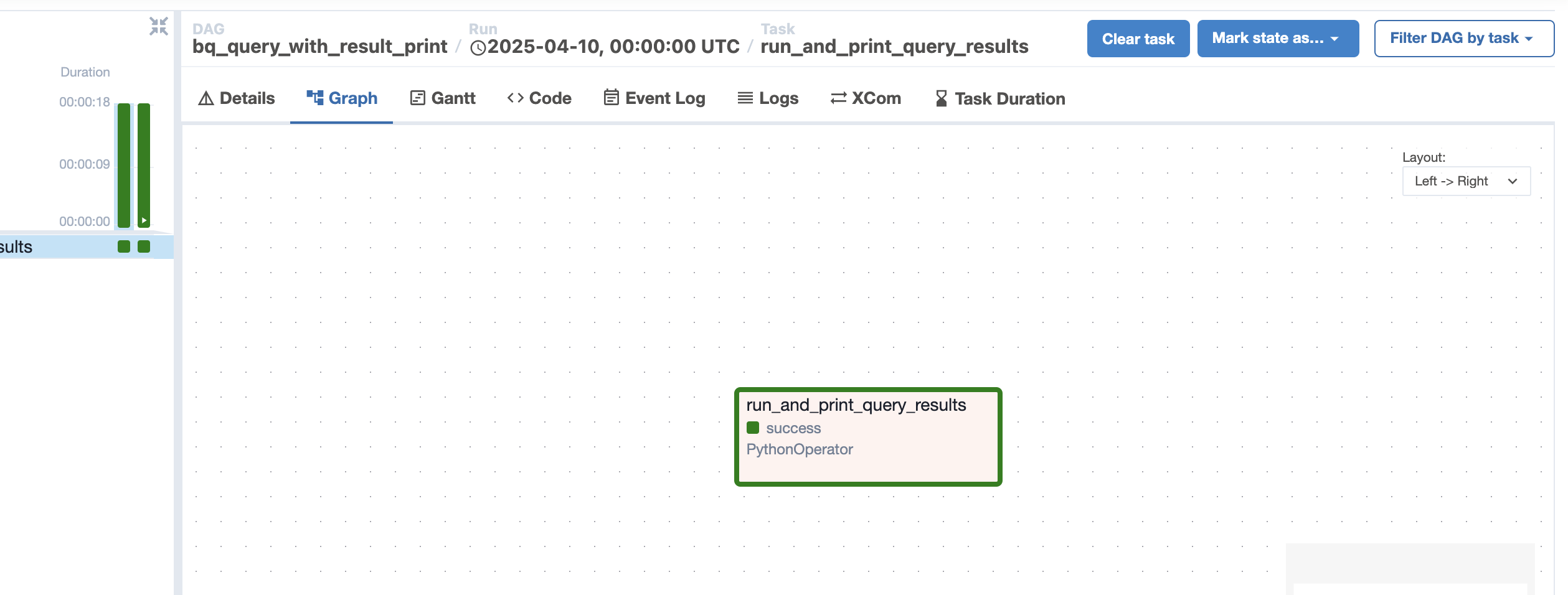
airflow - bigquery간 연결 확인을 위한 테스크로 단일 테스크로 실행
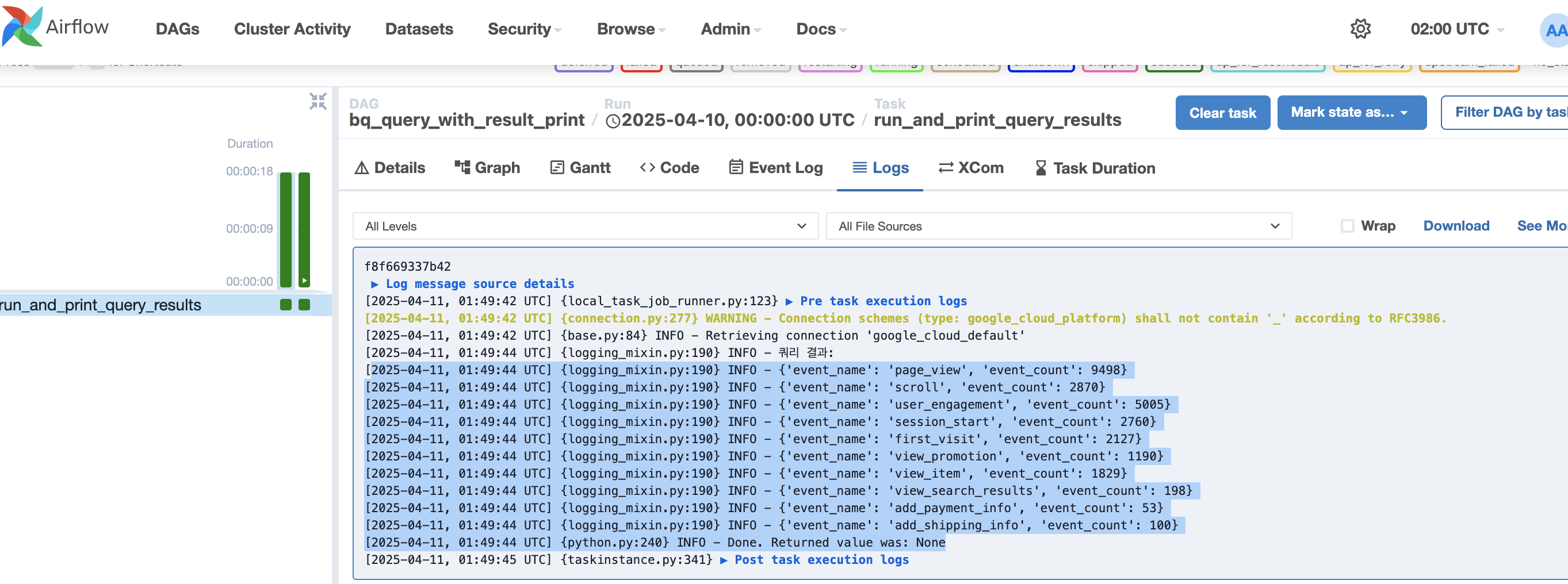
쿼리결과 확인 - 이벤트 로그별 집계데이터 출력
S3에 데이터 이관 작업을 통해서 일별 이벤트로그 집계를 할 수 있겠다.