python-shell을 활용하여 파이썬 실행 controller 구현
const { PythonShell } = require('python-shell');

const fs = require('fs');

const serverlocation = '/Users/donghunbyun/Desktop/workspace/nodejs/node_Learn_Python/'

const fileLocation = 'server/files/code/';

const totallocation = serverlocation + fileLocation

exports.test = (req, res) => {

    const filepath = totallocation + req.body.user_id +'.py';

    fs.writeFile(filepath, req.body.code, () => {

        const pyshell = new PythonShell(filepath);

        let resultArray = new Array();

        if(req.body.hasOwnProperty("input_data")){
            for(let temp of req.body.input_data){
                pyshell.send(temp);
            }
        }

        pyshell.on('message', message => {
            resultArray.push(message);
        });

        pyshell.end(function (err, code) {
            fs.unlink(filepath, () => {
                if (err) {
                    console.log(String(err))
                    return res.json({ result: String(err) });
                }
                const result = resultArray.join('\n');

                res.status(200).json({ result: result });
            });
        });
    });
}- Web에서 요청이 들어오면 user_id를 이용하여 지정된 디렉토리에 python 파일 생성
- 생성한 파일을 사용하여 pythonShell 객체 선언
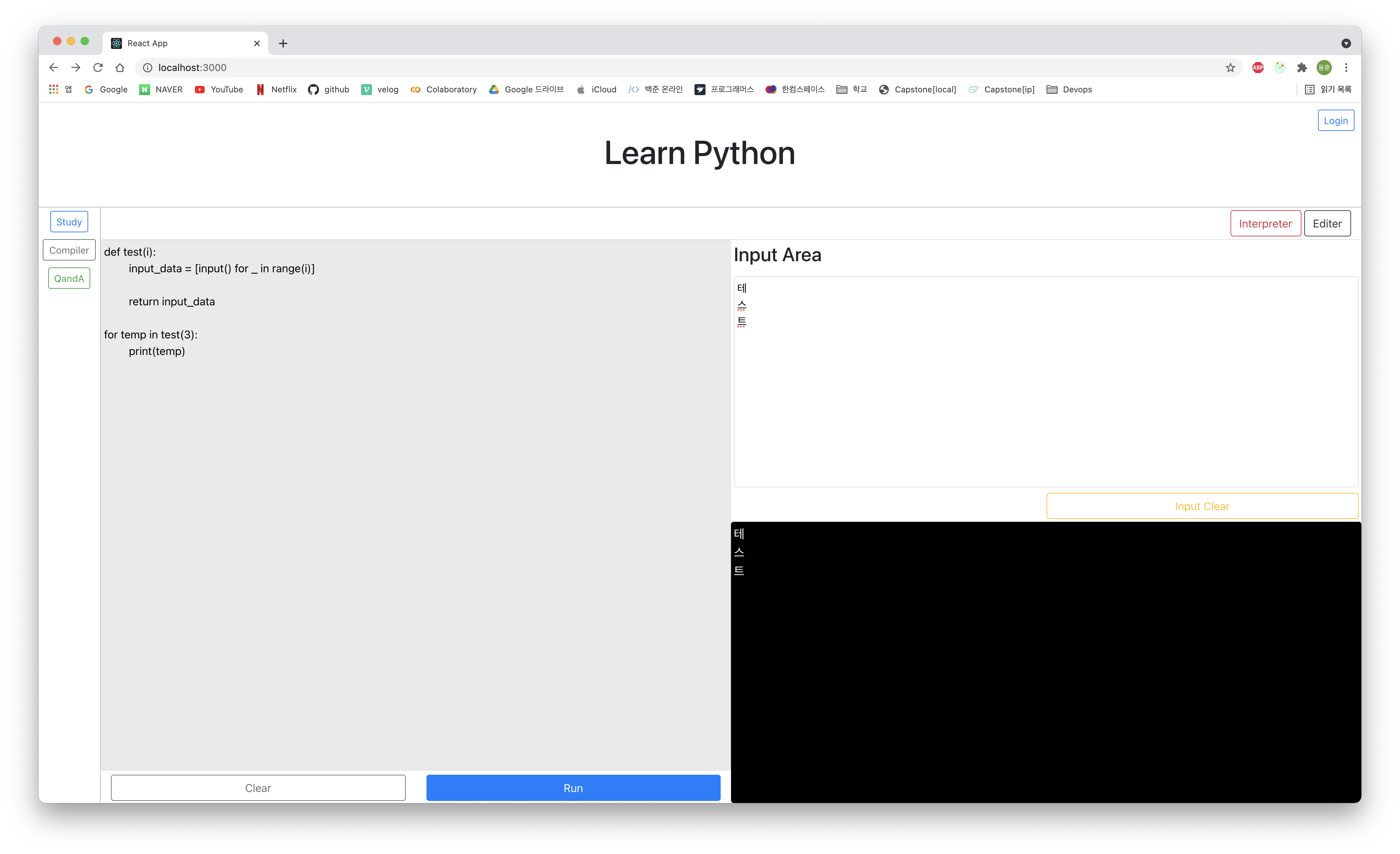
- input() 요청이 있을 경우 send()를 사용하여 처리
- input 요청에 대해 입력값을 배열로 받아 순서대로 처리
- pythonShell 실행 성공 시 message를 resultArray에 추가
- 출력값이 message에 한라인씩 들어오게 되어 여러줄일 경우 message에 모든 결과를 가져올 수 없음
- PythonShell 종료 생성했던 python 파일 삭제
- error 발생 시 error를 문자열로 변환하여 반환
- error가 발생하지 않았을 시 resultArray 배열을 줄넘김 기호로 하나의 문자열로 변환하여 반환

어제보다 더 발전하는 오늘